# @astraicons/react 中文文档
规范地址:https://npmcn.com/package/%40astraicons/react/
版本:1\.7\.0
npm 元数据更新时间:2025-12-31T04:03:30.190Z
中文译文更新时间:2026-11-07T00:50:12.066Z
软件包许可:MIT
本文由上游 README 翻译,可能存在偏差,请结合原文核对 API、命令与配置。版权与许可归原作者所有。
原始 npm 页面:https://www.npmjs.com/package/%40astraicons/react
原文对照:https://npmcn.com/package/%40astraicons/react/?lang=original
项目主页:https://www.uiastra.com/
源码仓库:https://github.com/uiastra/astraicons
## 关键信息(来自 npm 元数据)
- 包体积(解压后):104 MB,5181 个文件
- 模块格式:ESM + CJS
- TypeScript 类型:包内自带
- 运行依赖:0 个
- peer 依赖:react \>= 16
- 首次发布:2024-06-13T03:24:23.739Z
- 最新版本发布:2025-12-31T04:03:29.791Z
- 近 30 天下载量:8539(2026-10-07 至 2026-11-05,npm 官方下载统计)
- 已发布版本数:49(近 12 个月 12 个)
## 中文简介
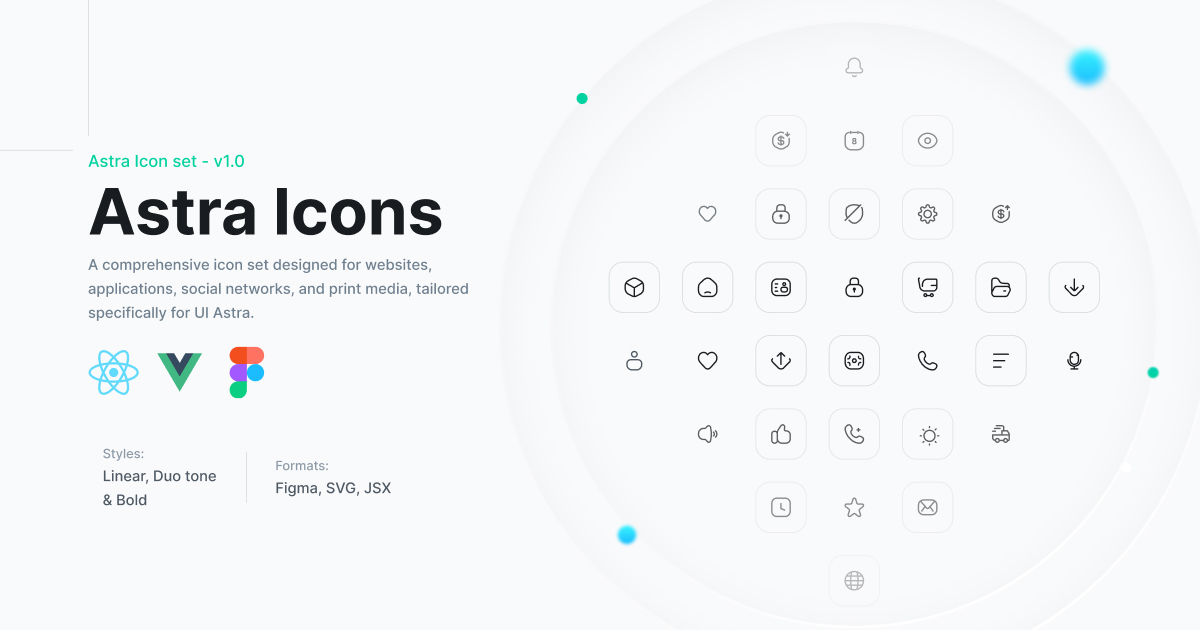
为网站,应用程序,社交网络,和平面媒体所设计的一套综合图标,专门为UI Astra所定制.
## 安装
```sh
npm install @astraicons/react
```
也可以使用:`pnpm add @astraicons/react`、`yarn add @astraicons/react`、`bun add @astraicons/react`
## README
# @ astraicons/ 反应
[](https://uiastra.com/)
Astra 图标集中的美丽反应图标. 跨越5个风格的900+图标.
[](https://www.npmjs.com/package/@astraicons/react) [](https://www.npmjs.com/package/@astraicons/react) [](https://github.com/uiastra/astraicons/blob/main/LICENSE)
## 安装
```bash
npm install @astraicons/react
# or
yarn add @astraicons/react
# or
pnpm add @astraicons/react
```
## 使用量
从各自的样式目录中导入图标 :
```jsx
import { HomeIcon } from '@astraicons/react/linear';
import { HeartIcon } from '@astraicons/react/bold';
import { StarIcon } from '@astraicons/react/duotone';
import { AppleIcon } from '@astraicons/react/brand';
import { CubeIcon } from '@astraicons/react/3d';
function MyComponent() {
return (
);
}
```
## 图标样式
### 线性 (288个图标)
带有1.5px中风宽度的大纲图标。 适合现代的,最小化的界面.
```jsx
import { ActivityIcon, BellIcon, CameraIcon } from '@astraicons/react/linear';
```
### 粗体 (288 个图标)
填充或粗体的中风图标,用于强调并更能见度更小的尺寸.
```jsx
import { ActivityIcon, BellIcon, CameraIcon } from '@astraicons/react/bold';
```
### Duotone (288个图标)
将填充和外观风格相结合的双通图标,用于深度和视觉兴趣.
```jsx
import { ActivityIcon, BellIcon, CameraIcon } from '@astraicons/react/duotone';
```
### 品牌( 18个图标)
包括社交媒体平台和受欢迎品牌在内的公司与服务标志.
```jsx
import { AppleIcon, GoogleIcon, TwitterIcon } from '@astraicons/react/brand';
```
### 三维 (32个图标)
当代界面有深度和视角的现代三维风格图标.
```jsx
import { CubeIcon, FolderIcon, BoxIcon } from '@astraicons/react/3d';
```
## 道具
所有图标都接受标准的 SVG 元素道具 :
```tsx
interface IconProps extends React.SVGProps {
title?: string; // Accessibility title
titleId?: string; // ID for the title element
className?: string; // CSS classes
style?: React.CSSProperties; // Inline styles
}
```
## 实例
### 有尾风CSS
```jsx
```
### 带有内线样式
```jsx
```
### 有无障碍标题
```jsx
```
### 作为按钮图标
```jsx
```
## 类型脚本支持
所有图标全部打入. TypeScript将为所有可用的图标及其道具提供自动完成.
```tsx
import { HomeIcon } from '@astraicons/react/linear';
import type { FC } from 'react';
const MyComponent: FC = () => {
return ;
};
```
## 树摇
此包被优化为树摇. 只有您导入的图标才会包含在您的捆绑中 .
```jsx
// ✅ Good - only imports what you need
import { HomeIcon } from '@astraicons/react/linear';
// ❌ Avoid - imports entire style directory
import * as Icons from '@astraicons/react/linear';
```
## 软件包信息
- **软件包大小**:~14MB 共计(未包装)
- **文件**: 3,524个文件(JS + TypeScript定义)
- **树能震动**: 是 - 只有导入的图标被捆绑
- **同伴依赖关系**页:1
## 可用图标
查看完整图标列表 :
- [完整图标列表](https://npmcn.com/package/%40astraicons/react/ICON_LIST.md) - 所有877个图标按字母顺序排列
- [浏览 UNPKG](https://unpkg.com/browse/@astraicons/react/) - 查看软件包内容
- [交互式图片库](https://uiastra.com/) - 搜索和预览图标
## 浏览器支持
- 颜色( 最新)
- 火狐( 最新)
- 萨法里(最新)
- 边缘( 最新)
## 捐款
我们欢迎为加强该项目而作的贡献。 我们目前的重点是:
- QQ 已有图标的错误修正
- QQ 类型脚本改进
- 文件更新
- QQ 新的图标贡献( 目前尚未接受)
## 相关软件包
- [@ astraicons/ veue (英语)](https://www.npmjs.com/package/@astraicons/vue) - Vue 组件
- [星盘](https://www.npmjs.com/package/astraicons) - SVG 图标文件
## 贷项
- 图标设计由 [UI 阿斯特拉语Name](https://uiastra.com/)
- 以 [赫罗伊孔斯](https://github.com/tailwindlabs/heroicons)
## 许可证
麻省理工学院 [UI 阿斯特拉语Name](https://uiastra.com/)
## 链接
- [GitHub 仓库](https://github.com/uiastra/astraicons)
- [图标图片库](https://uiastra.com/)
- [报告问题](https://github.com/uiastra/astraicons/issues)
## 常见问题
### @astraicons/react 是什么?
为网站,应用程序,社交网络,和平面媒体所设计的一套综合图标,专门为UI Astra所定制\.
### 如何安装 @astraicons/react?
在项目目录运行 npm install @astraicons/react,或使用 pnpm add / yarn add / bun add。它还需要宿主项目提供 peer 依赖:react(\>= 16)。npm 7 及以上与 pnpm 8 及以上默认会自动安装必需的 peer 依赖,Yarn 需要手动安装。
### @astraicons/react 支持 TypeScript 吗?
支持。包内自带 TypeScript 类型声明(package\.json 声明了 types 入口),安装后即可获得类型提示,无需再安装 @types 包。
### @astraicons/react 支持 ESM 还是 CommonJS?
同时提供 ES Module 与 CommonJS 入口,import 和 require\(\) 都可以使用,打包工具会自动选择合适的版本。
### @astraicons/react 可以商用吗?
@astraicons/react 使用 MIT 许可。宽松许可:允许商业使用、修改和再分发,通常只需在分发时保留原版权与许可声明。以上为概括,不构成法律意见,请以许可原文为准。
### @astraicons/react 的下载量有多少?
根据 npm 官方下载统计,@astraicons/react 在 2026/10/07 – 2026/11/05 这 30 天内被下载 8,539 次,日均约 285 次。下载量会把 CI 构建、镜像同步和作为其他包依赖的安装一并计入,适合横向比较热度,不能直接等同于使用人数。
### @astraicons/react 还在维护吗?
最新版本 1\.7\.0 发布于 2025/12/31(10 个月前);至今共发布 49 个版本,其中过去 12 个月发布了 12 个;首次发布于 2024/06/13。发布频率只是参考信号:功能稳定的工具可能很少需要更新,建议结合源码仓库的 issue 和提交记录判断。