# @bytescale/sdk 中文文档

规范地址：https://npmcn.com/package/%40bytescale/sdk/

版本：3\.62\.0
npm 元数据更新时间：2026-09-14T12:41:30.285Z
中文译文更新时间：2026-11-08T22:06:50.435Z
软件包许可：MIT

本文由上游 README 翻译，可能存在偏差，请结合原文核对 API、命令与配置。版权与许可归原作者所有。

原始 npm 页面：https://www.npmjs.com/package/%40bytescale/sdk
原文对照：https://npmcn.com/package/%40bytescale/sdk/?lang=original
项目主页：https://www.bytescale.com/docs/sdks/javascript
源码仓库：https://github.com/bytescale/bytescale-javascript-sdk

## 关键信息（来自 npm 元数据）

- 包体积（解压后）：1.3 MB，85 个文件
- 模块格式：ESM + CJS
- TypeScript 类型：包内自带
- 运行依赖：0 个
- 首次发布：2023-08-31T09:37:36.705Z
- 最新版本发布：2026-09-14T12:41:30.078Z
- 近 30 天下载量：123893（2026-10-09 至 2026-11-07，npm 官方下载统计）
- 已发布版本数：108（近 12 个月 8 个）

## 中文简介

字节大小 JavaScript SDK

## 安装

```sh
npm install @bytescale/sdk
```

也可以使用：`pnpm add @bytescale/sdk`、`yarn add @bytescale/sdk`、`bun add @bytescale/sdk`

## README

# [![Bytescale JavaScript SDK](https://raw.githubusercontent.com/bytescale/bytescale-javascript-sdk/main/.github/assets/bytescale-javascript-sdk.svg)](https://www.bytescale.com/docs/sdks/javascript)

 [![](https://img.shields.io/badge/%40bytescale%2Fsdk-npm-4ba0f6)](https://www.npmjs.com/package/@bytescale/sdk)[![](https://img.shields.io/badge/build-passing-4ba0f6) ](https://github.com/bytescale/bytescale-javascript-sdk/actions/workflows/ci.yml)[![](https://img.shields.io/badge/gzipped-9%20kb-4ba0f6) ](https://github.com/bytescale/bytescale-javascript-sdk/)[![](https://img.shields.io/npm/dt/upload-js?color=%234ba0f6)](https://www.npmjs.com/package/@bytescale/sdk)  
 [![](https://img.shields.io/badge/TypeScript-included-4ba0f6)](https://www.npmjs.com/package/@bytescale/sdk)[![](https://img.shields.io/npms-io/maintenance-score/upload-js?color=4ba0f6) ](https://github.com/bytescale/bytescale-javascript-sdk/actions/workflows/ci.yml)[![Twitter URL](https://img.shields.io/twitter/url?style=social&url=https%3A%2F%2Fgithub.com%2Fbytescale%2Fbytescale-javascript-sdk)](https://twitter.com/intent/tweet?text=This%20was%20a%20great%20find...%0A%0Ahttps%3A%2F%2Fgithub.com%2Fbytescale%2Fbytescale-javascript-sdk)

* * *

使用Bytescale JavaScript SDK来上传,转换,并按规模服务文件.  
  
[**完整的 SDK 文档**](https://www.bytescale.com/docs/sdks/javascript) 二. 支助 [上传部件](https://www.bytescale.com/docs/upload-widget) 二. 支助 [媒体处理 APIs](https://www.bytescale.com/docs/media-processing-apis) 二. 支助 [存储](https://www.bytescale.com/docs/storage/sources) 二. 支助 [光盘N](https://www.bytescale.com/docs/cdn)

* * *
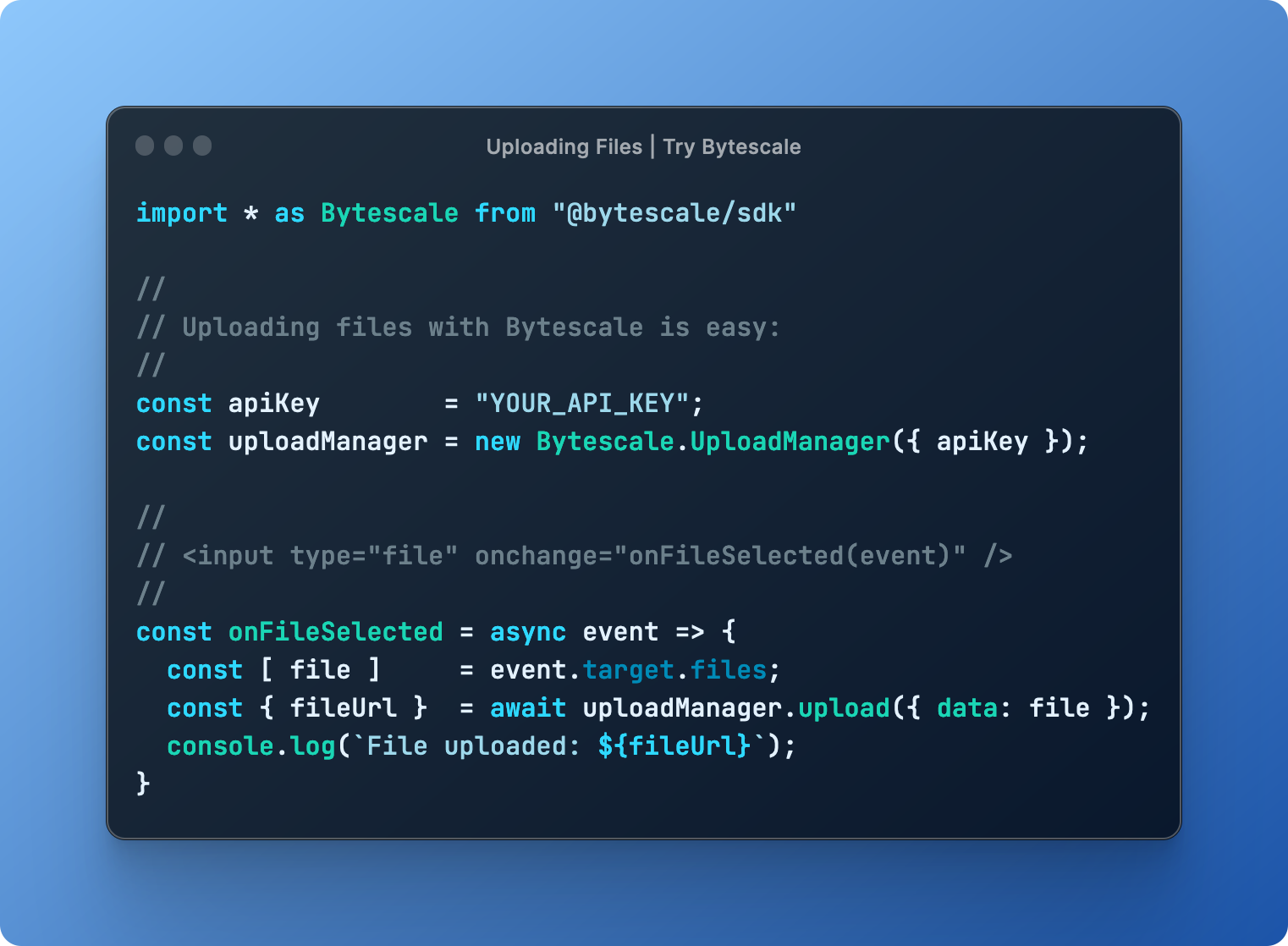
![Bytescale JavaScript SDK Example](https://raw.githubusercontent.com/bytescale/bytescale-javascript-sdk/main/.github/assets/bytescale-javascript-sdk-2.png)

## 安装

#### 对于节点.js:

```bash
npm install @bytescale/sdk node-fetch
```

#### 浏览器:

```bash
npm install @bytescale/sdk
```

如果你想使用脚本标签:

```html
<script src="https://js.bytescale.com/sdk/v3"></script>
```

## 上传文件 - [试试代码Pen](https://codepen.io/bytescale/pen/abVapaJ?editors=1010)

这个库是同位素的,意思是你可以从Node.js上传文件,或者浏览器,或者两者兼而有之.

#### 从Node.js:

```javascript
import * as Bytescale from "@bytescale/sdk";
import nodeFetch from "node-fetch";

const uploadManager = new Bytescale.UploadManager({
  fetchApi: nodeFetch, // import nodeFetch from "node-fetch"; // Only required for Node.js. TypeScript: 'nodeFetch as any' may be necessary.
  apiKey: "free" // Get API keys from: www.bytescale.com
});

uploadManager
  .upload({
    // Supported types:
    // - String
    // - Blob
    // - ArrayBuffer
    // - Buffer
    // - ReadableStream (Node.js), e.g. fs.createReadStream("file.txt")
    data: "Hello World",

    // ---------
    // Optional:
    // ---------

    // Required if 'data' is a stream.
    // size: 5098, // e.g. fs.statSync("file.txt").size

    // Required if 'data' is a stream, buffer, or string.
    mime: "text/plain",

    // Required if 'data' is a stream, buffer, or string.
    originalFileName: "my_file.txt"

    // Reports progress: bytesTotal, bytesSent, progress.
    // onProgress: ({ progress }) => console.log(progress),

    // Controls multipart upload concurrency. Ignored if 'data' is a stream.
    // maxConcurrentUploadParts: 4,

    // Up to 2KB of arbitrary JSON.
    // metadata: {
    //   productId: 60891
    // },

    // Up to 25 tags per file.
    // tags: [
    //   "example_tag"
    // ],

    // About file paths:
    // - Your API key's "file upload path" is used by default, and can be changed by editing the API key's settings.
    // - You can override the API key's file upload path by specifying a path below.
    // - You may use path variables (e.g. "{UTC_DAY}"): http://localhost:3201/docs/path-variables
    // path: {
    //   folderPath: "/uploads/{UTC_YEAR}/{UTC_MONTH}/{UTC_DAY}",
    //   fileName: "{UTC_TIME_TOKEN_INVERSE}{UNIQUE_DIGITS_2}{ORIGINAL_FILE_EXT}"
    // },

    // Set to 'isCancelled = true' after invoking 'upload' to cancel the upload.
    // cancellationToken: {
    //   isCancelled: false
    // }
  })
  .then(
    ({ fileUrl, filePath }) => {
      // --------------------------------------------
      // File successfully uploaded!
      // --------------------------------------------
      // The 'filePath' uniquely identifies the file,
      // and is what you should save to your DB.
      // --------------------------------------------
      console.log(`File uploaded to: ${fileUrl}`);
    },
    error => console.error(`Error: ${error.message}`, error)
  );
```

#### 从浏览器 :

```html
<html>
  <head>
    <script src="https://js.bytescale.com/sdk/v3"></script>
    <script>
      // import * as Bytescale from "@bytescale/sdk"
      const uploadManager = new Bytescale.UploadManager({
        apiKey: "free" // Get API keys from: www.bytescale.com
      });

      const onFileSelected = async event => {
        const file = event.target.files[0];

        try {
          const { fileUrl, filePath } = await uploadManager.upload({
            // Supported types:
            // - String
            // - Blob
            // - ArrayBuffer
            // - File (i.e. from a DOM file input element)
            data: file

            // ---------
            // Optional:
            // ---------

            // Required if 'data' is a stream. Node.js only. (Not required when uploading files from the browser.)
            // size: 5098, // e.g. fs.statSync("file.txt").size

            // Required if 'data' is a stream, buffer, or string. (Not required for DOM file inputs or blobs.)
            // mime: "application/octet-stream",

            // Required if 'data' is a stream, buffer, or string. (Not required for DOM file inputs or blobs.)
            // originalFileName: "my_file.txt",

            // Reports progress: bytesTotal, bytesSent, progress.
            // onProgress: ({ progress }) => console.log(progress),

            // Controls multipart upload concurrency. Ignored if 'data' is a stream.
            // maxConcurrentUploadParts: 4,

            // Up to 2KB of arbitrary JSON.
            // metadata: {
            //   productId: 60891
            // },

            // Up to 25 tags per file.
            // tags: [
            //   "example_tag"
            // ],

            // About file paths:
            // - Your API key's "file upload path" is used by default, and can be changed by editing the API key's settings.
            // - You can override the API key's file upload path by specifying a path below.
            // - You may use path variables (e.g. "{UTC_DAY}"): http://localhost:3201/docs/path-variables
            // path: {
            //   folderPath: "/uploads/{UTC_YEAR}/{UTC_MONTH}/{UTC_DAY}",
            //   fileName: "{UTC_TIME_TOKEN_INVERSE}{UNIQUE_DIGITS_2}{ORIGINAL_FILE_EXT}"
            // },

            // Set to 'isCancelled = true' after invoking 'upload' to cancel the upload.
            // cancellationToken: {
            //   isCancelled: false
            // }
          });

          // --------------------------------------------
          // File successfully uploaded!
          // --------------------------------------------
          // The 'filePath' uniquely identifies the file,
          // and is what you should save to your API.
          // --------------------------------------------
          alert(`File uploaded:\n${fileUrl}`);
        } catch (e) {
          alert(`Error:\n${e.message}`);
        }
      };
    </script>
  </head>
  <body>
    <input type="file" onchange="onFileSelected(event)" />
  </body>
</html>
```

## 下载文件

```javascript
import * as Bytescale from "@bytescale/sdk";
import nodeFetch from "node-fetch"; // Only required for Node.js

const fileApi = new Bytescale.FileApi({
  fetchApi: nodeFetch, // import nodeFetch from "node-fetch"; // Only required for Node.js. TypeScript: 'nodeFetch as any' may be necessary.
  apiKey: "YOUR_API_KEY" // e.g. "secret_xxxxx"
});

fileApi
  .downloadFile({
    accountId: "YOUR_ACCOUNT_ID", // e.g. "W142hJk"
    filePath: "/uploads/2022/12/25/hello_world.txt"
  })
  .then(response => response.text()) // .text() | .json() | .blob() | .stream()
  .then(
    fileContents => console.log(fileContents),
    error => console.error(error)
  );
```

使用 [`UrlBuilder`](https://npmcn.com/package/%40bytescale/sdk/#readme-urlbuilder) 以获取 URL( 如果您需要文件 URL 而不是 二进制流) .

## 处理文件

```javascript
import * as Bytescale from "@bytescale/sdk";
import fetch from "node-fetch"; // Only required for Node.js
import fs from "fs";

const fileApi = new Bytescale.FileApi({
  fetchApi: nodeFetch, // import nodeFetch from "node-fetch"; // Only required for Node.js. TypeScript: 'nodeFetch as any' may be necessary.
  apiKey: "YOUR_API_KEY" // e.g. "secret_xxxxx"
});

fileApi
  .processFile({
    accountId: "YOUR_ACCOUNT_ID", // e.g. "W142hJk"
    filePath: "/uploads/2022/12/25/image.jpg",

    // See: https://www.bytescale.com/docs/image-processing-api
    transformation: "image",
    transformationParams: {
      w: 800,
      h: 600
    }
  })
  .then(response => response.stream()) // .text() | .json() | .blob() | .stream()
  .then(
    imageByteStream =>
      new Promise((resolve, reject) => {
        const writer = fs.createWriteStream("image-thumbnail.jpg");
        writer.on("close", resolve);
        writer.on("error", reject);
        imageByteStream.pipe(writer);
      })
  )
  .then(
    () => console.log("Thumbnail saved to 'image-thumbnail.jpg'"),
    error => console.error(error)
  );
```

使用 [`UrlBuilder`](https://npmcn.com/package/%40bytescale/sdk/#readme-urlbuilder) 以获取 URL( 如果您需要文件 URL 而不是 二进制流) .

## 获取文件细节

```javascript
import * as Bytescale from "@bytescale/sdk";
import fetch from "node-fetch"; // Only required for Node.js

const fileApi = new Bytescale.FileApi({
  fetchApi: nodeFetch, // import nodeFetch from "node-fetch"; // Only required for Node.js. TypeScript: 'nodeFetch as any' may be necessary.
  apiKey: "YOUR_API_KEY" // e.g. "secret_xxxxx"
});

fileApi
  .getFileDetails({
    accountId: "YOUR_ACCOUNT_ID", // e.g. "W142hJk"
    filePath: "/uploads/2022/12/25/image.jpg"
  })
  .then(
    fileDetails => console.log(fileDetails),
    error => console.error(error)
  );
```

## 列出文件夹

```javascript
import * as Bytescale from "@bytescale/sdk";
import fetch from "node-fetch"; // Only required for Node.js

const folderApi = new Bytescale.FolderApi({
  fetchApi: nodeFetch, // import nodeFetch from "node-fetch"; // Only required for Node.js. TypeScript: 'nodeFetch as any' may be necessary.
  apiKey: "YOUR_API_KEY" // e.g. "secret_xxxxx"
});

folderApi
  .listFolder({
    accountId: "YOUR_ACCOUNT_ID", // e.g. "W142hJk"
    folderPath: "/",
    recursive: false
  })
  .then(
    // Note: operation is paginated, see 'result.cursor' and 'params.cursor'.
    result => console.log(`Items in folder: ${result.items.length}`),
    error => console.error(error)
  );
```

## SDK API 引用

完整的行动清单见:

**[字节大小 JavaScript SDK 医生](https://www.bytescale.com/docs/sdks/javascript)**

## \* 媒体处理API(图像/视频/音频)

字节比例提供了多个实时 [媒体处理 APIs](https://www.bytescale.com/docs/media-processing-apis)数字 :

-   **[图像处理 API](https://www.bytescale.com/docs/image-processing-api)** (单位:千美元)[调整大小](https://www.bytescale.com/docs/image-processing-api#image-resizing-api), (中文(简体) ), [作物](https://www.bytescale.com/docs/image-processing-api#image-cropping-api), (中文(简体) ), [转换](https://www.bytescale.com/docs/image-processing-api#f), (中文(简体) ), [压缩](https://www.bytescale.com/docs/image-processing-api#image-compression-api) 打开 [水印](https://www.bytescale.com/docs/image-processing-api#Text-layering-api)(中文(简体) )
-   **[视频处理 API](https://www.bytescale.com/docs/video-processing-api)** (单位:千美元)[转码](https://www.bytescale.com/docs/video-processing-api#video-transcoding-api), (中文(简体) ), [优化](https://www.bytescale.com/docs/video-processing-api#video-compression-api), (中文(简体) ), [调整大小](https://www.bytescale.com/docs/video-processing-api#video-resizing-api) 打开 [提取元数据](https://www.bytescale.com/docs/video-processing-api#video-metadata-api)(中文(简体) )
-   **[音频处理 API](https://www.bytescale.com/docs/audio-processing-api)** (单位:千美元)[转码](https://www.bytescale.com/docs/audio-processing-api#audio-transcoding-api), (中文(简体) ), [优化](https://www.bytescale.com/docs/audio-processing-api#audio-compression-api), (中文(简体) ), [修饰](https://www.bytescale.com/docs/audio-processing-api#audio-trimming-api) 打开 [提取元数据](https://www.bytescale.com/docs/audio-processing-api#audio-metadata-api)(中文(简体) )

### 图像处理 API( 原始图像)

举个例子 [一张芝加哥的照片](https://upcdn.io/W142hJk/raw/example/city-landscape.jpg)数字 :

![](https://upcdn.io/W142hJk/raw/example/city-landscape.jpg)

```
https://upcdn.io/W142hJk/raw/example/city-landscape.jpg
```

### 图像处理 API (已转换的图像)

使用 [图像处理 API](https://www.bytescale.com/docs/image-processing-api),可以生产 [此图像](https://upcdn.io/W142hJk/image/example/city-landscape.jpg?w=900&h=600&fit=crop&f=webp&q=80&blur=4&text=WATERMARK&layer-opacity=80&blend=overlay&layer-rotate=315&font-size=100&padding=10&font-weight=900&color=ffffff&repeat=true&text=Chicago&gravity=bottom&padding-x=50&padding-bottom=20&font=/example/fonts/Lobster.ttf&color=ffe400)数字 :

![](https://upcdn.io/W142hJk/image/example/city-landscape.jpg?w=900&h=600&fit=crop&f=webp&q=80&blur=4&text=WATERMARK&layer-opacity=80&blend=overlay&layer-rotate=315&font-size=100&padding=10&font-weight=900&color=ffffff&repeat=true&text=Chicago&gravity=bottom&padding-x=50&padding-bottom=20&font=/example/fonts/Lobster.ttf&color=ffe400)

```
https://upcdn.io/W142hJk/image/example/city-landscape.jpg
  ?w=900
  &h=600
  &fit=crop
  &f=webp
  &q=80
  &blur=4
  &text=WATERMARK
  &layer-opacity=80
  &blend=overlay
  &layer-rotate=315
  &font-size=100
  &padding=10
  &font-weight=900
  &color=ffffff
  &repeat=true
  &text=Chicago
  &gravity=bottom
  &padding-x=50
  &padding-bottom=20
  &font=/example/fonts/Lobster.ttf
  &color=ffe400
```

## 认证

字节尺度的JavaScript SDK支持两种认证:

### API 密钥

字节级 JavaScript SDK 自动添加 `apiKey` 从构造器到 `authorization` 所有通过 SDK 提出的请求的页眉 .

使用 API 密钥 认证,请求者可以访问 API 密钥可用的资源 :

-   密钥 API (`secret_***`)可以执行所有API操作.
    
-   公共 API 密钥( R)`public_***`)只能执行文件上传和文件下载. 文件覆盖,文件删除,所有其他破坏性操作都无法使用公共 API 密钥进行.
    

每个公共 API 密钥和密钥 API 密钥的读取/写取权限可以限制在文件/文件夹的子集.

### 日本西北地区

JWT是可选的.

使用 JWT , 用户可以通过 URL 直接下载私有文件, 因为认证通过会话 cookie 默认进行 _或者说_ 通过一个 `authorization` 如果启用了服务员,则页眉(见 `serviceWorkerScript` 目标 `AuthManager.beginAuthSession` 页:1 这允许浏览器在 `<img>`, (中文(简体) ), `<video>`和其他因素.

使用 JWT ,用户也可以执行API 请求,例如文件删除,因为这些请求可以由 [JWT的有效载荷](https://www.bytescale.com/docs/types/BytescaleJwt)中,将自动将用户的JWT注入 `authorization-token` 假定所有 API 请求都存在 `AuthManager.beginAuthSession` 方法已经被调用.

[学习更多关于 `AuthManager` 和联合来文](https://www.bytescale.com/docs/auth)

### 在保留公共 CDN 请求可缓存时认证私有 URL 化名

自动( E)`AuthSessionConfigAuto`)和手动(`AuthSessionConfigManual`) 两种配置都接受 `requestUrlPrefixes?: string[]`. This restricts **服务人员认证** 通过匹配原始 `event.request.url`,在 `urlRewriteRules` 适用。 重写的目的地仍然必须匹配 配置的 CDN URL 和账户,且配置不能过期 .

-   关闭球场(或设置为) `undefined`),以保留已存在的行为.
-   准备吧 `[]` 无法通过服务员验证请求.
-   提供多个前缀来匹配其中任何使用区分大小写 `startsWith` 比较.

前缀遵循的字符串阵列验证与 `sourceUrlPrefixes`:它们没有解析或正常化. 使用带有后缀的完整 URL 前缀 `/` 当限制来源或目录时。 空字符串匹配 任何網址. `sourceUrlPrefixes` 独立限制启动页面或 iframe URL; 当两个字段都是 两者必须相符。 仅请求前缀不需要启动客户端, 所以新tab 下载 可以使用它们.

担任当前字节级认证服务人员 `/auth-sw.js` 申请来源,然后初始化 自动配置 :

```javascript
import { AuthManager } from "@bytescale/sdk";

await AuthManager.beginAuthSession({
  serviceWorkerScript: "/auth-sw.js",
  urlRewriteRules: [
    { fromUrlPrefix: "https://app.example.com/media-auth/", toUrlPrefix: "https://upcdn.io/" },
    { fromUrlPrefix: "https://app.example.com/download/", toUrlPrefix: "https://upcdn.io/" }
  ],
  authConfigs: async () => [
    {
      accountId: "A123abc", // Replace with your Bytescale account ID.
      authConfigId: undefined,
      authUrl: "https://app.example.com/auth", // Your endpoint returning a JWT as text/plain.
      authHeaders: async () => ({}),
      requestUrlPrefixes: ["https://app.example.com/media-auth/", "https://app.example.com/download/"],
      enableCookieAuth: false
    }
  ]
});
```

对于手动配置,请替换 `authUrl` 财务报告和审定财务报表 `authHeaders` 还有你的 `getAuthorizationToken` 回调; 保留 `requestUrlPrefixes` 和其他领域:

```javascript
const manualConfig = {
  accountId: "A123abc",
  authConfigId: undefined,
  requestUrlPrefixes: ["https://app.example.com/media-auth/", "https://app.example.com/download/"],
  getAuthorizationToken: async () => {
    const response = await fetch("/auth");
    return await response.text();
  }
};
```

使用示例配置 :

| 原始资源 URL | 最终目的地 | AuthManager 输入信头 |
| --- | --- | --- |
| `https://upcdn.io/A123abc/image/example.jpg` | 未更改 | 无 |
| `https://app.example.com/media-auth/A123abc/image/example.jpg` | `https://upcdn.io/A123abc/image/example.jpg` | A123abc账户的JWT |
| `https://app.example.com/download/A123abc/raw/example.jpg?download=true` | `https://upcdn.io/A123abc/raw/example.jpg?download=true` | A123abc账户的JWT |
| `https://app.example.com/media-auth/B123abc/image/example.jpg` | `https://upcdn.io/B123abc/image/example.jpg` | 无 |

下载别名支持初始化后的正常链接 :

```html
<a href="https://app.example.com/download/A123abc/raw/example.jpg?download=true" target="_blank" rel="noopener">
  Download
</a>
```

重写使用第一个匹配规则一次并持续,即使认证不匹配. 回应 保留范围标题、查询参数和导航行为。 被拒绝的请求 限制允许工人考虑以后的认证条目. 防止重复的现行规则 在AuthManager会话中仍然适用服务-工人目的地.

此字段不会改变 API- 客户端认证, cookie 认证, 令牌获取, 或刷新 . 它不删除呼叫器提供的信头或现有的CDN cookie 。 禁用饼干认证 避免对 CDN 请求进行其他广泛的认证配置,您想要保持不认证.

**兼容性和推出性:** 部署装有SDK的认证工人 **3.62.0 或较晚时间** 启用前 `requestUrlPrefixes` 在申请中。 更新任何自备工人副本,并允许更新工人 在当前浏览器会话中激活 。 一个显著的相容性标记让老工人跳过整个 请求限制配置,即使 `sourceUrlPrefixes` 也在场。 他们不能无声地转动它 进入广泛的认证。 在工人更新之前,私人下载可能一直未经认证 没有重写支持, 也就无法为别名服务 。 更新的工人可以收回这些限制 重新启动后从持续状态重写规则,并继续支持更古老的配置.

## 乌尔比尔

使用 `UrlBuilder` 用于构建您上传文件的 URL :

```javascript
import { UrlBuilder } from "@bytescale/sdk";
```

#### 原始文件

获取上传图像的 URL `/example.jpg` 原文如下:

```javascript
// Returns: "https://upcdn.io/1234abc/raw/example.jpg"
UrlBuilder.url({
  accountId: "1234abc",
  filePath: "/example.jpg"
});
```

#### 图像

调整上传图像的大小 `/example.jpg` 至 800x600,使用下列方法:

```javascript
// Returns: "https://upcdn.io/1234abc/image/example.jpg?w=800&h=600"
UrlBuilder.url({
  accountId: "1234abc",
  filePath: "/example.jpg",
  options: {
    transformation: "image",
    transformationParams: {
      w: 800,
      h: 600
    }
  }
});
```

[图像处理 API Docs](https://www.bytescale.com/docs/image-processing-api)

#### 视频

要将上传的视频转码 `/example.mov` 改为 HD 中的 MP4/H.264,使用下列方法:

```javascript
// Returns: "https://upcdn.io/1234abc/video/example.mov?f=mp4-h264&h=1080"
UrlBuilder.url({
  accountId: "1234abc",
  filePath: "/example.mov",
  options: {
    transformation: "video",
    transformationParams: {
      f: "mp4-h264",
      h: 1080
    }
  }
});
```

[视频处理 API Docs](https://www.bytescale.com/docs/video-processing-api)

#### 音频

要将上传的音频编码 `/example.wav` 至192kbps的AAC,使用下列方法:

```javascript
// Returns: "https://upcdn.io/1234abc/audio/example.wav?f=aac&br=192"
UrlBuilder.url({
  accountId: "1234abc",
  filePath: "/example.wav",
  options: {
    transformation: "audio",
    transformationParams: {
      f: "aac",
      br: 192
    }
  }
});
```

[音频处理 API Docs](https://www.bytescale.com/docs/audio-processing-api)

#### 档案

要提取文件 `document.docx` 从上传的 ZIP 文件 `/example.zip`数字 :

```javascript
// Returns: "https://upcdn.io/1234abc/archive/example.zip?m=extract&artifact=/document.docx"
UrlBuilder.url({
  accountId: "1234abc",
  filePath: "/example.zip",
  options: {
    transformation: "archive",
    transformationParams: {
      m: "extract"
    },
    artifact: "/document.docx"
  }
});
```

[归档处理 API Docs “ ”](https://www.bytescale.com/docs/archive-processing-api)

#### 抗病毒药

要扫描文件 `example.zip` 用于病毒,使用下列方法:

```javascript
// Returns: "https://upcdn.io/1234abc/antivirus/example.zip"
UrlBuilder.url({
  accountId: "1234abc",
  filePath: "/example.zip",
  options: {
    transformation: "antivirus"
  }
});
```

[反病毒API Docs \\'](https://www.bytescale.com/docs/antivirus-api)

## 我能用自己的存储器吗?

字节级支持AWS S3, Cloudflare R2, Google 存储器, DigitalOcean, 和字节级存储器.

**[字节级存储文档“ ”](https://www.bytescale.com/docs/storage/sources)**

**[字节大小 JavaScript SDK 医生](https://www.bytescale.com/docs/sdks/javascript)**

## QQ 创建您的字节比例账户

字节尺度是上传,转换,并服务图像,视频,音频规模的最佳方式.

**[创建字节比例账户“ ”](https://www.bytescale.com/get-started)**

## 许可证

[麻省理工学院](https://npmcn.com/package/%40bytescale/sdk/LICENSE)

## 常见问题

### @bytescale/sdk 是什么？

字节大小 JavaScript SDK

### 如何安装 @bytescale/sdk？

在项目目录运行 npm install @bytescale/sdk，或使用 pnpm add / yarn add / bun add。

### @bytescale/sdk 支持 TypeScript 吗？

支持。包内自带 TypeScript 类型声明（package\.json 声明了 types 入口），安装后即可获得类型提示，无需再安装 @types 包。

### @bytescale/sdk 支持 ESM 还是 CommonJS？

同时提供 ES Module 与 CommonJS 入口，import 和 require\(\) 都可以使用，打包工具会自动选择合适的版本。

### @bytescale/sdk 可以商用吗？

@bytescale/sdk 使用 MIT 许可。宽松许可：允许商业使用、修改和再分发，通常只需在分发时保留原版权与许可声明。以上为概括，不构成法律意见，请以许可原文为准。

### @bytescale/sdk 的下载量有多少？

根据 npm 官方下载统计，@bytescale/sdk 在 2026/10/09 – 2026/11/07 这 30 天内被下载 123,893 次，日均约 4,130 次。下载量会把 CI 构建、镜像同步和作为其他包依赖的安装一并计入，适合横向比较热度，不能直接等同于使用人数。

### @bytescale/sdk 还在维护吗？

最新版本 3\.62\.0 发布于 2026/09/14（1 个月前）；至今共发布 108 个版本，其中过去 12 个月发布了 8 个；首次发布于 2023/08/31。发布频率只是参考信号：功能稳定的工具可能很少需要更新，建议结合源码仓库的 issue 和提交记录判断。

