# @changwoolab/react-native-big-calendar 中文文档
规范地址:https://npmcn.com/package/%40changwoolab/react-native-big-calendar/
版本:6\.1\.0
npm 元数据更新时间:2024-09-10T06:30:05.094Z
中文译文更新时间:2026-11-09T15:41:09.032Z
软件包许可:MIT
本文由上游 README 翻译,可能存在偏差,请结合原文核对 API、命令与配置。版权与许可归原作者所有。
原始 npm 页面:https://www.npmjs.com/package/%40changwoolab/react-native-big-calendar
原文对照:https://npmcn.com/package/%40changwoolab/react-native-big-calendar/?lang=original
项目主页:https://github.com/acro5piano/react-native-big-calendar#readme
源码仓库:https://github.com/acro5piano/react-native-big-calendar
## 关键信息(来自 npm 元数据)
- 包体积(解压后):592 kB,34 个文件
- 模块格式:ESM + CJS
- TypeScript 类型:包内自带
- 运行依赖:2 个
- peer 依赖:react \*,react-native \*
- 首次发布:2023-12-12T09:01:30.900Z
- 最新版本发布:2024-09-10T06:30:04.916Z
- 近 30 天下载量:2342(2026-10-10 至 2026-11-08,npm 官方下载统计)
- 已发布版本数:17(近 12 个月 0 个)
## 中文简介
  \[\[npm版本\] ([https://badge.fury.io/js/resact-native-big-calendar.sv 互联网档案馆的存檔,存档日期2014-12-02](https://badge.fury.io/js/react-native-big-calendar.sv)
## 安装
```sh
npm install @changwoolab/react-native-big-calendar
```
也可以使用:`pnpm add @changwoolab/react-native-big-calendar`、`yarn add @changwoolab/react-native-big-calendar`、`bun add @changwoolab/react-native-big-calendar`
## README
  [](https://badge.fury.io/js/react-native-big-calendar)
# 反应-内生-大日历
跨平台 gcal/ 外观为 React Natural 的日历组件 .
### 帮助我调试此组件
在三个平台上调试这个库是一项艰巨的任务. 我通常先用Web版本开发,然后用真正的设备确认其功能. 我的电脑是Linux,我的手机是Android,所以在Android上很容易测试,但是要在iOS上调试,我必须把我的Macbook Pro从我的车库拿来,连接我妻子的iPhone并测试. 每次我推出我的"MacBook Pro"时,都需要更新Xcode,甚至需要完成一个完整的系统更新. 开始调试需要很长时间. 由于React Industrial在iOS上的工作优于Android,我 ~永远~ 有时会跳过测试,所以iOS上应该有bug. 如果你帮我调试,我会很感激的!
[模块](https://react-native-big-calendar.vercel.app/)
 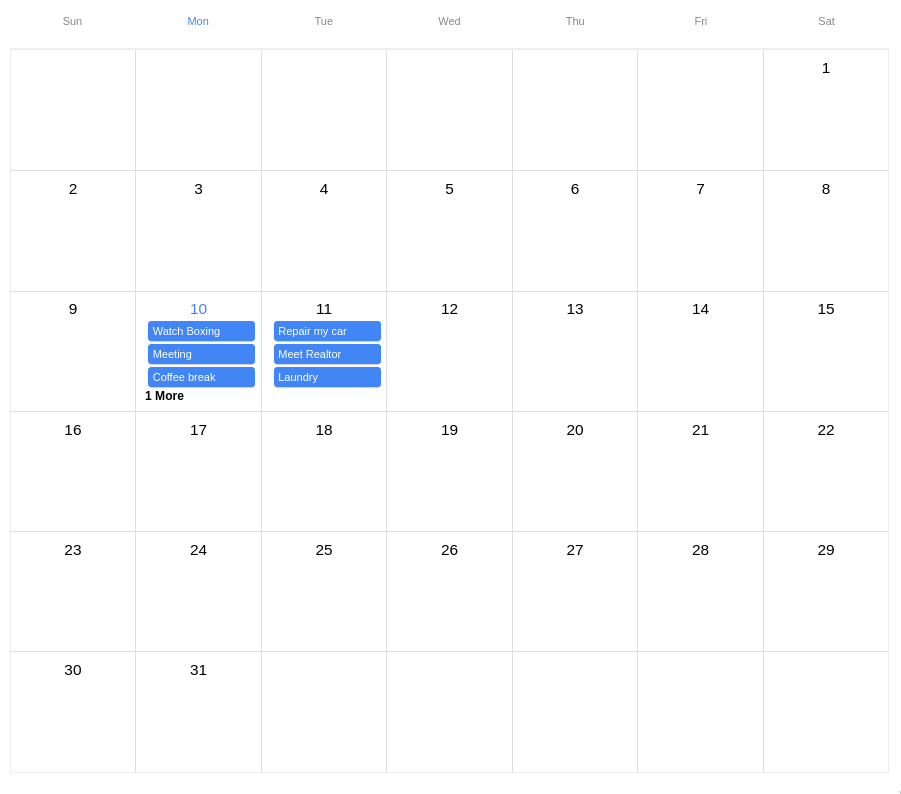
# 特征
- 交叉平台:在网络,iOS,Android上运行,具有回放的力量
- 类型安全: 完全写入类型脚本
- 自定义: 能够提供您自己的主题, 并传递您的组件来渲染 .
- 轻量:~9KB(min + gzip),依赖是 `dayjs` 财务报告和审定财务报表 `calendarize`
# 安装
```
npm install --save react-native-big-calendar
```
或者如果你用雅恩的话:
```
yarn add react-native-big-calendar
```
### 其他依赖关系
请确保安装对等依赖 .
```sh
npm install react react-native
```
### 类型脚本
如果使用类型脚本保证 `@types/react` 财务报告和审定财务报表 `@types/react-native` 已安装. `react-native-big-calendar` 内部使用.
```sh
npm install --save-dev @types/react @types/react-native
```
### 网上的使用
如果您在网络上使用此模块, 请安装 `react-native-web`。 。 。 .
```sh
npm install react-native-web
```
如果您正在使用 Create React App, 您已经准备好去QQ
详见官方反应-内设-网络安装指南.
[https://github.com/necolas/ react-native-web 互联网档案馆的存檔,存档日期2013-12-21](https://github.com/necolas/react-native-web)
# 开始
```typescript
import { Calendar } from 'react-native-big-calendar'
const events = [
{
title: 'Meeting',
start: new Date(2020, 1, 11, 10, 0),
end: new Date(2020, 1, 11, 10, 30),
},
{
title: 'Coffee break',
start: new Date(2020, 1, 11, 15, 45),
end: new Date(2020, 1, 11, 16, 30),
},
]
function App() {
return
}
```
# API 文档
**内容提要**
```typescript
export interface CalendarProps {
events: T
height: number
overlapOffset?: number
hourRowHeight?: number
ampm?: boolean
date?: Date
eventCellStyle?: EventCellStyle
eventCellAccessibilityProps?: AccessibilityProps
eventCellTextColor?: string
allDayEventCellStyle?: allDayEventCellStyle<>
allDayEventCellAccessibilityProps?: AccessibilityProps
calendarCellAccessibilityPropsForMonthView?: AccessiblityProps
allDayEventCellTextColor?: string
calendarContainerStyle?: ViewStyle
calendarCellAccessibilityProps?: AccessibilityProps
headerContainerStyle?: ViewStyle
headerContainerAccessibilityProps?: AccessibilityProps
headerCellAccessibilityProps?: AccessibilityProps
bodyContainerStyle?: ViewStyle
renderEvent?: (
event: T,
touchableOpacityProps: CalendarTouchableOpacityProps,
) => ReactElement | null
renderHeader?: React.ComponentType & { mode: Mode }>
renderHeaderForMonthView?: React.ComponentType
locale?: string
hideNowIndicator?: boolean
mode?: Mode
scrollOffsetMinutes?: number
showTime?: boolean
minHour?: number
maxHour?: number
swipeEnabled?: boolean
weekStartsOn?: WeekNum
weekEndsOn?: WeekNum
onChangeDate?: DateRangeHandler
onPressCell?: (date: Date) => void
onPressDateHeader?: (date: Date) => void
onPressEvent?: (event: ICalendarEvent) => void
eventMinHeightForMonthView?: number
activeDate?: Date
moreLabel?: string
showAdjacentMonths?: boolean
sortedMonthView?: boolean
showVerticalScrollIndicator?: boolean
timeslots?: number
}
```
`` 道具为:
| 名称 | 所需经费 | 类型 | 说明 |
| --- | --- | --- | --- |
| `events` | 对 | `ICalendarEvent[]` | 日历上的活动。 您可以扩展类型 `ICalendarEvent` 提供通用类型 T 的值(参见 `./stories/events.tsx` (以举例而言) 具有在事件内显示自定义组件的可选子,并具有可选事件渲染器功能,以完全控制被渲染出的事件(高级功能). 在同一时间范围内发生的事件将被分层、相抵并指定独特的颜色. |
| `height` | 对 | `number` | 日历高度. |
| `hideNowIndicator` | 没有 | `boolean` | 隐藏当前时间的指标。 默认情况下,将显示现在的指标. |
| `hourRowHeight` | 没有 | `number` | 小时行高 |
| `onPressEvent` | 没有 | `(event: ICalendarEvent) => void` | 事件处理器, 当用户点击一个事件时, 将会开火 . |
| `onChangeDate` | 没有 | `([start: Date, end: Date]) => void` | 事件处理器, 当当前日期范围改变时会开火 . |
| `onPressCell` | 没有 | `(date: Date) => void` | 当单击当前日期单元格时将启用的事件处理器 。 分钟设定到0. |
| `onLongPressCell` | 没有 | `(date: Date) => void` | 和上面一样,但被长长的媒体所触发. |
| `onPressDateHeader` | 没有 | `(date: Date) => void` | 事件处理器, 当用户从信头点击日期时, 将会开火 . |
| `mode` | 没有 | `'month' | 'week' | '3days' | 'day' | 'schedule' | 'custom'` | |
| `eventCellStyle` | 没有 | `ViewStyle | (event: ICalendarEvent) => ViewStyle` | 事件细胞的风格. 接受样式对象(静态)或函数(动态). |
| `eventCellAccessiblityProps` | 没有 | `AccessibilityProps` | 事件单元格的可访问性 |
| `eventCellTextColor` | 没有 | `string` | 事件单元格文本的颜色 . |
| `allDayEventCellStyle` | 没有 | `ViewStyle | (event: ICalendarEvent) => ViewStyle` | 全天事件单元的风格. 接受样式对象(静态)或函数(动态). |
| `allDayEventCellTextColor` | 没有 | `string` | 全天事件单元格文本的颜色 . |
| `allDayEventCellAccessibilityProps` | 没有 | `AccessibilityProps` | 全天事件单元格文本的可访问性 . |
| `calendarCellAccessibilityProps` | 没有 | `AccessibilityProps` | 日历体中细胞的可访问性,包括数小时的细胞. |
| `calendarCellAccessibilityPropsForMonthView` | 没有 | `AccessibilityProps` | 月视图日历正文中日期单元格的可访问性 . |
| `headerContentStyle` | 没有 | `ViewStyle` | 标题内容的风格. 接受样式对象(静态). |
| `headerContainerAccessibilityProps` | 没有 | `AccessibilityProps` | Header 容器的接通性正体 使用此设定来控制屏幕阅读器以识别整个标题行为单个可访问元素 |
| `headerCellAccessibilityProps` | 没有 | `AccessibilityProps` | 头部细胞的接合器. |
| `dayHeaderStyle` | 没有 | `ViewStyle` | Header日号的风格. 接受样式对象(静态). |
| `dayHeaderHighlightColor` | 没有 | `string` | Header突出日号的风格. 接受样式对象(静态). |
| `weekDayHeaderHighlightColor` | 没有 | `string` | Header突出的周日的风格. 接受样式对象(静态). |
| `scrollOffsetMinutes` | 没有 | `number` | 在一天中滚动到特定的分钟。 例如) 设定 `480` 当日历显示时, 滚动到8: 00. |
| `date` | 没有 | `Date` | 日历的初始日期。 默认为 `new Date` (当前时间). |
| `onSwipeEnd` | 没有 | `(date: Date) => void` | 事件处理器,在向左或向右擦去时会开火。 提醒您的功能, 防止无源重现 |
| `swipeEnabled` | 没有 | `boolean` | |
| `showTime` | 没有 | `boolean` | |
| `minHour` | 没有 | `number` | 以周/日模式显示的第一个小时 . |
| `maxHour` | 没有 | `number` | 以周/日模式显示的最后一小时 . |
| `ampm` | 没有 | `boolean` | 使用12小时的时间格式而不是24小时. |
| `weekStartsOn` | 没有 | `0 | 1 | 2 | 3 | 4 | 5 | 6` | 这周哪天开始? 周日为 `0`。 。 。 . |
| `weekEndsOn` | 没有 | `0 | 1 | 2 | 3 | 4 | 5 | 6` | 哪个星期结束? 周日为 `0`。 。 。 . |
| `locale` | 没有 | `string` | 自定义地盘 。 见I18n节 |
| `overlapOffset` | 没有 | `number` | 调整同期所发生事件的缩进. 默认为网络上20个,移动上8个. |
| `isRTL` | 没有 | `boolean` | 切换布局的方向,以便使用RTL语言。 默认为假. |
| `renderEvent` | 没有 | `EventRenderer` | 自定义事件渲染器 。 见下文类型定义. |
| `renderHeader` | 没有 | `HeaderRenderer` | 自定义页眉渲染器. |
| `eventMinHeightForMonthView` | 没有 | `number` | 月视图中事件的迷你元高. 应当符合您的定制事件 。 默认为22. |
| `activeDate` | 没有 | `Date` | 以页眉突出日期 。 默认为今天( 当前时间) . |
| `headerComponent` | 没有 | `ReactElement` | 日历正文标题组件 . |
| `headerComponentStyle` | 没有 | `ViewStyle` | 日历正文标题组件包装样式 。 接受样式对象(静态) |
| `hourStyle` | 没有 | `TextStyle` | 日历时数造型。 接受样式对象(静态) |
| `showAllDayEventCell` | 没有 | `boolean` | 显示/隐藏全天事件单元格的布尔 |
| `moreLabel` | 没有 | `string` | 在月视图中替换更多标签的字符串 。 默认 : “ { moreCount} More'. { moreCount} 已被额外事件数所取代 |
| `showAdjacentMonths` | 没有 | `boolean` | 在月视图中显示/ 隐藏相邻月份的布尔 。 默认为真 |
| `sortedMonthView` | 没有 | `boolean` | (用于表演)布尔用于月视图中的排序事件. 默认为真 |
| `isEventOrderingEnabled` | 没有 | `boolean` | 布尔用于在所有视图中排序事件 。 默认为真 |
| `renderCustomDateForMonth` | 没有 | `boolean` | 日期单元格自定义渲染器 |
| `disableMonthEventCellPress` | 没有 | `boolean` | 防止月视图事件单元格被按下 。 默认为虚假 |
| `itemSeparatorComponent` | 没有 | `ReactElement` | 单项中的反应组件 `schedule` 模式。 参考 [反应原生平板 `ItemSeparatorComponent`](https://reactnative.dev/docs/flatlist#itemseparatorcomponent) 需要更多信息. |
| `enrichedEventsByDate` | 没有 | `Record = (
event: ICalendarEvent,
touchableOpacityProps: CalendarTouchableOpacityProps,
) => ReactElement | null
```
更多信息见 [故事书](https://github.com/acro5piano/react-native-big-calendar/blob/main/stories/desktop.stories.tsx)
## ICalendar EventBase 日历
```typescript
interface ICalendarEventBase {
start: Date
end: Date
title: string
children?: ReactElement | null
disabled?: boolean
}
```
## 小时渲染器
```typescript
type HourRenderer = {
appm: boolean
hour: number
}
```
## 全天活动
所有日事均应以时,分,秒(T:00:00)开始并结束. 例如:
```typescript
{
title: 'all day event',
start: "2021-12-24T00:00:00.000Z",
end: "2021-12-24T00:00:00.000Z", // same date as `start`
}
```
## 使用自定义事件渲染函数
您可以指定接收计算结果的自定义事件渲染函数 `TouchableOpacity` 螺旋桨和 `event`。 。 。 .
- 职能 `renderEvent` 必须返回 `ReactElement`。 。 。 .
- 构成部分 _应_ 被包裹在一个 `TouchableOpacity` 或者说 _任意_ 接受定位和单击事件的DOM元素(`onPress`(中文(简体) ).
```typescript
export interface MyCustomEventType {
color: string
}
const renderEvent = (
event: T,
touchableOpacityProps: CalendarTouchableOpacityProps,
) => (
{`My custom event: ${event.title} with a color: ${event.color}`}
)
```
## 显示事件笔记
您的事件可以包含一个道具 `children` 可以找到一个实例 [这里](https://npmcn.com/package/%40changwoolab/react-native-big-calendar/stories/events.tsx)。 。 。 .
```typescript
const eventNotes = useMemo(
() => (
Phone number: 555-123-4567
Arrive 15 minutes early
),
[],
)
export const myEvents: ICalendarEventBase[] = [
{
title: 'Custom reminder',
start: dayjs().set('hour', 16).set('minute', 0).toDate(),
end: dayjs().set('hour', 17).set('minute', 0).toDate(),
children: eventNotes,
},
]
```
## 主题
您可以自定义日历 `theme` 道具 (英语). `theme` 应该像这个接口 :
```typescript
export interface Palette {
main: string
contrastText: string
}
export type Typography = Pick<
TextStyle,
'fontFamily' | 'fontWeight' | 'fontSize' | 'lineHeight' | 'letterSpacing' | 'textAlign'
>
export interface ThemeInterface {
palette: {
primary: Palette
nowIndicator: string
gray: {
100: string
200: string
300: string
500: string
800: string
}
moreLabel: string
}
isRTL: boolean
typography: {
fontFamily?: string
xs: Typography
sm: Typography
xl: Typography
moreLabel: Typography
}
eventCellOverlappings: readonly Palette[]
moreLabel: TextStyle
}
```
例如:
```typescript
const darkTheme = {
palette: {
primary: {
main: '#6185d0',
contrastText: '#000',
},
gray: {
'100': '#333',
'200': '#666',
'300': '#888',
'500': '#aaa',
'800': '#ccc',
},
},
}
```
## I18n 时
请通过您的地址 `locale` 道具 **财务报告和审定财务报表** 导入 day.js locale 文件 :
```typescript
import 'dayjs/locale/ja'
```
你可以在这里找到你的日地:
[https://github.com/iamkun/dayjs/tree/dev/src/locale 互联网档案馆的存檔,存档日期2013-12-22](https://github.com/iamkun/dayjs/tree/dev/src/locale)
## 丰富事件逻辑( 绩效提示)
### 执行数据结构
我们创建并缓存一个按日期键的字典,其中包含所有事件属性以及重叠的计数:
```
{
[YYYY-MM-DD]: [
{
...all event information,
overlapPosition: int
overlapCount: int
}
]
}
```
### 多日活动
当一个活动跨出多天时,我们会为它的每一天创造出一个新的活动. 例如从2021-05-01起起至2021-05-03起止的事件将作为3起事件进行代表,每天一次,并配有以下时间道具: 1
```
--- First day
2021-05-01: {
...other data
start: event start datetime
end: current day midnight
}
-- All the intermediate days:
2021-05-02: {
...other data
start: previous day midnight
end: current day midnight
}
-- Final day
2021-05-03: {
...other data
start: previous day midnight
end: event start datetime
}
```
### 丰富事件渲染器
优化的渲染器从词典中获取每个事件,并在不添加过滤或排序等任何额外逻辑的情况下来渲染.
### 预处理数据
你可以自己编字典,通过道具寄到图书馆 `enrichedEventsByDate`。 。 。 .
例如,当您想要在背景工作中构建词典时, 这样做特别有用 .
# 在真实设备上运行演示并开发
## 设置
检查后,请运行:
```sh
yarn install
yarn sync-rndemo
cd rndemo
yarn install
```
## 开始
在演示目录中启动 React 原生开发服务器 :
```sh
cd rndemo
yarn start
```
然后,打开另一个终端运行:
```sh
# For ios
pod install
yarn ios
# For Android
yarn android
```
每次修改此库的代码时, 您应该在根目录中运行以下命令 :
```sh
yarn sync-rndemo
```
# 截图
  
# 谁用这个?
[](https://www.nupp1.io/?utm_source=react-native-big-calendar)
[](https://www.telaqua.com/?utm_source=react-native-big-calendar)
如果你使用这个图书馆,请发送公关 添加你的组织!
# 发起人
[](https://moncargo.io/?utm_source=react-native-big-calendar)
# 企业支助
首先,谢谢你对这个项目的兴趣。 随着这个图书馆越来越出名,很多人都要求具备他们需要的特征. 我想尽可能地回应他们 但我在做这项工作的时间有限 要成为全职开放源代码,使这个项目可持续,我决定增加企业支持.
企业客户可以获得:
- 完全定制,如颜色,标志,图像,等等.
- 优先应对与发展.
- React, TypeScript, 和 React Indust 应用程序的咨询 .
请注意,一些企业功能也将与开放源码软件版本合并.
如果您对这些功能感兴趣,请发电子邮件给: [ketsume0211@gmail.com (英语)](mailto:ketsume0211@gmail.com)
# 聘请我
我是一个自由职业的软件工程师,专门研究反应,反应原生和TypeScript. 还可用于GraphQL和RDB后端,以及Node.JS应用.
如果您有兴趣雇用我,请发电子邮件给: [ketsume0211@gmail.com (英语)](mailto:ketsume0211@gmail.com)
我住在日本(在美丽的海边),所以远程合同工作特别受欢迎.
## 常见问题
### @changwoolab/react-native-big-calendar 是什么?
\[\[npm版本\] \(https://badge\.fury\.io/js/resact-native-big-calendar\.sv 互联网档案馆的存檔,存档日期2014-12-02
### 如何安装 @changwoolab/react-native-big-calendar?
在项目目录运行 npm install @changwoolab/react-native-big-calendar,或使用 pnpm add / yarn add / bun add。它还需要宿主项目提供 peer 依赖:react(\*)、react-native(\*)。npm 7 及以上与 pnpm 8 及以上默认会自动安装必需的 peer 依赖,Yarn 需要手动安装。
### @changwoolab/react-native-big-calendar 支持 TypeScript 吗?
支持。包内自带 TypeScript 类型声明(package\.json 声明了 types 入口),安装后即可获得类型提示,无需再安装 @types 包。
### @changwoolab/react-native-big-calendar 支持 ESM 还是 CommonJS?
同时提供 ES Module 与 CommonJS 入口,import 和 require\(\) 都可以使用,打包工具会自动选择合适的版本。
### @changwoolab/react-native-big-calendar 可以商用吗?
@changwoolab/react-native-big-calendar 使用 MIT 许可。宽松许可:允许商业使用、修改和再分发,通常只需在分发时保留原版权与许可声明。以上为概括,不构成法律意见,请以许可原文为准。
### @changwoolab/react-native-big-calendar 的下载量有多少?
根据 npm 官方下载统计,@changwoolab/react-native-big-calendar 在 2026/10/10 – 2026/11/08 这 30 天内被下载 2,342 次,日均约 78 次。下载量会把 CI 构建、镜像同步和作为其他包依赖的安装一并计入,适合横向比较热度,不能直接等同于使用人数。
### @changwoolab/react-native-big-calendar 还在维护吗?
最新版本 6\.1\.0 发布于 2024/09/10(2 年前);至今共发布 17 个版本,其中过去 12 个月发布了 0 个;首次发布于 2023/12/12。发布频率只是参考信号:功能稳定的工具可能很少需要更新,建议结合源码仓库的 issue 和提交记录判断。