# @charles-goode/qr-code-styling 中文文档
规范地址:https://npmcn.com/package/%40charles-goode/qr-code-styling/
版本:1\.6\.2
npm 元数据更新时间:2022-04-04T22:32:14.462Z
中文译文更新时间:2026-11-09T18:07:20.516Z
软件包许可:MIT
本文由上游 README 翻译,可能存在偏差,请结合原文核对 API、命令与配置。版权与许可归原作者所有。
原始 npm 页面:https://www.npmjs.com/package/%40charles-goode/qr-code-styling
原文对照:https://npmcn.com/package/%40charles-goode/qr-code-styling/?lang=original
项目主页:https://qr-code-styling.com/
源码仓库:https://github.com/kozakdenys/qr-code-styling
## 关键信息(来自 npm 元数据)
- 包体积(解压后):171 kB,31 个文件
- 模块格式:CommonJS
- TypeScript 类型:包内自带
- 运行依赖:1 个
- 首次发布:2021-06-22T20:12:36.266Z
- 最新版本发布:2021-06-23T18:05:28.669Z
- 近 30 天下载量:2009(2026-10-10 至 2026-11-08,npm 官方下载统计)
- 已发布版本数:3(近 12 个月 0 个)
## 中文简介
在您的QR 代码中添加样式和图像
## 安装
```sh
npm install @charles-goode/qr-code-styling
```
也可以使用:`pnpm add @charles-goode/qr-code-styling`、`yarn add @charles-goode/qr-code-styling`、`bun add @charles-goode/qr-code-styling`
## README
# QR 代码样式
[](https://www.npmjs.org/package/qr-code-styling)
JavaScript库用于生成带有标志和样式的QR代码.
试试看 [https://qr-code-styling.com (中文(简体) )](https://qr-code-styling.com/)
如果您有问题/建议/说明/问题,请开始讨论或联系我。 让我们一起创建一个很酷的图书馆.
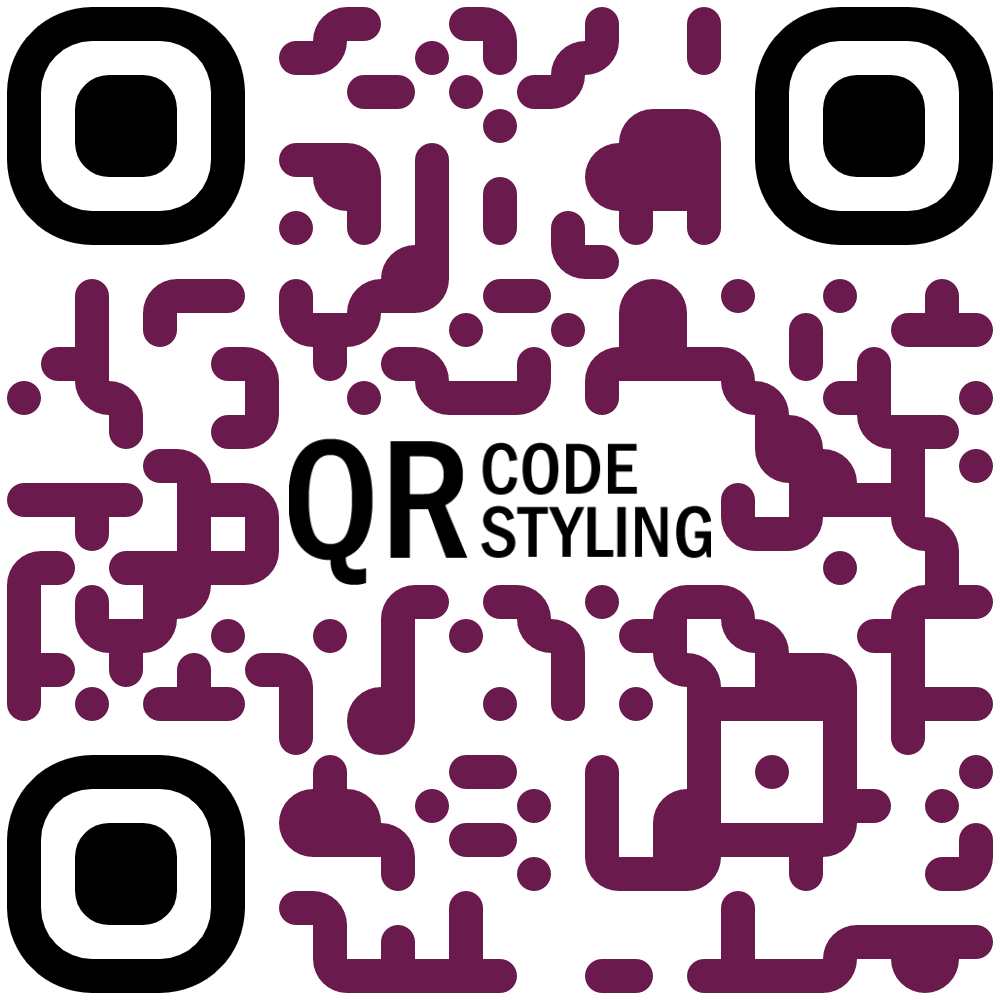
### 实例
### 安装
```
npm install qr-code-styling
```
### 使用量
```HTML
QR Code Styling
```
* * *
[**反应实例 (Codesandbox)**](https://codesandbox.io/s/qr-code-styling-react-example-l8rwl?file=/src/App.js)
[**角实例( Codesandbox)**](https://codesandbox.io/s/agitated-panini-tpgb2?file=/src/app/app.component.ts)
* * *
[**反应实例( 来源)**](https://github.com/kozakdenys/qr-code-styling-examples/tree/master/examples/react)
[**角实例( 来源)**](https://github.com/kozakdenys/qr-code-styling-examples/tree/master/examples/angular)
[**Vue 实例( 来源)**](https://github.com/kozakdenys/qr-code-styling-examples/tree/master/examples/vue)
* * *
### API 文档
#### QRCodeStyling 实例
`new QRCodeStyling(options) => QRCodeStyling`
| 参数 | 类型 | 说明 |
| --- | --- | --- |
| 选项 | 对象 | Init 对象 |
`options` 结构
| 财产 | 类型 | 默认值 | 说明 |
| --- | --- | --- | --- |
| 宽度 | 编号 | `300` | 画布大小 |
| 高度 | 编号 | `300` | 画布大小 |
| 类型 | 字符串( r)`'canvas' 'svg'`(中文(简体) ) | `canvas` | 将生成的元素类型 |
| 数据 | 字符串 | | 日期将被编码为 QR 代码 |
| 图像 | 字符串 | | 图像将被复制到 QR 代码的中心 |
| 边距 | 编号 | `0` | 画布边缘 |
| qr 选项 | 对象 | | 选项将传递给 `qrcode-generator` 独立 |
| 图像选项 | 对象 | | 特定图像选项,详情见下文 |
| 点选项 | 对象 | | 点样式选项 |
| 角平方选项 | 对象 | | 角落的平面样式选项 |
| 角点选项帮助工具 | 对象 | | 角落中的点样式选项 |
| 背景选项 | 对象 | | QR 背景样式选项 |
| 节点 | 节点扫描 | | 只指定在节点服务器上运行画布类型时, 请参考下面的节点区域 |
| jsdom (英语) | 日记 | | 仅在节点服务器上运行 svg 类型时指定, 请参考下面的节点部分 |
`options.qrOptions` 结构
| 财产 | 类型 | 默认值 |
| --- | --- | --- |
| 类型数 | 编号(`0 - 40`(中文(简体) ) | `0` |
| 模式 | 字符串( r)`'Numeric' 'Alphanumeric' 'Byte' 'Kanji'`(中文(简体) ) | |
| 错误更正级别 | 字符串( r)`'L' 'M' 'Q' 'H'`(中文(简体) ) | `'Q'` |
`options.imageOptions` 结构
| 财产 | 类型 | 默认值 | 说明 |
| --- | --- | --- | --- |
| 隐藏背景 | 布尔 | `true` | 隐藏图像覆盖的所有点 |
| 图像大小 | 编号 | `0.4` | 图像大小的系数 。 不建议使用 ove 0.5. 低点更好 |
| 边距 | 编号 | `0` | Px 图像的边距 |
| 横跨奥里金 | 字符串( r)`'anonymous' 'use-credentials'`(中文(简体) ) | | 如果您想要从其它来源下载QR代码, 请设置"匿名" . |
| 保存 AsBlob 数据 | 布尔 | `false` | 在 svg 类型中将图像保存为 Base64 blob, 参见 Bellow |
当 QR 类型是 svg 时, 图像可能不会在某些应用程序中加载, 因为它被保存为 url , 一些 svg 应用程序不会出于安全原因渲染 url 图像 。 设置 `saveAsBlob` 到 true 将会将图像保存为 blob, 让它在更多地方正确渲染, 但也会增加文件大小 .
`options.dotsOptions` 结构
| 财产 | 类型 | 默认值 | 说明 |
| --- | --- | --- | --- |
| 颜色 | 字符串 | `'#000'` | QR 点的颜色 |
| 渐变 | 对象 | | QR 点的渐变 |
| 类型 | 字符串( r)`'rounded' 'dots' 'classy' 'classy-rounded' 'square' 'extra-rounded'`(中文(简体) ) | `'square'` | QR 点样式 |
`options.backgroundOptions` 结构
| 财产 | 类型 | 默认值 |
| --- | --- | --- |
| 颜色 | 字符串 | `'#fff'` |
| 渐变 | 对象 | |
`options.cornersSquareOptions` 结构
| 财产 | 类型 | 默认值 | 说明 |
| --- | --- | --- | --- |
| 颜色 | 字符串 | | 角落平面颜色 |
| 渐变 | 对象 | | 角广场的梯度 |
| 类型 | 字符串( r)`'dot' 'square' 'extra-rounded'`(中文(简体) ) | | 角落广场样式 |
`options.cornersDotOptions` 结构
| 财产 | 类型 | 默认值 | 说明 |
| --- | --- | --- | --- |
| 颜色 | 字符串 | | 角点颜色 |
| 渐变 | 对象 | | 角点的渐变 |
| 类型 | 字符串( r)`'dot' 'square'`(中文(简体) ) | | 角点样式 |
渐变结构
`options.dotsOptions.gradient`
`options.backgroundOptions.gradient`
`options.cornersSquareOptions.gradient`
`options.cornersDotOptions.gradient`
| 财产 | 类型 | 默认值 | 说明 |
| --- | --- | --- | --- |
| 类型 | 字符串( r)`'linear' 'radial'`(中文(简体) ) | "线" | 梯度分布类型 |
| 旋转 | 编号 | 0 个 | 弧度梯度的旋转(Math.PI QQ 180度) |
| 颜色停止 | 对象数组 | | 渐入色相. 示例 `[{ offset: 0, color: 'blue' }, { offset: 1, color: 'red' }]` |
渐变颜色停止结构
`options.dotsOptions.gradient.colorStops[]`
`options.backgroundOptions.gradient.colorStops[]`
`options.cornersSquareOptions.gradient.colorStops[]`
`options.cornersDotOptions.gradient.colorStops[]`
| 财产 | 类型 | 默认值 | 说明 |
| --- | --- | --- | --- |
| 页:1 | 编号(`0 - 1`(中文(简体) ) | | 颜色在梯度范围内的位置 |
| 颜色 | 字符串 | | 渐变范围内的站点颜色 |
#### QRCode 定型方法
`QRCodeStyling.append(container) => void`
| 参数 | 类型 | 说明 |
| --- | --- | --- |
| 集装箱 | DOM 元素 | 此容器将用于附加 QR 代码 |
`QRCodeStyling.getRawData(extension) => Promise`
| 参数 | 类型 | 默认值 | 说明 |
| --- | --- | --- | --- |
| 扩展 | 字符串( r)`'png' 'jpeg' 'webp' 'svg'`(中文(简体) ) | `'png'` | 浏览器上的 Blob 类型, 节点上的缓冲类型 |
`QRCodeStyling.update(options) => void`
| 参数 | 类型 | 说明 |
| --- | --- | --- |
| 选项 | 对象 | 与初始化相同的选择 |
`QRCodeStyling.download(downloadOptions) => Promise`
| 参数 | 类型 | 说明 |
| --- | --- | --- |
| 下载选项 | 对象 | 有扩展名和文件名称的选项( 不需要) |
返回的承诺将解析入 QR 代码图像的数据 URI .
`downloadOptions` 结构
| 财产 | 类型 | 默认值 | 说明 |
| --- | --- | --- | --- |
| 名称 | 字符串 | `'qr'` | 下载文件的名称 |
| 扩展 | 字符串( r)`'png' 'jpeg' 'webp' 'svg'`(中文(简体) ) | `'png'` | 文件扩展名 |
### 节点支持
您可以在节点服务器上通过节点- canvas 或 jsdom 对象使用此功能, 取决于您是否分别创建非 svg 或 svg 。 使用时必须同时通过 `imageOptions.saveAsBlob`。 。 。 .
通话 `getRawData` 在节点中,将返回一个缓冲器而不是一个 Blob.
```js
const { QRCodeStyling } = require("qr-code-styling/lib/qr-code-styling.common.js");
const nodeCanvas = require("canvas");
const { JSDOM } = require("jsdom");
const fs = require("fs");
const options = {
width: 300,
height: 300,
data: "https://www.facebook.com/",
image: "https://upload.wikimedia.org/wikipedia/commons/5/51/Facebook_f_logo_%282019%29.svg",
dotsOptions: {
color: "#4267b2",
type: "rounded"
},
backgroundOptions: {
color: "#e9ebee",
},
imageOptions: {
crossOrigin: "anonymous",
margin: 20
}
}
// For canvas type
const qrCodeImage = new QRCodeStyling({
nodeCanvas, // this is required
...options
});
qrCodeImage.getRawData("png").then((buffer) => {
fs.writeFileSync("test.png", buffer);
});
// For svg type
const qrCodeSvg = new QRCodeStyling({
jsdom: JSDOM, // this is required
type: "svg",
...options
});
qrCodeSvg.getRawData("svg").then((buffer) => {
fs.writeFileSync("test.svg", buffer);
});
// For svg type with the inner-image saved as a blob
// (inner-image will render in more places but file will be larger)
const qrCodeSvgWithBlobImage = new QRCodeStyling({
jsdom: JSDOM, // this is required
nodeCanvas, // this is required
type: "svg",
...options,
imageOptions: {
saveAsBlob: true,
crossOrigin: "anonymous",
margin: 20
}
});
qrCodeSvgWithBlobImage.getRawData("svg").then((buffer) => {
fs.writeFileSync("test_blob.svg", buffer);
});
```
### 许可证
[MIT 许可证](https://raw.githubusercontent.com/kozakdenys/qr-code-styling/master/LICENSE). 版权 (c) 2021 Denys Kozak
## 常见问题
### @charles-goode/qr-code-styling 是什么?
在您的QR 代码中添加样式和图像
### 如何安装 @charles-goode/qr-code-styling?
在项目目录运行 npm install @charles-goode/qr-code-styling,或使用 pnpm add / yarn add / bun add。
### @charles-goode/qr-code-styling 支持 TypeScript 吗?
支持。包内自带 TypeScript 类型声明(package\.json 声明了 types 入口),安装后即可获得类型提示,无需再安装 @types 包。
### @charles-goode/qr-code-styling 支持 ESM 还是 CommonJS?
以 CommonJS 形式发布,可以直接 require\(\);在 ES Module 项目中也可以用 import 引入(Node\.js 会把 module\.exports 作为默认导出)。
### @charles-goode/qr-code-styling 可以商用吗?
@charles-goode/qr-code-styling 使用 MIT 许可。宽松许可:允许商业使用、修改和再分发,通常只需在分发时保留原版权与许可声明。以上为概括,不构成法律意见,请以许可原文为准。
### @charles-goode/qr-code-styling 的下载量有多少?
根据 npm 官方下载统计,@charles-goode/qr-code-styling 在 2026/10/10 – 2026/11/08 这 30 天内被下载 2,009 次,日均约 67 次。下载量会把 CI 构建、镜像同步和作为其他包依赖的安装一并计入,适合横向比较热度,不能直接等同于使用人数。
### @charles-goode/qr-code-styling 还在维护吗?
最新版本 1\.6\.2 发布于 2021/06/24(5 年前);至今共发布 3 个版本,其中过去 12 个月发布了 0 个;首次发布于 2021/06/23。发布频率只是参考信号:功能稳定的工具可能很少需要更新,建议结合源码仓库的 issue 和提交记录判断。