# @danielmoraes/yet-another-react-lightbox 中文文档
规范地址:https://npmcn.com/package/%40danielmoraes/yet-another-react-lightbox/
版本:1\.1\.0
npm 元数据更新时间:2024-06-07T12:01:45.890Z
中文译文更新时间:2026-11-11T10:28:13.818Z
软件包许可:MIT
本文由上游 README 翻译,可能存在偏差,请结合原文核对 API、命令与配置。版权与许可归原作者所有。
原始 npm 页面:https://www.npmjs.com/package/%40danielmoraes/yet-another-react-lightbox
原文对照:https://npmcn.com/package/%40danielmoraes/yet-another-react-lightbox/?lang=original
项目主页:https://yet-another-react-lightbox.com/
源码仓库:https://github.com/danielmoraes/yet-another-react-lightbox
## 关键信息(来自 npm 元数据)
- 包体积(解压后):224 kB,38 个文件
- 模块格式:ES Module
- TypeScript 类型:包内自带
- Node.js 要求:\>=14
- 运行依赖:0 个
- peer 依赖:react \>=16\.8\.0,react-dom \>=16\.8\.0
- 首次发布:2023-09-26T19:37:46.303Z
- 最新版本发布:2024-06-07T12:01:45.488Z
- 近 30 天下载量:3520(2026-10-12 至 2026-11-10,npm 官方下载统计)
- 已发布版本数:6(近 12 个月 0 个)
## 中文简介
现代反应灯盒组件
## 安装
```sh
npm install @danielmoraes/yet-another-react-lightbox
```
也可以使用:`pnpm add @danielmoraes/yet-another-react-lightbox`、`yarn add @danielmoraes/yet-another-react-lightbox`、`bun add @danielmoraes/yet-another-react-lightbox`
## README
# 然而,另一个反射灯盒
现代反应灯盒组件. 表演者,易于使用,可定制和可扩展.
## 概览
[](https://www.npmjs.com/package/yet-another-react-lightbox) [](https://bundlephobia.com/package/yet-another-react-lightbox) [](https://github.com/danielmoraes/yet-another-react-lightbox/blob/main/LICENSE)
- **为反应所建 :** 与反应18、17和16.8.0+合作
- **UX : (韩语)** 支持键盘、鼠标、触摸板和触摸屏导航
- **预装 :** 从未显示部分下载的图像
- **性能 :** 在不损害性能或UX的情况下预装有限数量的图像
- **响应 :** 框外支持带有自动分辨率切换的响应图像
- **视频 :** 通过可选插件支持视频幻灯片
- **缩放 :** 通过可选插件支持图像缩放
- **自定义 :** 自定义任何 UI 元素或添加自定义幻灯片
- **没有出血 :** 从未捆绑过很少使用的特性; 通过插件添加可选特性
- **类型脚本 :** 类型定义出现在软件包中
- **RTL: (英语)** 兼容RTL布局
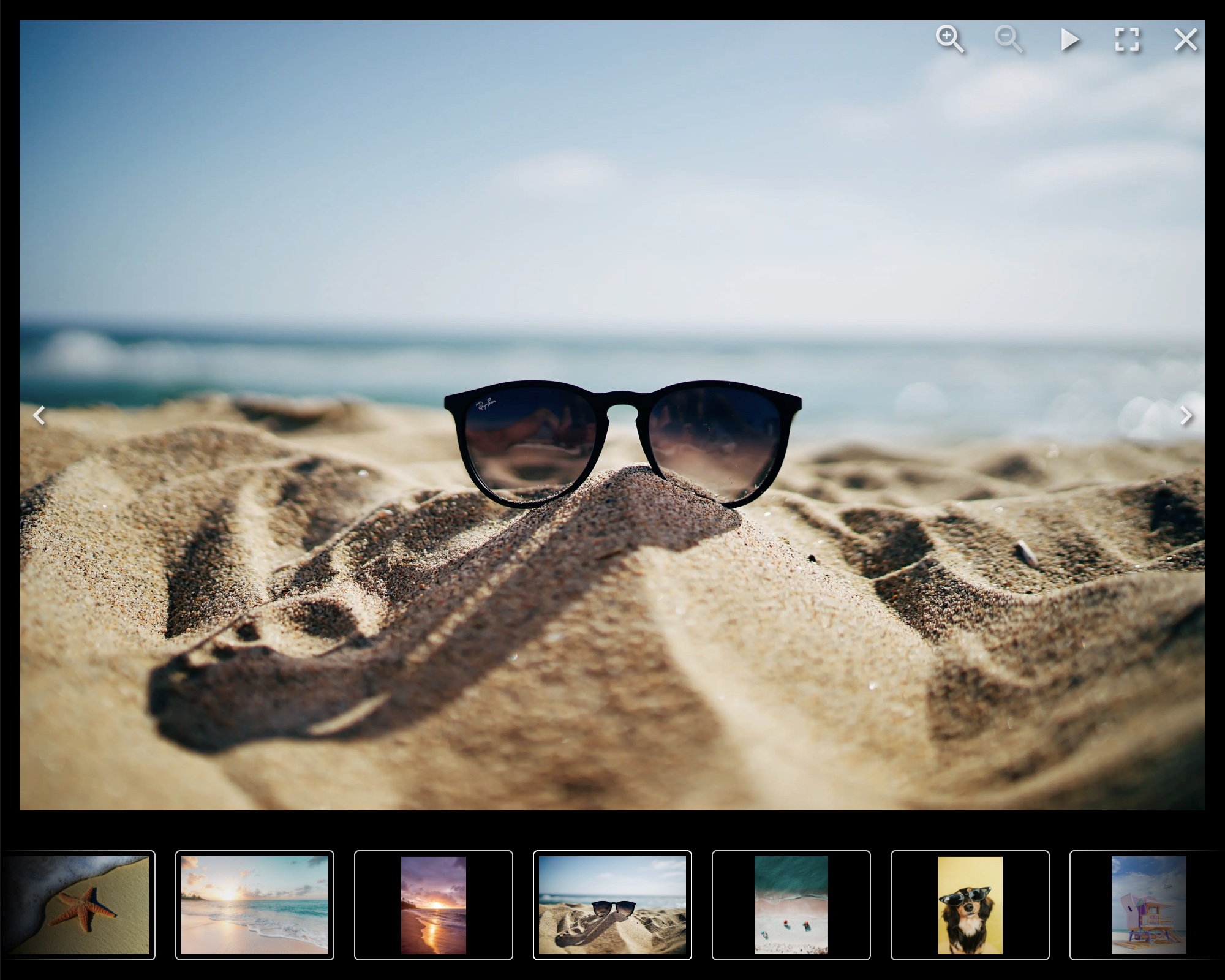
## 文档
[https://yet-an-other-react-lightbox.com/documentation 页面存档备份,存于互联网档案馆](https://yet-another-react-lightbox.com/documentation)
## 实例
[https://yet-another-resact-lightbox.com/examples 页面存档备份,存于互联网档案馆](https://yet-another-react-lightbox.com/examples)
## 安装
```shell
npm install yet-another-react-lightbox
```
或者说
```shell
yarn add yet-another-react-lightbox
```
## 最小设置示例
```jsx
import * as React from "react";
import Lightbox from "yet-another-react-lightbox";
import "yet-another-react-lightbox/styles.css";
export default function App() {
const [open, setOpen] = React.useState(false);
return (
<>
setOpen(false)}
slides={[{ src: "/image1.jpg" }, { src: "/image2.jpg" }, { src: "/image3.jpg" }]}
/>
);
}
```
## 建议设置
与其他许多灯盒库不同,然而"又一反应"灯盒没有"thumbnail"或"原生"的概念 (或"全尺寸")相相. 我们使用响应图像 推荐您提供不同的文件 每个图像的分辨率。 然而,另一个反应灯盒自动弹出 `srcset` 编号 : `sizes` 属性和允许 浏览器决定哪个图像更适合其视图大小.
```jsx
import * as React from "react";
import Lightbox from "yet-another-react-lightbox";
import "yet-another-react-lightbox/styles.css";
export default function App() {
const [open, setOpen] = React.useState(false);
return (
<>
setOpen(false)}
slides={[
{
src: "/image1x3840.jpg",
alt: "image 1",
width: 3840,
height: 2560,
srcSet: [
{ src: "/image1x320.jpg", width: 320, height: 213 },
{ src: "/image1x640.jpg", width: 640, height: 427 },
{ src: "/image1x1200.jpg", width: 1200, height: 800 },
{ src: "/image1x2048.jpg", width: 2048, height: 1365 },
{ src: "/image1x3840.jpg", width: 3840, height: 2560 },
],
},
// ...
]}
/>
);
}
```
也可以通过自定义渲染函数来整合第三方图像组件(如Next.js Image或Gatsby Image). 见 [实例](https://yet-another-react-lightbox.com/examples) 在文档网站上.
## 插件
然而,另一个反应灯盒允许您根据您的要求通过插件在您的工程中添加可选功能 .
以下插件被捆绑在软件包中 :
- [说明](https://yet-another-react-lightbox.com/plugins/captions) - 为幻灯片标题添加支持 说明
- [计数器](https://yet-another-react-lightbox.com/plugins/counter) - 添加幻灯片计数器
- [下载](https://yet-another-react-lightbox.com/plugins/download) - 添加下载按钮
- [全屏](https://yet-another-react-lightbox.com/plugins/fullscreen) - 增加全屏模式的支持
- [内入](https://yet-another-react-lightbox.com/plugins/inline) - 将灯盒变成相机
- [份额](https://yet-another-react-lightbox.com/plugins/share) - 添加共享按钮
- [幻灯片放映](https://yet-another-react-lightbox.com/plugins/slideshow) - 添加幻灯片放映按钮
- [缩略图](https://yet-another-react-lightbox.com/plugins/thumbnails) - 增加缩略图音轨
- [视频](https://yet-another-react-lightbox.com/plugins/video) - 为视频幻灯片增加支持
- [缩放](https://yet-another-react-lightbox.com/plugins/zoom) - 添加图像缩放功能
## 许可证
麻省理工学院 2022年 [伊戈尔·丹琴科](https://github.com/igordanchenko)
## 常见问题
### @danielmoraes/yet-another-react-lightbox 是什么?
现代反应灯盒组件
### 如何安装 @danielmoraes/yet-another-react-lightbox?
在项目目录运行 npm install @danielmoraes/yet-another-react-lightbox,或使用 pnpm add / yarn add / bun add。它还需要宿主项目提供 peer 依赖:react(\>=16\.8\.0)、react-dom(\>=16\.8\.0)。npm 7 及以上与 pnpm 8 及以上默认会自动安装必需的 peer 依赖,Yarn 需要手动安装。
### @danielmoraes/yet-another-react-lightbox 支持 TypeScript 吗?
支持。包内自带 TypeScript 类型声明(package\.json 声明了 types 入口),安装后即可获得类型提示,无需再安装 @types 包。
### @danielmoraes/yet-another-react-lightbox 支持 ESM 还是 CommonJS?
以 ES Module 形式发布,推荐使用 import 引入。在 CommonJS 项目中,Node\.js 20\.19\+ / 22\.12\+ 可以直接 require\(\) 不含顶层 await 的 ES Module,更早的版本需要改用动态 import\(\)。
### @danielmoraes/yet-another-react-lightbox 需要什么版本的 Node\.js?
package\.json 的 engines 字段要求 Node\.js \>=14。版本不符时 npm 默认只给出警告,开启 engine-strict 后会拒绝安装。
### @danielmoraes/yet-another-react-lightbox 可以商用吗?
@danielmoraes/yet-another-react-lightbox 使用 MIT 许可。宽松许可:允许商业使用、修改和再分发,通常只需在分发时保留原版权与许可声明。以上为概括,不构成法律意见,请以许可原文为准。
### @danielmoraes/yet-another-react-lightbox 的下载量有多少?
根据 npm 官方下载统计,@danielmoraes/yet-another-react-lightbox 在 2026/10/12 – 2026/11/10 这 30 天内被下载 3,520 次,日均约 117 次。下载量会把 CI 构建、镜像同步和作为其他包依赖的安装一并计入,适合横向比较热度,不能直接等同于使用人数。
### @danielmoraes/yet-another-react-lightbox 还在维护吗?
最新版本 1\.1\.0 发布于 2024/06/07(2 年前);至今共发布 6 个版本,其中过去 12 个月发布了 0 个;首次发布于 2023/09/27。发布频率只是参考信号:功能稳定的工具可能很少需要更新,建议结合源码仓库的 issue 和提交记录判断。