# @focus-reactive/sanity-plugin-inline-svg-input 中文文档
规范地址:https://npmcn.com/package/%40focus-reactive/sanity-plugin-inline-svg-input/
版本:1\.3\.1
npm 元数据更新时间:2026-10-27T09:21:37.597Z
中文译文更新时间:2026-11-15T03:48:23.731Z
软件包许可:MIT
本文由上游 README 翻译,可能存在偏差,请结合原文核对 API、命令与配置。版权与许可归原作者所有。
原始 npm 页面:https://www.npmjs.com/package/%40focus-reactive/sanity-plugin-inline-svg-input
原文对照:https://npmcn.com/package/%40focus-reactive/sanity-plugin-inline-svg-input/?lang=original
项目主页:https://www.sanity.io/plugins/sanity-plugin-inline-svg-input
源码仓库:https://github.com/focusreactive/sanity-plugin-inline-svg-input
## 关键信息(来自 npm 元数据)
- 包体积(解压后):45.9 kB,10 个文件
- 模块格式:ESM + CJS
- TypeScript 类型:包内自带
- Node.js 要求:\>=14
- 运行依赖:2 个
- peer 依赖:react ^18 \|\| ^19,sanity ^3 \|\| ^4 \|\| ^5,@sanity/ui ^1 \|\| ^2,styled-components ^5 \|\| ^6
- 首次发布:2023-11-28T16:57:15.435Z
- 最新版本发布:2026-05-05T19:04:37.471Z
- 近 30 天下载量:5465(2026-10-15 至 2026-11-13,npm 官方下载统计)
- 已发布版本数:7(近 12 个月 2 个)
## 中文简介
上传和预览内置 SVG 的 Sanity 插件
## 安装
```sh
npm install @focus-reactive/sanity-plugin-inline-svg-input
```
也可以使用:`pnpm add @focus-reactive/sanity-plugin-inline-svg-input`、`yarn add @focus-reactive/sanity-plugin-inline-svg-input`、`bun add @focus-reactive/sanity-plugin-inline-svg-input`
## README
# 安全性插件内置 SVG 输入 [](https://badge.fury.io/js/@focus-reactive%2Fsanity-plugin-inline-svg-input) [](https://www.sanity.io/plugins/sanity-plugin-inline-svg-input)
**卫生工作室 v3** 用于上传和预览内置 SVG 的插件 .
- [简单易用](https://npmcn.com/package/%40focus-reactive/sanity-plugin-inline-svg-input/#readme-usage)
- SVG 安全消毒处理 [净化](https://github.com/cure53/DOMPurify)
- [数组中的 SVG 预览](https://npmcn.com/package/%40focus-reactive/sanity-plugin-inline-svg-input/#readme-within-arrays)
- [自定义预览组件](https://npmcn.com/package/%40focus-reactive/sanity-plugin-inline-svg-input/#readme-custom-preview-component)
## 安装
```sh
npm install @focus-reactive/sanity-plugin-inline-svg-input
```
```sh
yarn add @focus-reactive/sanity-plugin-inline-svg-input
```
```sh
pnpm add @focus-reactive/sanity-plugin-inline-svg-input
```
## 使用量
1. 将其添加为插件 `sanity.config.ts` (或说.js):
```ts
import { defineConfig } from 'sanity'
import { inlineSvgInput } from '@focus-reactive/sanity-plugin-inline-svg-input'
export default defineConfig({
// ...
plugins: [inlineSvgInput()],
})
```
2. 使用 `inlineSvg` 类型:
```ts
// ...
{
fields: [
// ...
{
name: 'svgIcon',
title: 'SVG Icon',
type: 'inlineSvg',
},
]
}
```
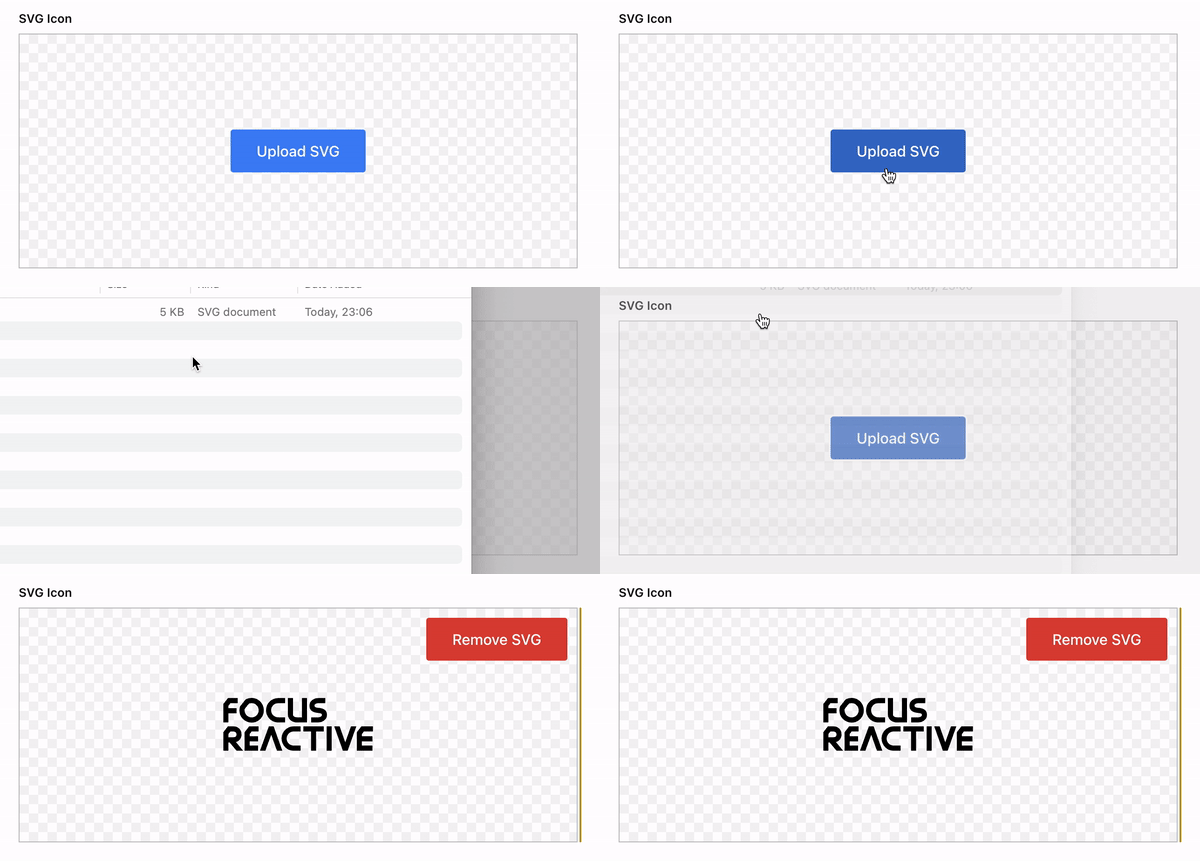
就这样! 现在您可以使用这个字段上传 SVG 图像, 并在您的 Sanity 工作室中看到预览 .
## 预览
以下章节描述了如何在阵列、对象或自定义预览组件中预览您的 SVG .
### 在数组内
Sanity提供了从框中预览阵列的方便方式,但只允许使用 `image` 类型在 `media`。 。 。 . 为了为SVG提供相同的功能,我们提供一个即用预览组件来模仿默认阵列预览.
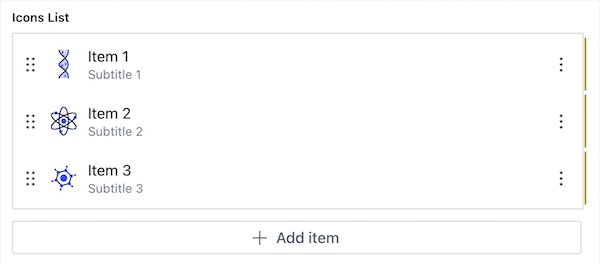
要在阵列中预览您的 SVG, 请使用 `InlineSvgPreviewItem` 组件.
它接受以下道具:
- `icon` \[字符串\] - 内置 SVG
- `title` \[弦\] - 项目标题
- `subtitle` \[弦\] - 项目的字幕
`iconsList` 下面示例中的一组对象为: `icon`, (中文(简体) ), `title` 财务报告和审定财务报表 `subtitle` 字段. 要在预览中使用与默认数组预览相同的方式, 您只需要将默认预览组件替换为 `InlineSvgPreviewItem`。 。 。 .
```tsx
import { defineType } from 'sanity'
import { InlineSvgPreviewItem } from '@focus-reactive/sanity-plugin-inline-svg-input'
const IconsListItem = defineType({
type: 'object',
name: 'iconsListItem',
fields: [
{
name: 'icon',
type: 'inlineSvg',
},
{
name: 'title',
type: 'string',
},
{
name: 'subtitle',
type: 'string',
},
],
preview: {
select: {
icon: 'icon',
title: 'title',
subtitle: 'subtitle',
},
},
components: {
preview: ({ icon, title, subtitle }) => {
return
},
},
})
const IconsList = defineType({
name: 'iconsList',
type: 'array',
of: [{ type: IconsListItem.name }],
})
```
### 自定义预览组件
如果您需要更多定制或想要使用 SVG 图标构建自己的预览组件, 您可以使用 `InlineSvgPreviewComponent`。 。 。 .
`InlineSvgPreviewComponent` 是插件中最小的块块,其唯一目的就是将SVG进行消毒并制成.
它接受以下道具:
- `value` \[字符串\] - 内置 SVG
```tsx
import { InlineSvgPreviewComponent } from '@focus-reactive/sanity-plugin-inline-svg-input'
export const PreviewComponent = ({ value }) => {
return (
// ...
// ...
)
}
```
要自定义预览组件,您可以:
- 过 `className` 或者说 `style` 道具
- 延长默认样式 `styled-components`
```tsx
import { InlineSvgPreviewComponent } from '@focus-reactive/sanity-plugin-inline-svg-input'
import styled from 'styled-components'
const StyledInlineSvg = styled(InlineSvgPreviewComponent)`
// ...
`
```
## 开发、测试和出版
此插件使用 [@ sanity/ plugin- kit](https://github.com/sanity-io/plugin-kit) 带有构建和监视脚本的默认配置.
`npm run build` - 创建一个准备在 `/dist` 文件夹.
`npm run link-watch` - 从插件 repo 到本地的 sanity repo 和 手表 来创建一个符号链接 . 运行此命令后, 您将会看到如何在终端中将这个插件添加到您的 Sanity 工作室的指令 .
`npm publish` - 有预出文字准备用于出版的插件,你不需要手动构建. 请跑 `npm publish --dry-run` 在出版前确保一切正常.
见 [在 Sanity 工作室测试插件](https://github.com/sanity-io/plugin-kit#testing-a-plugin-in-sanity-studio) 用于补充信息.
## 贷项
此工程创建于 **焦点反应** - 那个 [卫生伙伴机构](https://www.sanity.io/agency-partners/focusreactive)我们专门帮助客户战胜竞争并加速商业增长。 在无头的CMS、NextJS和eCommerce方面, 我们提供最先进的解决方案, 优先安排你的商业目标.
### 我们的专长
- **内容-学科网站**:我们拥有可扩展,SEO优化内容和营销网站的深度经验建设,拥有先进的CMS集成和分析功能.
- **无头电子商务**:我们的下一代,内容丰富的,以及表现优异的在线eCommerce网站随着端到端的集成来为您的数字业务提供动力.
- **无头CMS咨询公司**:我们提供多渠道的CMS开发,建模,定制,以及支持,帮助您在各种平台上无缝地管理您的内容.
- **网络性能**:我们的专家可以审核,改造架构,并优化您的网站,以满足100 SCORE核心网络维生功能,实现卓越的网络性能.
如果你是在寻找无头CMS, NextJS,或eCommerce的专业知识, 请联系 **焦点反应** 今时. 访问我们的网站 [焦点反应活性.com](https://focusreactive.com/) 学习我们如何帮助你加快你的商业成长.
## [](https://focusreactive.com/sanity-expert-agency/)
_这个项目根据麻省理工学院的许可证获得许可。 2023焦点反应._
## 常见问题
### @focus-reactive/sanity-plugin-inline-svg-input 是什么?
上传和预览内置 SVG 的 Sanity 插件
### 如何安装 @focus-reactive/sanity-plugin-inline-svg-input?
在项目目录运行 npm install @focus-reactive/sanity-plugin-inline-svg-input,或使用 pnpm add / yarn add / bun add。它还需要宿主项目提供 peer 依赖:react(^18 \|\| ^19)、sanity(^3 \|\| ^4 \|\| ^5)、@sanity/ui(^1 \|\| ^2)、styled-components(^5 \|\| ^6)。npm 7 及以上与 pnpm 8 及以上默认会自动安装必需的 peer 依赖,Yarn 需要手动安装。
### @focus-reactive/sanity-plugin-inline-svg-input 支持 TypeScript 吗?
支持。包内自带 TypeScript 类型声明(package\.json 声明了 types 入口),安装后即可获得类型提示,无需再安装 @types 包。
### @focus-reactive/sanity-plugin-inline-svg-input 支持 ESM 还是 CommonJS?
同时提供 ES Module 与 CommonJS 入口,import 和 require\(\) 都可以使用,打包工具会自动选择合适的版本。
### @focus-reactive/sanity-plugin-inline-svg-input 需要什么版本的 Node\.js?
package\.json 的 engines 字段要求 Node\.js \>=14。版本不符时 npm 默认只给出警告,开启 engine-strict 后会拒绝安装。
### @focus-reactive/sanity-plugin-inline-svg-input 可以商用吗?
@focus-reactive/sanity-plugin-inline-svg-input 使用 MIT 许可。宽松许可:允许商业使用、修改和再分发,通常只需在分发时保留原版权与许可声明。以上为概括,不构成法律意见,请以许可原文为准。
### @focus-reactive/sanity-plugin-inline-svg-input 的下载量有多少?
根据 npm 官方下载统计,@focus-reactive/sanity-plugin-inline-svg-input 在 2026/10/15 – 2026/11/13 这 30 天内被下载 5,465 次,日均约 182 次。下载量会把 CI 构建、镜像同步和作为其他包依赖的安装一并计入,适合横向比较热度,不能直接等同于使用人数。
### @focus-reactive/sanity-plugin-inline-svg-input 还在维护吗?
最新版本 1\.3\.1 发布于 2026/05/06(6 个月前);至今共发布 7 个版本,其中过去 12 个月发布了 2 个;首次发布于 2023/11/29。发布频率只是参考信号:功能稳定的工具可能很少需要更新,建议结合源码仓库的 issue 和提交记录判断。