# @gfazioli/mantine-qr-code 中文文档
规范地址:https://npmcn.com/package/%40gfazioli/mantine-qr-code/
版本:2\.1\.1
npm 元数据更新时间:2026-11-09T11:17:24.980Z
中文译文更新时间:2026-11-16T07:18:02.238Z
软件包许可:MIT
本文由上游 README 翻译,可能存在偏差,请结合原文核对 API、命令与配置。版权与许可归原作者所有。
原始 npm 页面:https://www.npmjs.com/package/%40gfazioli/mantine-qr-code
原文对照:https://npmcn.com/package/%40gfazioli/mantine-qr-code/?lang=original
项目主页:https://gfazioli.github.io/mantine-qr-code/
源码仓库:https://github.com/gfazioli/mantine-qr-code
## 关键信息(来自 npm 元数据)
- 包体积(解压后):235 kB,48 个文件
- 模块格式:ESM + CJS
- TypeScript 类型:包内自带
- 运行依赖:1 个
- peer 依赖:react ^18\.x \|\| ^19\.x,react-dom ^18\.x \|\| ^19\.x,@mantine/core \>=9\.0\.0,@mantine/hooks \>=9\.0\.0
- 首次发布:2026-03-17T13:16:11.460Z
- 最新版本发布:2026-11-09T11:17:24.831Z
- 近 30 天下载量:6678(2026-10-17 至 2026-11-15,npm 官方下载统计)
- 已发布版本数:21(近 12 个月 21 个)
## 中文简介
Mantine 9 QR 代码组件,用于自定义点/finder形状的回放,图像覆盖,SVG/PNG下载钩,和全Styles API.
## 安装
```sh
npm install @gfazioli/mantine-qr-code
```
也可以使用:`pnpm add @gfazioli/mantine-qr-code`、`yarn add @gfazioli/mantine-qr-code`、`bun add @gfazioli/mantine-qr-code`
## README
# Mantine QR 代码组件

[](https://www.npmjs.com/package/@gfazioli/mantine-qr-code) [](https://www.npmjs.com/package/@gfazioli/mantine-qr-code) [](https://www.npmjs.com/package/@gfazioli/mantine-qr-code) 
* * *
[如果此部分对您或您的团队有用,请考虑成为发起人](https://github.com/sponsors/gfazioli?o=esc)
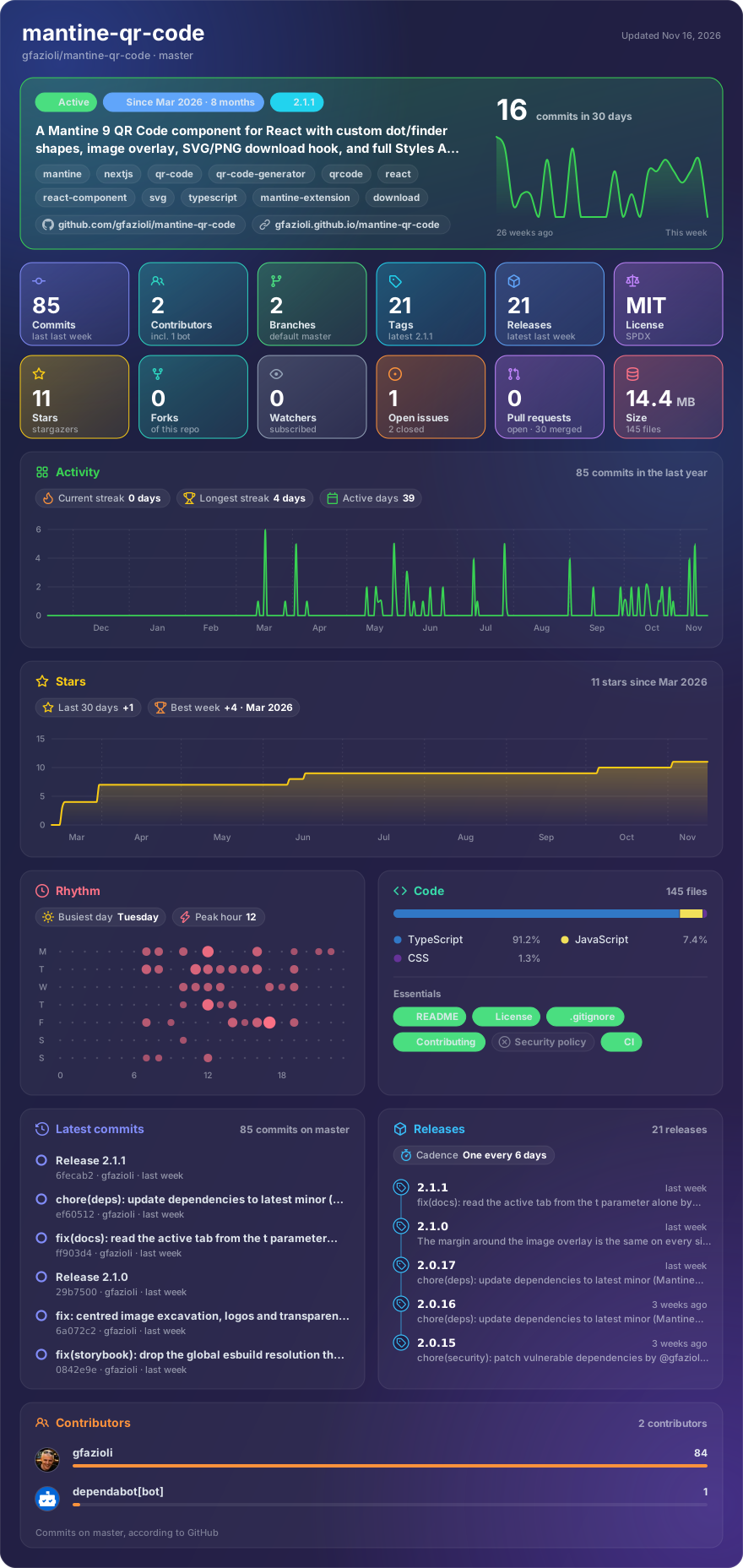
制造的 [外观卡](https://github.com/gfazioli/glancecard) \* 每日刷新
## 概览
此组件创建于 [曼汀语Name](https://mantine.dev/) 图书馆. 这需要 **曼汀 9.x (英语)** 财务报告和审定财务报表 **反应 19**。 。 。 .
这个 [曼汀QR 码](https://gfazioli.github.io/mantine-qr-code/) 组件是一个高度自定义的 QR 代码生成器,用于使用 Maintine 构建的 React 应用程序.
## 特征
- 🎨 **主题集成**: 满文主题支持, 所有主题颜色用于前景和背景
- 📐 **弹性尺寸**: 支持所有曼汀大小( xs- xl) 外加自定义值
- 🔵 **点样式**:三种数据模块样式- `square`, (中文(简体) ), `rounded`, (中文(简体) ), `dots`
- 🔲 **角样式**: 有三种寻人图案样式—— `square`, (中文(简体) ), `rounded`, (中文(简体) ), `dots`
- 🖼️ **图像重叠**: 在中心添加自动模块挖掘的标志或图像
- 🛡️ **错误校正**:四级——L级(7%)、M级(15%)、Q级(25%)、H级(30%)
- 📥 **下载钩**数字 : `useQRCodeDownload` 要导出为 SVG、 PNG、 JPEG 或 WebP 的钩头
- 🎨 **样式 API**: 全曼汀样式 API 有8个样式选择器(`root`, (中文(简体) ), `svg`, (中文(简体) ), `background`, (中文(简体) ), `modules`, (中文(简体) ), `finderPattern`, (中文(简体) ), `finderOuter`, (中文(简体) ), `finderInner`, (中文(简体) ), `image`(中文(简体) )
- 📦 **类型脚本**: 框外的完整类型安全
- ⚡ **SSR 兼容性**: 工作与 Next.js 服务器侧渲染
> \[!注\]
>
> → [演示文稿和文件](https://gfazioli.github.io/mantine-qr-code/) → [Youtube 视频](https://www.youtube.com/playlist?list=PL85tTROKkZrWyqCcmNCdWajpx05-cTal4) → [更多曼汀组件](https://mantine-extensions.vercel.app/)
## 安装
```sh
npm install @gfazioli/mantine-qr-code
```
或者说
```sh
yarn add @gfazioli/mantine-qr-code
```
在应用程序根部安装导入包样式后:
```tsx
import '@gfazioli/mantine-qr-code/styles.css';
```
## 使用量
```tsx
import { QRCode } from '@gfazioli/mantine-qr-code';
function Demo() {
return ;
}
```
### 自定义样式
```tsx
```
### 图像覆盖
```tsx
```
### 下载为 SVG/ PNG
```tsx
import { QRCode, useQRCodeDownload } from '@gfazioli/mantine-qr-code';
function Demo() {
const { ref, download } = useQRCodeDownload({ fileName: 'my-qr-code' });
return (
<>
);
}
```
## 发起人
[如果此部分对您或您的团队有用,请考虑成为发起人](https://github.com/sponsors/gfazioli?o=esc)
你的支持帮助了我:
- 积极维护项目,及时修复错误并更新安全信息
- 添加新特性, 提高性能,并完善开发者的经验
- 扩大测试范围和文件,以更顺利地采用
- 确保长期可持续性而不依赖临时自由时间
- 优先处理最重要的社区请求和路线图项目
开放源码的繁荣,如果受益的人能够回报——即使每月的小额捐款也会产生真正的变化。 赞助有助于覆盖维护时间、基础设施和无数使项目保持健康的无形任务.
你的帮助真的很重要.
💚 [成为提案国](https://github.com/sponsors/gfazioli?o=esc) 今天,帮助我保持这一项目的可靠性,更新,并为每个人成长.
## 常见问题
### @gfazioli/mantine-qr-code 是什么?
Mantine 9 QR 代码组件,用于自定义点/finder形状的回放,图像覆盖,SVG/PNG下载钩,和全Styles API\.
### 如何安装 @gfazioli/mantine-qr-code?
在项目目录运行 npm install @gfazioli/mantine-qr-code,或使用 pnpm add / yarn add / bun add。它还需要宿主项目提供 peer 依赖:react(^18\.x \|\| ^19\.x)、react-dom(^18\.x \|\| ^19\.x)、@mantine/core(\>=9\.0\.0)、@mantine/hooks(\>=9\.0\.0)。npm 7 及以上与 pnpm 8 及以上默认会自动安装必需的 peer 依赖,Yarn 需要手动安装。
### @gfazioli/mantine-qr-code 支持 TypeScript 吗?
支持。包内自带 TypeScript 类型声明(package\.json 声明了 types 入口),安装后即可获得类型提示,无需再安装 @types 包。
### @gfazioli/mantine-qr-code 支持 ESM 还是 CommonJS?
同时提供 ES Module 与 CommonJS 入口,import 和 require\(\) 都可以使用,打包工具会自动选择合适的版本。
### @gfazioli/mantine-qr-code 可以商用吗?
@gfazioli/mantine-qr-code 使用 MIT 许可。宽松许可:允许商业使用、修改和再分发,通常只需在分发时保留原版权与许可声明。以上为概括,不构成法律意见,请以许可原文为准。
### @gfazioli/mantine-qr-code 的下载量有多少?
根据 npm 官方下载统计,@gfazioli/mantine-qr-code 在 2026/10/17 – 2026/11/15 这 30 天内被下载 6,678 次,日均约 223 次。下载量会把 CI 构建、镜像同步和作为其他包依赖的安装一并计入,适合横向比较热度,不能直接等同于使用人数。
### @gfazioli/mantine-qr-code 还在维护吗?
最新版本 2\.1\.1 发布于 2026/11/09(6 天前);至今共发布 21 个版本,其中过去 12 个月发布了 21 个;首次发布于 2026/03/17。发布频率只是参考信号:功能稳定的工具可能很少需要更新,建议结合源码仓库的 issue 和提交记录判断。