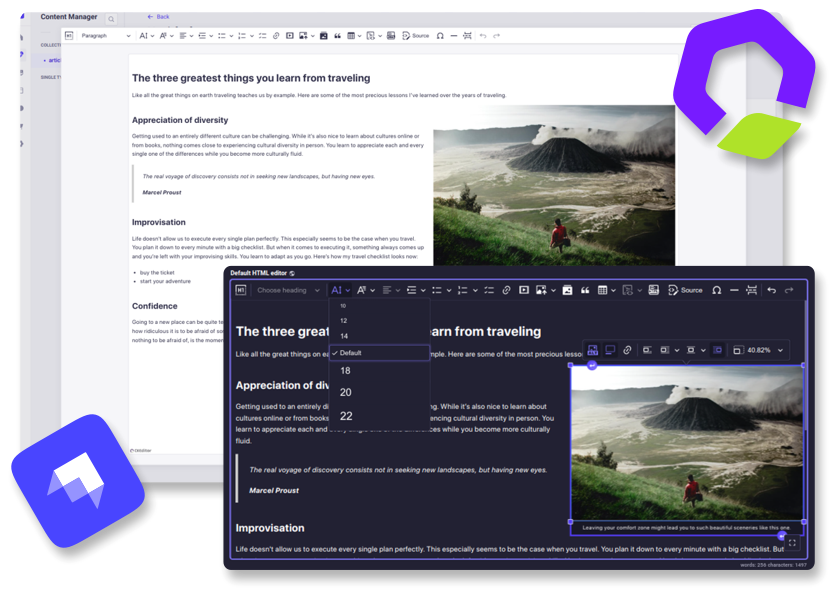
(原始内容存档于2018-09-26). Strapi QQ CKEditor
将 CKEditor 5 作为完全定制的自定义字段纳入您的 Strapi 项目中 。 (社区版)
开始吧
* 特性
- 广泛配置
- 媒体图书馆整合
- 黑暗主题支持
- 全屏扩展
- 响应图像支持
- 自动 UI 翻译
- i18n 支持
- 自我拥有

* 安装
斯特拉皮 v5 :
将软件包添加到您的 Strapi 应用程序 :
yarn add @_sh/strapi-plugin-ckeditor
然后,构建应用程序:
yarn build
斯特拉皮 v4 :
插件的第3版将保留给Strapi v4,直到2026年3月. 参见 v3 安装指南 用于设置指令.
注: 第3版只接收必需的bug修正. 配置过程和可用 第3版的特性与最新的插件版本有很大不同.
使用量
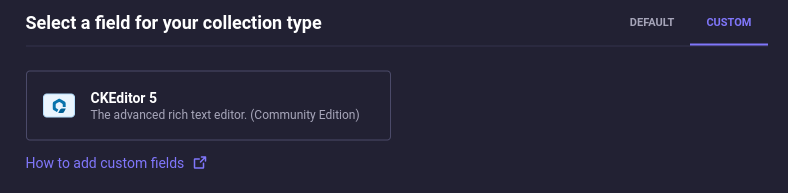
字段可见于“内容-类型构建器”下 CUSTOM 选项卡:
预设
预设是一组定义编辑器特征和外观的设置. 你个 可以指定每个字段的专用预设。 可用的预设可以通过 配置。 。 。 .
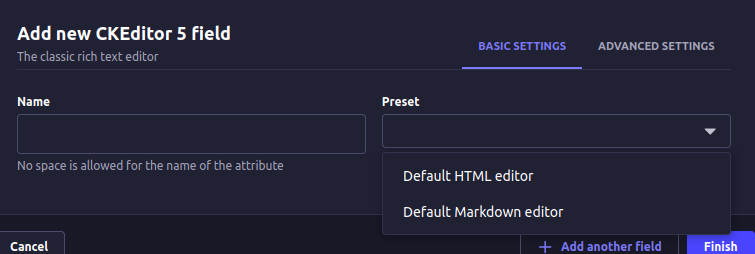
插件提供了框外的两个预设: Default HTML editor 财务报告和审定财务报表 Default Markdown editor, (中文(简体) ),
每个都具有不同的输出格式:HTML和Markdown分别. 两个预设包括:
一套广泛的非先质 CKEditor 插件.
默认 HTML 编辑器 :
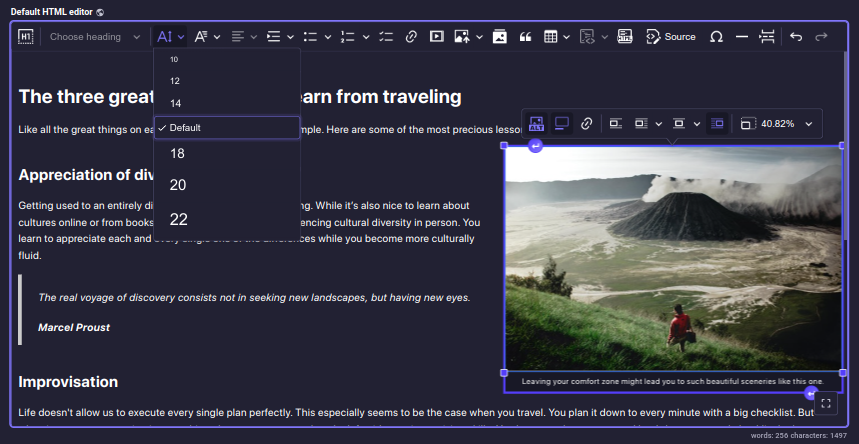
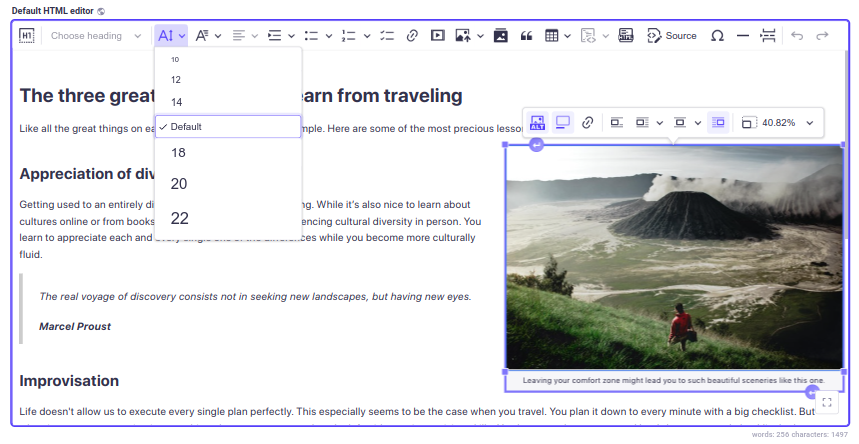
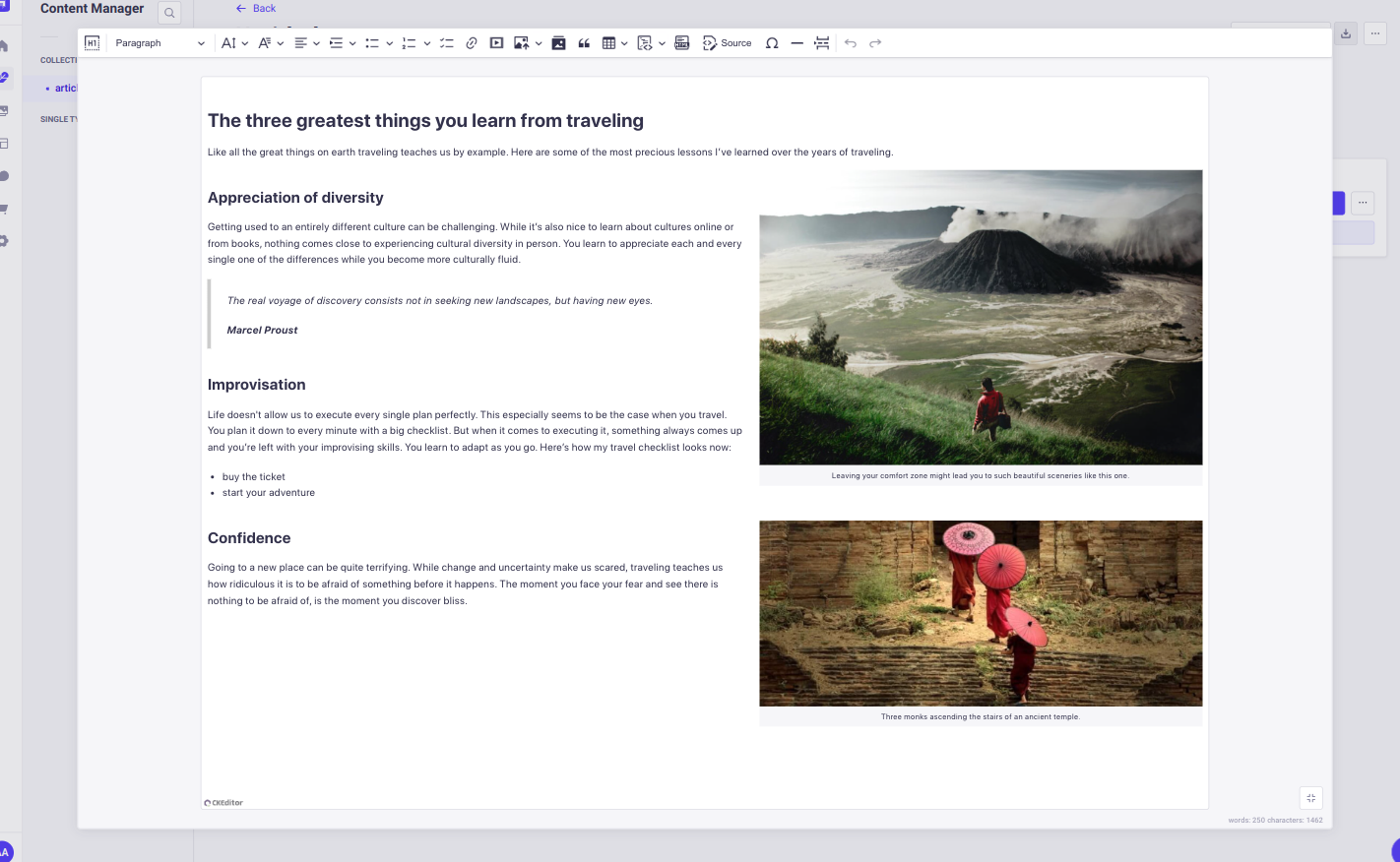
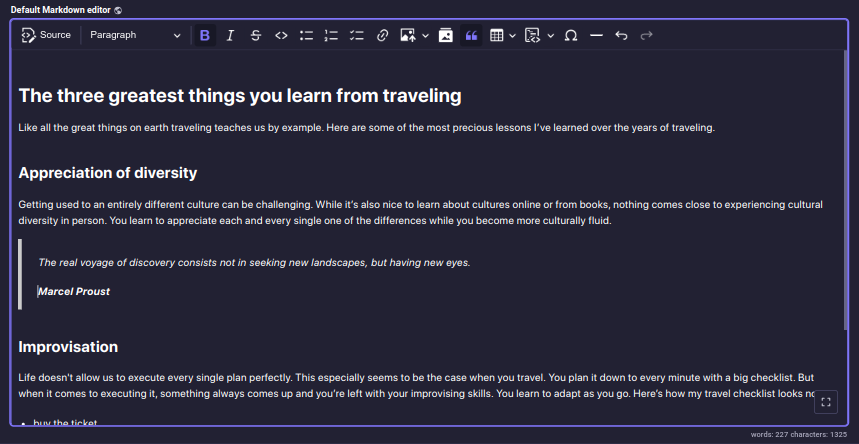
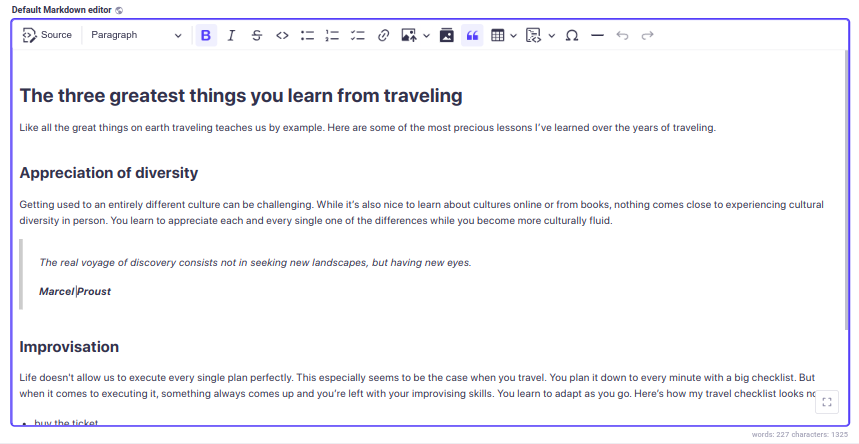
默认 Markdown 编辑器 :
响应图像
插件生成 srcset 如果插入的图像有属性 formats 其他 thumbnail。 。 。 .
UI 语言: 如果你不在编辑器配置中指定用户界面语言,插件将 默认为 Strapi 管理员首选语言 。 如果没有设置首选,英语将被用作倒置.
内容语言: i18n 对于编辑器的内容语言,可以通过检查
Enable localization for this field 选项卡.
QQ 在您的应用程序的出版方面使用内容样式很重要 。 否则,内容会在编辑器和你的终端用户中看起来不同. 遵循文件。 。 。 .
要在您的管理面板上显示来自外部来源的内容, 如图像或视频, 您需要配置您的
middlewares.js文档. 检查文档的细节.
QQ 配置
插件配置必须在前端定义 .
插件提供了一组功能,允许您修改插件的配置 :
setPluginConfig(config);
getPluginPresets();
getPluginTheme();
设置 Plugin 配置
函数,接受插件配置(PluginConfig)可以包括一系列预设
和一个主题对象 :
import { setPluginConfig } from '@_sh/strapi-plugin-ckeditor';

function setPluginConfig(pluginConfig: {
  presets: Preset[] | undefined;
  theme: Theme | undefined;
}): void;
要点:
- 该函数必须在管理员面板的靴子陷阱生命周期函数前被引用. 一般性建议是在行政小组的登记寿命周期功能内使用.
- 如果属性将覆盖默认配置值 .
- 这种配置在第一次引用后变得不可改变,防止了进一步的修改.
插件配置对象 包含可选 presets 财务报告和审定财务报表 theme 属性 :
type PluginConfig = {
  /**
   * Presets are sets of settings that define the editor's features and appearance.
   */
  presets?: Preset[];
  /**
   * Styles applied globally to every editor instance.
   */
  theme?: Theme;
};
presets 是类型对象的数组 Preset。每个预设包含以下属性:
type Preset = {
  /**
   * Preset name, displayed in the schema.
   */
  name: string;
  /**
   * Preset description, displayed in the Content-Type Builder.
   */
  description: string;
  /**
   * CKEditor configuration object.
   *
   * @see {@link https://ckeditor.com/docs/ckeditor5/latest/getting-started/setup/configuration.html | CKEditor documentation}
   */
  editorConfig: EditorConfig;
  /**
   * Additional styles applied to the editor instance after the theme styles.
   */
  styles?: EditorStyles;
};
theme 对象定义适用于每个编辑器实例的插件 CSS 样式。 它包括
以下属性 :
/**
 * The `common` styles are applied first, followed by `light` or `dark` styles
 * according to user preferences, and finally `additional` styles.
 */
type Theme = {
  /**
   * Core styles.
   */
  common?: EditorStyles;
  /**
   * Styles applied in light mode.
   */
  light?: EditorStyles;
  /**
   * Styles applied in dark mode.
   */
  dark?: EditorStyles;
  /**
   * Additional styles that complement the theme.
   */
  additional?: EditorStyles;
};
/**
 * Represents styles that can be applied to an editor instance.
 * Can be a plain CSS string or an array of interpolations for dynamic styling.
 */
export type EditorStyles = string | Interpolation<object>[];
获取 Plugin 预设
function getPluginPresets(): {
  [key: string]: Preset;
};
回返 presets 对象.
- 每个属性名称必须匹配相应的预设名称.
- 要扩展或修改管理员面板内容管理器中可见的选项, 在管理面板的靴子陷阱生命周期功能之前必须进行修改.
获得悬浮主题
function getPluginTheme(): Theme;
回返 theme 对象.
默认预设和主题
为了简化定义新预设的过程,插件导出默认预设和 默认主题,可以在自定义配置中用作基础:
import {
  defaultTheme,
  defaultHtmlPreset,
  defaultMarkdownPreset,
} from '@_sh/strapi-plugin-ckeditor';
与 Strapi 的媒体库合并
要将 CKEditor 与 Strapi 的媒体库整合, 插件提供了两个 CKEditor 插件 ,可以在不添加配置的情况下包含在预设中:
import { StrapiMediaLib, StrapiUploadAdapter } from '@_sh/strapi-plugin-ckeditor';
可用类型定义
以下类型定义可供使用:
import type {
  PluginConfig,
  Preset,
  EditorConfig,
  Theme,
  EditorStyles,
} from '@_sh/strapi-plugin-ckeditor';
类型定义
/**
 * Plugin configuration object.
 */
export type PluginConfig = {
  /**
   * Presets are sets of settings that define the editor's features and appearance.
   */
  presets?: Preset[];
  /**
   * Styles applied globally to every editor instance.
   */
  theme?: Theme;
};
/**
 * Preset is a set of settings that define the editor's features and appearance.
 */
export type Preset = {
  /**
   * Preset name, displayed in the schema.
   */
  name: string;
  /**
   * Preset description, displayed in the Content-Type Builder.
   */
  description: string;
  /**
   * Additional styles applied to the editor instance after the theme styles.
   */
  styles?: EditorStyles;
  /**
   * CKEditor configuration object.
   *
   * @see {@link https://ckeditor.com/docs/ckeditor5/latest/getting-started/setup/configuration.html | CKEditor documentation}
   */
  editorConfig: EditorConfig;
};
/**
 * CKEditor configuration object.
 *
 * @see {@link https://ckeditor.com/docs/ckeditor5/latest/getting-started/setup/configuration.html | CKEditor documentation}
 */
export type EditorConfig = CKE5EditorConfig;
/**
 * Styles applied globally to every editor instance.
 *
 * @remarks
 *
 * The `common` styles are applied first, followed by `light` or `dark` styles
 * according to the preferences, and finally `additional` styles.
 */
export type Theme = {
  /**
   * Core styles.
   */
  common?: EditorStyles;
  /**
   * Styles applied in light mode.
   */
  light?: EditorStyles;
  /**
   * Styles applied in dark mode.
   */
  dark?: EditorStyles;
  /**
   * Additional styles that complement the theme.
   */
  additional?: EditorStyles;
};
/**
 * Represents styles that can be applied to an editor instance.
 * Can be a plain CSS string or an array of interpolations for dynamic styling.
 */
export type EditorStyles = string | Interpolation<object>[];
配置实例 :
设置一套新的预设 [JS]
// src/admin/app.js

import {
  Bold,
  Italic,
  Essentials,
  Heading,
  Image,
  ImageCaption,
  ImageStyle,
  ImageToolbar,
  ImageUpload,
  Link,
  List,
  Paragraph,
} from 'ckeditor5';

import { setPluginConfig, StrapiMediaLib, StrapiUploadAdapter } from '@_sh/strapi-plugin-ckeditor';

const myCustomPreset = {
  name: 'myCustomPreset',
  description: 'myCustomPreset description',
  editorConfig: {
    licenseKey: 'GPL',
    plugins: [
      Bold,
      Italic,
      Essentials,
      Heading,
      Image,
      ImageCaption,
      ImageStyle,
      ImageToolbar,
      ImageUpload,
      Link,
      List,
      Paragraph,
      StrapiMediaLib,
      StrapiUploadAdapter,
    ],
    toolbar: [
      'heading',
      '|',
      'bold',
      'italic',
      'link',
      'bulletedList',
      'numberedList',
      '|',
      'strapiMediaLib',
      '|',
      'undo',
      'redo',
    ],
  },
};

const myConfig = {
  /**
   * Note: Since the provided `presets` include only `myCustomPreset`
   * this configuration will overwrite default presets.
   */
  presets: [myCustomPreset],
};

export default {
  register() {
    setPluginConfig(myConfig);
  },
};
设置一套新的预设 [TS]
// src/admin/app.ts

import {
  Bold,
  Italic,
  Essentials,
  Heading,
  Image,
  ImageCaption,
  ImageStyle,
  ImageToolbar,
  ImageUpload,
  Link,
  List,
  Paragraph,
} from 'ckeditor5';

import {
  type PluginConfig,
  type Preset,
  setPluginConfig,
  StrapiMediaLib,
  StrapiUploadAdapter,
} from '@_sh/strapi-plugin-ckeditor';

const myCustomPreset: Preset = {
  name: 'myCustomPreset',
  description: 'myCustomPreset description',
  editorConfig: {
    licenseKey: 'GPL',
    plugins: [
      Bold,
      Italic,
      Essentials,
      Heading,
      Image,
      ImageCaption,
      ImageStyle,
      ImageToolbar,
      ImageUpload,
      Link,
      List,
      Paragraph,
      StrapiMediaLib,
      StrapiUploadAdapter,
    ],
    toolbar: [
      'heading',
      '|',
      'bold',
      'italic',
      'link',
      'bulletedList',
      'numberedList',
      '|',
      'strapiMediaLib',
      '|',
      'undo',
      'redo',
    ],
  },
};

const myConfig: PluginConfig = {
  /**
   * Note that since provided `presets` includes only `myCustomPreset`
   * this configuration will overwrite default presets.
   */
  presets: [myCustomPreset],
};

export default {
  register() {
    setPluginConfig(myConfig);
  },
};
使用 PluginConfig 的默认预设修改
// src/admin/app.ts

import { css } from 'styled-components';

import {
  type PluginConfig,
  type Preset,
  setPluginConfig,
  defaultHtmlPreset,
  defaultMarkdownPreset,
} from '@_sh/strapi-plugin-ckeditor';

const defaultHtml: Preset = {
  ...defaultHtmlPreset,
  description: 'Modified default HTML editor',
  styles: `
    .ck {
      color: red;
    }
  `,
  editorConfig: {
    ...defaultHtmlPreset.editorConfig,
    placeholder: 'Modified default HTML editor',
    toolbar: [
      'heading',
      '|',
      'bold',
      'italic',
      'link',
      'bulletedList',
      'numberedList',
      '|',
      'strapiMediaLib',
      'insertTable',
      '|',
      'undo',
      'redo',
    ],
  },
};

const defaultMarkdown: Preset = {
  ...defaultMarkdownPreset,
  description: 'Modified default Markdown editor',
  styles: css`
    .ck {
      --ck-editor-max-width: 1500px;
      --ck-editor-min-height: 700px;
      --ck-editor-max-height: 700px;
    }

    .ck.ck-editor__main {
      border: 3px dashed ${({ theme }) => theme.colors.warning500};
    }
  `,
};

const myConfig: PluginConfig = {
  presets: [defaultHtml, defaultMarkdown],
};

export default {
  register() {
    setPluginConfig(myConfig);
  },
};
使用 getPluginPresets 默认预设修改 [TS]
// src/admin/app.ts

import { css } from 'styled-components';
import { getPluginPresets } from '@_sh/strapi-plugin-ckeditor';

export default {
  register() {
    const presets = getPluginPresets();

    presets.defaultHtml.styles = css`
      .ck {
        color: red;
      }
    `;

    presets.defaultHtml.editorConfig = {
      ...presets.defaultHtml.editorConfig,
      placeholder: 'Modified default HTML editor',
      toolbar: [
        'heading',
        '|',
        'bold',
        'italic',
        'link',
        'bulletedList',
        'numberedList',
        '|',
        'strapiMediaLib',
        'insertTable',
        '|',
        'undo',
        'redo',
      ],
    };

    presets.defaultMarkdown = {
      ...presets.defaultMarkdown,
      description: 'Modified default Markdown editor',
      styles: css`
        .ck {
          --ck-editor-max-width: 1500px;
          --ck-editor-min-height: 700px;
          --ck-editor-max-height: 700px;
        }

        .ck.ck-editor__main {
          border: 3px dashed ${({ theme }) => theme.colors.warning500};
        }
      `,
    };
  },
};
使用设置 PluginConfig 修改主题
// src/admin/app.ts

import { css } from 'styled-components';

import { type PluginConfig, setPluginConfig, defaultTheme } from '@_sh/strapi-plugin-ckeditor';

const myConfig: PluginConfig = {
  theme: {
    ...defaultTheme,
    additional: css`
      .ck {
        --ck-editor-max-width: 1500px;
        --ck-editor-min-height: 700px;
        --ck-editor-max-height: 700px;
      }

      .ck.ck-editor__main {
        border: 3px dashed ${({ theme }) => theme.colors.warning500};
      }
    `,
  },
};

export default {
  register() {
    setPluginConfig(myConfig);
  },
};
使用 GetPlugin Theme 修改主题 [TS]
// src/admin/app.ts

import { css } from 'styled-components';
import { getPluginTheme } from '@_sh/strapi-plugin-ckeditor';

export default {
  register() {
    const theme = getPluginTheme();

    theme.additional = css`
      .ck {
        --ck-editor-max-width: 1500px;
        --ck-editor-min-height: 700px;
        --ck-editor-max-height: 700px;
      }

      .ck.ck-editor__main {
        border: 3px dashed ${({ theme }) => theme.colors.warning500};
      }
    `;
  },
};
添加时间戳插件 [JS]
// src/admin/app.js

import { Plugin, ButtonView } from 'ckeditor5';

import { setPluginConfig, defaultHtmlPreset } from '@_sh/strapi-plugin-ckeditor';

class Timestamp extends Plugin {
  init() {
    const editor = this.editor;
    editor.ui.componentFactory.add('timestamp', () => {
      const button = new ButtonView();
      button.set({
        label: 'timestamp',
        withText: true,
      });
      button.on('execute', () => {
        const now = new Date();
        editor.model.change(writer => {
          editor.model.insertContent(writer.createText(now.toString()));
        });
      });
      return button;
    });
  }
}

export default {
  register() {
    defaultHtmlPreset.editorConfig.plugins.push(Timestamp);
    defaultHtmlPreset.editorConfig.toolbar.unshift('timestamp');
    setPluginConfig({ presets: [defaultHtmlPreset] });
  },
};
默认 HTML 预设 : admin/src/config/html 预设.ts
默认标记预设 : admin/src/config/markdown 预设.ts
默认主题 : 管理/事务/主题
* 高度建议探讨 cKEditor5 官方文档。 。 。 .
捐款
随便你 叉子存储器 并且打开拉动请求,任何帮助都会得到感谢.
遵循这些步骤建立插件开发环境. 注意开发插件 需要节点 第22页,尽管已发布的软件包支持节点 20,因为 Strapi 插件SDK的工具链不再运行于节点20上.
-
克隆仓库.
-
读取 strapi 插件 SDK 文档。 。 。 .
-
导航到已复制的插件文件夹并安装依赖, 运行 :
yarn install
-
将插件链接到您的工程 :
- 在插件文件夹中, 运行 :
yarn watch:link- 打开新终端, 导航您的 Strapi 项目目录, 然后运行 :
yarn dlx yalc add --link @_sh/strapi-plugin-ckeditor && yarn install -
重建工程并启动服务器 :
yarn build
yarn develop
* 移徙
要升级到最新版本,请遵循专辑 移徙指南 详细指示.
所需经费
v8.x.x (中文(简体) )
斯特拉皮语Name 页:1
节点 >= 20.0.0 <= 26.x.x
v5.x.x - v7.x.x (英语)
斯特拉皮语Name 页:1
节点 >= 20.0.0 <= 24.x.x
v3.x.x (英语)
斯特拉皮语Name >= 4.13.0 < 5.0.0
节点 >= 18.0.0 <= 20.x.x
* 解决问题
Strapi 5.51.x上的空白管理员面板
Strapi 5.51.0 添加了从Vite 的依赖性中移除这种插件的热度 预分解. 没有预捆绑, 插件依赖树中的 CommunityJS 软件包会被服务 切入到浏览器 as- is, 而本地的无害环境管理无法装入 。 管理面板将空白页和 控制台显示错误, 如 :
The requested module '/admin/node_modules/property-expr/index.js'
does not provide an export named 'getter'
这只会影响 strapi develop生产结构 strapi build 不受影响,
因为它不使用依赖性预捆绑.
固定在上游 皮带/斯特拉皮# 27136 合并于 皮带/斯特拉皮#27264直到它降落在 ,将插件放回您 Strapi 项目的预捆绑路径:
// src/admin/vite.config.ts
import type { UserConfig } from 'vite';

const KEEP_PREBUNDLED = ['@_sh/strapi-plugin-ckeditor', '@ckeditor/ckeditor5-react'];

export default (config: UserConfig) => {
  config.optimizeDeps = config.optimizeDeps ?? {};
  config.optimizeDeps.exclude = (config.optimizeDeps.exclude ?? []).filter(
    dep => !KEEP_PREBUNDLED.includes(dep)
  );

  return config;
};
然后清除缓存并重新启动:
rm -rf .strapi node_modules/.strapi
需要两个软件包名称。 仅用第一个 管理员面板加载但编辑器
没有,没有 Failed to resolve import "@ckeditor/ckeditor5-react"。 。 。 .
一旦您升级到包含上游修正的 Strapi 发布器, 就删除此文件 .