@adeildo/pi-ask-permission

中文文档
6.0.0发布于 2026/11/02MITES Module构建来源已验证近 30 天下载 2753

A permission dialog for the Pi coding agent. Approve, always approve, or deny a tool call, and attach a note the model reads with the result.

原始使用文档
文档目录4 节
  1. Answering
  2. Modes
  3. Let a model decide
  4. Learn more

@adeildo/pi-ask-permission

npm pi SDK

Out of the box, pi runs every command the model writes. With this package, pi asks you first. You answer yes, always yes or no, and you can leave a note on any answer. The model reads the note, so a no can tell it what to do instead. In judge mode, a small model answers the routine calls for you.

pi install npm:@adeildo/pi-ask-permission
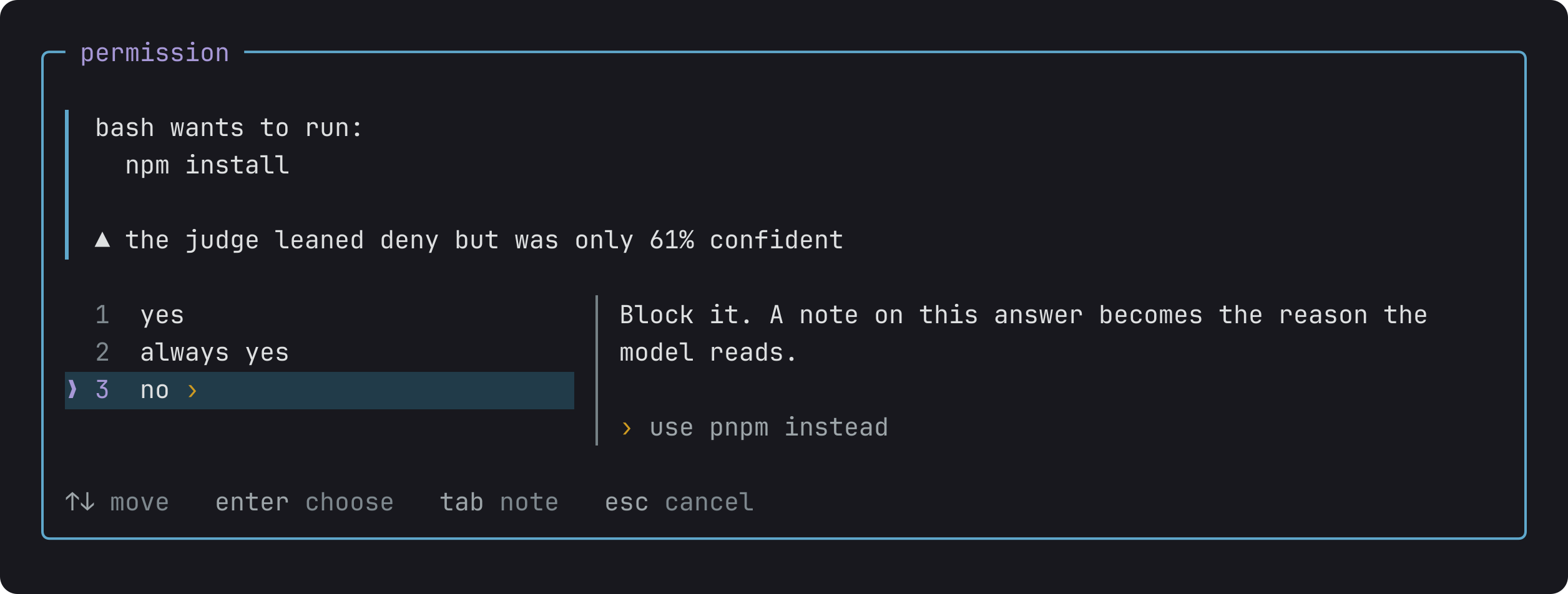
The permission dialog for npm install, with the reason it asks, the three answers, and a note on no: use pnpm instead.
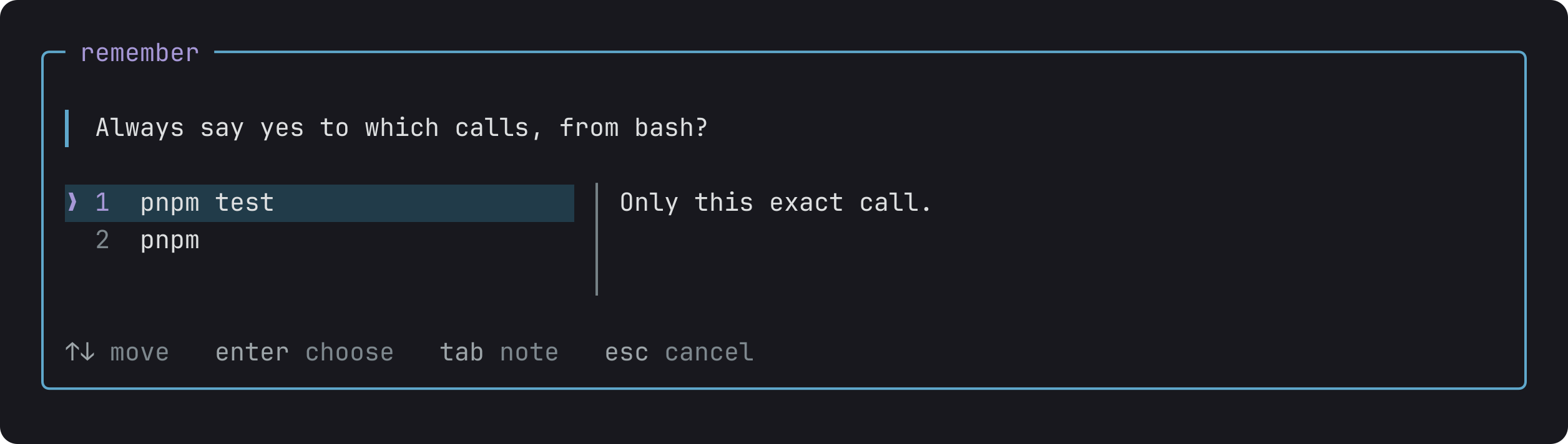
After always yes, the dialog asks which calls to remember: this exact call, or every pnpm call.
No, with a note the model reads: use pnpm instead. Always yes asks what to remember.

Answering

The dialog opens before the command runs.

  • yes runs it once.
  • always yes runs it, and stops asking for the same command in this session, this project or everywhere.
  • no blocks it. Press Tab first to add a note, like "use pnpm instead", and the model reads it.

Reads never ask, and for an edit you see the diff before you answer.

Modes

Alt+M switches between modes, and the status bar shows the current one.

ModeWhat runs without asking
manualReads, and what you marked always yes. The default
editsThe same, plus file edits and writes
judgeThe same as edits, and a model answers the rest
fullEverything

A call outside your project asks you in every mode, full included. Alt+W lets those through for the rest of the session.

Let a model decide

In judge mode, a small model reads each call and lets through the ones it is sure about. You only see the calls it doubts.

  1. Run /login typesafe to use Jev, the default judge.
  2. Switch to judge with Alt+M, and turn on Dry run in Alt+S. The judge writes its verdict on each call, but you still decide.
  3. Pick a policy, such as Standard development.
  4. Once you agree with the judge for a few sessions, turn Dry run off.

Every call shows who let it run and why, like judge approved 97% sure, risk 0.12.

Learn more

  • How it works: always yes in detail, folders outside the project, MCP servers, how the judge decides, and the limits.
  • Reference: every setting, the exact order in which a call is decided, and the events other extensions can listen to.

adeildo.dev
pi-harness is made by adeildo.dev

版本与发布记录

@adeildo/pi-ask-permission 共发布 28 个版本,首次发布于 2026/09/30;过去 12 个月发布了 28 个版本。最新版本附带 npm provenance 构建来源证明,可追溯到公开的 CI 构建记录。

版本发布日期距今
6.0.0latest2026/11/025 天前
5.15.02026/10/2414 天前
5.14.02026/10/2414 天前
5.13.02026/10/2315 天前
5.12.22026/10/2316 天前
5.12.12026/10/2216 天前

关于 @adeildo/pi-ask-permission 的常见问题

@adeildo/pi-ask-permission 是什么?

A permission dialog for the Pi coding agent. Approve, always approve, or deny a tool call, and attach a note the model reads with the result.

如何安装 @adeildo/pi-ask-permission?

在项目目录运行 npm install @adeildo/pi-ask-permission,或使用 pnpm add / yarn add / bun add。它还需要宿主项目提供 peer 依赖:@earendil-works/pi-ai(*)、@earendil-works/pi-tui(*)、@earendil-works/pi-coding-agent(*)。npm 7 及以上与 pnpm 8 及以上默认会自动安装必需的 peer 依赖,Yarn 需要手动安装。

@adeildo/pi-ask-permission 支持 TypeScript 吗?

该包的 package.json 没有声明类型入口。需要类型提示时,可以在 npm 上查找社区维护的 @types/adeildo__pi-ask-permission 是否存在。

@adeildo/pi-ask-permission 支持 ESM 还是 CommonJS?

以 ES Module 形式发布,推荐使用 import 引入。在 CommonJS 项目中,Node.js 20.19+ / 22.12+ 可以直接 require() 不含顶层 await 的 ES Module,更早的版本需要改用动态 import()。

@adeildo/pi-ask-permission 可以商用吗?

@adeildo/pi-ask-permission 使用 MIT 许可。宽松许可:允许商业使用、修改和再分发,通常只需在分发时保留原版权与许可声明。以上为概括,不构成法律意见,请以许可原文为准。

@adeildo/pi-ask-permission 的下载量有多少?

根据 npm 官方下载统计,@adeildo/pi-ask-permission 在 2026/10/05 – 2026/11/03 这 30 天内被下载 2,753 次,日均约 92 次。下载量会把 CI 构建、镜像同步和作为其他包依赖的安装一并计入,适合横向比较热度,不能直接等同于使用人数。

@adeildo/pi-ask-permission 还在维护吗?

最新版本 6.0.0 发布于 2026/11/02(5 天前);至今共发布 28 个版本,其中过去 12 个月发布了 28 个;首次发布于 2026/09/30。发布频率只是参考信号:功能稳定的工具可能很少需要更新,建议结合源码仓库的 issue 和提交记录判断。