The static CMS your AI agent can run.
A WordPress-style admin that runs in the browser and publishes plain HTML to any static host.
No server, no PHP, no database to patch.




Quick start · Features · Themes · How it works · Docs · Changelog
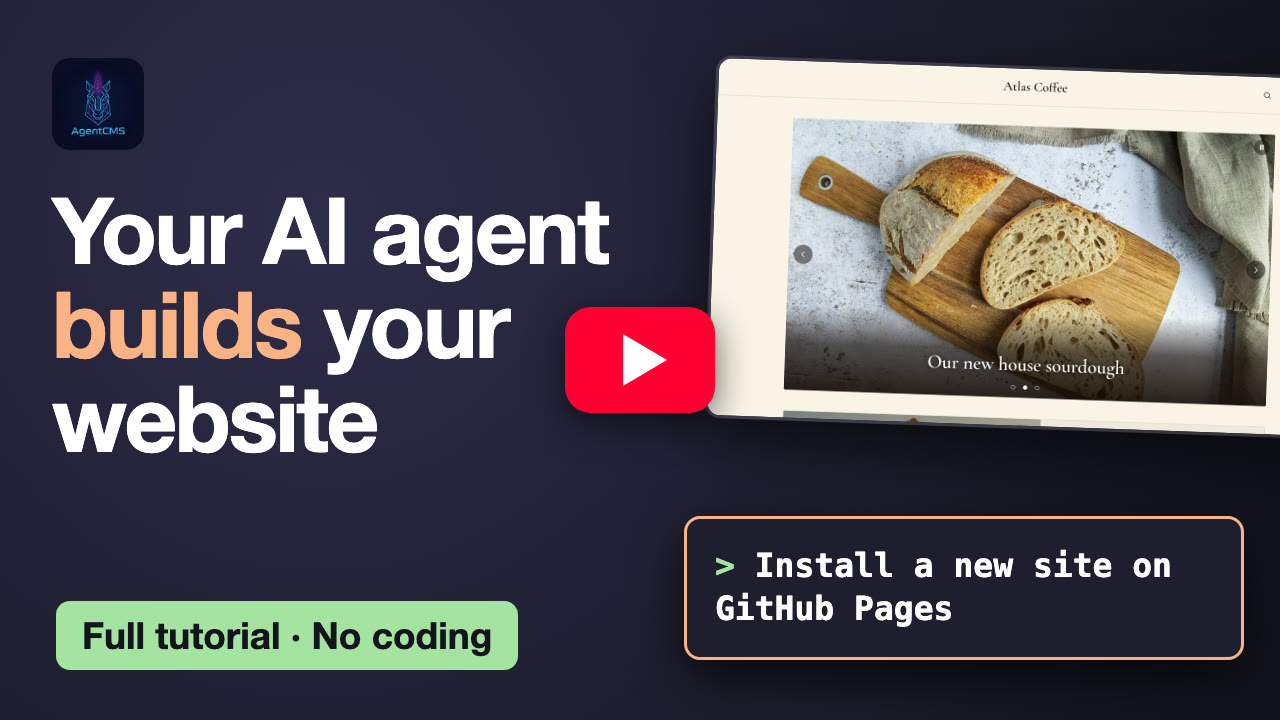
▶️ Watch the 7-minute tutorial: from an empty folder to a live site with Claude Code, with a custom theme and a plugin.
Why AgentCMS
🗂️ Nothing to runThe public site is static files: HTML, CSS and images. There is no server or plugin to patch and no database to secure. It is fast everywhere, and hosting is often free (GitHub Pages, Cloudflare Pages, an S3 bucket). |
🔑 Your data, your hostingContent lives where you choose. It can be an encrypted SQLite file on your own hosting, Markdown files in git, Firebase, or this browser. There is no AgentCMS service, account or lock-in. |
🤖 Agent-nativeEverything the back office does is also a CLI command with JSON output, and ready-made skills cover Claude Code, Codex, Cursor and Hermes. Ask "write and publish an article about…" and your agent does it, with the same rules and the same output as the admin. |
Quick start
With an AI agent
/plugin marketplace add fleox/agentcms
/plugin install agentcms@agentcms
Then just ask:
Install a new AgentCMS site on GitHub Pages.
Write and publish an article about our spring opening, with the photos in ~/Pictures/spring.
Switch to the magazine theme with an orange accent, then add a favicon and enable the RSS feed.
The agent asks where to store the content and where to host the site, then walks you through every token or key. Secrets never go into the chat.

A real Claude Code session. The only edit is the ×8 speed-up while the agent works.
Once the site exists, the back office is a conversation:

Same site, a second request: Markdown articles and photos published, then a new theme. Sped up ×16 while the agent works; it ends on the live site.
| Agent | Setup |
|---|---|
| Claude Code | the plugin above |
| Hermes Agent / Python agents | hermes skills install fleox/agentcms/hermes/skills/agentcms-install (Python wrapper + task scripts, see hermes/) |
| Codex, Cursor, Windsurf, any other agent | point it at AGENTS.md |
Without an agent
npx -y @agent-cms/agentcms serve
This starts the admin on your computer (Node.js 20+). Open the printed URL and follow the setup wizard: data → hosting → install. The wizard can also put the admin itself on your site (/admin/), so other editors only need a browser.
More options, including a local build, a hand-made deploy and Firebase, are in docs/self-hosting.md.
Features
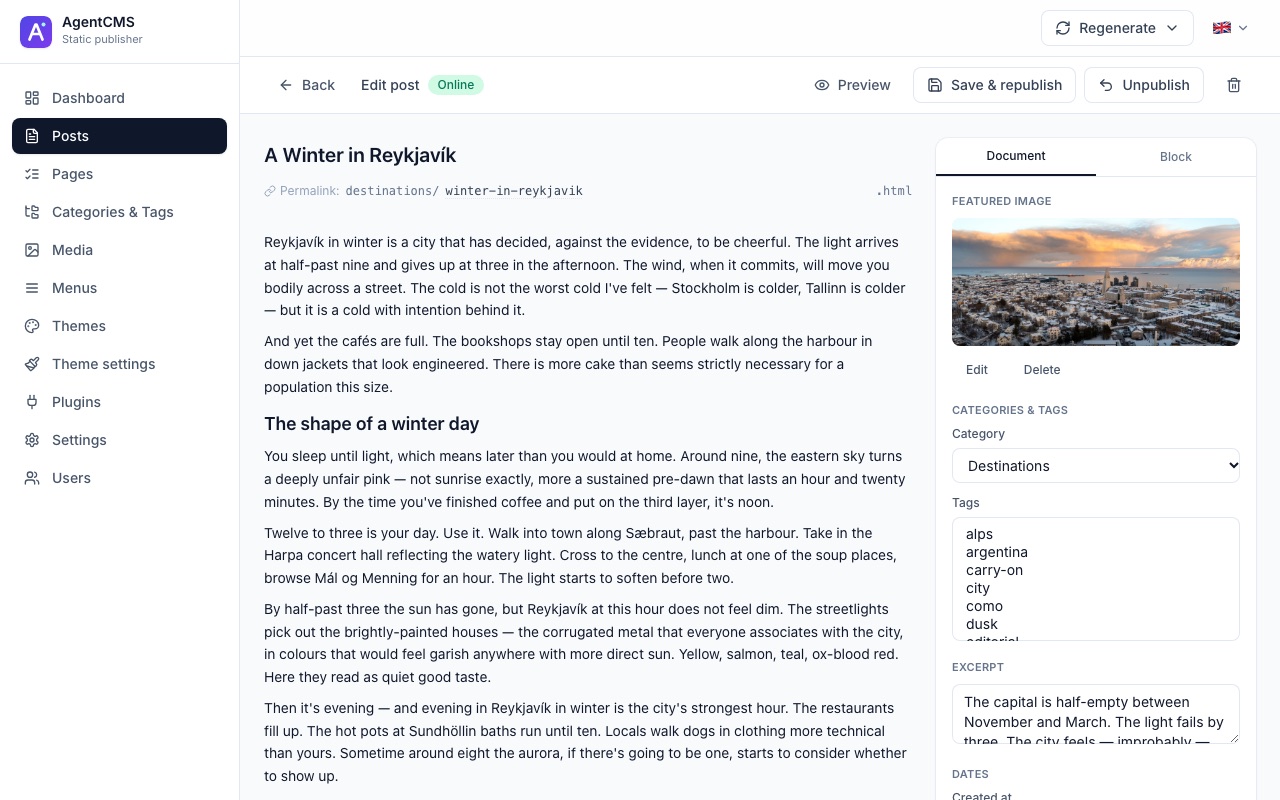
Writing
- Block editor with a slash inserter, drag-and-drop, columns, embeds (YouTube, Vimeo, X, Spotify), custom HTML and theme blocks
- Posts, pages, categories, tags, authors, menus and a media library with automatic responsive WebP variants
- Drafts, previews, bulk actions and search, plus Markdown and WordPress import
- Custom fields on any post or page (
header-photo: true,price: 4.5…) that themes and plugins read at publish time
Publishing
- One click renders the page in your browser and uploads only what changed (content hashing)
- Clean URLs (
/category/post.html), automatic cleanup of renamed paths, and listings kept in sync - Every write is one commit on git hosts, so you get one Pages build per action
SEO and reach
- Canonicals, Open Graph and Twitter cards, per-term SEO, sitemaps (including News),
robots.txtand RSS feeds - Multi-language sites: per-language URLs, editor tabs, menus, hreflang, sitemaps and feeds
- Static search, archives and a favicon/PWA generator
Extensible
- 5 themes and a dozen plugins included; install more as ZIP packages from the admin without rebuilding it
- WordPress-style hooks (filters and actions) and a typed runtime API
agentcms extscaffolds, checks, previews (with screenshots) and ships your own plugins and themes
Safe by design
- Secrets (git tokens, S3 keys, passphrases) stay in each editor's browser or in the CLI's
0600credentials file, never in the site or the repo - SQLite databases are AES-256-GCM encrypted by default
- The admin UI is available in 7 languages: English, French, German, Spanish, Dutch, Portuguese and Korean
Themes
Every theme below is a real rendering of the bundled demo content, made by the publisher itself.
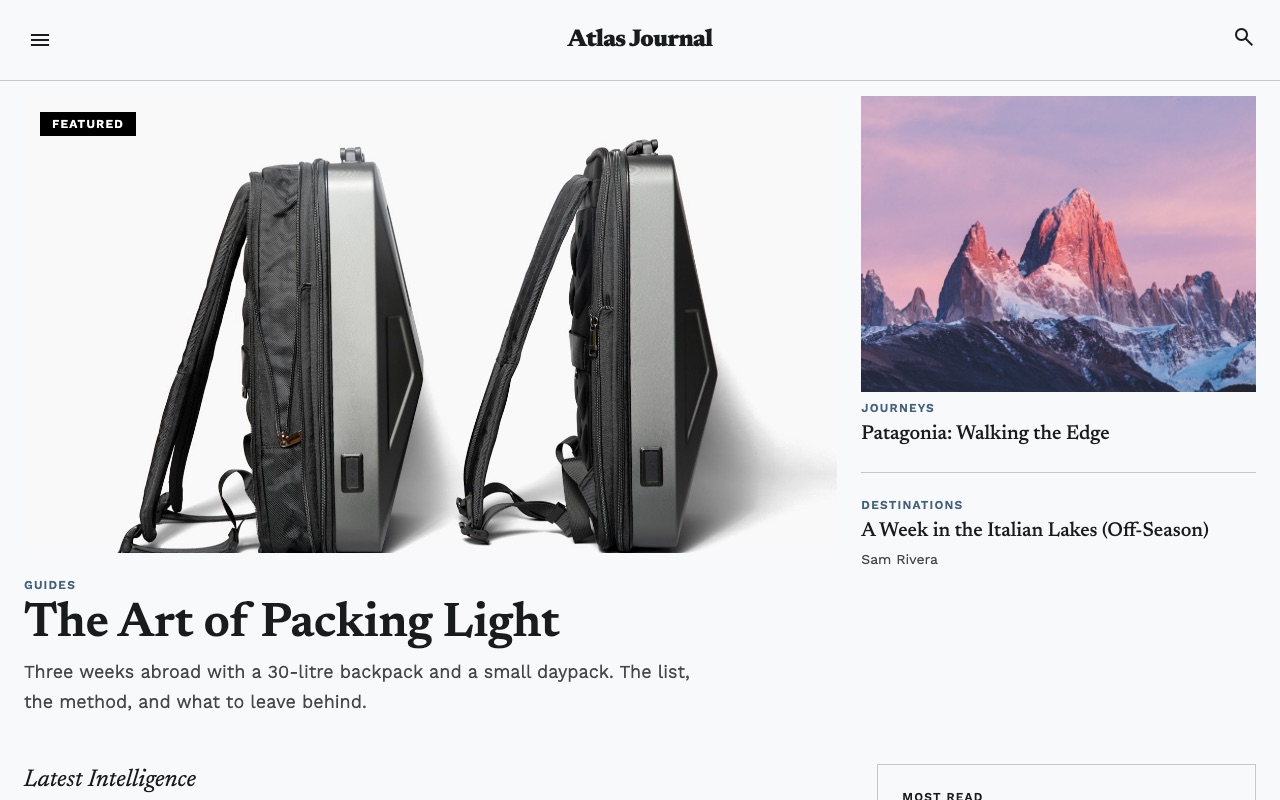 Magazine: long-form journalism |
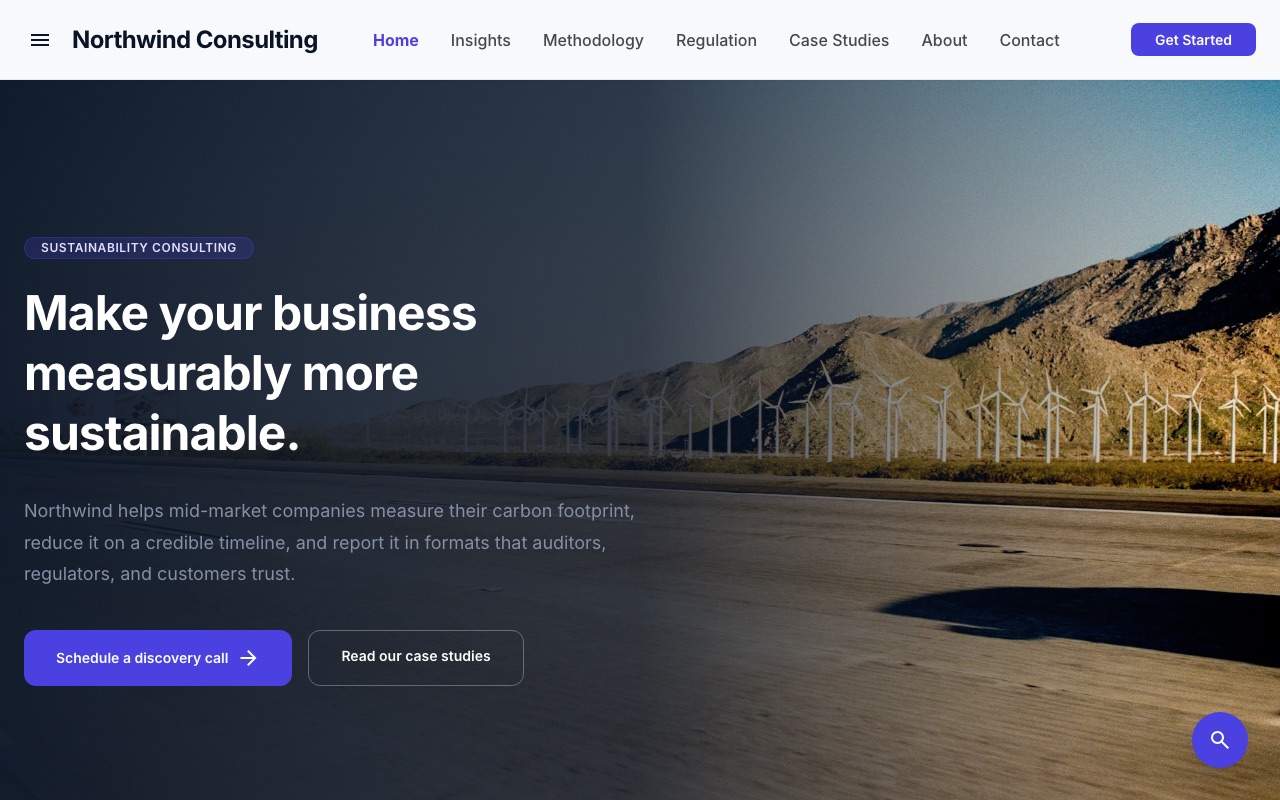 Corporate: lead generation and company sites |
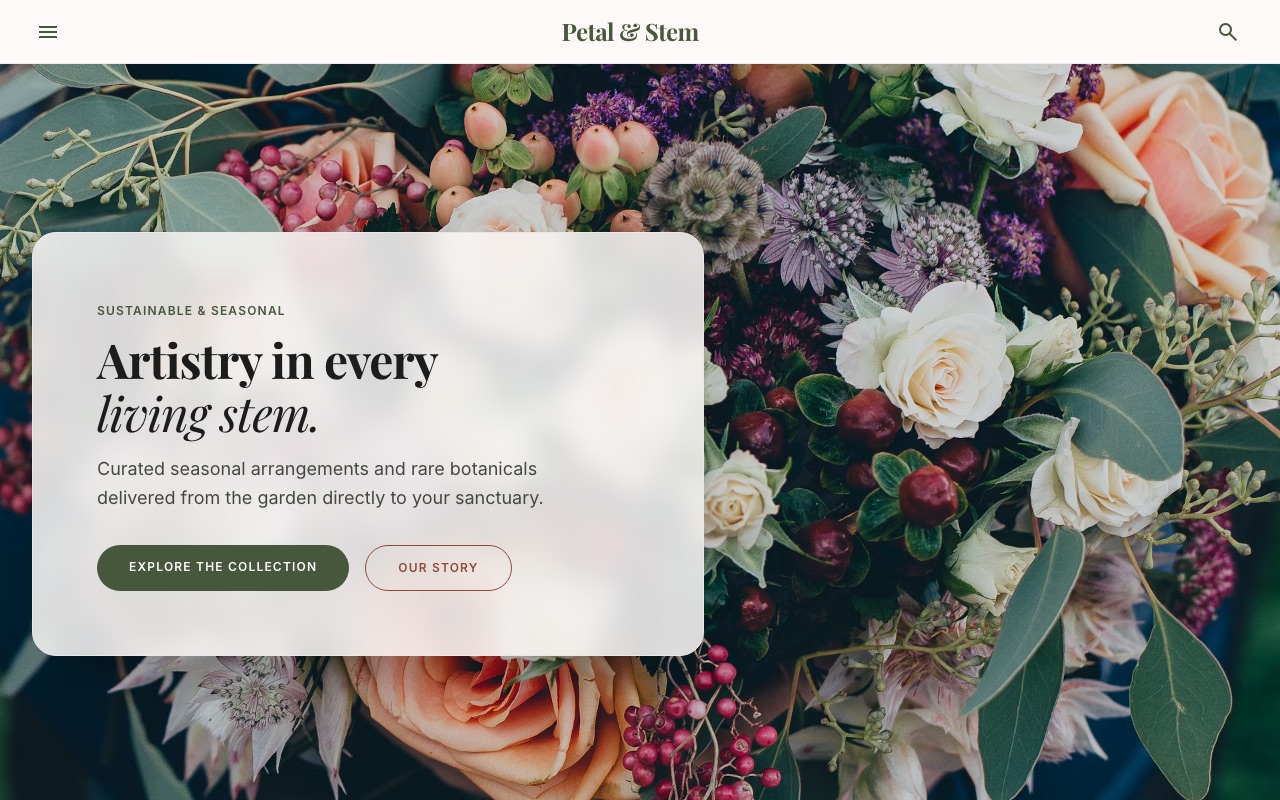 Storefront: product catalogs |
 Portfolio: designers and photographers |
 Default: a clean blog |
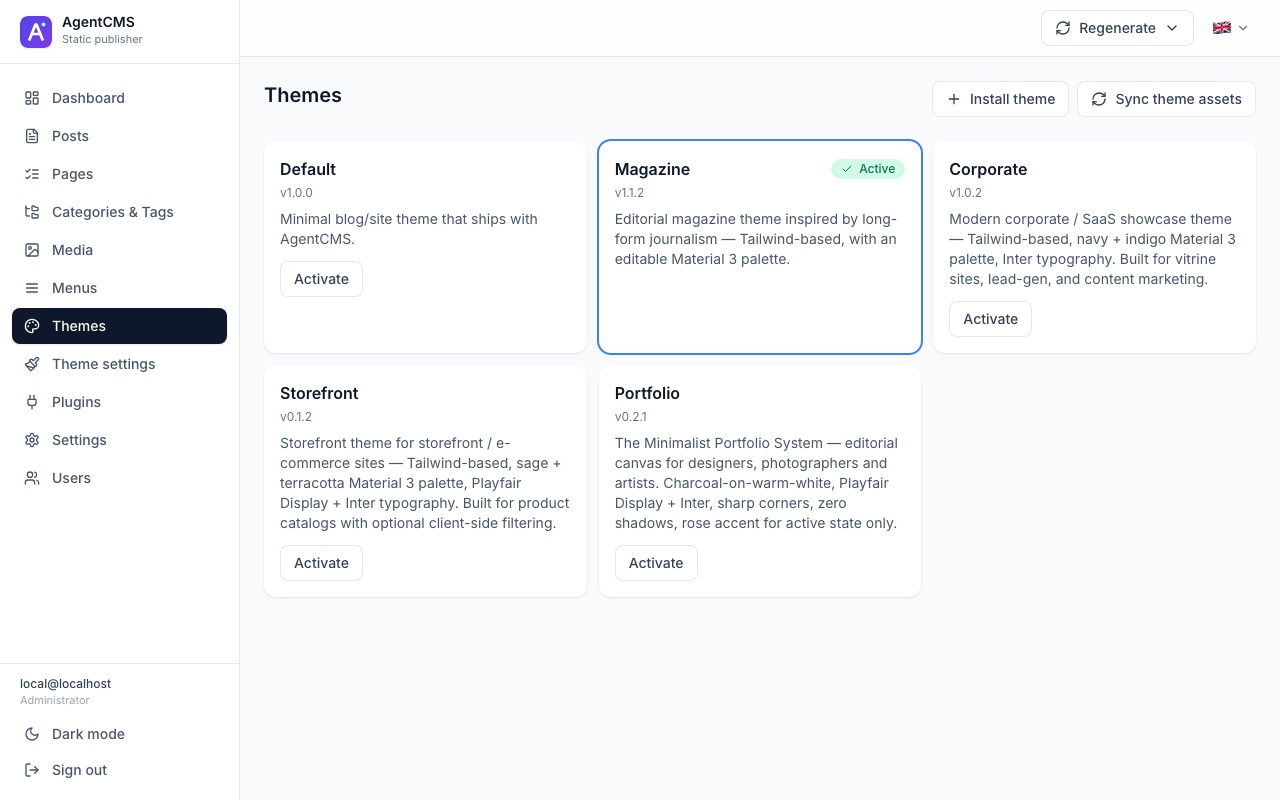 Colors, fonts and logo are editable per theme |
How it works
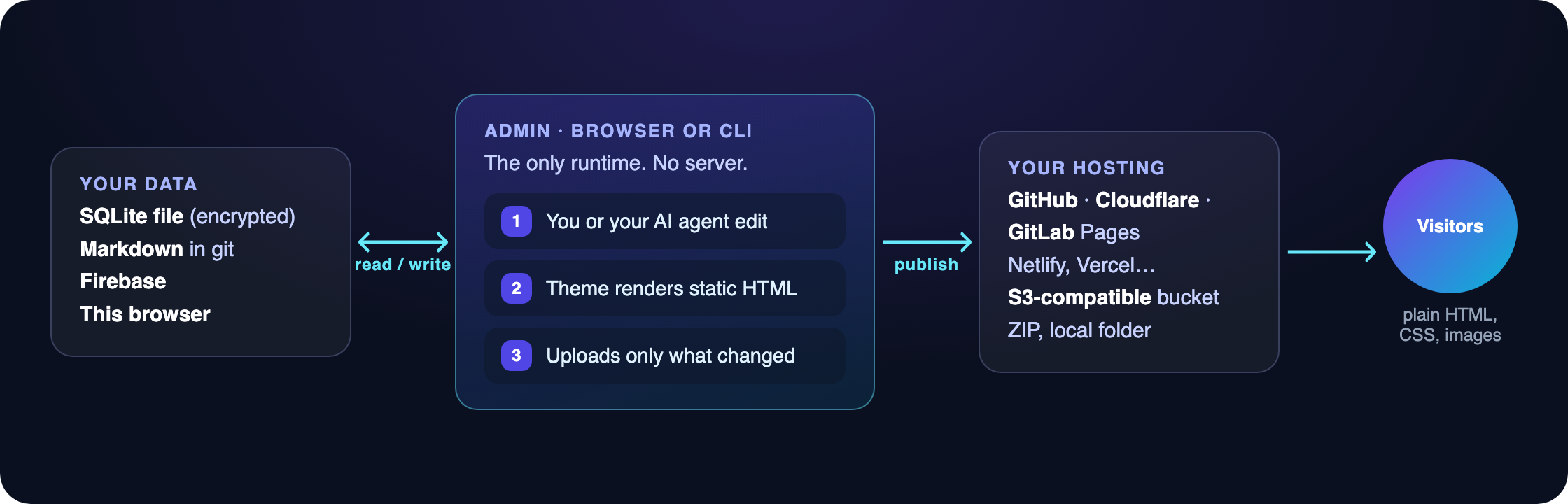
The admin is the only runtime. When you click Publish, it reads the content and renders the page with the active theme (renderToStaticMarkup), right in the browser. It then uploads the HTML, together with every listing that depends on it, through the selected hosting connector. The data backend (where content lives) and the hosting (where the site is served) are independent choices:
| Data backend | Good for | Accounts |
|---|---|---|
| SQLite file (default) | One owner, the simplest setup. Encrypted file on your own hosting. | none |
| Markdown in git | Teams. Every change is a commit, and editors use their own GitHub / GitLab token. | repository permissions |
| Firebase | Real-time multi-editor work. Free tier. Illustrated setup. | Firebase Auth |
| This browser | Trying things out, single user. | none |
Hostings: GitHub Pages, Cloudflare Pages, GitLab Pages, any git-deployed host (Netlify, Vercel…), S3-compatible buckets (AWS, R2, OVH, Scaleway…), a local folder, or a ZIP to upload yourself. See docs/publish-targets.md.
How AgentCMS compares
| AgentCMS | WordPress | Static site generators | Headless CMS | |
|---|---|---|---|---|
| Visual admin for editors | ✅ | ✅ | ❌ (files + CLI) | ✅ |
| Public site is static files | ✅ | ❌ | ✅ | depends on your front end |
| Server or database to maintain | ❌ | ✅ | ❌ | ✅ (or SaaS) |
| Build pipeline to set up | ❌ | ❌ | ✅ | ✅ |
| Content stays on your own storage | ✅ | ✅ | ✅ | usually SaaS |
| Fully drivable by an AI agent | ✅ | partial | partial | partial |
The agentcms CLI
The same engine the agents use, also available by hand: npx -y @agent-cms/agentcms help. Every command supports --json, and destructive commands print a plan until you add --yes.
All commands
| Command | What it does |
|---|---|
status | This tool vs the latest release, and every registered site's admin version |
options | Data backends, hostings and the install plan format |
credentials set <type>:<name> | Stores a token / key per account (hidden prompt, --from-gh, --from-aws-profile, --from-env) |
install --plan plan.json | Installs a site (content store, publish target, theme assets, admin); --dry-run only checks |
site list | add | use | rename | forget | The sites this computer manages |
doctor --site <alias> | Health check with a fix for each problem |
deploy-admin --site <alias> | Updates the hosted admin to this release |
serve | Runs the admin locally for the setup wizard |
content list | get | create | update | publish | unpublish | delete | preview | blocks | Posts and pages, like the editor (Markdown, blocks, images, SEO, translations) |
media list | upload | update | delete | Media library (the admin's image pipeline, in Node) |
terms, menus, settings, users | Categories & tags, menus, site settings, users and author profiles |
plugins list | enable | disable | config | action | Plugins and their settings-page buttons |
themes list | activate | config | logo | Themes, their settings and logo |
regenerate home | all | repair | assets | everything | The admin's Regenerate menu |
transfer export | import, stats | Content export / import, dashboard numbers |
ext new | check | preview | pack | install | Build, test and ship plugins and themes |
Build a plugin or theme
Plugins and themes are standalone projects that build into a single ZIP. You install that ZIP from the admin (Plugins / Themes → Install), with no admin rebuild.
npx -y @agent-cms/agentcms ext new theme my-theme   # or: ext new plugin my-plugin
cd my-theme && npm install
npm run check      # validates it and renders a demo site through the real publisher
npm run preview    # demo site + desktop / mobile screenshots

Guides: creating a plugin · creating a theme · runtime API. With Claude Code, the agentcms-extensions skill drives the whole loop.
Documentation
| Publish targets | Every hosting option, its setup and its limits |
| Self-hosting | Setup wizard, local build, deploying and protecting the admin |
| Firebase | Console setup step by step (screenshots), security rules and indexes |
| Themes and plugins | How they work, and every built-in plugin |
| Architecture | Publish pipeline, URLs, menus, images, i18n, code layout |
| AGENTS.md | Instructions for AI agents |
Contributing
Bug reports and ideas are welcome: open an issue. Read CONTRIBUTING.md before opening a pull request. For security issues, follow SECURITY.md instead of opening a public issue.
npm install --legacy-peer-deps
npm run dev        # admin at http://localhost:5173
npm test           # Vitest
npm run build      # typecheck + admin + themes + CLI
License
Source-available under the PolyForm Noncommercial License 1.0.0. Personal, hobbyist, educational, research and other noncommercial use is free, and you can fork, modify and redistribute under the same terms.
Commercial use requires written authorization. This includes selling the software or hosting it as a paid service. For a commercial license, open an issue.