@aios-medical/bullmq-dashboard-express
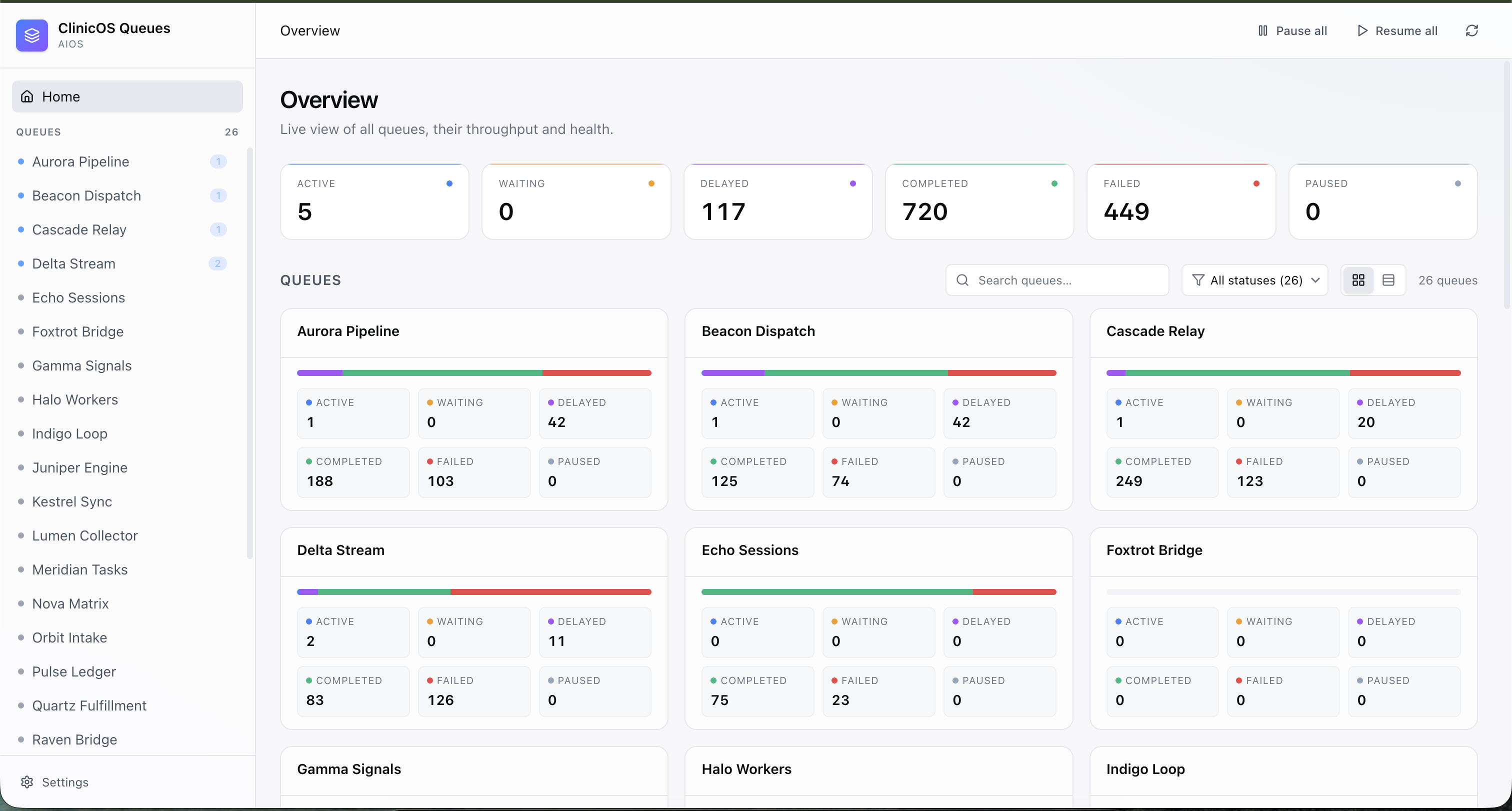
Express.js server adapter for the AIOS BullMQ Dashboard.
Installation
npm install @aios-medical/bullmq-dashboard-express
# or
yarn add @aios-medical/bullmq-dashboard-express
# or
pnpm add @aios-medical/bullmq-dashboard-express
Overview
This package provides an Express.js adapter for serving the AIOS BullMQ Dashboard. It handles routing, middleware integration, and serves the static UI assets.
Usage
Basic Setup
import express from 'express';
import { createDashboard } from '@aios-medical/bullmq-dashboard-api';
import { BullMQAdapter } from '@aios-medical/bullmq-dashboard-api/bullMQAdapter';
import { ExpressAdapter } from '@aios-medical/bullmq-dashboard-express';
import { Queue } from 'bullmq';

const app = express();

// Create your BullMQ queue
const queue = new Queue('my-queue', {
  connection: { host: 'localhost', port: 6379 }
});

// Create the Express adapter
const serverAdapter = new ExpressAdapter();
serverAdapter.setBasePath('/admin/queues');

// Create the dashboard
createDashboard({
  queues: [new BullMQAdapter(queue)],
  serverAdapter,
  options: {
    uiConfig: {
      title: 'My Queue Dashboard',
      subtitle: 'Production',
    },
  },
});

// Mount the dashboard
app.use('/admin/queues', serverAdapter.getRouter());

app.listen(3000, () => {
  console.log('Dashboard running on http://localhost:3000/admin/queues');
});
With Bull (Legacy)
import express from 'express';
import { createDashboard } from '@aios-medical/bullmq-dashboard-api';
import { BullAdapter } from '@aios-medical/bullmq-dashboard-api/bullAdapter';
import { ExpressAdapter } from '@aios-medical/bullmq-dashboard-express';
import Queue from 'bull';

const app = express();

const queue = new Queue('my-queue', {
  redis: { host: 'localhost', port: 6379 }
});

const serverAdapter = new ExpressAdapter();
serverAdapter.setBasePath('/admin/queues');

createDashboard({
  queues: [new BullAdapter(queue)],
  serverAdapter,
  options: {
    uiConfig: {
      title: 'My Queue Dashboard',
    },
  },
});

app.use('/admin/queues', serverAdapter.getRouter());

app.listen(3000);
Multiple Queues
const emailQueue = new Queue('emails', { connection: { host: 'localhost', port: 6379 } });
const reportQueue = new Queue('reports', { connection: { host: 'localhost', port: 6379 } });

const serverAdapter = new ExpressAdapter();
serverAdapter.setBasePath('/admin/queues');

createDashboard({
  queues: [
    new BullMQAdapter(emailQueue, { displayName: 'Email Queue' }),
    new BullMQAdapter(reportQueue, { displayName: 'Report Queue' }),
  ],
  serverAdapter,
  options: {
    uiConfig: {
      title: 'Production Queues',
    },
  },
});

app.use('/admin/queues', serverAdapter.getRouter());
With Authentication
import basicAuth from 'express-basic-auth';

const serverAdapter = new ExpressAdapter();
serverAdapter.setBasePath('/admin/queues');

createDashboard({
  queues: [new BullMQAdapter(queue)],
  serverAdapter,
  options: {
    uiConfig: {
      title: 'Protected Dashboard',
    },
  },
});

// Add authentication middleware
app.use('/admin/queues', basicAuth({
  challenge: true,
  users: { admin: process.env.DASHBOARD_PASSWORD || 'secret' },
}));

app.use('/admin/queues', serverAdapter.getRouter());
Custom Middleware
You can add any Express middleware before mounting the dashboard:
const serverAdapter = new ExpressAdapter();
serverAdapter.setBasePath('/admin/queues');

// Rate limiting
import rateLimit from 'express-rate-limit';

const limiter = rateLimit({
  windowMs: 15 * 60 * 1000, // 15 minutes
  max: 100 // limit each IP to 100 requests per windowMs
});

app.use('/admin/queues', limiter);

// CORS
import cors from 'cors';
app.use('/admin/queues', cors());

// Mount dashboard
app.use('/admin/queues', serverAdapter.getRouter());
API Reference
ExpressAdapter
The main class for configuring the Express adapter.
Constructor
constructor()
Creates a new ExpressAdapter instance with an internal Express app.
Methods
setBasePath(path: string)
Sets the base path for the dashboard routes.
serverAdapter.setBasePath('/admin/queues');
setStaticPath(staticsRoute: string, staticsPath: string)
Configures static file serving for UI assets.
serverAdapter.setStaticPath('/static', '/path/to/dist/static');
setViewsPath(viewPath: string)
Sets the views path for EJS templates.
serverAdapter.setViewsPath('/path/to/dist');
setErrorHandler(handler: (error: Error) => ControllerHandlerReturnValue)
Sets the error handler for API routes.
serverAdapter.setErrorHandler((error) => {
  return {
    status: 500,
    body: { error: error.message }
  };
});
setQueues(queueRegistry: QueueRegistry)
Sets the queue registry (called automatically by createDashboard).
serverAdapter.setQueues(queueRegistry);
setUIConfig(config: UIConfig)
Sets the UI configuration (called automatically by createDashboard).
serverAdapter.setUIConfig({
  title: 'My Dashboard',
  subtitle: 'Production',
});
getRouter()
Returns the Express router to be mounted in your app.
app.use('/admin/queues', serverAdapter.getRouter());
Configuration
The adapter is configured through the createDashboard function from the API package. All UI configuration is passed through the options.uiConfig parameter:
createDashboard({
  queues: [new BullMQAdapter(queue)],
  serverAdapter,
  options: {
    uiConfig: {
      title: 'My Dashboard',
      subtitle: 'Production',
      environment: {
        label: 'Production',
        color: '#ef4444',
      },
      pollingInterval: {
        forceInterval: 5000,
      },
      miscLinks: [
        { text: 'Docs', url: 'https://docs.example.com' },
      ],
      hideRedisDetails: false,
    },
  },
});
Advanced Usage
Nested Routes
You can nest the dashboard under existing routes:
const apiRouter = express.Router();
const serverAdapter = new ExpressAdapter();
serverAdapter.setBasePath('/dashboard');

createDashboard({
  queues: [new BullMQAdapter(queue)],
  serverAdapter,
});

apiRouter.use('/dashboard', serverAdapter.getRouter());
app.use('/api/v1', apiRouter);

// Dashboard available at /api/v1/dashboard
Custom Error Handling
serverAdapter.setErrorHandler((error) => {
  console.error('Dashboard error:', error);

  return {
    status: 500,
    body: {
      error: 'Internal server error',
      message: process.env.NODE_ENV === 'development' ? error.message : undefined,
    },
  };
});
Multiple Instances
You can run multiple dashboard instances with different configurations:
const prodAdapter = new ExpressAdapter();
prodAdapter.setBasePath('/admin/prod-queues');

createDashboard({
  queues: [new BullMQAdapter(prodQueue)],
  serverAdapter: prodAdapter,
  options: {
    uiConfig: { title: 'Production Queues' },
  },
});

const devAdapter = new ExpressAdapter();
devAdapter.setBasePath('/admin/dev-queues');

createDashboard({
  queues: [new BullMQAdapter(devQueue)],
  serverAdapter: devAdapter,
  options: {
    uiConfig: { title: 'Development Queues' },
  },
});

app.use('/admin/prod-queues', prodAdapter.getRouter());
app.use('/admin/dev-queues', devAdapter.getRouter());
Dependencies
- express: ^4.21.2
- ejs: ^3.1.10
- @aios-medical/bullmq-dashboard-api: ^1.0.0
- @aios-medical/bullmq-dashboard-ui: ^1.0.0
License
MIT
Related Packages
- @aios-medical/bullmq-dashboard-api - Core API package
- @aios-medical/bullmq-dashboard-ui - React UI component
- @aios-medical/bullmq-dashboard-nestjs - NestJS module