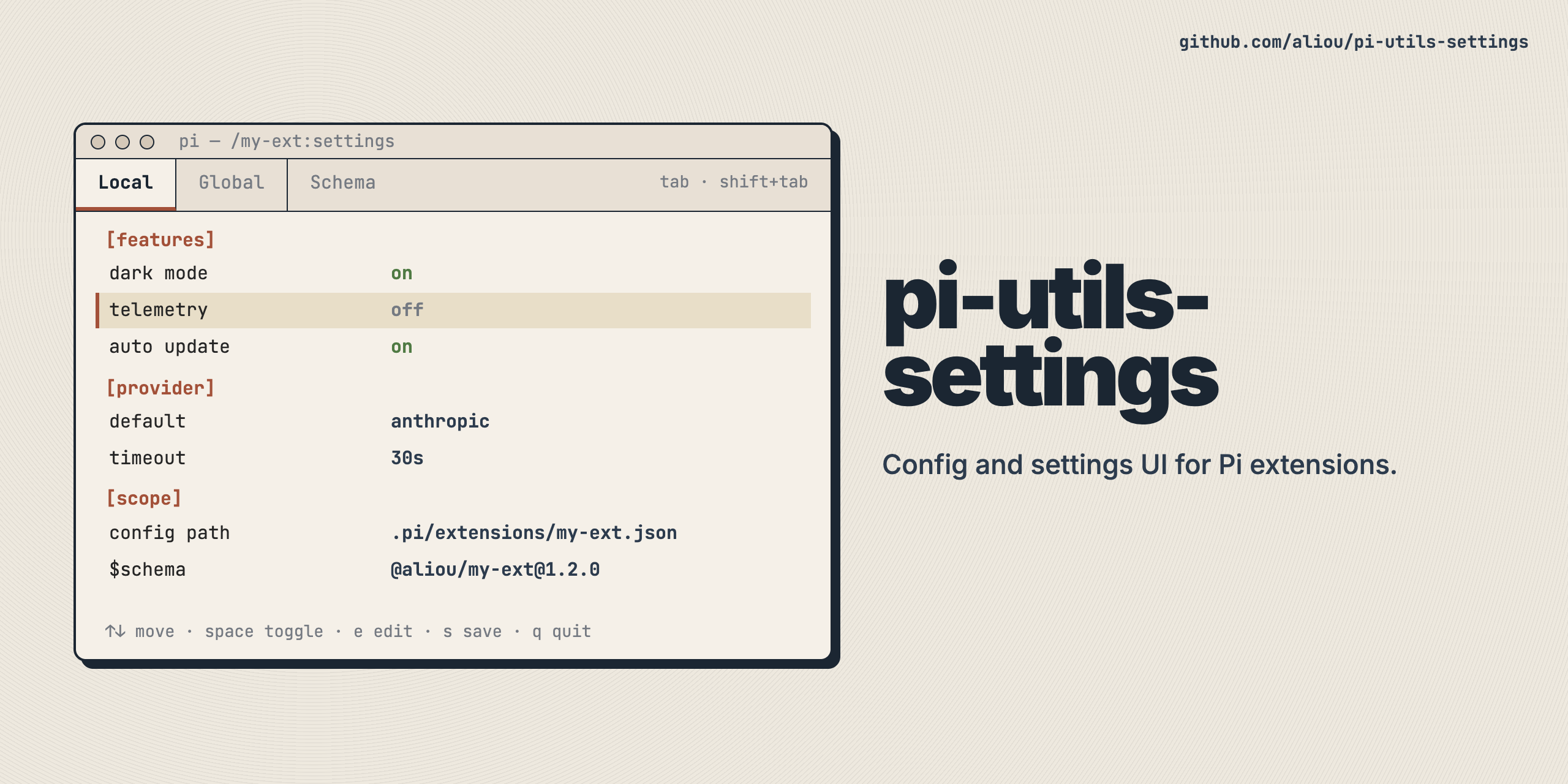
@aliou/pi-utils-设置
共享设置基础设施 毕 扩展。 提供配置加载,设置 UI 命令,加上范围标签加可选的额外标签,以及可再使用的 TUI 组件.
这是一个通用库,不是 Pi 扩展 。 它意在通过需要设置 UI 或 JSON 配置管理的扩展用作依赖.
安装
pnpm add @aliou/pi-utils-settings
API 密码
配置标签
通用 JSON 配置加载器带有 Global + 本地( 项目) 瞄准镜, 深度合并, 以及版本迁移 .
import { bindProjectConfig, ConfigLoader, type Migration } from "@aliou/pi-utils-settings";

interface MyConfig {
  features?: { darkMode?: boolean };
}

interface ResolvedConfig {
  features: { darkMode: boolean };
}

const migrations: Migration<MyConfig>[] = [
  {
    name: "v1-upgrade",
    shouldRun: (config) => !config.features,
    run: (config, _filePath) => ({ ...config, features: {} }),
  },
];

const configLoader = new ConfigLoader<MyConfig, ResolvedConfig>(
  "my-extension", // reads ~/.pi/agent/extensions/my-extension.json + .pi/extensions/my-extension.json
  { features: { darkMode: false } }, // defaults
  { migrations },
);

await configLoader.load();
bindProjectConfig(pi, configLoader);

pi.on("session_start", () => {
  const config = configLoader.getConfig();
});
load() 装入默认和全局配置及重排项目状态 "pending"调用 bindProjectConfig(pi, configLoader) 紧接其后,在登记其他 session_start 管理者。 它召唤 loadProject(ctx) 使用 ctx.cwd 财务报告和审定财务报表 ctx.isProjectTrusted()。信任的工程配置被合并并迁移;未信任的配置被忽略而不读取或写入。 内存覆盖幸存 loadProject()。 。 。 .
getProjectState() 返回时 "pending", (中文(简体) ), "trusted",或 "untrusted"。需要本地节省 "trusted"。本地标签保持可见,但在信任之前无法编辑。 使用 /trust 并重新启动 Pi 以应用工程设置。 忽略的文件生成一个 drainMessages() 备注.
版本迁移
移民可以宣布为单调 version:非负整数或 semver 字符串(例如扩展包版本, "1.2.0";没有预放标签). 设定时, shouldRun 默认为“配置版本 < 迁移版本” ,加载器将配置文件印出最高应用版本。 在一个加载器中的所有版本的迁移必须使用相同的方案——混合整数和向构造所投掷的分解字符串. 已印出整数的扩展应保留整数( 已印出) 3 读作 3.0.0 在铸币局下. shouldRun, (中文(简体) ), run,信息厂收到一个 MigrationContext 与文件路径、前/后版本,以及在加载时已经应用的迁移名称相连接.
const migrations: Migration<MyConfig>[] = [
  {
    name: "v1-features",
    version: 1,
    // No shouldRun needed: runs when config.version < 1.
    run: (config) => ({ ...config, features: {} }),
  },
  {
    name: "v2-rename-theme",
    version: 2,
    run: (config, _filePath, ctx) => {
      // ctx.appliedMigrations: ["v1-features"], ctx.fromVersion: 1, ctx.toVersion: 2
      const { theme, ...rest } = config as MyConfig & { theme?: string };
      return { ...rest, appearance: { theme } };
    },
  },
];

await configLoader.load();
configLoader.getVersion(); // highest stamped version across scopes
提供两者 version 财务报告和审定财务报表 shouldRun 改为在内容上同时盖章(例如, shouldRun: (c) => c.legacy !== undefined) (中文(简体) ). 移民与建筑无关.
JSON 舍马支持
ConfigLoader 可以注入一个 $schema 字段进入设置文件,使编辑器自动完成和验证。 说对了 buildSchemaUrl 和自动生成的策略 ts-json-schema-generator。 。 。 .
import { ConfigLoader, buildSchemaUrl } from "@aliou/pi-utils-settings";
import pkg from "./package.json";

const schemaUrl = buildSchemaUrl(pkg.name, pkg.version);

// For schemas hosted outside npm/unpkg, use a custom template:
const githubSchemaUrl = buildSchemaUrl("aliou/my-extension", "v1.0.0", {
  template: "https://raw.githubusercontent.com/{packageName}/{version}/{schemaPath}",
});

const loader = new ConfigLoader<MyConfig, ResolvedConfig>(
  "my-extension",
  defaults,
  { schemaUrl },
);
何时 schemaUrl 已经设定, save() 写入 $schema 作为 JSON 文件的第一个密钥和 load() 在返回配置到呼叫者之前将其剥离.
从你身上生成计划 TConfig 类型,安装 ts-json-schema-generator 用作依赖性并使用捆绑的 pi-settings-schema CLI(英语:CLI). 它包起发电机,注入预留 $schema 财务报告和审定财务报表 version 属性,所以您的配置类型不需要它们 :
{
  "gen:schema": "pi-settings-schema -p src/config.ts -t MyConfig -o schema.json --version 2",
  "check:schema": "pi-settings-schema -p src/config.ts -t MyConfig -o schema.json --version 2 --check"
}
运行 pnpm gen:schema 生产 schema.json,并添加 "schema.json" 改为 files 内 package.json 所以它用你的Npm包装船 添加 check:schema 以捕捉漂流(在已犯规时,除去1). --version 将当前迁移版本记录在图中。 如果扩展未发布到 npm, 请执行 schema.json 公之于众,传一风俗 template 或者说 baseUrl 改为 buildSchemaUrl。 。 。 .
程序上与 generateSettingsSchema(options) 财务报告和审定财务报表 finalizeSchema(schema, options)。 。 。 .
可选 afterMerge 钩子在深度合并后运行,用于无法表达为简单合并的逻辑(例如,一个字段取代另一个字段):
new ConfigLoader("my-ext", defaults, {
  afterMerge: (resolved, global, local, memory) => {
    if (local?.customField) {
      resolved.derivedField = local.customField;
    }
    return resolved;
  },
});
命令
创建一个 /name:settings 命令,带有范围标签(Global/local/Memory),基于草稿的编辑,以及要保存的 Ctrl+S.
所有更改(boolean toggles, enum cycling, submenu editers)作为草稿保存在内存中. 在用户按下 Ctrl+S. Esc 退出而不默认保存之前,任何内容都无法写入磁盘. 脏标签显示 * 标记。 使用 onBeforeClose 以拦截 Esc ,例如确认丢弃未保存的草稿.
Ctrl+S 从任何深度中省出,包括开放子菜单内(ArrayEditor, (中文(简体) ), SettingsDetailEditor, (中文(简体) ), FuzzySelector(中文(简体) ). Submenus承诺编辑每个变异的草稿,所以一个被巢存总是坚持最新的状态. 独立的组件用户可以通过 requestSave 在组件选项中获取外部相同行为 registerSettingsCommand。 。 。 .
import { registerSettingsCommand, type SettingsSection } from "@aliou/pi-utils-settings";

registerSettingsCommand<MyConfig, ResolvedConfig>(pi, {
  commandName: "my-ext:settings",
  title: "My Extension Settings",
  configStore: configLoader, // implements ConfigStore interface
  buildSections: (tabConfig, resolved, { setDraft, theme }) => [
    {
      label: "General",
      items: [
        {
          id: "features.darkMode",
          label: "Dark mode",
          description: theme.fg("dim", "Enable dark mode"),
          currentValue: (tabConfig?.features?.darkMode ?? resolved.features.darkMode) ? "on" : "off",
          values: ["on", "off"],
        },
      ],
    },
  ],
  // --- Optional: Custom change handler ---
  // The default handler stores all values as raw strings ("on"/"off", "pnpm", etc).
  // Use onSettingChange to convert display values to the correct storage types:
  // - Booleans: newValue === "on" -> true
  // - Numbers: Number.parseInt(newValue, 10)
  // Return null to fall through to the default string storage.
  onSettingChange: (id, newValue, config) => {
    const updated = structuredClone(config);
    if (id === "features.darkMode") {
      updated.features = { ...updated.features, darkMode: newValue === "on" };
      return updated;
    }
    return null; // Fall through for other fields
  },
  // Optional: return false to keep the settings UI open on Esc.
  onBeforeClose: (isDirty) => !isDirty,
});
您也可以用 extraTabs数字 :
import { registerSettingsCommand, type ExtraSettingsTab } from "@aliou/pi-utils-settings";

const extraTabs: ExtraSettingsTab<MyConfig, ResolvedConfig>[] = [
  {
    id: "examples",
    label: "Examples",
    buildSections: ({ resolved, getRawForScope, enabledScopes }) => {
      const globalConfig = getRawForScope("global");
      return [
        {
          label: "Examples",
          items: [
            {
              id: "example.enabledScopes",
              label: "Enabled scopes",
              currentValue: enabledScopes.join(", "),
            },
            {
              id: "example.darkModeDefault",
              label: "Dark mode default",
              currentValue: resolved.features.darkMode ? "on" : "off",
            },
            {
              id: "example.globalPresent",
              label: "Global config",
              currentValue: globalConfig ? "present" : "missing",
              description: "Read-only info tab not tied to a scope.",
            },
          ],
        },
      ];
    },
  },
];
Ctrl+S 行为不变:只保存了肮脏的瞄准镜草稿. 额外标签可以通过调用更新草稿 setDraftForScope(...) 从子菜单召回.
价值循环项目values在额外标签中,添加 onSettingChange 并明确选择目标范围. applySettingChangeToScope(...) 重用命令级别 onSettingChange 处理器, 当处理器返回时返回默认的点- 路径字符串存储 null。 。 。 .
const extraTabs: ExtraSettingsTab<MyConfig, ResolvedConfig>[] = [
  {
    id: "presets",
    label: "Presets",
    buildSections: ({ getDraftForScope, getRawForScope }) => {
      const config = getDraftForScope("global") ?? getRawForScope("global");
      return [
        {
          label: "Presets",
          items: [
            {
              id: "features.darkMode",
              label: "Dark mode",
              currentValue: config?.features?.darkMode ? "on" : "off",
              values: ["on", "off"],
            },
          ],
        },
      ];
    },
    onSettingChange: (id, newValue, ctx) => {
      ctx.applySettingChangeToScope("global", id, newValue);
    },
  },
];
buildSections ctx 现在包含 theme,两者都是 SettingsListTheme 和满分 Theme。这意味着您可以使用列表助手(label, (中文(简体) ), value, (中文(简体) ), hint,并将同一对象传递给需要完整部件 Theme。 。 。 .
import { Wizard } from "@aliou/pi-utils-settings";

buildSections: (_tabConfig, _resolved, ctx) => [
  {
    label: "Setup",
    items: [
      {
        id: "setup.wizard",
        label: "Run setup",
        currentValue: ctx.theme.fg("accent", "open"),
        submenu: (_value, done) =>
          new Wizard({
            title: "Setup",
            theme: ctx.theme,
            steps: [{ label: "Step", build: () => ({ render: () => [ctx.theme.hint("Ready")], handleInput: () => {} }) }],
            onComplete: () => done("done"),
            onCancel: () => done(undefined),
          }),
      },
    ],
  },
];
命令别名
Pi没有命令假名机制 所以 aliases 将每个条目注册为第二个完整命令,该命令将打开相同的设置 UI ,并预选一个标签。 异形忽略了他们的论点.
import {
  registerSettingsCommand,
  type ExtraSettingsTab,
  type SettingsCommandAlias,
} from "@aliou/pi-utils-settings";

const aliases: SettingsCommandAlias[] = [
  // Opens the settings UI on the "proxy" extra tab below: /my-ext:proxy
  { commandName: "my-ext:proxy", tabId: "proxy" },
  // Scope tabs work too. The palette description defaults to
  // `Open ${title} (${tabLabel})`, e.g. "Open My Extension Settings (Memory)":
  { commandName: "my-ext:memory", tabId: "memory" },
  // Optional explicit description:
  { commandName: "my-ext:setup", tabId: "global", description: "Open the setup tab" },
];

const extraTabs: ExtraSettingsTab<MyConfig, ResolvedConfig>[] = [
  { id: "proxy", label: "Proxy", buildSections: () => [/* ... */] },
];

registerSettingsCommand<MyConfig, ResolvedConfig>(pi, {
  commandName: "my-ext:settings",
  title: "My Extension Settings",
  configStore: configLoader,
  extraTabs,
  aliases,
  buildSections: (tabConfig, resolved, { setDraft, theme }) => [/* ... */],
});
tabId 必须是范围 id (global编号 :local编号 :memory或一个 extraTabs 编号. 登记在前面验证:重复的别名命令名称,与主命令名称等同的别名,或未知 tabId 抛出(带有 [settings]- 任何命令注册前的前缀消息). 一个有效但失效的瞄准镜会默默地降解到默认分页而不是出错.
主命令也接受标签参数 : /my-ext:settings proxy 预选标签。 第一个被限制的白空令牌是先对制表符进行不敏感大小写匹配,再对制表符标签进行;一个未知的令牌显示警告并打开默认制表符,空格保留已存在的默认行为. 主命令登记册 getArgumentCompletions,返回一个 AutocompleteItem 每个当前已注册的标签(启用范围外加额外标签)被打出前缀过滤—— value 是标签编号, label 标签标签。 异名没有完成.
子菜单支持
项目可通过提供 a 打开子菜单 submenu 工厂。 工厂收到现值, a done 调用,和 a { requestRender, hideHint } 上下文,使 sync 子菜单可以触发重画. done(value) 执行值并关闭子菜单, done(undefined) 取消,和 done(value, { navigateTo: itemId }) 关闭后跳转到另一个项目(见下文)。 使用 setDraft 子菜单内 onSave 以保留草稿中的更改(与简单的值相同保存模型):
import { ArrayEditor, setNestedValue } from "@aliou/pi-utils-settings";

{
  id: "tags",
  label: "Tags",
  currentValue: `${tags.length} items`,
  submenu: (_val, done, submenuCtx) => {
    let latest = [...tags];
    return new ArrayEditor({
      label: "Tags",
      items: [...tags],
      theme: ctx.theme,
      // Forward the host's flag: the panel renders the single controls
      // line, so the editor hides its own footer and exposes shortcuts
      // through getShortcuts().
      hideHint: submenuCtx.hideHint,
      onSave: (items) => {
        latest = items;
        const updated = structuredClone(tabConfig ?? {}) as MyConfig;
        setNestedValue(updated, "tags", items);
        setDraft(updated);
      },
      onDone: () => done(`${latest.length} items`),
    });
  },
}
对于同步装入数据的子菜单,呼叫 ctx.requestRender() 一旦真正的编辑准备好了 渲染钩被自动接通 registerSettingsCommand; 独立 SectionedSettings 用户可以通过 requestRender 内 SectionedSettingsOptions。 。 。 .
import type { Component } from "@earendil-works/pi-tui";
import { Key, matchesKey } from "@earendil-works/pi-tui";
import { FuzzySelector } from "@aliou/pi-utils-settings";

function sleep(ms: number): Promise<void> {
  return new Promise((resolve) => setTimeout(resolve, ms));
}

async function loadPresets(): Promise<string[]> {
  // Simulate a network or subprocess call.
  await sleep(2000);
  return ["dark", "light", "solarized-dark"];
}

{
  id: "remote.presets",
  label: "Remote presets",
  currentValue: "loading",
  submenu: (_val, done, { requestRender, hideHint }) => {
    class AsyncPresetPicker implements Component {
      private editor: FuzzySelector | null = null;

      constructor() {
        void loadPresets().then((presets) => {
          this.editor = new FuzzySelector({
            label: "Preset",
            items: presets,
            theme: ctx.theme,
            hideHint,
            onSelect: (selected) => {
              const updated = structuredClone(tabConfig ?? {}) as MyConfig;
              setNestedValue(updated, "appearance.theme", selected);
              setDraft(updated);
              done(selected);
            },
            onDone: () => done(undefined),
          });
          requestRender();
        });
      }

      render(width: number): string[] {
        return this.editor?.render(width) ?? [ctx.theme.hint("  (loading presets...)")];
      }

      // Forward shortcuts so the panel's controls line stays
      // accurate once the editor is ready.
      getShortcuts(): string | undefined {
        return this.editor?.getShortcuts();
      }

      handleInput(data: string): void {
        if (this.editor === null && matchesKey(data, Key.escape)) {
          done(undefined);
          return;
        }
        this.editor?.handleInput?.(data);
      }

      invalidate(): void {
        this.editor?.invalidate?.();
      }
    }

    return new AsyncPresetPicker();
  },
}
带链的子菜单 navigateTo
SectionedSettings 和pi-tui的相匹配 SettingsList 子菜单合同。 这个 done 调用可选 SubmenuDoneOptions 对象:调用 done(value, { navigateTo: "other.itemId" }) 关闭子菜单, 将光标移动到项目上, 并自动激活它 —— 打开子菜单项目的子菜单, 循环 a values 项目( onChange),或者只是选择一个普通项目。 导航到未知的 id 后退到当前选中的项目重新激活, 如 pi- tui .
import type { Component } from "@earendil-works/pi-tui";
import type { SubmenuDoneOptions } from "@aliou/pi-utils-settings";

{
  id: "network.proxy",
  label: "Proxy",
  currentValue: "off",
  submenu: (_val, done) => {
    const confirm = (proxyUrl?: string, options?: SubmenuDoneOptions) =>
      done(proxyUrl, options);

    const editor: Component = {
      render: () => ["Proxy editor \u2014 Enter: save, then continue with Port"],
      handleInput: (data) => {
        if (data === "\r") {
          // Commit and jump to the "network.port" row, auto-opening its submenu.
          confirm("http://localhost:8080", { navigateTo: "network.port" });
        }
      },
    };
    return editor;
  },
}
SectionedSettings 还揭露 selectItem(id),将光标移动到项目上,并使用该 id 。 用于程序导航,例如: updateSections()。 。 。 .
分区设置 vs 设置 细节编辑器
使用 分区 设置 单当每行可以一步地被编辑(toggle,enum cycle,或简单的子菜单)时.
使用 分区 设置 + 设置 详细编辑器 当选定的行需要一个有多个可编辑字段的焦点二级面板时.
SettingsDetailEditor 是数据驱动的。 您通过带有获取器/ 发送器和可选嵌入子菜单调用符的字段描述符 。 该组件仅拥有键盘导航和渲染.
import {
  ArrayEditor,
  SettingsDetailEditor,
  type SettingsDetailField,
} from "@aliou/pi-utils-settings";
import { getSettingsListTheme } from "@earendil-works/pi-coding-agent";

const fields: SettingsDetailField[] = [
  {
    id: "autoSave",
    type: "boolean",
    label: "Auto save",
    getValue: () => editor.autoSave,
    setValue: (next) => {
      editor.autoSave = next;
    },
  },
  {
    id: "tabSize",
    type: "enum",
    label: "Tab size",
    getValue: () => String(editor.tabSize),
    setValue: (next) => {
      editor.tabSize = Number.parseInt(next, 10);
    },
    options: ["2", "4", "8"],
  },
  {
    id: "favorites",
    type: "submenu",
    label: "Favorites",
    getValue: () => `${favorites.length} items`,
    submenu: (done) =>
      new ArrayEditor({
        label: "Favorites",
        items: [...favorites],
        theme: getSettingsListTheme(),
        onSave: (items) => {
          favorites = items;
        },
        onDone: () => done(`${favorites.length} items`),
      }),
  },
  {
    id: "clear",
    type: "action",
    label: "Clear favorites",
    getValue: () => "destructive",
    onConfirm: () => {
      favorites = [];
    },
    confirmMessage: "Clear all favorites? This cannot be undone.",
  },
];

const detail = new SettingsDetailEditor({
  title: "Editor details",
  fields,
  theme: getSettingsListTheme(),
  onDone: (summary) => done(summary),
  getDoneSummary: () => `${favorites.length} items`,
  // When hosted via registerSettingsCommand, forward the submenu context's
  // hideHint so the editor's own footer is hidden and the panel shows the
  // editor's shortcuts as its single controls line.
  hideHint: submenuCtx.hideHint,
});
统一快捷线
设置面板每次制作一个完全的快捷键行,总是在分隔符下方. 当子菜单打开并执行时 getShortcuts(): string | undefined (见 SettingsSubmenuComponent),面板控制行显示子菜单当前快捷键(例如. ↑/↓ or j/k navigate · Enter edit/open · Esc back,或 Enter: confirm · Esc: cancel 当字段编辑器打开时)而不是默认 Enter/Space change · Ctrl+S save · Esc close子菜单没有 getShortcuts() 返回默认控制行.
所有内置子菜单组件—— SettingsDetailEditor, (中文(简体) ), ArrayEditor, (中文(简体) ), PathArrayEditor, (中文(简体) ), FuzzySelector,以及 FuzzyMultiSelector 执行 getShortcuts() 每个内部模式并变形(身体上方的平面标题线,没有边框),所以它们干净地坐在面板自己的边界内. 每个接受一个 hideHint 选项,该选项会压制自己的提示页脚 FuzzyMultiSelector, (中文(简体) ), hideHint 优先于现有的 showHints 选项(默认) true) (中文(简体) ). SectionedSettings 转发 hideHint 选项,通过子菜单工厂上下文,所以由 registerSettingsCommand 只需要一个 hideHint: ctx.hideHint (同上)要保持一条捷径. Ctrl+S仍然能从任何深度中省出,尽管子菜单的行可能没有提及它,而埃斯克语义则保持准确:用子菜单打开后,埃斯克背出子菜单而不是关闭面板.
独立的组件用户应离开 hideHint 未设置, 因此组件会继续提供自己的提示页脚 .
配置接口
createConfigStore(loader, { scopes? }) 调整一个 ConfigLoader 页:1 ConfigStore 界面,可选仅向设置 UI 显示一个子集:
import { createConfigStore } from "@aliou/pi-utils-settings";

registerSettingsCommand(pi, {
  // ...
  configStore: createConfigStore(configLoader, { scopes: ["global", "local"] }),
});
安装自定义配置加载器的扩展 ConfigStore 直接代替使用 ConfigLoader数字 :
interface ConfigStore<TConfig, TResolved> {
  getConfig(): TResolved;
  getRawConfig(scope: Scope): TConfig | null;
  hasScope(scope: Scope): boolean;
  hasConfig(scope: Scope): boolean;
  getEnabledScopes(): Scope[];
  save(scope: Scope, config: TConfig): Promise<void>;
}
构成部分
- 分区 设置: 分组设置列表,带有搜索过滤,在更新时保留光标,并使用pi-tui-parity子菜单导航(
done(value, { navigateTo }), (中文(简体) ),selectItem(id)) (中文(简体) ). - 设置详细编辑器:一个选定项目(文本、enum、布尔语、嵌入子菜单、破坏性行动)的二级重点编辑器.
- 矩阵编辑器: 有添加/再移动/重排的字符串阵列编辑器.
- 路径对话框编辑器: 路径聚焦阵列编辑器,在添加/编辑模式下Tab完成.
- 模糊选择器:模糊-可搜索单选列表.
- 模糊多选项选择器: 有锁定/推荐项和子选项的模糊-可搜索多选择清单.
- 向导:多步骤设置组件,并有标签导航,进度指标,并有相邻框架.
帮助者
setNestedValue(obj, "a.b.c", value):通过点与点分隔路径来设置深嵌值.getNestedValue(obj, "a.b.c"):通过点-相隔的路径获得深层嵌入值.getSettingsTheme(theme): 构建一个合并设置主题 (SettingsTheme既可用于设置列表的组件,也可用于诸如Wizard。 。 。 .buildSchemaUrl(packageName, version, options?): 为 JSON Schema 文件构建一个 URL$schema注入( 默认为 unpkg, 支持自定义)baseUrl或者说template) (中文(简体) ).pi-settings-schemaCLI: 从 TS 类型生成一个配置 JSON schema, 注射$schema编号 :version(单位:千美元)finalizeSchema编号 :generateSettingsSchema页:1.
出口
export {
  ArrayEditor,
  type ArrayEditorOptions,
} from "./src/components/array-editor";
export {
  FuzzyMultiSelector,
  type FuzzyMultiSelectorItem,
  type FuzzyMultiSelectorOptions,
  type FuzzyMultiSelectorSubOption,
} from "./src/components/fuzzy-multi-selector";
export {
  FuzzySelector,
  type FuzzySelectorOptions,
} from "./src/components/fuzzy-selector";
export {
  PathArrayEditor,
  type PathArrayEditorOptions,
} from "./src/components/path-array-editor";
export {
  SectionedSettings,
  type SectionedSettingsOptions,
  type SettingsSection,
} from "./src/components/sectioned-settings";
export {
  type SettingsDetailActionField,
  type SettingsDetailBooleanField,
  SettingsDetailEditor,
  type SettingsDetailEditorOptions,
  type SettingsDetailEnumField,
  type SettingsDetailField,
  type SettingsDetailSubmenuField,
  type SettingsDetailTextField,
} from "./src/components/settings-detail-editor";
export {
  Wizard,
  type WizardOptions,
  type WizardStep,
  type WizardStepContext,
} from "./src/components/wizard";
export {
  ConfigLoader,
  type ConfigStore,
  createConfigStore,
  type Migration,
  type MigrationContext,
  type Scope,
} from "./src/config-loader";
export { getNestedValue, setNestedValue } from "./src/helpers";
export { type BuildSchemaUrlOptions, buildSchemaUrl } from "./src/schema";
export {
  finalizeSchema,
  generateSettingsSchema,
} from "./src/schema-gen.mjs";
export {
  type ExtraSettingsTab,
  type ExtraSettingsTabChangeContext,
  type ExtraSettingsTabContext,
  registerSettingsCommand,
  type SettingsCommandOptions,
} from "./src/settings-command";
export { getSettingsTheme, type SettingsTheme } from "./src/theme";