🚀🗺️ Strapi Google Maps
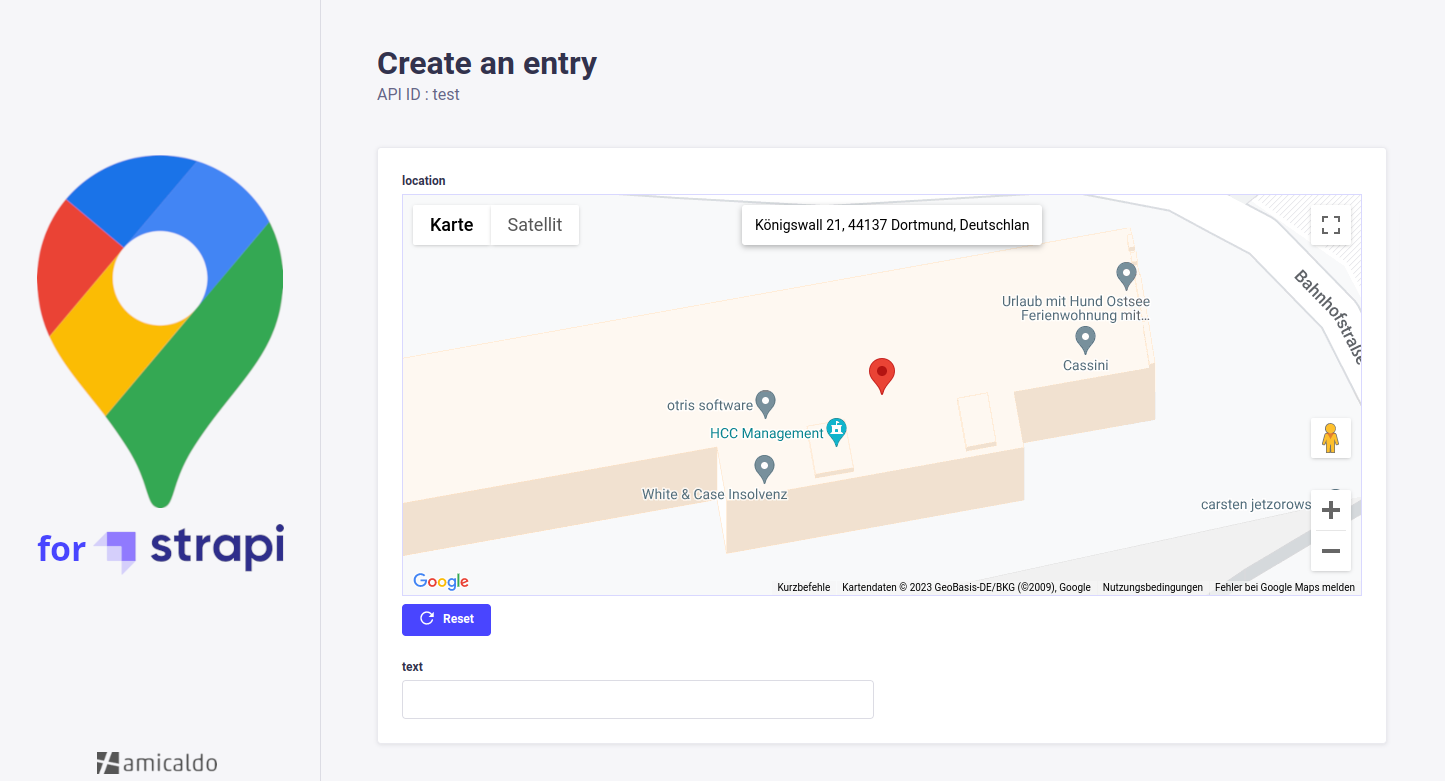
A Strapi plugin allowing you to implement a Google Maps custom field into your content-types, which can be used to pick and retrieve locations.
✨ Usage
The API response of a Strapi content-type implementing this google-maps custom field could look as follows:
{
  "data": [
    {
      "id": 1,
      "documentId": "tub3d05itueb9vw1bux9f66a",
      "location": {
        "address": "Königswall 21, 44137 Dortmund, Germany",
        "coordinates": {
          "lat": 51.5164315,
          "lng": 7.455616999999997
        },
        "geohash": "u1jm1dm0bqyu"
      },
      "createdAt": "2025-05-06T11:45:32.505Z",
      "updatedAt": "2025-05-06T11:53:48.099Z",
      "publishedAt": "2025-05-06T11:53:48.102Z"
    }
  ],
  "meta": {
    "pagination": {
      "page": 1,
      "pageSize": 25,
      "pageCount": 1,
      "total": 1
    }
  }
}
When available, the saved location also includes parsed address components and basic place metadata. The address is sourced directly from the Google Places API (formatted address) when you pick from autocomplete, or from the Google Geocoding API when you click on the map.
Example with extended attributes:
{
  "data": [
    {
      "id": 1,
      "documentId": "tub3d05itueb9vw1bux9f66a",
      "location": {
        "address": "Königswall 21, 44137 Dortmund, Germany",
        "coordinates": { "lat": 51.5164315, "lng": 7.455617 },
        "geohash": "u1jm1dm0bqyu",
        "components": {
          "streetNumber": "21",
          "route": "Königswall",
          "postalCode": "44137",
          "city": "Dortmund",
          "state": "NW",
          "country": "Germany"
        },
        "place": {
          "id": "ChIJ2aVjP5V2uEcRxu2iWZhbU3w",
          "name": "Some Business Name",
          "types": ["point_of_interest", "establishment"]
        }
      },
      "createdAt": "2025-05-06T11:45:32.505Z",
      "updatedAt": "2025-05-06T11:53:48.099Z",
      "publishedAt": "2025-05-06T11:53:48.102Z"
    }
  ],
  "meta": { "pagination": { "page": 1, "pageSize": 25, "pageCount": 1, "total": 1 } }
}
Fields:
- location.address: Places formatted address (autocomplete) or Geocoding formatted address (map click).
- location.components:
- streetNumber
- route (full street name using
long_name) - postalCode
- city
- state (short form when provided, e.g., "NRW")
- country (full name)
- location.place:
- id: Places
place_id/id - name: Business display name (if applicable)
- types: Array of place types
- id: Places
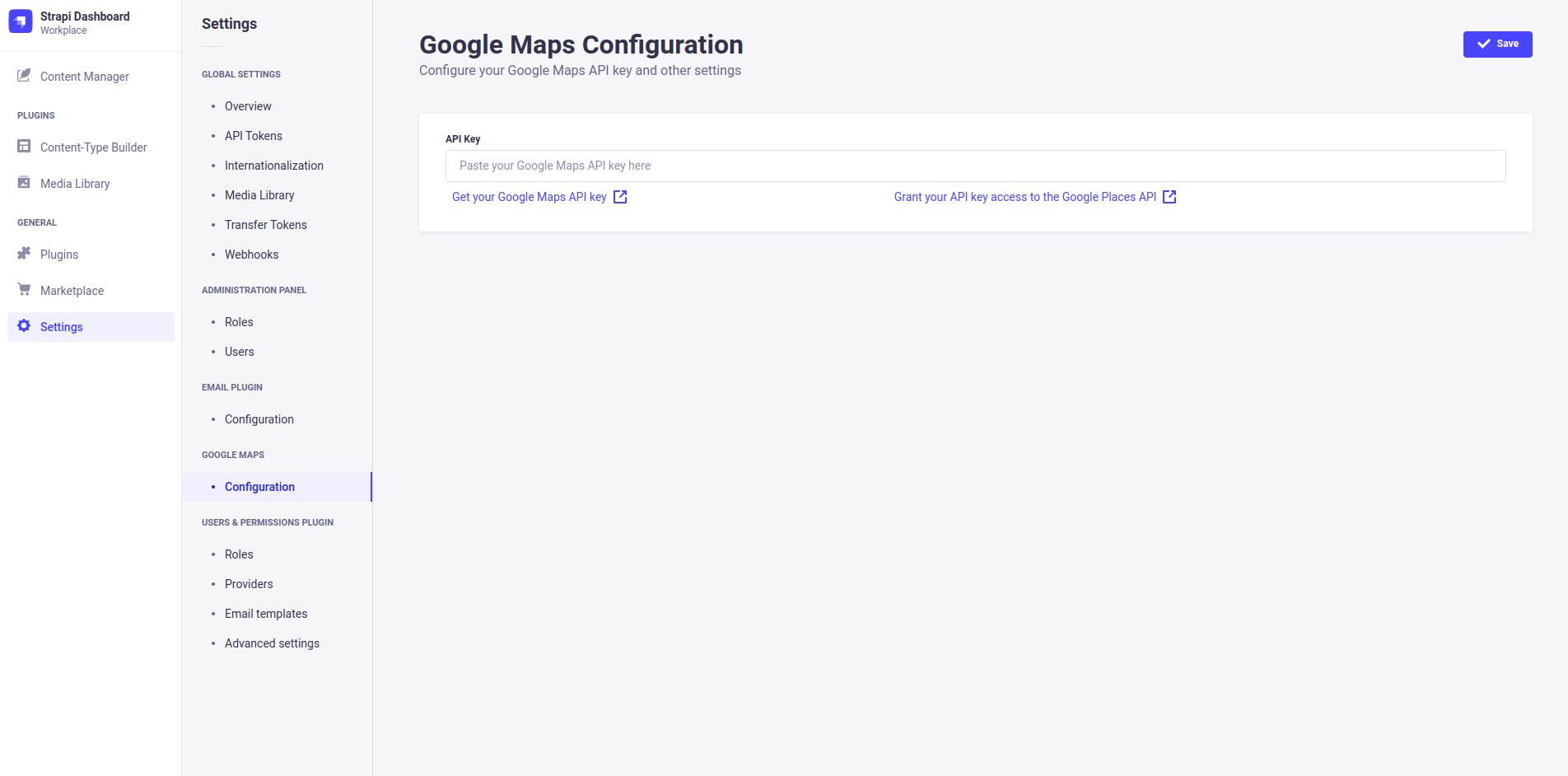
You can configure this plugin inside your Strapi dashboard's settings tab (e.g. to enter your API key).
❗ Requirements
- Strapi v5
- To use the plugin without restrictions, you should consider getting an API key for the Google Maps Platform, with additional access to the Places API.
⚠️ Migrating to v3
After upgrading to v3, when testing the Google Maps field in the Strapi admin, carefully watch the browser console for Google Maps Platform errors. These messages commonly indicate missing API key permissions or restrictive key settings (e.g., missing Places or Geocoding API, wrong HTTP referrer restrictions). The errors include links/instructions to resolve the issue in Google Cloud Console. Follow them to:
- Enable required APIs (Maps JavaScript API, Places API, Geocoding API)
- Adjust key restrictions (HTTP referrers, IP/app restrictions)
- Regenerate/update keys if necessary
Once permissions are corrected, reload the admin and retest the field.
🔧 Installation
You just need to install the strapi-google-maps package via npm, at the root of your strapi project.
npm i @amicaldo/strapi-google-maps

# IMPORTANT: For Strapi versions before 5 install an older version instead:
npm i @amicaldo/[email protected]

# IMPORTANT: For Strapi versions before 4.11.0 install an older version instead:
npm i @amicaldo/[email protected]
To make Google Maps work, you should take a look at the next section.
After restarting your Strapi app, Google Maps should be listed as one of your plugins.
🚀 Strapi Configuration (required)
Allow all Google Maps assets to be loaded correctly by customizing the strapi::security middleware inside ./config/middlewares.js.
Instead of:
export default [
  // ...
  'strapi::security',
  // ...
];
Write:
export default [
  // ...
  {
    name: 'strapi::security',
    config: {
      contentSecurityPolicy: {
        useDefaults: true,
        directives: {
          'connect-src': ["'self'", 'https:'],
          'script-src': ["'self'", 'unsafe-inline', 'https://maps.googleapis.com'],
          'media-src': [
            "'self'",
            'blob:',
            'data:',
            'https://maps.gstatic.com',
            'https://maps.googleapis.com',
          ],
          'img-src': [
            "'self'",
            'blob:',
            'data:',
            'https://maps.gstatic.com',
            'https://maps.googleapis.com',
            'khmdb0.google.com',
            'khmdb0.googleapis.com',
            'khmdb1.google.com',
            'khmdb1.googleapis.com',
            'khm.google.com',
            'khm.googleapis.com',
            'khm0.google.com',
            'khm0.googleapis.com',
            'khm1.google.com',
            'khm1.googleapis.com',
            'khms0.google.com',
            'khms0.googleapis.com',
            'khms1.google.com',
            'khms1.googleapis.com',
            'khms2.google.com',
            'khms2.googleapis.com',
            'khms3.google.com',
            'khms3.googleapis.com',
            'streetviewpixels-pa.googleapis.com',
            'market-assets.strapi.io',
          ],
        },
      },
    },
  },
  // ...
];
Features
- Default latitude and longitude;
- Google Maps API key can be set in the environment variables (
GOOGLE_MAPS_API_KEY);
👨💻 Manual Installation (not recommended)
Navigate into your Strapi's plugins folder and clone this repository. Then navigate into this plugin's directory.
cd ./src/plugins
git clone https://github.com/amicaldo/strapi-google-maps.git
cd ./strapi-google-maps
Install the dependencies using npm and compile the server side part.
npm install
npm run build
From your project's root directory, enable the plugin inside ./config/plugins.js.
module.exports = {
  // ...
  'google-maps': {
    enabled: true,
    resolve: './src/plugins/strapi-google-maps',
  },
  // ...
};
To make Google Maps work, you should take a look at the previous section.
Lastly, recompile the admin panel of your Strapi project.
npm run build
Acknowledgements
- @roodekk
- @maektwain
- @prinzjuliano
- @roes
- @candidosales