P(rocess) M(anager) 2
Runtime Edition



PM2 is a production process manager for Node.js/Bun applications with a built-in load balancer. It allows you to keep applications alive forever, to reload them without downtime and to facilitate common system admin tasks.
Starting an application in production mode is as easy as:
$ pm2 start app.js
PM2 is constantly assailed by more than 1800 tests.
Official website: https://pm2.keymetrics.io/
Works on Linux (stable) & macOS (stable) & Windows (stable). All Node.js versions are supported starting Node.js 12.X and Bun since v1
Installing PM2
With NPM
$ npm install pm2 -g
With Bun
$ bun install pm2 -g
Please note that you might need to symlink node to bun if you only want to use bun via sudo ln -s /home/$USER/.bun/bin/bun /usr/bin/node
You can install Node.js easily with NVM or FNM or install Bun with curl -fsSL https://bun.sh/install | bash
Start an application
You can start any application (Node.js, Bun, and also Python, Ruby, binaries in $PATH...) like that:
$ pm2 start app.js
Your app is now daemonized, monitored and kept alive forever.
Managing Applications
Once applications are started you can manage them easily:

To list all running applications:
$ pm2 list
Managing apps is straightforward:
$ pm2 stop     <app_name|namespace|id|'all'|json_conf>
$ pm2 restart  <app_name|namespace|id|'all'|json_conf>
$ pm2 delete   <app_name|namespace|id|'all'|json_conf>
To have more details on a specific application:
$ pm2 describe <id|app_name>
To monitor logs, custom metrics, application information:
$ pm2 monit
Cluster Mode: Node.js Load Balancing & Zero Downtime Reload
The Cluster mode is a special mode when starting a Node.js application, it starts multiple processes and load-balance HTTP/TCP/UDP queries between them. This increase overall performance (by a factor of x10 on 16 cores machines) and reliability (faster socket re-balancing in case of unhandled errors).
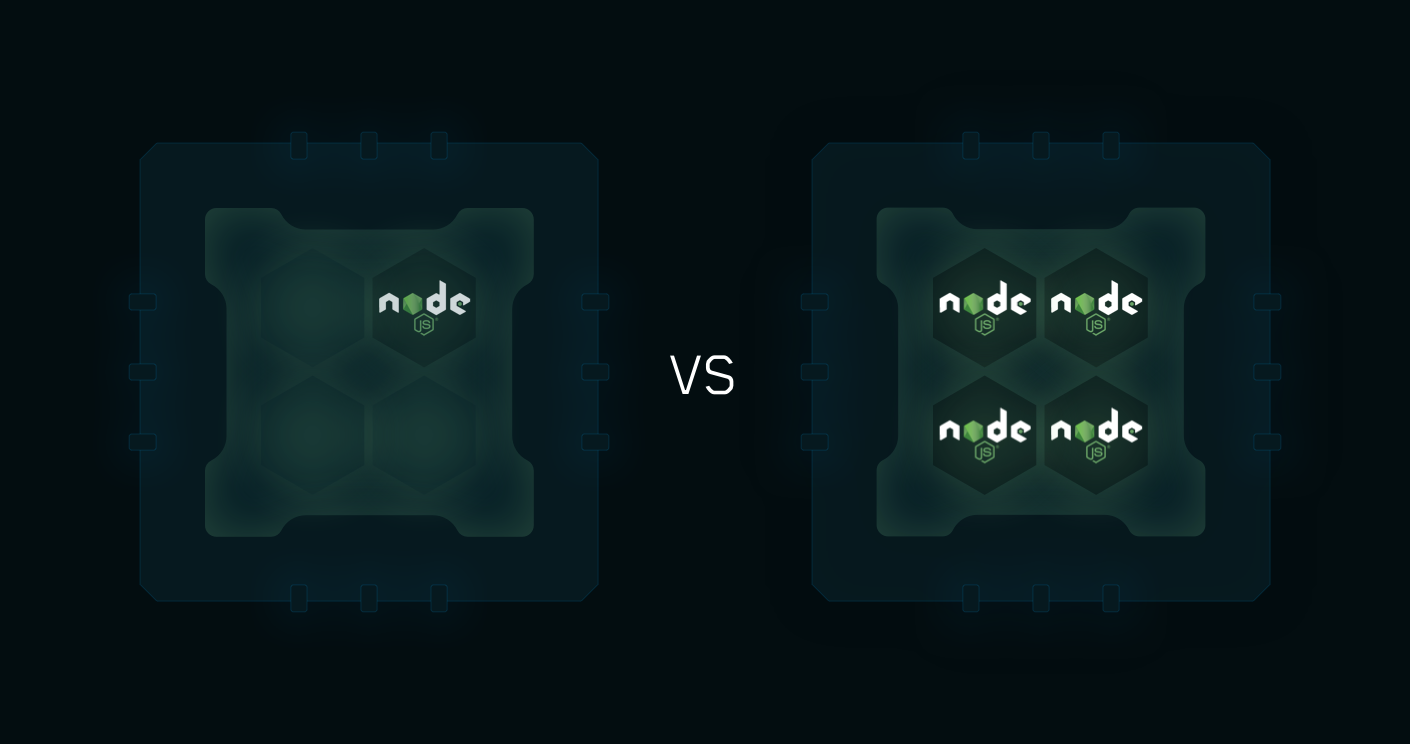
Starting a Node.js application in cluster mode that will leverage all CPUs available:
$ pm2 start api.js -i <processes>
<processes> can be 'max', -1 (all cpu minus 1) or a specified number of instances to start.
Zero Downtime Reload
Hot Reload allows to update an application without any downtime:
$ pm2 reload all
More informations about how PM2 make clustering easy
Container Support
With the drop-in replacement command for node, called pm2-runtime, run your Node.js application in a hardened production environment.
Using it is seamless:
RUN npm install pm2 -g
CMD [ "pm2-runtime", "npm", "--", "start" ]
Read More about the dedicated integration
Host monitoring speedbar
PM2 allows to monitor your host/server vitals with a monitoring speedbar.
To enable host monitoring:
$ pm2 set pm2:sysmonit true
$ pm2 update

Terminal Based Monitoring

Monitor all processes launched straight from the command line:
$ pm2 monit
Log Management
To consult logs just type the command:
$ pm2 logs
Standard, Raw, JSON and formated output are available.
Examples:
$ pm2 logs APP-NAME       # Display APP-NAME logs
$ pm2 logs --json         # JSON output
$ pm2 logs --format       # Formated output

$ pm2 flush               # Flush all logs
$ pm2 reloadLogs          # Reload all logs
To enable log rotation install the following module
$ pm2 install pm2-logrotate
Startup Scripts Generation
PM2 can generate and configure a Startup Script to keep PM2 and your processes alive at every server restart.
Init Systems Supported: systemd, upstart, launchd, rc.d
# Generate Startup Script
$ pm2 startup

# Freeze your process list across server restart
$ pm2 save

# Remove Startup Script
$ pm2 unstartup
More about Startup Scripts Generation
Updating PM2
# Install latest PM2 version
$ npm install pm2@latest -g
# Save process list, exit old PM2 & restore all processes
$ pm2 update
PM2 updates are seamless
PM2+ Monitoring
If you manage your apps with PM2, PM2+ makes it easy to monitor and manage apps across servers.
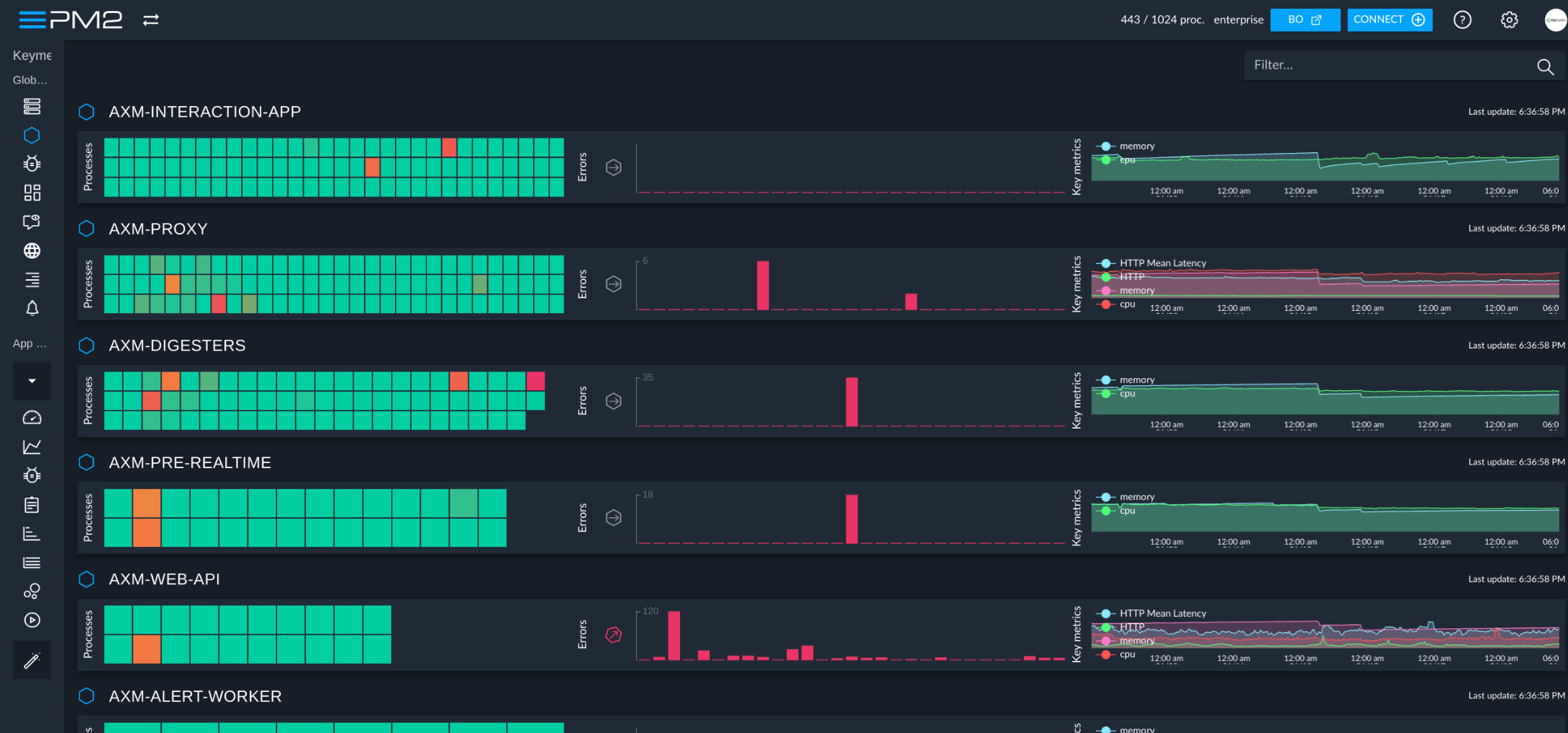
Feel free to try it:
Discover the monitoring dashboard for PM2
Thanks in advance and we hope that you like PM2!
CHANGELOG
Contributors
License
PM2 is made available under the terms of the GNU Affero General Public License 3.0 (AGPL 3.0). For other licenses contact us.