幽灵光标
生成像人一样现实的鼠标在坐标之间移动数据, 或者在带有傀儡的元素之间导航 就像你绝对不是机器人.
是吗? 机器人可以吗 这个?
基于 幽灵诅咒 软件包
安装
yarn add @aw1875/ghost-cursor
或带 npm
npm install @aw1875/ghost-cursor
使用量
生成2个坐标与相关时间戳之间的运动数据.
import { path } from "@aw1875/ghost-cursor";

const from = { x: 100, y: 100 };
const to = { x: 600, y: 700 };

const route = path(from, to);

/**
 * [
 *   { x: 100, y: 100, timestamp: 1640158937890 },
 *   { x: 126.70079722115054, y: 106.31184259284494, timestamp: 1640158939620 },
 *   { x: 151.74738386288035, y: 112.34993715686089, timestamp: 1640158939565 },
 *   { x: 175.33112687647585, y: 118.45478710608484, timestamp: 1640158939763 },
 *   { x: 197.6433932132232, y: 124.96689585455373, timestamp: 1640158939408 },
 *   ... and so on
 * ]
 */
使用傀儡:
import { createCursor } from "@aw1875/ghost-cursor";
import puppeteer from "puppeteer";

const run = async (url) => {
  const selector = "#sign-up button";
  const browser = await puppeteer.launch({ headless: false });
  const page = browser.newPage();
  const cursor = createCursor(page);
  await page.goto(url);
  await page.waitForSelector(selector);
  await cursor.click(selector);
  // shorthand for
  // await cursor.move(selector)
  // await cursor.click()
};
傀儡人特有的行为
cursor.move()将自动过度射击或略为错过,并重新适应距离太远的元素 从光标的起点.- 移动对象时,将选择元素内的随机坐标,而不是 徘徊在元素的正中央.
- 鼠标的速度将考虑您点击的元素的距离和大小.

窗体上的幽灵光标
怎么会这样
贝塞尔曲线几乎是这里所有的工作. 它们让我们创造出无限的曲线 在任何两点之间 他们看起来很像人类 (至少比Perlin或simplex噪声等替代品更为重要)
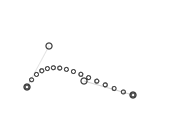
魔法来源于能够为曲线通过设定多点. 这是通过采摘完成的 2在曲线上和下的一个有限区域随机坐标.
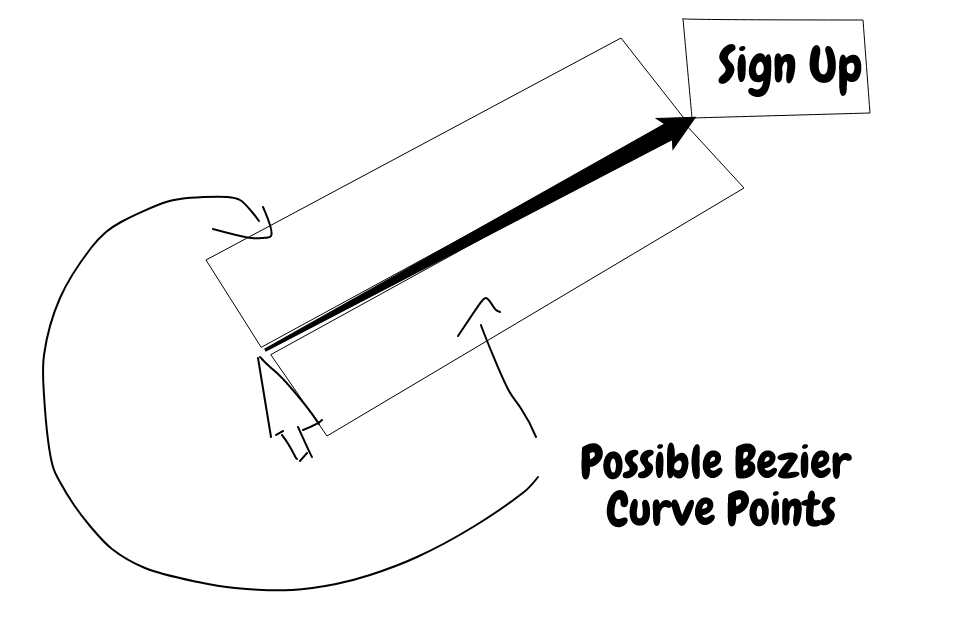
但是,我们不想在使用这种方法时 出现奇特的立方曲线,因为没有人真的会移动鼠标 这样,所以在产生随机分数时,只取出一行的一面.
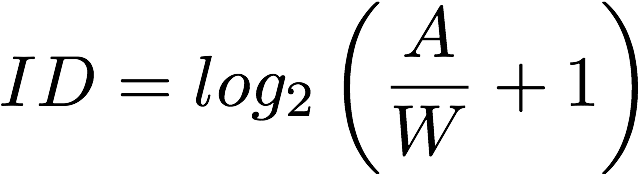 当计算鼠标移动的速度时,我们使用 菲茨法则
以决定我们应该返回的点数相对于被点击元素的宽度和距离
在鼠标和对象之间.