
@axonpack/expo-devtools
Browser-style devtools that live inside your React Native or Expo app.
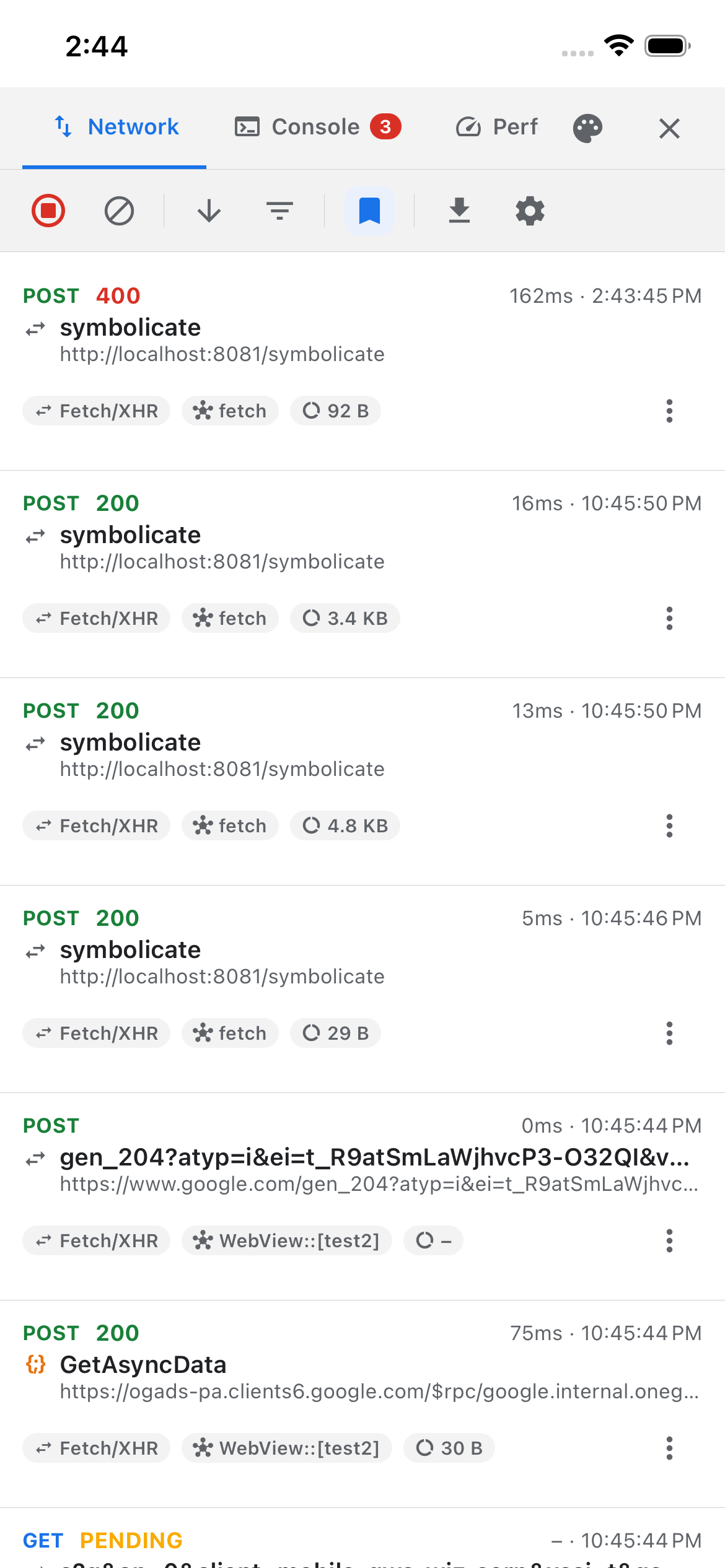
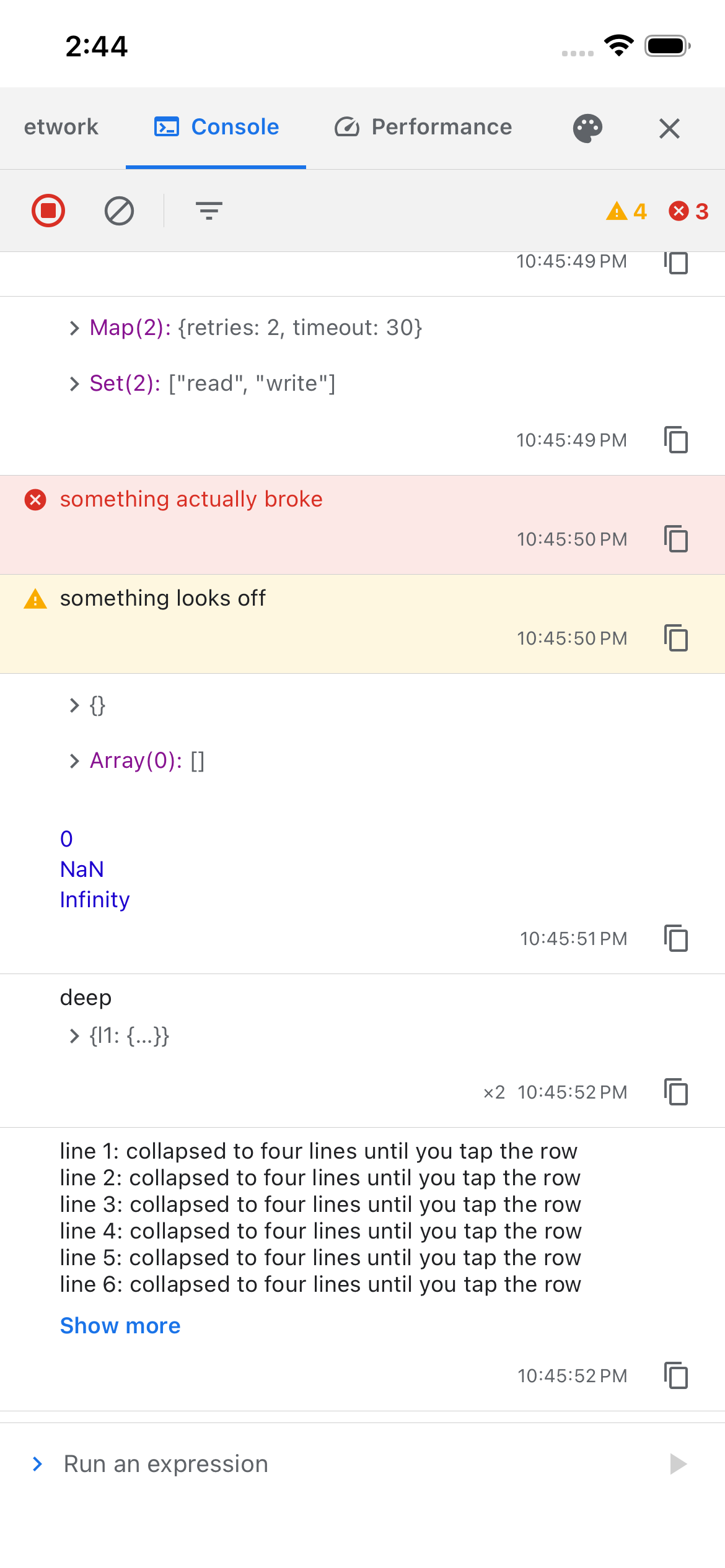
Tap a floating button for eleven tabs on the device itself: Network (every request, resendable, with throttling), Console (every log, plus a prompt that answers), Performance (frame rate, memory, the moments the app froze), Storage (every key you've saved), Query, Navigation, Redux, Preview, Crashes, CLI and Debug. No desktop debugger, no cable, and nothing captured unless you switch it on.
Documentation · Quick start · Reference · Upgrading · Changelog



 |
 |
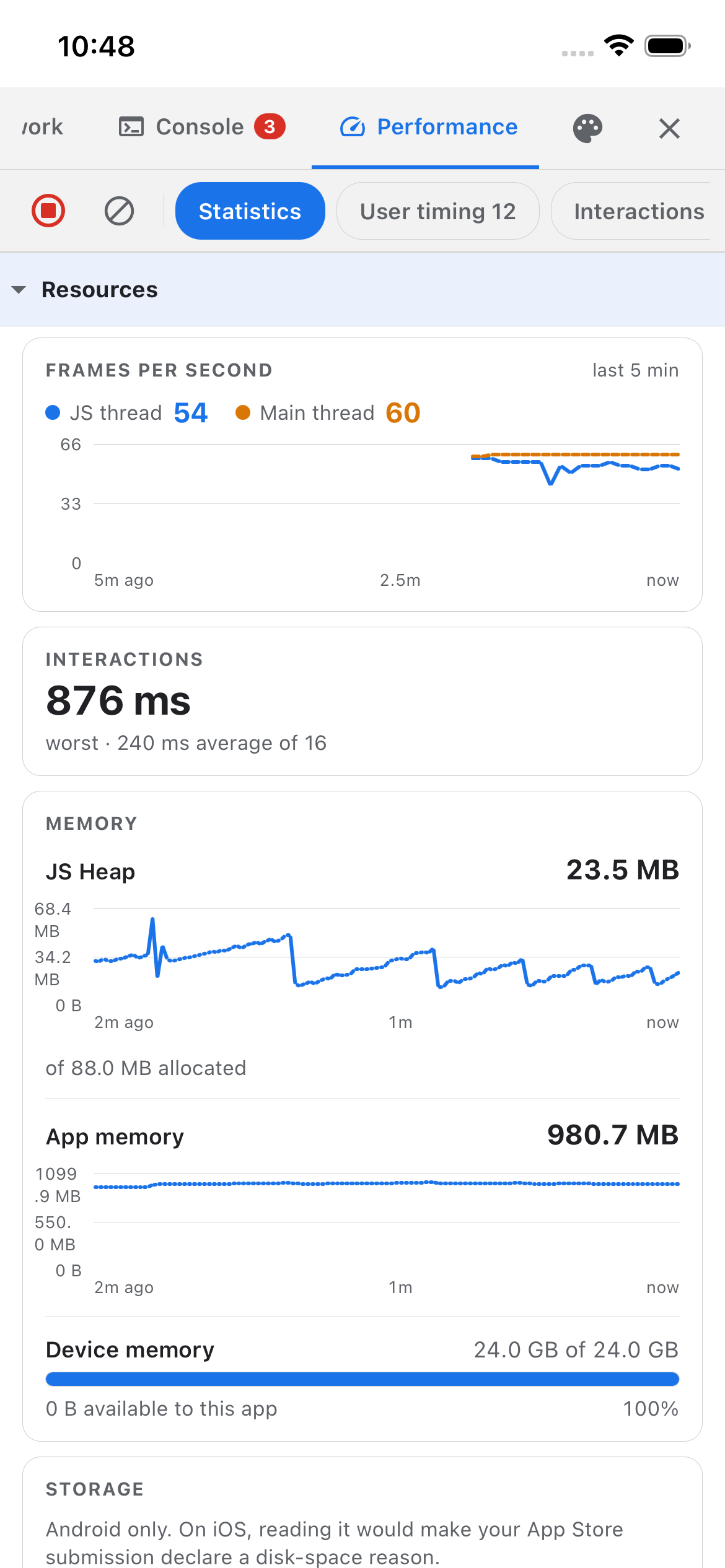 |
| Every request as it happens, in-app browser traffic included. | Every log, with objects you can open up and explore. | Frame rate, memory and startup, measured on the device. |
Installation
npx expo install @axonpack/expo-devtools react-native-safe-area-context react-native-webview expo-clipboard
Those three are peer dependencies, so each resolves to the version your Expo SDK ships.
Setup
Wrap your app once, at the root. That is the whole setup: no config plugin, no app.json changes, no
native code to write.
import { DevtoolsProvider } from '@axonpack/expo-devtools';

export default function App() {
  return (
    <DevtoolsProvider config={{ enabled: __DEV__ }}>
      <YourApp />
    </DevtoolsProvider>
  );
}
enabled is the only gate. With it off nothing is patched, nothing is recorded and no button is
drawn, so the mount is safe to leave in a release build.
For the Network tab on your computer too, in its own tab in React Native DevTools, add one line to
metro.config.js:
const { getDefaultConfig } = require('expo/metro-config');
const { withDevtools } = require('@axonpack/expo-devtools/metro');

module.exports = withDevtools(getDefaultConfig(__dirname));
Two things need a little more than that: an in-app browser takes the useDevtoolsWebView hook, and
the Storage tab shows nothing until you register your stores in config.storage.adapters, because
this package depends on no storage library and cannot discover one.
Supports connect the devtools to other packages. Each has its own entry point,
@axonpack/expo-devtools/support/<name>/v<major>, never the main entry. Once you pass one in
supports, it adds a tab, a topic in the devtools command line tool, and a useSupport() hook
that returns the package's state. <major> is the major version of the package it supports. The
first is preview, for @axonpack/preview 0.x:
import PreviewV0Support from '@axonpack/expo-devtools/support/preview/v0';

<DevtoolsProvider config={{ enabled: __DEV__, supports: [PreviewV0Support.configure(previewConfig)] }}>
A support whose package isn't installed, or is on another major, logs what to do and shows it in its tab, and never crashes the app. See Supports.
For AI agents
An AI agent, or you, can read what the devtools recorded from a terminal: requests with their bodies,
logs, crashes, stored values and every other tab, filtered down to the rows it needs. It can also mock
or block a URL, send a request from inside the app, call a function you handed to the Console tab's
> prompt in console.context, and, with the preview support, switch, download, update or delete a
preview.
npx devtools network --where state=error --since 10m
npx devtools context call store.dispatch '{"type":"cart/clear"}' --yes
It works with any package manager, needs Node 22 or newer and expo start, and keeps every redaction
you configured, console.redactKeys and console.redact for what it reads through context included. The CLI tab lists each query and action, and the reply it got.
Use with AI agents has every command, and a
snippet to paste into your AGENTS.md or CLAUDE.md. The axonpack
agent skill has your agent learn the whole tool from the docs:
npx skills add axonpack/skills.
Documentation
Everything else is on the docs site.
| Page | What is on it |
|---|---|
| Quick start | Setup for Expo Router or your own entry point, and the launcher button |
| Guides | One page per tab, each ending in what it cannot measure and why |
| Use with AI agents | Reading the devtools from a terminal, and a snippet for your agent |
| In-app browsers | Capturing a <WebView />'s requests and logs |
| React Native DevTools | The Network tab on your computer, with the sandbox and code snippets |
| Leaving it in production | What enabled: false does, and what still runs |
| Reference | Every control, every config option, every exported type |
| Upgrading | What moved where in 3.0, coming from 2.x |
| Changelog | Every published release, also in CHANGELOG.md |
The same reference ships inside this package as REFERENCE.md, for reading offline.
Example app
example/ is a runnable Expo app with one screen per tab, each a wall of buttons that produces real
traffic, logs, stalls and crashes to look at. It doubles as a worked configuration: a custom theme, a
REPL context, all four storage adapters against real AsyncStorage, MMKV, SecureStore and an
in-memory Map, and @axonpack/preview set up through its support.
cd example
bun run start   # Expo Go / dev client
bun run ios     # or: bun run android (full native build)
What's built, and what isn't
See the feature list for what's built, what the platform genuinely can't do (and why this doesn't fake it), and what's still on the table.