Retrieviewer
A little company for your screen.
Meet your retriever · 한국어 · npm · Feedback
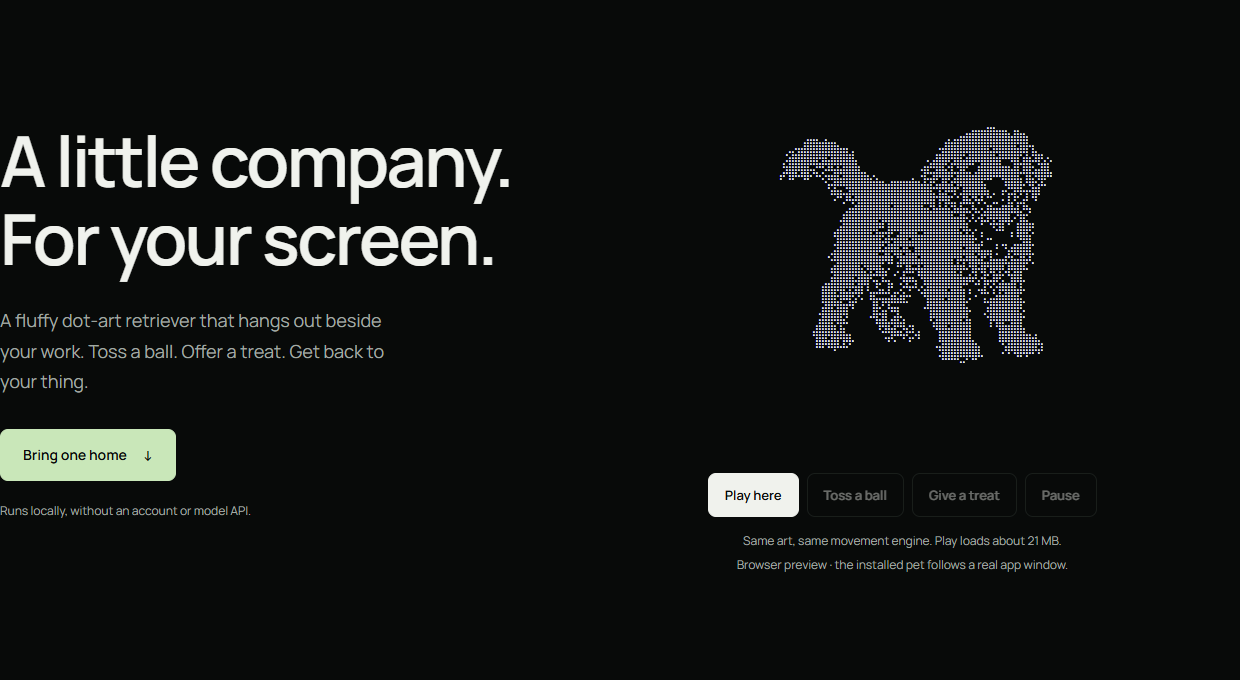
A fluffy, autonomous Braille-art retriever that hangs out above an app window. It wanders, runs, flops belly-up and naps. Occasionally it chases a butterfly. Toss a ball, offer a treat or play tug. Get back to your thing.
Made by BiteFoundry. No model API, account or telemetry is needed by the runtime.
Bring one home
Install on the computer displaying the app, in a terminal. Node.js is required; install Node/npm first if you do not have them.
-
Install (or update):
npm install -g @bitefoundry/retrieviewer@latest -
Run, then choose an app in the window picker:
retrieviewer desktop
Next time, just run retrieviewer desktop. This is a separate transparent,
click-through native overlay—not a patched app, shell wrapper or injected MCP
widget. It follows a whole app window, not a tab, and hides when that window is
inactive or minimized. No automatic startup entry is installed.
Choose the dot color at launch: retrieviewer desktop --ink gold, or
retrieviewer desktop --ink dark for light backgrounds. Default: cream.
Quit a running companion first. Colors reuse the same artwork.
Choose a return with --return-style auto|brake|trot|run-trot.
auto mixes the original braking return, a trot and run-then-trot, without
adjacent repeats. For example, retrieviewer desktop --return-style brake keeps
the original return. Quit and relaunch to change the desktop choice; an existing
companion is not restarted for you. Embedders can use createPet({returnStyle:'auto'})
and pet.setReturnStyle('brake'); changes apply to the next throw, not mid-fetch.
Cursor / VS Code Remote SSH: run those commands in your local computer's terminal, not the remote server's terminal. The puppy belongs where the window is displayed. A server's
DISPLAY=:1refers to that server's X11 display, which you may be viewing through VNC; it is not automatically your local Cursor window.
Try once with npx / command not found / Node is missing
With Node/npm installed, try without a global installation:
npx --yes --package @bitefoundry/retrieviewer@latest retrieviewer desktop
npx does not permanently add retrieviewer to PATH. Use the global install
above for future short commands. If that still says command not found, see
PATH fixes for bash, csh/tcsh and Windows.
Do not use sudo npm install -g as a blanket workaround.
Where it can live
| Desktop | Status / requirements |
|---|---|
| Windows 10/11 x64 | Live tested. Node20+; bundled native engine for basic mode. Optional watching uses the .NET compatibility helper. |
| Linux X11 | AlmaLinux 8 / GLIBC 2.28 / Python 3.6.8 / Node 22.23.4 tested in an isolated composited X11 desktop. Requires system Python 3.6+, X11/Xrender/Xext and a compositor. |
| macOS | Experimental; no Mac runtime verification yet. Uses built-in osascript/AppKit. |
| Native Wayland / headless SSH | Not supported by the desktop overlay. No session/privacy workaround is installed. |
Linux currently favors lower load: 16px cells / 15fps versus the Windows default 8px cells / 30fps, so its dots look coarser. The Q5 artwork is identical. The 0.0.21 npm tarball is 21.42 MB (20.43 MiB). See memory measurements and platform details and verification boundaries.
Easy to leave, too
Quit through the controls, or run retrieviewer desktop-stop.
To remove the companion's own cache and the package:
retrieviewer desktop-remove --yes
npm uninstall -g @bitefoundry/retrieviewer
The desktop companion does not edit agent credentials, app binaries or shell profiles. Optional OpenCode registration is separate; disconnect that registration before uninstalling if you explicitly enabled it.
Put it inside your own TUI
The core is host-driven. Your app owns the pane, input and clock; the puppy does not take over stdin/stdout.
import { createPetPlugin } from '@bitefoundry/retrieviewer/plugin';

const puppy = await createPetPlugin({
  host: {
    getSize: () => ({ columns: pane.width, rows: pane.height }),
    render: ({ text }) => pane.setContent(text),
    onError: error => logToYourApp(error),
  },
});
puppy.start();
// puppy.interact('ball') / puppy.interact('treat') / puppy.interact('tug')
// On unmount: puppy.dispose()
pane and logToYourApp come from your app.
Plugin lifecycle · Core / JSONL bridge ·
Optional OpenCode adapter.
The native OpenCode pane has Windows/OpenCode 2.1.2 host evidence; Codex, Claude,
Cursor, Grok and Antigravity in-terminal renderers are not implemented.
An MCP connection alone cannot insert a persistent picture into those clients.
Optional StackBite alerts
StackBite alerts are opt-in and read current Room metadata without capturing screens, operating other apps or approving requests automatically. An optional paid DeepSeek/OpenRouter backend can judge anonymous event metadata; offline rules remain the default and preserve confirmed pending alerts.
Alerts arrive without waiting for the model. On Windows, the Seat name and pending kind appear locally; names never enter model input. The puppy approaches, looks toward the sidebar and alternates a gentle seated paw with a standing two-paw glass scrabble. Both gestures are playable in the website demo. Windows watching also supports npm's PowerShell launcher. Completed-work checkmarks are not alert events yet.
After updating, run inside a live StackBite Seat on the display computer:
retrieviewer desktop --watch stackbite --brain openrouter
The paid backend requires OPENROUTER_API_KEY in that terminal's environment.
Omit --brain openrouter for rule-only alerts. Quit an existing companion first
with retrieviewer desktop-stop. These installed commands work from any folder;
node retrieviewer-cli.mjs is for developers running in the source checkout.
Build, contribute, be kind
npm ci
npm test
npm run build:site
npm start
The public tree contains the shipped runtime, Q5 art, focused runtime/adapter tests and reproducible site build. Historical art experiments, original reference photos and private worker/QA logs are intentionally absent. See contributing and source scope. Compatibility reports are welcome—especially real Mac testing and X11 desktops.
Code and coat have different licenses
Code: MIT. Artwork: CC BY-SA 4.0. Commercial reuse is permitted under the respective terms. Keep artwork credits and ShareAlike conditions when applicable; the complete package is not MIT-only.
Code license · Artwork terms · Required credits · Third-party notices · Brand notice.
The puppy artwork was developed with AI-generated imagery and programmatic pose, grounding and frame processing.
0.0.27
The cat slows down on the wheel without jumping back into a faster gait. A visible ball waits at its reach, rolls when swatted and stays after play. Choose Toy in the cat's Windows controls, or try it in the web demo. Existing artwork and the two-frame cache are preserved.
0.0.26
Fixed stray artwork during tug and gaps between the legs during the return approach. Existing poses and the two-frame cache are preserved.
0.0.25
The ball stays connected as the puppy picks it up, carries it and puts it down. Rear-body occlusion preserves the object, and the floor ball stays visible after the fetch and during feeding. Artwork and frame caches are unchanged.
0.0.24
The cat can revisit the wheel or tower after a treat. Passive alerts wait for feeding or direct play to finish. The Node desktop adapter bounds stalled time so a delayed frame does not close the cat. Artwork and caches stay the same.
0.0.23
The cat starts the wheel on supported paws, builds into a gallop, then walks it down. Curved tread contacts keep its paws inside the rim. Tower ascents plant the front paws before bringing up the hindquarters; the descent stays intact. Twelve drawings are added, preserving the previous 77 and the two-frame cache.
0.0.22
Dog turns now connect through grounded whole-body steps, with aligned paws and carried-ball anchors. The desktop controls fold into a Menu button. The dog preview pauses outside the viewport and resumes when visible.
0.0.21
Cat turns now connect through standing poses before walking or pouncing. Jump breakdowns and small sleep-fur/ear changes add motion without enlarging the two-frame cache. A stray duplicate cat in one drawing is removed. Dog departure and return turns share standing endpoints, with the carried ball attached to the visible muzzle. Code remains MIT; both pets’ artwork is CC BY-SA4.0.
0.0.20
Fixes Windows flicker introduced by the split-window painter. The whole scene updates through one stable transparent window again; buffer shrinking and hidden-state cleanup remain. Artwork and behavior are unchanged. See presentation fix and measurements.
0.0.19 (historical; superseded by flicker fix)
Windows basic mode now splits distant content into small paint regions and reclaims oversized/hidden surfaces. Same pets, artwork and behavior. In real4K 150s tests: dog median22.6MiB / OS peak36.5MiB; cat with tower/wheel29.5 /39.1MiB. Optional watching and other OS/browser hosts keep their separate memory scope. See measurements and verification.
0.0.18
Windows x64 basic mode now runs one native process; Node exits after launch.
The existing artwork and behavior stay the same. Use retrieviewer desktop --pet cat
for the ginger cat, or select it in the window picker. Only one pet is loaded.
Optional StackBite/LLM watching retains the higher-memory Node compatibility
engine. Linux/macOS and browser previews retain their existing host architecture.
Both species use indexed crops for local loading.
See runtime scope and measurements.