@capgo/capacitor-date-picker
Show the native date and time picker from your Capacitor app on iOS and Android, with a web fallback. Pick dates, times, year and month, or a date range with one call.

Capgo: push fixes to your Capacitor users in minutes, build signed iOS and Android apps without a Mac, and roll back in one click.
➡️ Get started for free
14-day unlimited free trial. No credit card required
🤖 Building with an AI coding agent? Install Capgo skills so Claude Code, Codex, Cursor, Copilot, or Gemini CLI know how to install and use
@capgo/capacitor-date-pickerin your Capacitor app:npx skills add Cap-go/capgo-skills. Then ask your agent: "Add @capgo/capacitor-date-picker to my Capacitor app and wire it up." Agent setup guides · Hosted MCP
Key features
- Picker modes:
date,time,dateAndTime,countDownTimer,yearAndMonth(iOS and web) andrange. - Range picking:
presentRange()returns a start and end date. - Customization:
locale, light or darktheme, andminuteStepfor time pickers. - Control:
present()opens the picker andhide()closes it. - Platforms: iOS, Android and Web. Native pickers on iOS and Android, browser fallback on web.
Native date, time, date-time, year-month, and range picker for Capacitor 8 on iOS, Android, and web.
This is Capgo's maintained alternative to @capacitor-community/date-picker. The main difference is maintenance speed: we listen to community reports, fix issues fast, and ship updates instead of leaving long-standing GitHub issues open.
What We Fixed
- Capacitor 8 support.
- Web implementation with the same
present()API. - Programmatic
hide(). - Dialog title support.
- iOS rotation-safe layout.
- iOS locale handling for inline day/month labels.
- iOS
yearAndMonthmode. - No iOS force unwrap crash on invalid dates.
- ISO, Java/Unicode, and common Moment-style formats such as
YYYY-MM-DD. - Date-only timezone handling without one-day shifts.
- iOS
minandmaxparsing with ISO strings. - Android nested
androidoptions. - Android
is24h. - Android dateAndTime keeps the chosen date when moving to time.
- Android dialog width/layout handling.
- Android UI-thread dialog handling so native dialogs open reliably from Capacitor calls.
- Minute steps for time pickers.
- Range selection via
presentRange().
Demo
| iOS | Android |
|---|---|
|  |
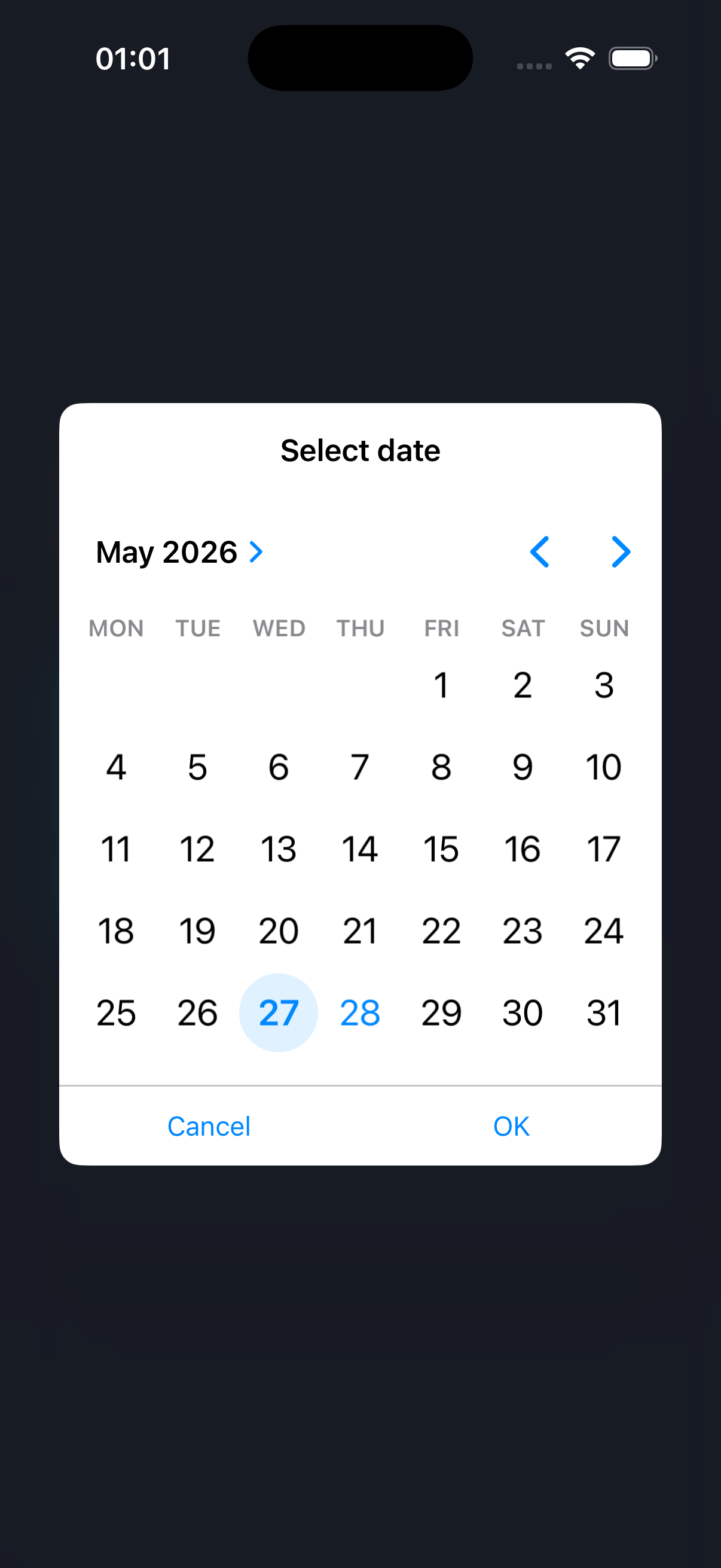
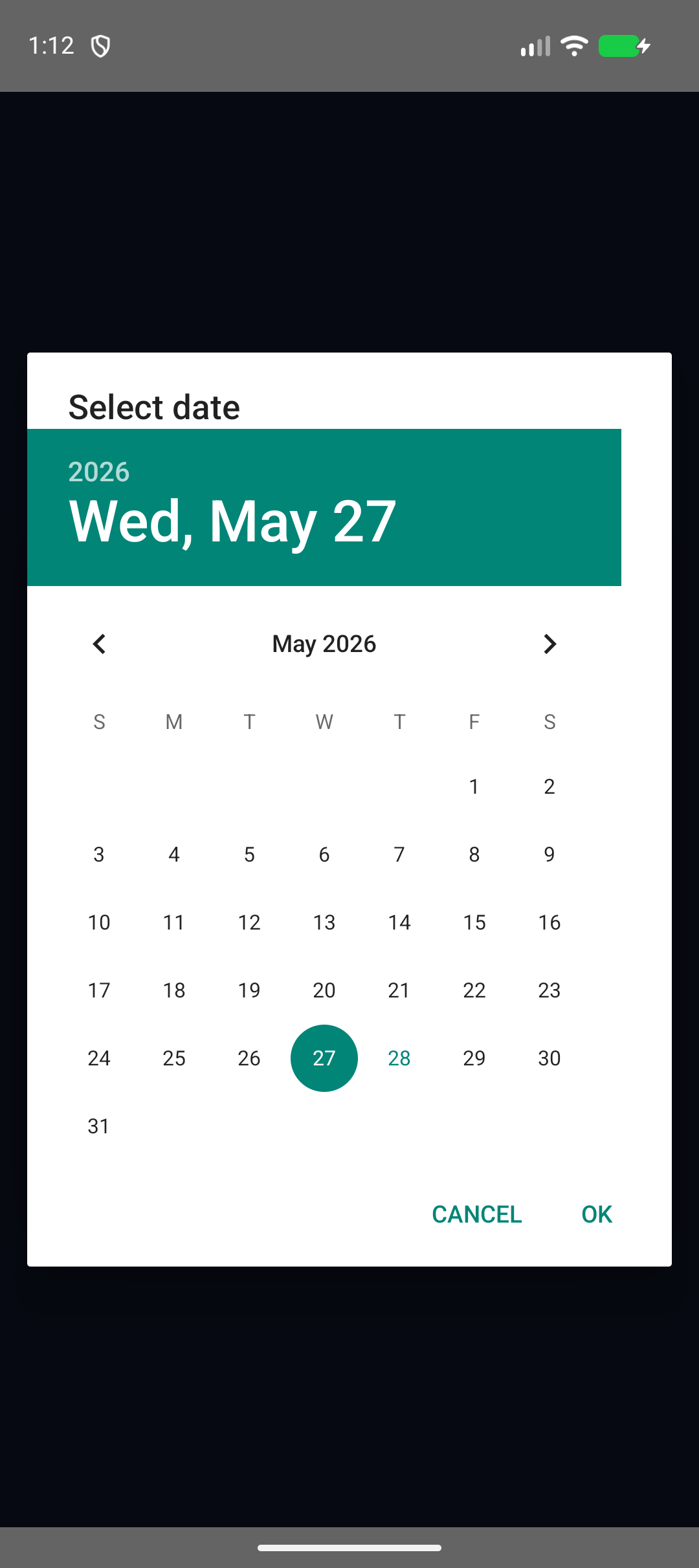
Screenshots
| iOS | Android |
|---|---|
 |  |
Install
You can use our AI-Assisted Setup to install the plugin. Add the Capgo skills to your AI tool using the following command:
npx skills add https://github.com/cap-go/capacitor-skills --skill capacitor-plugins
Then use the following prompt:
Use the `capacitor-plugins` skill from `cap-go/capacitor-skills` to install the `@capgo/capacitor-date-picker` plugin in my project.
If you prefer Manual Setup, install the plugin by running the following commands and follow the platform-specific instructions below:
npm install @capgo/capacitor-date-picker
npx cap sync
Usage
import { DatePicker } from '@capgo/capacitor-date-picker';

const result = await DatePicker.present({
  mode: 'date',
  date: '2026-05-27',
  min: '2026-01-01',
  max: '2026-12-31',
  format: 'yyyy-MM-dd',
  title: 'Select a date',
});

console.log(result.value);
const time = await DatePicker.present({
  mode: 'time',
  is24h: true,
  minuteStep: 15,
  format: 'HH:mm',
});
const range = await DatePicker.presentRange({
  start: '2026-05-01',
  end: '2026-05-27',
  format: 'yyyy-MM-dd',
  startTitle: 'Start date',
  endTitle: 'End date',
});

console.log(range.start, range.end);
Platform Notes
- iOS uses
UIDatePickerwith Auto Layout so the picker survives screen rotation. - Android uses platform
DatePickerDialogandTimePickerDialog; range selection is two native date selections. - Web uses native browser inputs in a small modal wrapper.
minuteStepis rounded to a platform-supported interval on iOS.
API
present(...)
present(options?: DatePickerOptions | undefined) => Promise<DatePickerResult>
Present the date picker.
| Param | Type |
|---|---|
options | DatePickerOptions |
Returns: Promise<DatePickerResult>
presentRange(...)
presentRange(options?: DatePickerRangeOptions | undefined) => Promise<DatePickerRangeResult>
Present a range picker. Native platforms use two native date selections; web shows start and end controls in one dialog.
| Param | Type |
|---|---|
options | DatePickerRangeOptions |
Returns: Promise<DatePickerRangeResult>
hide()
hide() => Promise<void>
Close the currently visible picker, if any.
getPluginVersion()
getPluginVersion() => Promise<PluginVersionResult>
Returns the platform implementation version marker.
Returns: Promise<PluginVersionResult>
Interfaces
DatePickerResult
| Prop | Type | Description |
|---|---|---|
value | string | null | Formatted value. Null means the picker was dismissed. |
DatePickerOptions
| Prop | Type | Description |
|---|---|---|
min | string | Minimum selectable value. |
max | string | Maximum selectable value. |
date | string | Initial selected value. |
ios | DatePickerIosOptions | Platform-specific iOS options override top-level options. |
android | DatePickerAndroidOptions | Platform-specific Android options override top-level options. |
DatePickerIosOptions
| Prop | Type | Description | Default |
|---|---|---|---|
style | DatePickerIosStyle | iOS picker style. | "inline" |
titleFontColor | string | ||
titleBgColor | string | ||
bgColor | string | ||
fontColor | string | Picker text color on iOS. Uses private textColor KVC when supported; otherwise falls back to tintColor (accent only, not guaranteed wheel label text). | |
buttonBgColor | string | ||
buttonFontColor | string | ||
mergedDateAndTime | boolean | Show date and time in one UIDatePicker when possible. |
DatePickerAndroidOptions
| Prop | Type | Description |
|---|---|---|
theme | DatePickerTheme | Android dialog theme resource name or built-in theme key. |
DatePickerRangeResult
| Prop | Type | Description |
|---|---|---|
start | string | null | Formatted start value. Null means the picker was dismissed. |
end | string | null | Formatted end value. Null means the picker was dismissed. |
value | string | null | Convenience "start/end" value when both dates are selected. |
DatePickerRangeOptions
| Prop | Type | Description |
|---|---|---|
start | string | Initial range start value. |
end | string | Initial range end value. |
startTitle | string | Title used while choosing the start date. |
endTitle | string | Title used while choosing the end date. |
PluginVersionResult
| Prop | Type |
|---|---|
version | string |
Type Aliases
DatePickerIosStyle
'wheels' | 'inline' | 'compact' | 'automatic'
DatePickerTheme
'light' | 'dark' | string