Delimiter block tool for Editor.js
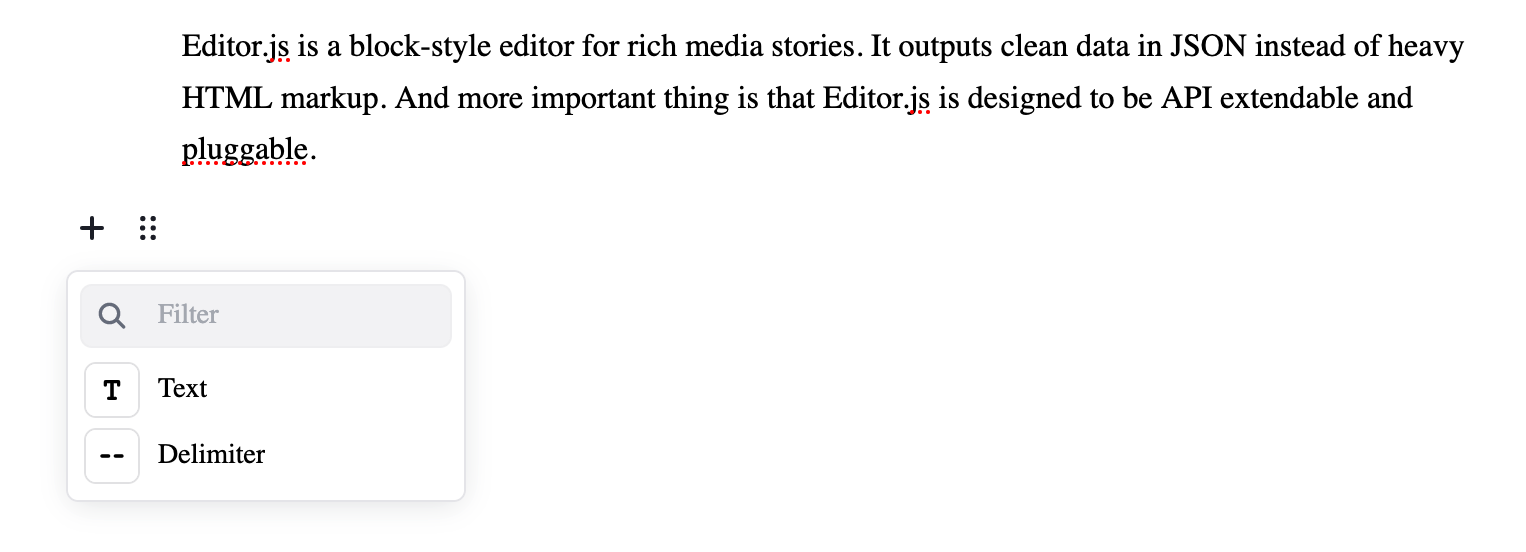
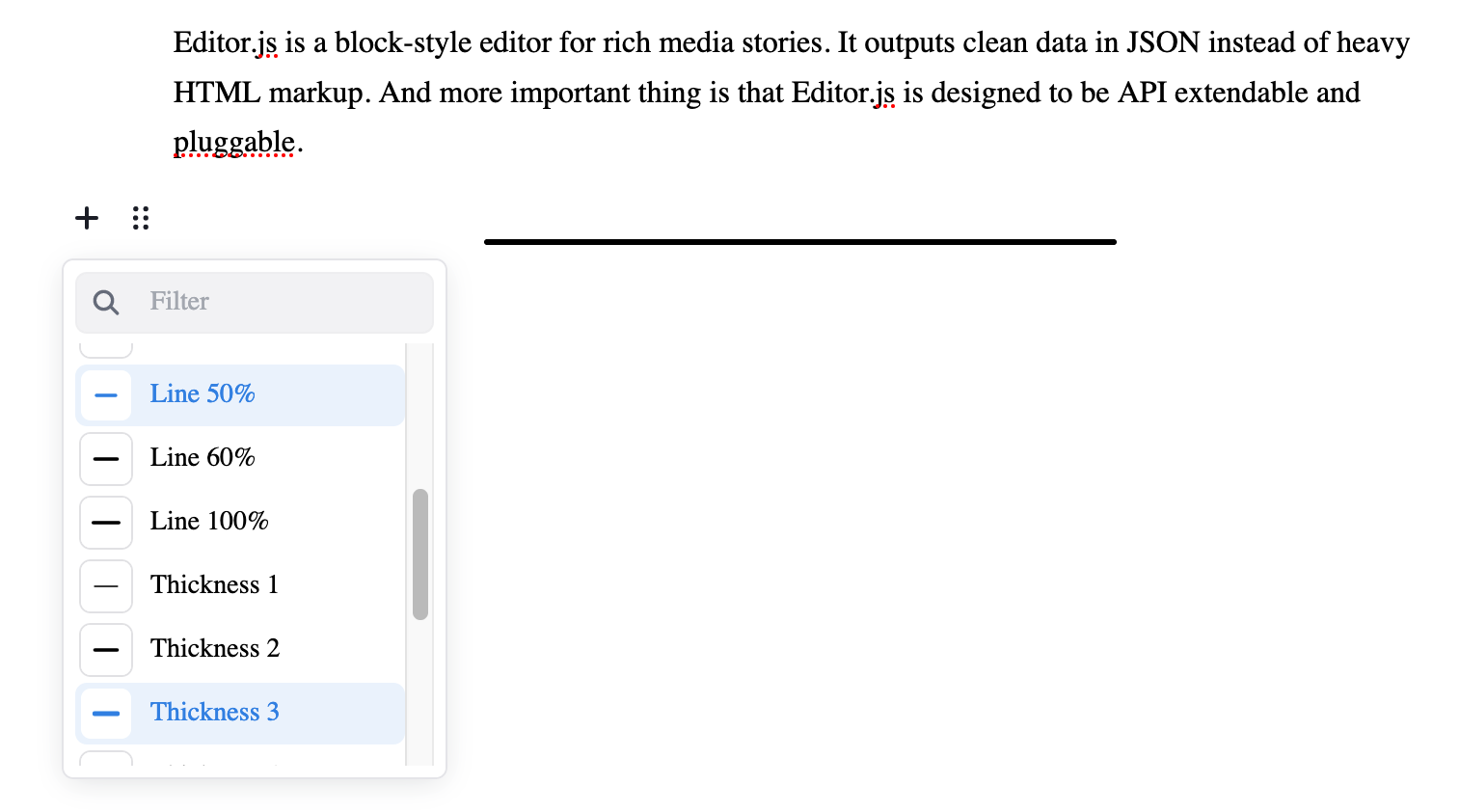
This Editor.js block tool extends @editorjs/delimiter to include more styles - dash and line. For line style, more options are also available under block settings menu (see Preview).
Preview
Block Tool
Block Settings
Installation
Using npm
npm install @coolbytes/editorjs-delimiter
Using yarn
yarn add @coolbytes/editorjs-delimiter
Usage
Include it in the tools property of Editor.js config:
const editor = new EditorJS({
  tools: {
    delimiter: Delimiter
  }
});
Config Params
| Field | Type | Optional | Default | Description |
|---|---|---|---|---|
| styleOptions | string[] | Yes | ['star', 'dash', 'line'] | All supported delimiter styles |
| defaultStyle | string | Yes | 'star' | Preferred delimiter style |
| lineWidthOptions | number[] | Yes | [8, 15, 25, 35, 50, 60, 100] | All supported line width options (%). Applicable for 'line' style only |
| defaultLineWidth | number | Yes | 25 | Preferred line width. Applicable for 'line' style only |
| lineThicknessOptions | number[] | Yes | [1, 2, 3, 4, 5, 6] | All supported line thickness options. Applicable for 'line' style only |
| defaultLineThickness | number | Yes | 2 | Preferred line thickness. Applicable for 'line' style only |
const editor = EditorJS({
  tools: {
    delimiter: {
      class: Delimiter,
      config: {
        styleOptions: ['star', 'dash', 'line'],
        defaultStyle: 'star',
        lineWidthOptions: [8, 15, 25, 35, 50, 60, 100],
        defaultLineWidth: 25,
        lineThicknessOptions: [1, 2, 3, 4, 5, 6],
        defaultLineThickness: 2,
      }
    }
  }
});
Output data
| Field | Type | Availability | Description |
|---|---|---|---|
| style | string | All Styles | Delimiter Style |
| lineWidth | number | line | Width of line style delimiter |
| lineThickness | number | line | Thickness of line style delimiter |
Example:
{
  "time": 1715969561758,
  "blocks": [
    {
      "id": "_K5QcJHHuK",
      "type": "delimiter",
      "data": {
        "style": "line",
        "lineWidth": 25,
        "lineThickness": 2
      }
    }
  ],
  "version": "2.29.1"
}