循环测试
Cyborg 测试是 剧作家 扩展让您在同一测试中将自动检查和人输入结合起来.
当手动步骤被击中时,会出现一个单独的窗口,显示需要执行的步骤描述,因此测试者可以将其标记为通过或失败.

手动步骤演示
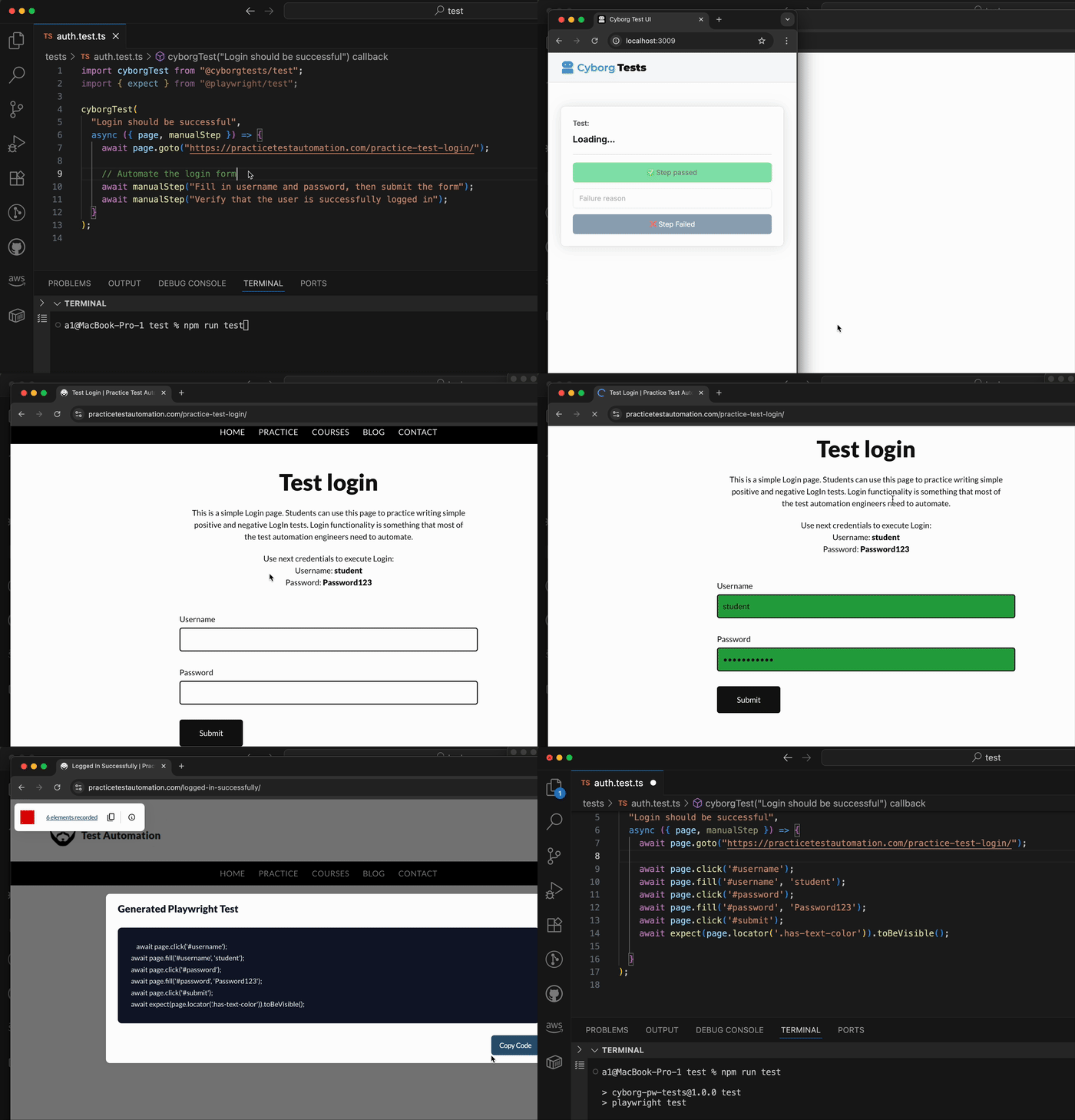
测试构建器Demo
德莫语
请参看关于 Cyborg 测试如何将手动步骤转化为精简的 Playwright 测试的完整教程 :

请参看Cyborg Test如何将手动步骤转化为精简的Playwright测试: YouTube - 介绍 Cyborg Tests - 停止部分可自动测试的摔跤!
* 安装
npm install @cyborgtests/test
此库预计 @playwright/test 可以在您的项目中作为对等依赖.
使用量
import test from '@cyborgtests/test';

// Regular Playwright test syntax with additional `manualStep` helper
// that pauses execution until the tester confirms the step.
test('example with manual step', async ({ page, manualStep }) => {
  await page.goto('https://example.com');

  await manualStep('Verify the login screen is displayed correctly');

  // continue with the rest of your automated script
});
何时 manualStep 它被称为测试暂停,而 Cyborg 测试 UI 窗口则出现。 使用 ✅ Step passed 或者说 ❌ Step failed 按钮以恢复测试。 失步会掉出一个错误 让你的线人能发现它.
QQ 手动步骤软失败
你用得着 manualStep.soft 将手动步骤标记为软故障。 如果一个软的手动步骤失败,测试会继续运行,失败会被附加说明为报告中软的失败(警告).
用法 :
await manualStep('This is a hard manual step'); // Test fails if this step fails
await manualStep.soft('This is a soft manual step'); // Test continues if this step fails, and a warning is shown
- 软失败在UI中显示为警告,并在测试报告中附加说明.
- 用于非关键手动校验时使用软失败, 用于您想要突出问题但不失败整个测试 .
分析配置
谷歌分析默认启用 帮助我们理解用法. 收集了下列数据:
- 独一无二的用户ID( 第一次运行时生成)
- 测试执行事件( 测试开始)
- 测试结果(通过/失败)
- 外部链接点击
- 浏览器、 OS 信息和国家
这些数据有助于我们了解该工具是如何被使用和改进的。 我们不收集任何个人或敏感信息.
要关闭分析,请使用以下配置:
import { config } from '@cyborgtests/test';

config.setConfig({
  analyticsEnabled: false
});
捐款
我们欢迎捐款! 如果你想报告一个错误, 请求一个特性, 或者提交拉动请求, 检查我们 提供指南。 。 。 .
发现这个有用吗? 启动支持这个项目的回波!