pi-web-agent








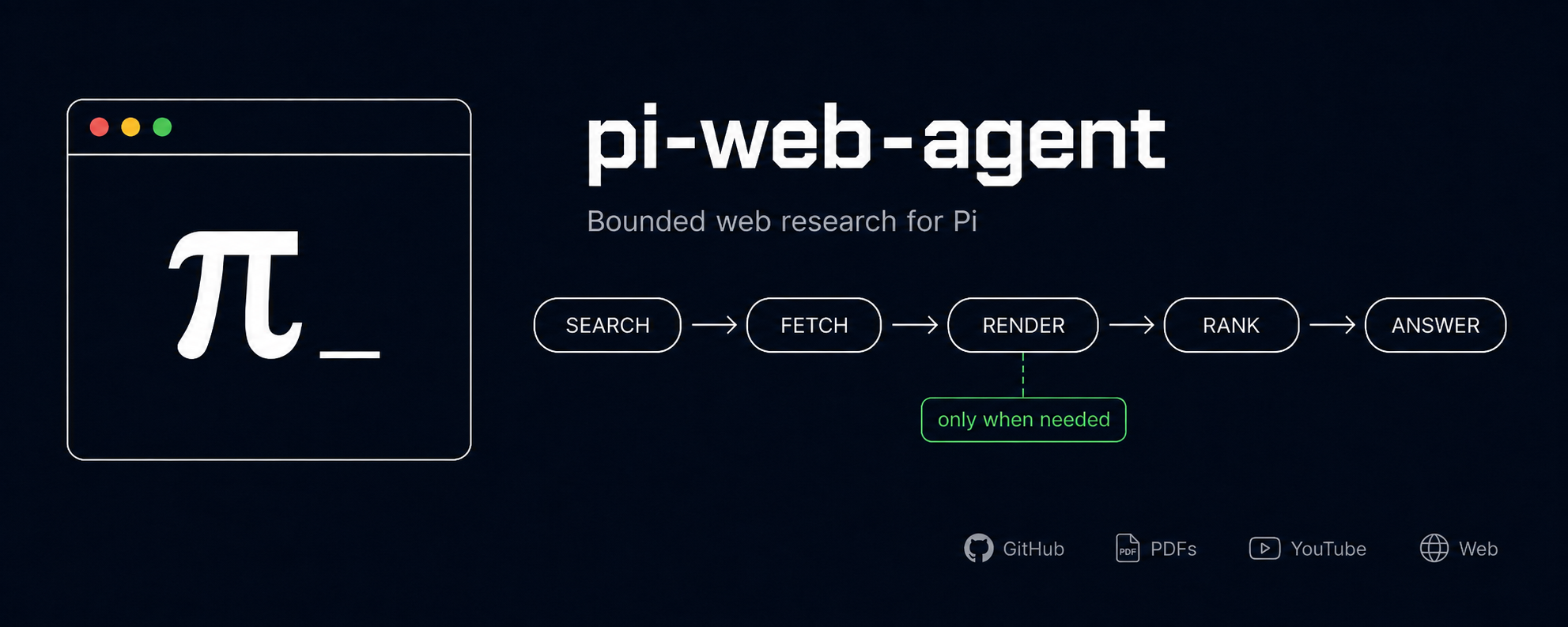
One public tool, web_explore, that does bounded web research for Pi: search, fetch, targeted browser rendering, ranking, and honest caveats, all behind a single call.
Most agent web tooling blurs search, fetch, rendering, and synthesis into one vague thing.
pi-web-agentkeeps that boundary simple, and it is stricter about what it actually did: bot-check pages, narrow source sets, unreadable threads, and conflicting evidence show up as caveats instead of fake confidence.
What you get
- One tool.
web_explorehandles direct links, discovery, HTTP reads, targeted headless rendering, source ranking, source-quality checks, and caveats internally. - Reads the real content behind links. Paste a GitHub, PDF, or YouTube URL and it pulls the actual thing (GitHub files/issues/PRs from the API, PDF text, YouTube transcripts). Public GitHub content is keyless; private GitHub content needs
GITHUB_TOKENorgh auth login. So "summarize this PDF" or "what does this repo do" works off the source, not the page shell. - Answers questions about a GitHub repo from its code. Paste a repo or folder link and it clones that exact commit (shallow, over HTTPS), searches the code for your question, and cites excerpts with links pinned to the commit. Needs
git2.32+. Public repositories can be read anonymously; private repositories usegh auth loginorGITHUB_TOKEN. If the repo can't be read it says why instead of guessing from the README. - Esc stops it. Cancelling a running
web_explorestops searches, page reads, and the headless browser. Page reads give up after 15 seconds (PDFs 60, Firecrawl 45), and one page that fails to load doesn't fail the whole run. - Eight search backends. DuckDuckGo (keyless default), SearXNG, Brave, You.com, Exa, Tavily, Parallel (keyless, opt-in), and any Google SERP endpoint you point it at.
- Optional search fanout. Query several backends at once, dedupe, and rank pages that more than one provider agreed on to the top. Off by default; flip it to
onorauto. - Honest by default. Weak, narrow, blocked, or cautionary evidence gets flagged instead of dressed up as confidence.
- Safe with untrusted pages. Links the model picks, or finds on a page it read, can't reach localhost, your LAN, or cloud metadata endpoints. That includes redirects and everything a headless page loads. Addresses you configure yourself aren't affected, and an allow list covers the private ranges you do want.
- Fallback that knows why. Rate-limited or misconfigured backends get skipped for a while, flaky ones get one retry, and answers say when some search backends were unavailable.
- Presentation and result length are separate.
compact/preview/verbosecontrol the terminal; Auto result length keeps the tool result suited to the calling model. - Zero-config to start. Runs keyless out of the box (DuckDuckGo search, local browser, the built-in readers). Opt into hosted backends, fallback, search fanout, and per-tool output modes through config when you want more control.
Why pi-web-agent
Compared to other web tooling for agents:
- Hands-off. No curator, no browser windows to approve, no step that pops you out of your session. Ask
web_exploreonce and the answer comes back cleanly. Nothing to babysit. - Keyless by default. Search, page reads, and the GitHub/PDF/YouTube readers all work with no API keys. Add hosted providers only when you want them.
- Bounded and honest. The terminal is compact by default; tool results use their own model-aware length limit and say when a read was not good enough instead of returning fake confidence.
Install
pi-web-agentrequires Pi 0.74+ (Pi packages moved to the@earendil-works/*scope). Update Pi before updating this package. On older Pi, stay on@demigodmode/[email protected]. The extension works on Pi 0.99 and 1.0;typeboxis a peer dependency that Pi already provides.
CI runs on Node 22. The locked runtime dependency [email protected] declares Node >=22.19.0; see installation requirements.
pi install npm:@demigodmode/pi-web-agent
Reload or restart Pi after installing, then:
/web-agent doctor   # check it loaded and show configured backends
/web-agent          # action menu
Update later with pi update --extensions.
Browser rendering: headless first tries a detected Chromium-family browser (Chrome, Chromium, Edge, Brave). If none is found, it tries Playwright-managed Chromium, which must already be installed. See browser setup for the matching install command. Firefox/Safari-only systems still get search and plain HTTP reads.
Usage
Ask web_explore a web question:
Find current docs and discussions on configuring Vitest coverage with the v8 provider.
Or hand it a link to read:
Summarize this PDF: https://arxiv.org/pdf/1706.03762
If a pass comes back thin, call web_explore again with a narrower query.
Short, specific queries work best. Words like vs, a version number or user opinions change how the research runs, so they're worth keeping. Results also list what was searched, and when one comes back partial, what's still open plus a couple of follow-up searches Pi can try.
Backends
Defaults are DuckDuckGo search, plain HTTP fetch, and local-browser headless. Switch providers from /web-agent settings → Backends. The UI does not write API keys. Manual Firecrawl apiKey and proxy password config values are supported, but a Backends save removes them from that scope's file. Environment variables survive those saves.
| Backend | Role | Enable with |
|---|---|---|
| DuckDuckGo | search (default) | nothing, keyless |
| SearXNG | search (self-hosted) | base URL |
| Brave | search (hosted) | PI_WEB_AGENT_BRAVE_API_KEY |
| You.com | search (hosted) | YDC_API_KEY |
| Exa | search (hosted) | EXA_API_KEY |
| Tavily | search (hosted) | TAVILY_API_KEY |
| Parallel | search (hosted) | select parallel, keyless |
| Google SERP | search (hosted) | base URL + PI_WEB_AGENT_GOOGLE_SERP_API_KEY |
| Firecrawl | fetch (self-hosted) | base URL + PI_WEB_AGENT_FIRECRAWL_API_KEY |
| GitHub reader | content | public content is keyless; private content needs GITHUB_TOKEN or gh auth login |
| GitHub repo research | content | git 2.32+ on your PATH; GITHUB_TOKEN or gh auth login for private repos |
Full config shape (fallback, SearXNG/Firecrawl options, fanout): see the self-hosted backends docs.
Settings
/web-agent settings                    # main UI
/web-agent doctor                      # health check
/web-agent show                        # effective config
/web-agent changelog
/web-agent mode web_explore verbose    # per-tool presentation mode
/web-agent reset project | global
Config is JSON, and project config overrides global:
Global:  ~/.pi/agent/extensions/pi-web-agent/config.json
Project: .pi/extensions/pi-web-agent/config.json
{
  "results": { "lengthLimit": "short" },
  "presentation": {
    "defaultMode": "compact",
    "tools": { "web_explore": { "mode": "verbose" } }
  }
}
Presentation modes:
compact: short summary, the default everywherepreview: slightly richer bounded viewverbose: fuller bounded view
Modes change the terminal display only. They do not shorten the tool result the model receives. Result length controls that separately: Auto is the default, or choose Short (4,000 characters), Medium (8,000), Standard, or an exact number in JSON (numbers below 1,000 become 1,000). See Result length for what is counted and the Standard source caps.
In Presentation or Backends settings, Ctrl+S saves, Esc discards edits, and Ctrl+R (pressed twice) resets the selected scope's whole config file. In Results, Ctrl+R resets only result-length settings for that scope. The explicit reset menu and /web-agent reset project or /web-agent reset global reset the whole scope file, including result-length settings.
Docs
Full docs: https://demigodmode.github.io/pi-web-agent/. Work on them locally with npm run docs:dev.
Development
npm install
npm test
npm run lint
npm run build
Local Pi work uses .pi/extensions/pi-web-agent.ts; run /reload after changes.
Feature and fix PRs target develop; main only moves on release. See Releases.
License
AGPL-3.0-only. See LICENSE.