Command Palette Module
A command palette and configurable global search for Directus Studio.
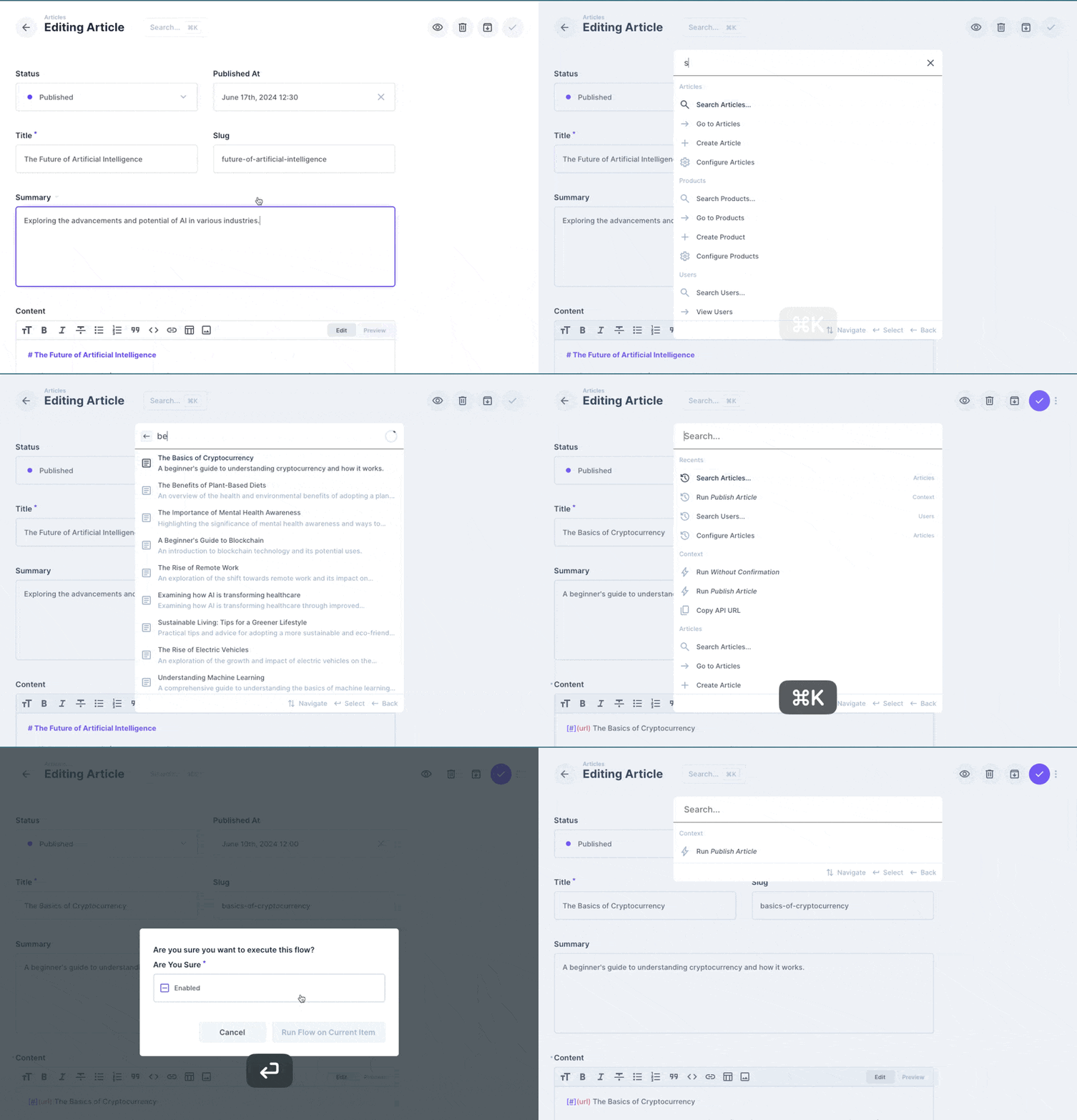
Features
- Open from anywhere with
Cmd/Ctrl + K - Fuzzy command matching, keyboard navigation, command recents, recent searches, and recently selected collection items
- Navigate content, files, users, insights, data-model settings, project settings, and deployments
- Search individual collections
- Search opted-in collections directly from the palette
- Create items, upload files, copy version-aware API URLs, and run context-aware manual flows
- On an item page: switch content versions, open the live preview or Visual Editor, and copy the item link or ID
- Open your bookmarks, go to your profile, toggle light/dark theme, and sign out
- Use the dedicated global search page for all configured collections
- Configure per-collection fields, templates, descriptions, filters, sorting, result limits, and debounce rate
- Ask the Directus AI Assistant about your query (Directus 11.14+ with an AI provider configured)
Requirements
Directus 11.6 or newer, including Directus 12.
Installation
Refer to the official extension installation guide for Marketplace and manual installation options.
Configuration
- Enable the module in Directus project settings.
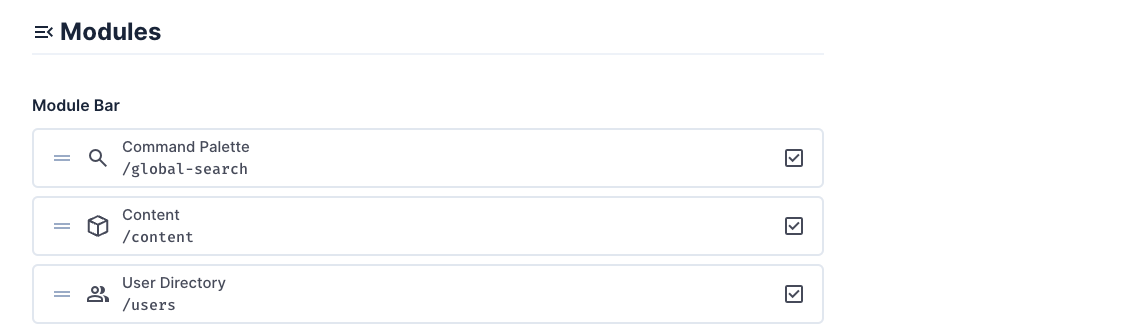
- Open the module settings and create the command palette settings field when prompted.

- Configure searchable collections and fields.
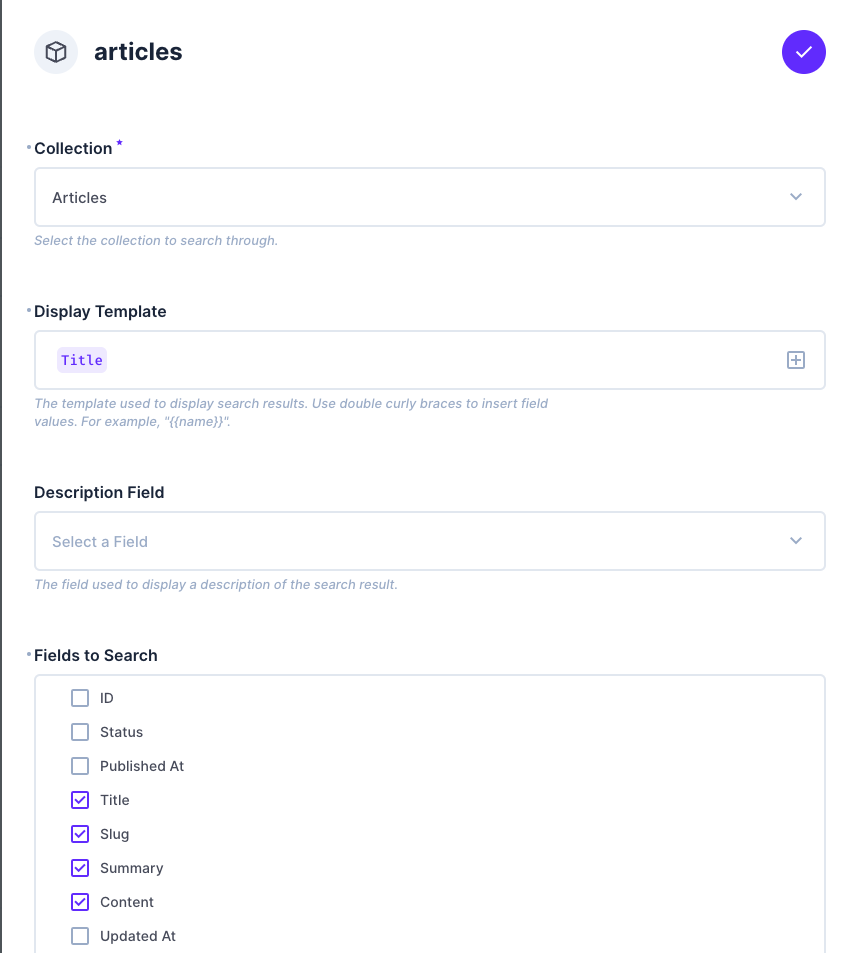
- Enable Available Globally only for collections that should return results directly in the palette.
Global palette search runs permission-aware item requests from the browser. It starts at two characters, searches at most 20 opted-in readable collections with five concurrent requests, and caps each collection at 25 results. Keep the opted-in set and limits small on large projects.
Directus 12 only lets non-admin users read an allowlisted set of project settings, so they can't read the command palette settings field. To keep search working for them, the extension keeps a read-only copy of the configuration in a global preset (no collection, layout command-palette). It's created and updated automatically when an admin saves the settings or loads the Studio, and it appears under Settings → Presets & Bookmarks. If it's deleted, the next admin visit recreates it.
Recent searches and selected collection items are stored locally, scoped to the current Directus project and user.
Disable this extension on Directus versions that provide a built-in command palette; otherwise both palettes respond to the same shortcut and open event.