Liquid Template Operation
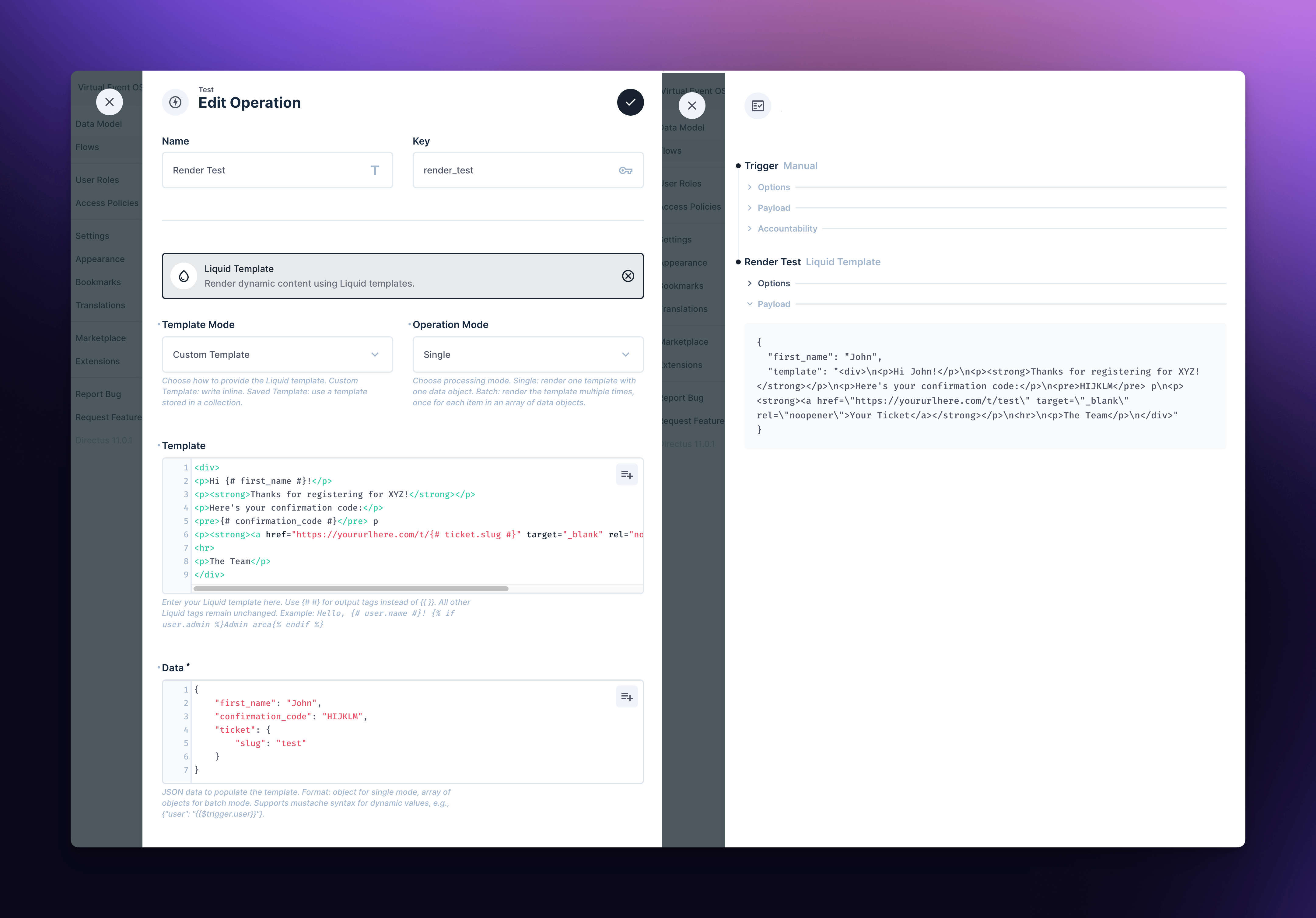
The Liquid Template Rendering Operation allows you to dynamically generate content using the powerful LiquidJS templating language. This operation is perfect for creating personalized emails, generating dynamic content, or any scenario where you need to combine data with templates within a flow.
Features
- Support for both custom and saved templates
- Single and batch processing modes
- Ability to return specific fields from the input data alongside rendered content
- Secure template fetching with optional authentication
Important Note: This extension uses custom delimiters for output tags {# #} instead of the original {{ }} . This is to avoid conflicts with the mustache syntax that Directus uses to populate values from other steps inside a Flow.
Configuration Options
Sample Saved Template Configuration
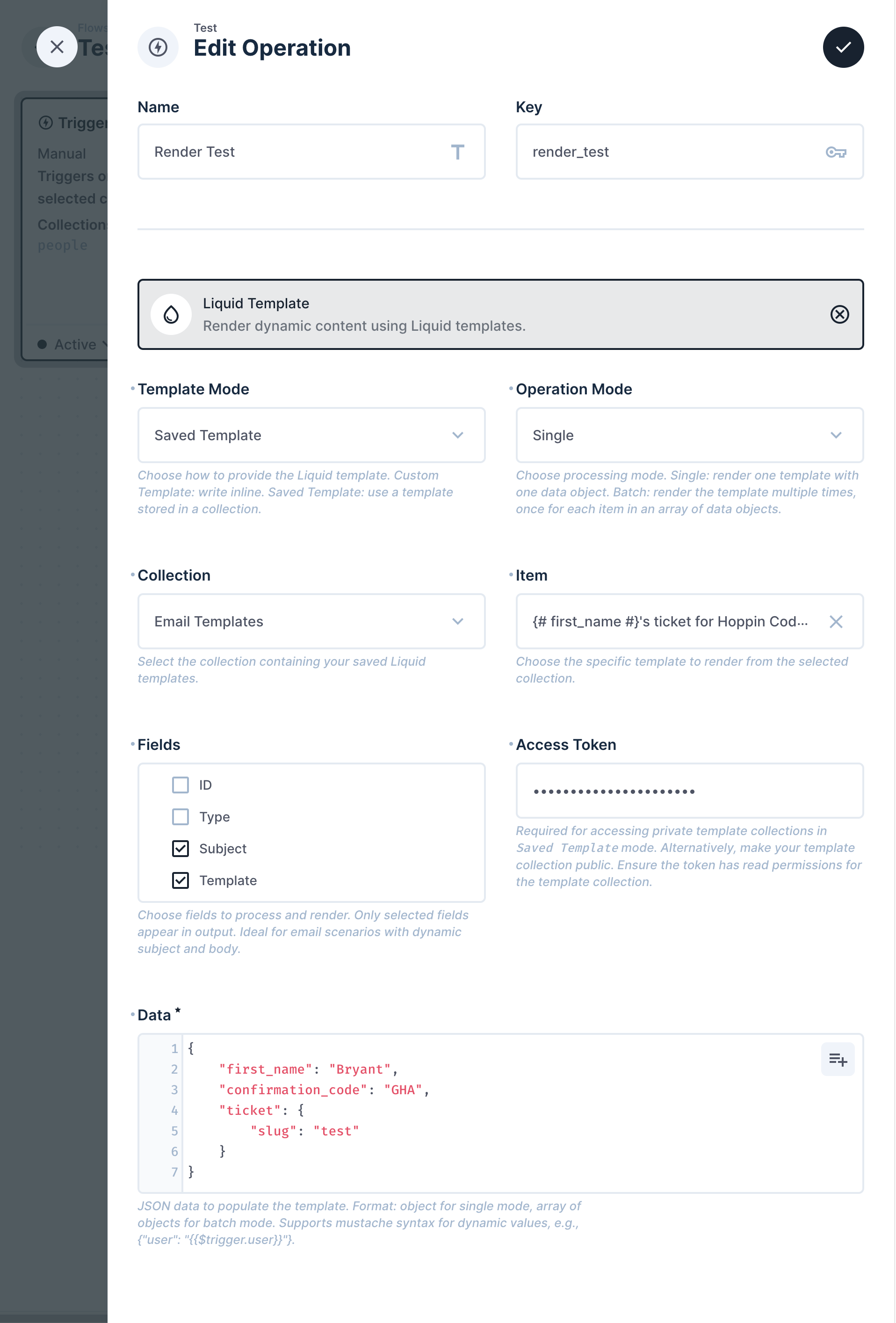
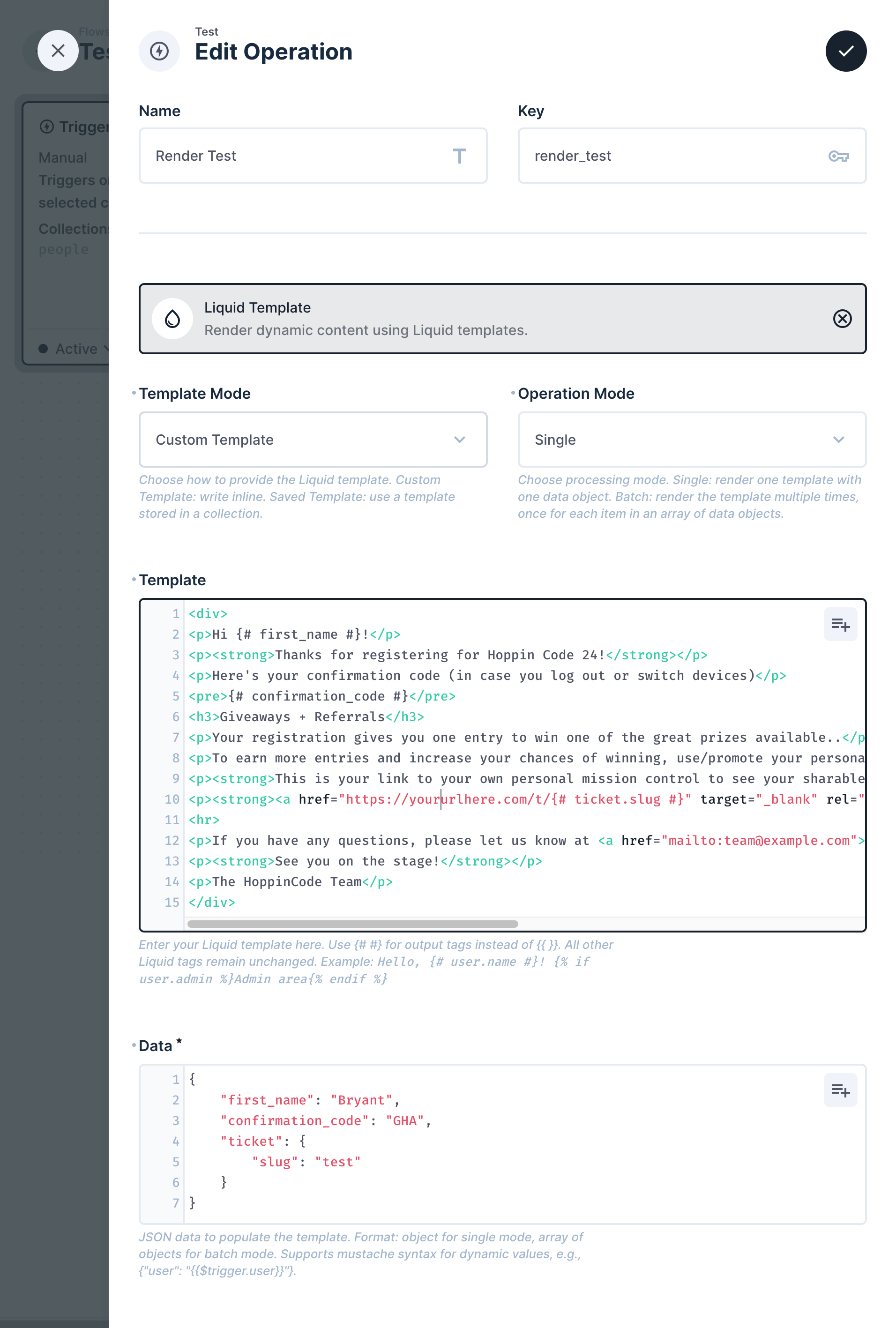
Sample Custom Template Configuration
Template Mode
Choose how to provide the Liquid template:
- Custom: Write the template inline within the operation.
- Saved: Use a template stored in a Directus collection.
Operation Mode
Select the processing mode:
- Single: Render one template with a single data object.
- Batch: Render the template multiple times, once for each item in an array of data objects.
Template
- (Custom Mode Only)
Enter your Liquid template here. Use {# #} for output tags instead of {{ }}. All other Liquid tags remain unchanged.
Example: Hello, {# user.name #}! {% if user.admin %}Admin area{% endif %}
Collection
- (Saved Mode Only)
Select the collection containing your saved Liquid templates.
Template Item
- (Saved Mode Only)
Choose the specific template to render from the selected collection.
Fields to Render
- (Saved Mode Only)
Select the fields from the template item to include in the rendering process.
Data
JSON data to populate the template. Format: object for single mode, array of objects for batch mode. Supports mustache syntax for dynamic values, e.g., {"user": "{{$trigger.user}}"}
Access Token
- (Saved Mode Only)
Required for accessing private template collections. Ensure the token has read permissions for the template collection.
Public URL
The public URL of your Directus instance. Used for fetching saved templates.
Data Fields to Return
- (Batch Mode Only)
Choose fields from your input data to include in each output object. Useful for maintaining context or identification (e.g., "id", "name"). These fields will be added alongside the rendered template for each item in batch mode.
Samples
Single Mode Example
- Template Mode: Custom
- Operation Mode: Single
Template
<div>
<p>Hi {# first_name #}!</p>
<p><strong>Thanks for registering for XYZ!</strong></p>
<p>Here's your confirmation code:</p>
<pre>{# confirmation_code #}</pre> p
<p><strong><a href="https://yoururlhere.com/t/{# ticket.slug #}" target="_blank" rel="noopener">Your Ticket</a></strong></p>
<hr>
<p>The Team</p>
</div>
Data
{
    "first_name": "Bryant",
    "confirmation_code": "ABCDEFG",
    "ticket": {
        "slug": "test"
    }
}
Output
{
  "template": "<div>\n<p>Hi Bryant!</p>\n<p><strong>Thanks for registering for XYZ!</strong></p>\n<p>Here's your confirmation code:</p>\n<pre>ABCDEFG</pre> p\n<p><strong><a href=\"https://yoururlhere.com/t/test\" target=\"_blank\" rel=\"noopener\">Your Ticket</a></strong></p>\n<hr>\n<p>The Team</p>\n</div>"
}
Batch Mode Example
- Template Mode: Custom
- Operation Mode: Batch
- Return Fields From Data:
[”first_name”]
Template
<div>
<p>Hi {# first_name #}!</p>
<p><strong>Thanks for registering for XYZ!</strong></p>
<p>Here's your confirmation code:</p>
<pre>{# confirmation_code #}</pre> p
<p><strong><a href="https://yoururlhere.com/t/{# ticket.slug #}" target="_blank" rel="noopener">Your Ticket</a></strong></p>
<hr>
<p>The Team</p>
</div>
Data
[
    {
        "first_name": "Bryant",
        "confirmation_code": "ABCDEFG",
        "ticket": {
            "slug": "test"
        }
    },
    {
        "first_name": "John",
        "confirmation_code": "HIJKLM",
        "ticket": {
            "slug": "test"
        }
    }
]
Output
[
  {
    "first_name": "Bryant",
    "template": "<div>\n<p>Hi Bryant!</p>\n<p><strong>Thanks for registering for XYZ!</strong></p>\n<p>Here's your confirmation code:</p>\n<pre>ABCDEFG</pre> p\n<p><strong><a href=\"https://yoururlhere.com/t/test\" target=\"_blank\" rel=\"noopener\">Your Ticket</a></strong></p>\n<hr>\n<p>The Team</p>\n</div>"
  },
  {
    "first_name": "John",
    "template": "<div>\n<p>Hi John!</p>\n<p><strong>Thanks for registering for XYZ!</strong></p>\n<p>Here's your confirmation code:</p>\n<pre>HIJKLM</pre> p\n<p><strong><a href=\"https://yoururlhere.com/t/test\" target=\"_blank\" rel=\"noopener\">Your Ticket</a></strong></p>\n<hr>\n<p>The Team</p>\n</div>"
  }
]
Security Considerations
- When using saved templates, ensure that the access token has the minimum necessary permissions.
- Be cautious when using user-provided data in templates to avoid potential security risks.
- Consider using Directus roles and permissions to control access to sensitive templates or data.