@dnuzi/baileys (英语)
一个快速,轻量级的WhatsApp Web API for Node.js.


安装 • 妇女 快速启动 • 妇女 业绩 • 妇女 信件 • 妇女 交互式 • 妇女 AI 里奇 • 妇女 电话 • 妇女 贷项

重点
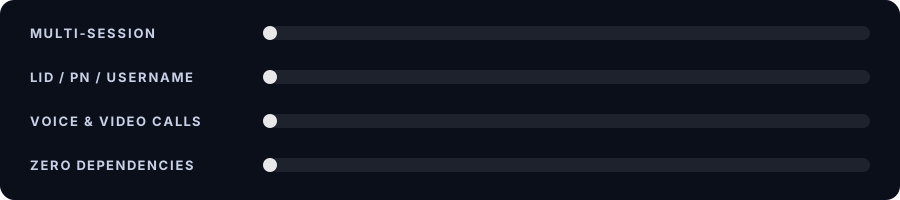
| 🆔 身份 | LID、电话号码和用户名支持 |
| ⚡ 业绩 | 为许多会话同时所建, CPU 和内存使用率低 |
| 📦 依赖关系 | 没有运行时间依赖, 没有建立本地或WebRTC |
| 📞 电话 | 音频和视频通话、播放列表、多呼叫 |
| 🧩 信件 | 按钮、木马、部件、民意测验、事件、付款、人工智能 |
| 🗄️ 会议 | 多文件、 单文件、 SQLite 或 MongoDB 认证存储 |
由 @达努兹 软件包: npmjs.com/package/@dnuzi/baileys (英语)
v0.1.2 更新:优化了所有内部缓存的CPU和RAM消耗(适应性扫描间隔,有限制的缓存限制,缓存-第一信号店mutex绕行,以及适当的定时器清理). Full CommunityJS需要()不使用ERR REQUIRE ASYNC MODULE的支持.
v.0.1.1 更新:固定VoIP视频通话渲染接通电话. 通过将 H.264 NALUs (SPS, PPS, 以及零碎的IDR keyframes) 正确包装.
QQ 安装
要求数 节点.js 18+ 财务报告和审定财务报表 FFmpeg 组合键。呼吁也需要 ffprobe 备查 PATH。 。 。 .
npm install @dnuzi/baileys
{
  "dependencies": {
    "@dnuzi/baileys": "v0.1.1"
  }
}
QQ 快速启动
用 QR 或配对代码和答案链接的完整机器人 !ping。 。 。 .
import makeWASocket, {
  useMultiFileAuthState,
  DisconnectReason,
  extractMessageContent
} from '@dnuzi/baileys'

const PHONE_NUMBER = '' // e.g. '948123456789' to use a pairing code
const PAIR_CODE = ''    // optional custom 8-character code

const start = async () => {
  const { state, saveCreds } = await useMultiFileAuthState('./session')

  const sock = makeWASocket({
    auth: state,
    printQRInTerminal: !PHONE_NUMBER,
    syncFullHistory: false
  })

  sock.ev.on('creds.update', saveCreds)

  let pairingRequested = false
  sock.ev.on('connection.update', async ({ connection, lastDisconnect, qr }) => {
    if (qr && PHONE_NUMBER && !pairingRequested) {
      pairingRequested = true
      try {
        console.log('Pairing code:', await sock.requestPairingCode(PHONE_NUMBER, PAIR_CODE || undefined))
      } catch (err) {
        console.error('Could not request a pairing code:', err.message)
      }
    }

    if (connection === 'open') console.log('Connected as', sock.user?.id)

    if (connection === 'close') {
      const code = lastDisconnect?.error?.output?.statusCode
      if (code === DisconnectReason.loggedOut) {
        return console.log('Logged out. Delete ./session and run again to link a new device.')
      }
      if (code === DisconnectReason.connectionReplaced) {
        return console.log('This session was opened somewhere else. Not reconnecting.')
      }
      console.log(`Connection closed (${code}), reconnecting...`)
      setTimeout(start, 1000)
    }
  })

  sock.ev.on('messages.upsert', async ({ messages, type }) => {
    if (type !== 'notify') return
    for (const m of messages) {
      if (m.key.fromMe || !m.message) continue
      const content = extractMessageContent(m.message)
      const text = content?.conversation || content?.extendedTextMessage?.text
      if (text === '!ping') {
        await sock.sendMessage(m.key.remoteJid, { text: 'pong' }, { quoted: m }).catch(console.error)
      }
    }
  })
}

start()
如何链接
| 方法 | 步骤 |
|---|---|
| QR 代码 | 离开 PHONE_NUMBER 空的,然后从 链接设备 – 链接设备 |
| 对等码 | 设定 PHONE_NUMBER选择 与电话号码连接,输入代码 |
| 自定义代码 | 设定 PAIR_CODE 改为任意 8 个字符( 空 = 随机) |
您的登录已存储于
./session保持它私密和远离git.
QQ 套接字选项
| 选项 | 默认 | 它会做什么 |
|---|---|---|
auth | – 说吧 – | 要求. 这个 state 从一个认证助手 |
performanceMode | 'balanced' | 性能预设 : 'balanced' (安全默认), 'high' (高压缓存和最低缓存),或 'low-memory' (记录和档案管理所限制的环境) |
dedupTTL | 30000 (单位:百万美元) | 发送信件的复制窗口 |
dedupMax | 2000 | 在减重缓冲中跟踪的最大信件 |
groupMetadataCacheTTL | 300000 (单位:百万美元) | 模拟组元数据缓存 TTL |
browser | Browsers.macOS('Chrome') | 设备名称 链接设备 (另见: .ubuntu(), (中文(简体) ), .windows(), (中文(简体) ), .appropriate()(中文(简体) ) |
printQRInTerminal | false | 在终端中打印每个 QR (qr 总是在 connection.update(中文(简体) ) |
qrTimeout | 60000,则 20000 | 每个QR 保持有效时间 |
syncFullHistory | true | 设定 false 用于打火机 |
markOnlineOnConnect | true | 设定 false 在您的电话中保留通知 |
connectTimeoutMs | 20000 | 打开握手暂停 |
keepAliveIntervalMs | 30000 | 平时间隔 |
defaultQueryTimeoutMs | 60000 | 服务器请求超时 |
getMessage | undefined | 用密钥返回存储的信息, 这样重试和投票可以解密 |
disableStickyRouting | false | true 停止发送 ED 在 URL 和 URL 中 sticky_routing 饼干 |
waWebSocketUrl | wss://web.whatsapp.com/ws/chat | 只自定义终点 |
logger | 内置 | 任何皮诺式的日志 |
* 性能优化和 Latency Tuning
@dnuzi/baileys 包括一个内部性能引擎,被设计为将bot响应延迟最小化并消除冗余的网络操作而无需突破任何现有的Bairis API.
性能模式
您可以在初始化套接字时选择一个性能模式 :
const sock = makeWASocket({
  auth: state,
  performanceMode: 'high' // 'balanced' | 'high' | 'low-memory'
})
| 模式 | 目标 | 说明 |
|---|---|---|
'balanced' (默认) | 将军 | 安全,后向相容的默认. 记忆组元数据缓存( 5分) , 消息分解( 30s 窗口) , 请求连接, 以及安全事件隔离 . |
'high' | 超快反应波茨 | 最大吞吐量和最低耐用度。 扩展缓存(15分钟组缓存,60s dedup),主动请求会合,扩大信号缓存,零上行懒记录. |
'low-memory' | VPS / 嵌入式( ≤512MB 内存) | 压缩缓存边框(100个组,500个消息,2分TTL),并带有积极的垃圾收集. |
* 核心优化结构
-
快速信件管道和复制
- 以高速、有边界的循环缓存检查来信的系统(
MessageDeduplicator在昂贵的密码解密之前. - 重复的信息发送系统得到确认并立即投放(~116,000+msgs/sec吞吐量).
- 如果解密失败(例如需要的密钥缺失/再发送),该条目会自动被遗忘,因此重试可以无缝进行.
- 以高速、有边界的循环缓存检查来信的系统(
-
智能请求
- 防止重复并行查询(例如50个来信请求在同一毫秒的组元数据).
- 重新使用飞行中的承诺 50个同时提出的请求触发1个网络查询,将服务器回路减少至98%.
-
记忆组元数据 & LID 缓存
sock.groupMetadata(jid)缓存结果在组变化(主题,描述,参与者,设置)上自动无效.- 初始同步时预先聚集缓存( P)
groupFetchAllParticipating)所以你的机器人不延迟地回答命令. - 直接通过
sock.groupMetadataCache。 。 。 .
-
事件泄漏断层隔离
- 已注册的中断或崩溃的收听器功能
sock.ev.on('messages.upsert', ...)安全隔离. - 一个插件/ 处理器出错将 永远不要撞倒其他听众或中断WhatsApp连接管道。 。 。 .
- 已注册的中断或崩溃的收听器功能
-
优化序列化和发送器密钥
- 内存发送者密钥记录缓存避免了JSON在快速分组聊天流量时的恒定序列化和文件/数据库重读.
-
零头懒人伐木
- 用途
logger.isLevelEnabled(level)和懒惰的参数评价,因此调试信息在运行生产时从未格式化.
- 用途
现实世界基准
在自己的机器上运行基准套件 :
npm run benchmark
标准硬件的结果(20+节点):
- 信件编辑器 : 115 000克/秒吞吐量
- 请求Coalescer : 50名同时调用人员 —— 1个网络操作(以27米为单位100%破损)
- 孤立事件调度 : 19 000多起事件/秒,100%断层隔离
- LRU-TTL 缓存 : 165 000+ 行动/秒
QQ 会话存储
所有帮助者返回 { state, saveCreds }这样你就可以自由交换了.
import {
  useMultiFileAuthState,
  useSingleFileAuthState,
  useSqliteAuthState,
  useMongoDBAuthState
} from '@dnuzi/baileys'

const multi  = await useMultiFileAuthState('./session')              // one file per key
const single = await useSingleFileAuthState('./session.json')        // one file, flushed in batches
const sqlite = await useSqliteAuthState({ dbPath: './session.db' })  // SQLite (file-based, zero setup)
const mongo  = await useMongoDBAuthState({ url: 'mongodb://localhost:27017' }) // MongoDB (cloud & Docker)
SQLite Auth 存储
在 SQLite 数据库文件中存储会话证书和信号加密密钥 。 内建的WAL(Write-Ahead Digging)模式确保安全并存交易与超低内存高通.
[TIP] 不需要额外的依赖! 贝利斯包括一个内置的轻量级纯JS SQLite引擎,或者你可以插入
better-sqlite3用于本地 C++ 性能.
1.基本布局(建设用发动机)
import makeWASocket, { useSqliteAuthState } from '@dnuzi/baileys'

const { state, saveCreds } = await useSqliteAuthState({
  dbPath: './session.db'
})

const sock = makeWASocket({
  auth: state,
  printQRInTerminal: true
})

sock.ev.on('creds.update', saveCreds)
2. 与 better-sqlite3 (可选本地驱动)
import Database from 'better-sqlite3'
import makeWASocket, { useSqliteAuthState } from '@dnuzi/baileys'

const db = new Database('./session.db')

const { state, saveCreds } = await useSqliteAuthState({
  database: db
})

const sock = makeWASocket({
  auth: state
})

sock.ev.on('creds.update', saveCreds)
备选方案 useSqliteAuthState
| 选项 | 类型 | 说明 |
|---|---|---|
dbPath | string | SQLite 数据库的文件路径( 例如 ). './session.db') (中文(简体) ). 使用内置纯 JS 数据库引擎 |
database | object | 现有数据库实例(例如来自 better-sqlite3 或者说 sqlite3(中文(简体) ) |
MongoDB Auth 存储
直接将会话证书和加密密钥存储于MongoDB(本地或MongoDB Atlas). 理想的云部署(Railway, Render, Heroku, AWS, Docker), 本地文件为ephemer, 或者在一个数据库中管理多个账户.
[注] 当通过 MongoDB URI 连接时 (
url编号 :uri),确保mongodb在您的工程中安装了软件包 :npm install mongodb
1. 通过MongoDB URI连接
import makeWASocket, { useMongoDBAuthState } from '@dnuzi/baileys'

const { state, saveCreds } = await useMongoDBAuthState({
  url: 'mongodb+srv://user:[email protected]/?retryWrites=true&w=majority',
  dbName: 'whatsapp_bot',     // optional (default: 'baileys')
  collectionName: 'sessions', // optional (default: 'auth_state')
  sessionId: 'bot-1'          // optional: isolate multiple accounts in one collection
})

const sock = makeWASocket({
  auth: state,
  printQRInTerminal: true
})

sock.ev.on('creds.update', saveCreds)
2. 使用现有的MongoDB收藏或客户端
如果您的应用程序已经连接到MongoDB, 请直接通过收藏—— 不需要额外的驱动程序连接 :
import { MongoClient } from 'mongodb'
import { useMongoDBAuthState } from '@dnuzi/baileys'

const client = new MongoClient('mongodb://localhost:27017')
await client.connect()

const collection = client.db('whatsapp_bot').collection('sessions')

// Pass collection directly (with optional sessionId as 2nd argument)
const { state, saveCreds } = await useMongoDBAuthState(collection, 'main-session')
3. 与Mongoose一起使用
import mongoose from 'mongoose'
import { useMongoDBAuthState } from '@dnuzi/baileys'

await mongoose.connect('mongodb://localhost:27017/whatsapp_bot')

const collection = mongoose.connection.collection('sessions')
const { state, saveCreds } = await useMongoDBAuthState(collection)
备选方案 useMongoDBAuthState
| 选项 | 类型 | 说明 |
|---|---|---|
url 编号 : uri | string | MongoDB 连接字符串( 例如). mongodb://localhost:27017 或Atlas URI) |
collection | Collection | 现有的MongoDB收藏或Mongoose模型 |
db 编号 : database | Db | 现有的MongoDB数据库实例client.db(...)(中文(简体) ) |
client | MongoClient | 现有 MongoClient 实例 |
dbName | string | 数据库名称( 默认 ): 'baileys' 或来自连接字符串的 DB ) |
collectionName | string | 收藏名称( 默认 ): 'auth_state'(中文(简体) ) |
sessionId | string | 共享收藏中指定空间证书和密钥的会话ID |
mongoOptions | object | 连接选项直接传递到 MongoClient |
* 断开原因
lastDisconnect.error.output.statusCode 地图到 DisconnectReason数字 :
| 代码 | 原因 | 做到这一点 |
|---|---|---|
401 | loggedOut | 删除会话并再次链接 |
440 | connectionReplaced | 执行 没有 重新连接 |
515 | restartRequired | 成对后正常, 重新连接 |
428 编号 : 408 | connectionClosed 编号 : connectionLost 编号 : timedOut | 网络投放, 重新连接 |
500 | badSession | 重新连接 |
当服务器关闭套接字时, lastDisconnect.error.data 包含 wsCode 财务报告和审定财务报表 wsReason。 。 。 .
QQ 信件
文本、提及、反应、联系人
await sock.sendMessage(jid, { text: 'Hello there!' })

await sock.sendMessage(jid, {
  text: 'Hi @948123456789',
  mentions: ['[email protected]']
}, { quoted: m, ephemeralExpiration: 86400 })

await sock.sendMessage(jid, { react: { text: '👍', key: m.key } })

await sock.sendMessage(jid, {
  contacts: {
    contacts: [{
      displayName: 'DanuZz',
      vcard: 'BEGIN:VCARD\nVERSION:3.0\nFN:DanuZz\nTEL;type=CELL:+948123456789\nEND:VCARD'
    }]
  }
})
媒体
await sock.sendMessage(jid, { image: { url: './photo.jpg' }, caption: 'Nice view' })
await sock.sendMessage(jid, { video: { url: './clip.mp4' }, caption: 'Clip', gifPlayback: false })
await sock.sendMessage(jid, { audio: { url: './voice.ogg' }, ptt: true })
await sock.sendMessage(jid, { document: { url: './file.pdf' }, mimetype: 'application/pdf', fileName: 'file.pdf' })
await sock.sendMessage(jid, { sticker: { url: './sticker.webp' } })
包装和相册
await sock.sendMessage(jid, { image: { url: './photo.jpg' }, viewOnce: true })                       // view once
await sock.sendMessage(jid, { video: { url: './clip.mp4' }, ptv: true })                             // video note
await sock.sendMessage(jid, { image: { url: './surprise.jpg' }, caption: 'Peekaboo', spoiler: true }) // spoiler

await sock.sendMessage(jid, {
  album: [
    { image: { url: './1.jpg' } },
    { image: { url: './2.jpg' } },
    { video: { url: './clip.mp4' } }
  ]
})
贴纸和贴纸包
单标签
await sock.sendMessage(jid, { sticker: { url: './sticker.webp' } })
QQ 贴纸包
[大 若为
sharp或者说@napi-rs/image未安装,则cover财务报告和审定财务报表stickers必须是已使用 WebP 格式.
await sock.sendMessage(jid, {
  cover: {
    url: './path/to/image.webp'
  },
  stickers: [
    {
      data: {
        url: './path/to/image.webp'
      }
    },
    {
      data: {
        url: './path/to/image.webp'
      }
    },
    {
      data: {
        url: './path/to/image.webp'
      }
    }
  ],
  name: '📦 My Sticker Pack',
  publisher: 'DanuZz',
  description: 'Optional pack description'
})
贴纸包选项
| 财产 | 类型 | 说明 |
|---|---|---|
cover | { url: string } | Buffer | 要求. 包托盘图标 / 封面图像 |
stickers | Array<{ data: { url } | Buffer, emojis?: string[] }> | 要求. 贴花名单(最多60个贴花) |
name | string | 标签包的名称(例如:. '📦 My Sticker Pack'(中文(简体) ) |
publisher | string | 作者/出版商名称(如. 'DanuZz'(中文(简体) ) |
description | string | 包的可选描述 |
地点事件( E)
await sock.sendMessage(jid, {
  location: { degreesLatitude: -6.2088, degreesLongitude: 106.8456, name: 'Monas' }
})

await sock.sendMessage(jid, {
  event: {
    name: 'Team Sync',
    description: 'Discuss the Q1 roadmap',
    startDate: new Date(Date.now() + 3600_000)
  }
})
选票
await sock.sendMessage(jid, {
  poll: { name: 'Favorite language?', values: ['JavaScript', 'Python', 'Rust'], selectableCount: 1 }
})

// Quiz polls: newsletters only, require correctAnswer
await sock.sendMessage(newsletterJid, {
  poll: { name: 'Capital of Japan?', values: ['Tokyo', 'Osaka'], pollType: 1, correctAnswer: 'Tokyo' }
})

// Final tally of a poll you created
await sock.sendMessage(jid, {
  pollResult: {
    name: 'Favorite language?',
    votes: [{ name: 'JavaScript', voteCount: 12 }, { name: 'Python', voteCount: 9 }]
  }
})
编辑、删除、发夹、保存
| 行动 | 代码 |
|---|---|
| 编辑 | sock.sendMessage(jid, { text: 'Updated text', edit: m.key }) |
| 删除 | sock.sendMessage(jid, { delete: m.key }) |
| 键/ 取消键 | sock.sendMessage(jid, { pin: m.key, type: 1, time: 86400 }) (单位:千美元)type: 0 撤销) |
| 保留/ 删除 | sock.sendMessage(jid, { keep: m.key, type: 1 }) (单位:千美元)type: 0 删除) |
| 失踪( 组) | sock.sendMessage(groupJid, { disappearingMessagesInChat: 86400 }) (单位:千美元)true = 7天 = 7天 = 7天 = 7天 = 7天 = 7天 = 7天 = 7天 = 7天 = 7天 = 7天 = 7天, false = 关闭) |
最新情况
// jid can be an array to choose who sees the status
await sock.sendMessage([contactJid1, contactJid2], { text: 'Status update text' })
QQ 交互式信件
原生流量按钮
await sock.sendMessage(jid, {
  text: 'Choose one:',
  footer: 'DanuZz',
  nativeFlow: [
    { text: '👋🏻 Yes', id: 'yes_1' },
    { text: '📞 Call', call: '948123456789' },
    { text: '📋 Copy', copy: 'PROMO123' },
    { text: '🌐 Source', url: 'https://example.com' },
    {
      text: '📋 Select',
      sections: [{ title: '✨ Section 1', rows: [{ title: '🏷️ Coupon', id: 'coupon_code' }] }]
    }
  ]
})
带有媒体标题, 使用 caption 改为 text (与图像、视频、文档、位置、产品有关的工作):
await sock.sendMessage(jid, {
  image: { url: './promo.jpg' },
  title: 'Flash Sale',
  caption: 'Up to 50% off today only',
  footer: 'DanuZz',
  nativeFlow: [
    { text: 'Shop Now', url: 'https://shop.example.com' },
    { text: 'Copy Code', copy: 'SALE50' }
  ]
})
木马
卡片头可以是一个图像,视频或产品.
await sock.sendMessage(jid, {
  text: 'Check out our new arrivals:',
  footer: 'DanuZz',
  cards: [
    { image: { url: './item-a.jpg' }, title: 'Item A', caption: 'New in stock', nativeFlow: [{ text: 'View', id: 'view_a' }] },
    { video: { url: './item-b.mp4' }, title: 'Item B', caption: 'Limited edition', nativeFlow: [{ text: 'View', id: 'view_b' }] },
    {
      businessOwnerJid: '[email protected]',
      product: { title: 'Wireless Mouse', productImage: { url: './mouse.png' } },
      title: 'Wireless Mouse',
      caption: '$19.99',
      nativeFlow: [{ text: 'Buy Now', id: 'buy_mouse' }]
    }
  ]
})
部件( A2UI)
组合按钮,或通过 nativeFlow: [] 没有.
await sock.sendMessage(jid, {
  text: 'Widget demo',
  footer: 'A2UI Showcase',
  nativeFlow: [{ text: '🌐 Source', url: 'https://example.com' }],
  widget: {
    align: 'center',
    fallback: 'Widget cannot be loaded on this device', // optional
    items: [
      { text: 'Welcome to the Widget Demo', variant: 'title' }, // title | body | caption
      { text: 'This is a longer description.', variant: 'body' },

      { icon: 'info' },
      { icon: 'warning', style: 'symbol' },
      { icon: 'favorite', native: true },

      { image: 'https://example.com/banner.jpg', variant: 'header', fit: 'cover', description: 'Promo banner' },
      { video: 'https://example.com/preview.mp4' },
      { audio: 'https://example.com/audio.mp3', description: 'Listen to this audio' },

      { divider: 'horizontal' }, // or 'vertical'
      { button: 'Open Website', url: 'https://example.com', variant: 'primary' },

      { input: 'name', label: 'Enter your name', value: '', variant: 'shortText' }, // or 'longText'
      { input: 'email', label: 'Email', validationRegexp: '^[^@]+@[^@]+\\.[^@]+$' },
      { checkbox: 'I agree to the terms & conditions', value: false },
      { choice: ['Red', 'Green', 'Blue'], label: 'Favorite color', variant: 'mutuallyExclusive', displayStyle: 'chips', filterable: true },
      { choice: [{ label: 'Option A', value: 'a' }, { label: 'Option B', value: 'b' }], label: 'Multi-select', variant: 'multipleSelection', value: ['a'] },
      { slider: 100, min: 0, value: 50, label: 'Volume' }, // slider = max value
      { datetime: true, label: 'Pick a date', enableDate: true, enableTime: false },

      { row: [{ text: 'Left' }, { text: 'Center' }, { text: 'Right' }], justify: 'space-between', align: 'center' },
      { column: [{ text: 'Row 1' }, { text: 'Row 2' }], justify: 'start', align: 'stretch' },
      { list: [{ text: '• First item' }, { text: '• Second item' }], direction: 'vertical' }
    ]
  }
})
遗留模板按钮
旧格式. 偏爱 nativeFlow。 。 。 .
await sock.sendMessage(jid, {
  text: 'Choose one:',
  footer: 'DanuZz',
  templateButtons: [
    { text: 'Reply', id: 'r1' },
    { text: 'Visit', url: 'https://example.com' },
    { text: 'Call', call: '+948123456789' }
  ]
})
模拟答复
发送回复, 如用户点击按钮或列表行 .
await sock.sendMessage(jid, { buttonReply: { id: 'yes_1', displayText: 'Yes' }, type: 'plain' })
await sock.sendMessage(jid, { listReply: { id: 'row1', title: 'Row 1', description: 'desc' } })
await sock.sendMessage(jid, { flowReply: { name: 'single_select', paramsJson: JSON.stringify({ id: 'row1' }) } })
AI 丰富的信件
用可连锁的建设者构建结构丰富的响应.
await sock.aiRich()
  .setTitle('Ai Rich Message')
  .addText('[HyperLink](https://example.com)\nCitation [](https://example.com)')
  .addImage('https://example.com/image.png')
  .addCode('javascript', `console.log('Hello World')`)
  .addHtml(['<html>Hello world</html>', 'Tab 1'], ['<html>Hi twin</html>', 'Tab 2'])
  .addTable([
    ['Name', 'DanuZz'],
    ['Bio', 'Im developer'],
    ['Age', '67']
  ])
  .addSource([['https://example.com/favicon.ico', 'https://example.com', 'Source']])
  .addTip('Tip Text')
  .addSuggest(['Continue', 'Cancel'])
  .send(jid, { quoted: m })
// Animated progress indicator
await sock.aiRich().addProcess('Loading...').send(jid)

// Shorthand without the builder
await sock.sendMessage(jid, {
  aiRich: { title: 'Assistant', text: 'Here is what I found:', table: [['Name', 'Score'], ['Alice', '90']] }
})
旁通下载 两者默认都在运行
send()财务报告和审定财务报表sendMessage(jid, { aiRich })。在发送后,信件会自己编辑,所以客户端不首先下载。 过bypassDownload: false把它关掉。 如果编辑失败, 抛出的错误有error.relayedKey设置到已发送信件的密钥.
构建方法参考
| 方法 | 目的 |
|---|---|
setTitle(title) | 信件上显示的免责标签 |
setFooter(footer) | 跟踪元数据文本块 |
setContextInfo(obj) | 将额外字段合并到 contextInfo |
addText(text, opts?) | 标出文字. 摘录 [text](url) 链接, [](url) 引用, [text|w|h](<url>) 拉特克语Name |
addCode(language, code) | 语法高亮代码块 |
addTable(rows, opts?) | [[header...], [row...], ...] 字符串数组 |
addImage(image) | string | Buffer | array网格 |
addVideo(video) | string | Buffer | { url, mimeType?, duration? } | array |
addSource(sources) | [icon, url, text][] 源牌 |
addProduct(data) | 产品卡或旋转木马阵列 |
addPost(data) | 社交贴卡,或旋转木马的阵列 |
addReels(data) | 里尔卡或数组 |
addTip(text) | 小提示线 |
addSuggest(suggestion, opts?) | 后续建议药 |
addProcess(title) | 进展状况指标 |
addHtml(...) | 一个内置的 HTML 块,或 [html, title] 选项卡对 |
build(opts?) | 不发送而构建原始内容 |
buildEdit(jid, key, message) | 构建绕行下载所用的编辑有效载荷 |
send(jid, opts?) | 发去. opts.bypassDownload (默认) true)发送后续编辑,其他选项到 sendMessage |
商业和支付
// Product message
await sock.sendMessage(jid, {
  businessOwnerJid: '[email protected]',
  image: { url: './mouse.png' },
  product: {
    title: 'Wireless Mouse',
    description: 'Ergonomic, 2.4GHz',
    currencyCode: 'USD',
    priceAmount1000: 19990, // $19.99
    retailerId: 'sku-001'
  }
})

// Payments
await sock.sendMessage(jid, { requestPaymentFrom: recipientJid, text: 'Payment for order #123' })
await sock.sendMessage(jid, { paymentInviteServiceType: 1 })
await sock.sendMessage(jid, { orderText: 'Your order summary', thumbnail: fs.readFileSync('./order-thumb.jpg') })
await sock.sendMessage(jid, { document: { url: './invoice.pdf' }, mimetype: 'application/pdf', invoiceNote: 'Invoice #1024' })
额外
// Sponsored ad card on any message
await sock.sendMessage(jid, {
  text: 'Check this deal!',
  externalAdReply: {
    title: 'Big Sale',
    body: '50% off',
    thumbnail: fs.readFileSync('./thumb.jpg'),
    mediaType: 1,
    url: 'https://example.com'
  }
})

// Phone number requests
await sock.sendMessage(jid, { requestPhoneNumber: true })
await sock.sendMessage(jid, { sharePhoneNumber: true })

// Group invite card
await sock.sendMessage(jid, {
  groupInvite: { jid: groupJid, inviteCode: code, inviteExpiration: Date.now() + 3600_000, subject: 'My Group', text: 'Join us!' }
})

// Disable forwarding
await sock.sendMessage(jid, { limitSharing: true })
电话
电话需要 ffmpeg 财务报告和审定财务报表 ffprobe 内 PATH创建 一个 Voip 每个套接字 打开后 重新连接后,您可以得到一个新的套接字, 所以创建一个新的 Voip。 。 。 .
打电话
import Voip from '@dnuzi/baileys/voip'

const voip = new Voip(sock, {
  ffprobePath: 'ffprobe',
  voipLogLevel: 'warn',   // trace | debug | info | warn | error
  tmpDir: './tmp',        // temp folder for downloads
  maxConcurrentCalls: 1
})

const call = await voip.call('948123456789', './song.mp3')
await call.hangup() // or call.end()

await voip.call('948123456789') // ring only, no media
媒体、视频和播放列表
await voip.call(jid, './song.mp3')                    // local file
await voip.call(jid, 'https://example.com/song.mp3')  // URL, downloaded first
await voip.call(jid, { audio: './voice.ogg' })
await voip.call(jid, './clip.mp4', '720p')            // video call

await voip.call(
  jid,
  ['./intro.mp3', './clip.mp4', 'https://example.com/outro.mp3'],
  '480p',
  {
    loop: false,          // repeat the playlist
    autoEndCall: true,    // hang up when the playlist ends
    autoDowngrade: true   // drop to audio when the peer turns every camera off
  }
)
| 项目 | 支助 |
|---|---|
| 音频格式 | mp3 ogg opus wav m4a aac flac weba |
| 视频格式 | mp4 mov webm mkv avi m4v 3gp |
| 下载限制 | 音频 20 MB, 视频 50 MB |
| 决议 | '240p' '360p' '480p' '720p' '1080p' 或者说 { width, height, frameRate } (默认 480p, 肖像自动旋转) |
jid | 一个数字或一个JID,非数字被剥去 |
待命控制
await call.silent(true)       // silence audio (false = resume, no arg = toggle)
console.log(call.isSilenced)

call.mute(true)               // mic only
call.raiseHand(true)
call.react('👍')              // returns false if not connected yet
await call.shareScreen(true)  // needs video, 1:1 only
await call.shareScreen(false)

const result = await call.upgradeToVideo()
// 'accepted' | 'rejected' | 'rejected_by_timeout' | 'error' | 'timeout' | 'cancelled'
shareScreen只告诉对等端正在共享屏幕 。 照片就是你们给的voip.coordinator.feedLiveVideo()。 。 。 .
调用事件
call.on('ringing', () => {})
call.on('connected', () => {})
call.on('ended', reason => {})          // 'connection_closed' if the socket drops
call.on('error', err => {})

call.on('item', ({ index, kind, source }) => {})
call.on('playlist_looped', () => {})
call.on('playlist_ended', () => {})
call.on('downgraded', () => {})         // video dropped to audio
call.on('silent', state => {})

call.on('peer_mute', muted => {})
call.on('hand_raise', ({ jid, raised }) => {})
call.on('reaction', reaction => {})
call.on('screen_share', share => {})
call.on('peer_video', change => {})
call.on('inbound_audio', pcm => {})     // Float32Array, 16 kHz mono, 60 ms
call.on('inbound_video', frame => {})   // decoded H.264 frame
call.on('audio_finished', () => {})     // current audio item reached its end
来电
await voip.listen() // register call handlers, safe to call twice

voip.on('call_incoming', async call => {
  console.log('incoming from', call.peerJid, call.callId)
  await voip.acceptCall(call.callId)
})

voip.on('call_inbound_audio', ({ call, pcm }) => {})
voip.on('call_ended', call => console.log('ended', call.callId))

await voip.rejectCall(callId)
await voip.hangup(callId)
可用 voip 事件: call_incoming, (中文(简体) ), call_state, (中文(简体) ), call_ended, (中文(简体) ), call_peer_mute, (中文(简体) ), call_inbound_audio, (中文(简体) ), call_inbound_video, (中文(简体) ), call_hand_raise, (中文(简体) ), call_reaction, (中文(简体) ), call_screen_share, (中文(简体) ), call_peer_video_state, (中文(简体) ), call_outbound_audio_finished, (中文(简体) ), call_error。 。 。 .
voip.coordinator 是原始发动机( e)feedLiveAudio, (中文(简体) ), feedLiveVideo, (中文(简体) ), setExternalAudioMode(中文(简体) ).
多声召唤
const voip = new Voip(sock, { maxConcurrentCalls: 3 })

const a = await voip.call('948111111111', './song.mp3')
const b = await voip.call('948222222222', './song.mp3')

// Many numbers at once
const results = await voip.callMany(
  ['948111111111', '948222222222', '948333333333'],
  './song.mp3'
)

for (const { jid, call, error } of results) {
  if (error) { console.log(jid, 'failed:', error.message); continue }
  call.on('ended', reason => console.log(jid, 'ended:', reason))
  call.on('error', err => console.error(jid, err))
}

voip.calls                  // active calls
voip.calls[0].callId
voip.calls[0].target        // dialed number
await voip.hangup(callId)   // end one call
await voip.end()            // end all calls
await voip.end(true)        // only release the slots
maxConcurrentCalls默认为1。每个电话都有自己的中继器、编码器和音频.- 来电数到极限.
- 翻过极限抛出
Maximum concurrent calls reached内callMany()返回为error为了那个号码,其余的仍然通过. callMany()接受的媒体和选项与call()并拨打重复号码一次.- 安全超时发射
error如果呼叫从未结束(从105s开始).
• 信贷
这个图书馆是建立在原始的 贝利 以 @ 威士忌袜子。 。 。 .
感谢贝利夫妇的维护者和贡献者: pur壳 • 妇女 jlucaso1 (英语) • 妇女 抖动
协议缓冲定义来自 wa-proto 以 WPP 连接。 。 。 .
附加代码和修改 达努兹。 。 。 .
许可证
联系人
由QQ为WhatsApp dev社区所建.