@doqs/analog
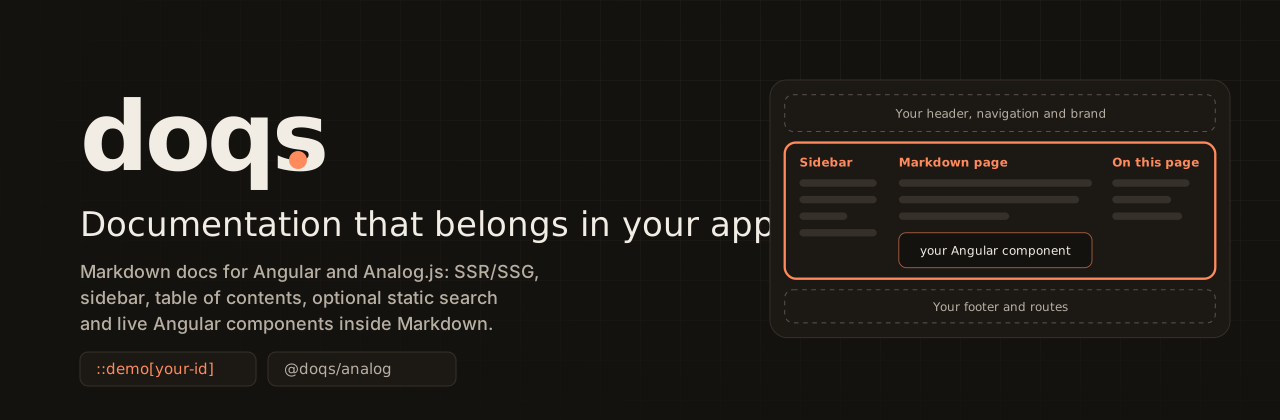
Documentation that lives inside your Angular and Analog app. A Markdown-driven documentation region — routing, sidebar, table of contents, index, code blocks, optional static search live Angular components via ::demo[id] and interactive component playgrounds via ::playground[id] — while your header, footer, routes, theme and components stay yours.



What it is
Doqs adds a documentation region to an Angular application that already uses Analog. Markdown files become routes, a grouped sidebar, a table of contents, previous/next links and a mobile drawer, prerendered as static HTML. Your header, footer, router, theme and components stay yours; Doqs sets no global html or body styles.
Optional, each off until you enable it: Pagefind full-text search, versioned documentation, API reference pages generated from your TypeScript, your own standalone Angular components placed in Markdown with ::demo[id], and interactive playgrounds (::playground[id]) that add controls for the component's inputs, an output inspector, preview widths, an expanded view (native modal by default; expandedPreview: 'overlay-compatible' for components whose overlays are mounted on <body>), reset and copyable usage code. Built in: callouts, accessible tabs, code groups, steps and titled code.
This README is deliberately short. The guides live in the official documentation, whose Markdown source is apps/site/src/content/docs; the site itself is a Doqs application.
Supported environment
| Requirement | Range |
|---|---|
| Node.js | ^20.19.0 || ^22.12.0 || >=24.0.0 |
| Angular | ^21.2.2 || ^22.0.0 |
@analogjs/content | ^2.9.2 |
pagefind (search only, optional) | ^1.5.0 |
typescript (API generation only, optional) | ^5.5.0 || ^6.0.0 |
Verified: Angular 21.2 with TypeScript 5.9 and Angular 22.2 with TypeScript 6.0, both with Analog 2.9.2 and zoneless change detection. Production documentation pages hydrate their prerendered DOM in place; packed initialized consumers pass direct loads, navigation and Back/Forward on Angular 21 embedded, Angular 21 docs-first and Angular 22 embedded. doq doctor --build also detects a build whose scripts need the Angular JIT compiler, an intermittent upstream Analog build race described in the changelog. Zone.js: an Angular 21 application with zone.js and provideZoneChangeDetection() passes the consumer journey (not tested on Angular 22). Focused Linux Firefox/WebKit and Windows Chromium browser journeys pass in hosted CI (spec 0021). Screen-reader output and WCAG conformance are not verified. Peer ranges are not widened without testing; doq doctor checks the versions installed in your project against them.
Installation
pnpm add @doqs/analog @analogjs/content @analogjs/router prismjs
First working example
Run the integration helper from your application's root. It creates src/doq.paths.ts and two Markdown pages, never overwrites a file, and prints the exact snippets for what remains to connect (--dry-run previews it; --mode docs-first mounts the docs at /):
pnpm exec doq init
pnpm exec doq doctor
The connections are four small edits, shown in full on the Analog configuration page:
// src/doq.paths.ts (generated)
export const doqPaths = { contentDirectory: 'docs', basePath: '/docs' } as const;
// vite.config.ts
analog({
  ssr: true,
  static: true,
  content: { highlighter: 'prism' },
  prerender: { routes: async () => ['/', ...doqPrerenderRoutes(doqPaths)] },
}),
doqDeterministicMarkdown(), // from '@doqs/analog/vite'; recommended, see below
// src/app/app.config.ts
const doqConfig = defineDoqConfig({ ...doqPaths });
providers: [
  provideFileRouter(withExtraRoutes(doqRoutes(doqConfig))),
  provideContent(withMarkdownRenderer()),
  provideDoq(doqConfig),
];
/* src/styles.css */
@import '@doqs/analog/styles.css';
Add Markdown files with title, description, group and order frontmatter below src/content/docs, then pnpm build.
Deterministic Markdown (recommended)
Analog renders Markdown files concurrently while heading ids come from a shared slugger, so with an asynchronous highlighter two files can swap duplicate-heading suffixes (usage-1/usage-2) and the build differs from run to run. doqDeterministicMarkdown() renders the files one at a time through Analog's own hook. It contains the upstream problem; it does not fix it. It is opt-in because Doqs cannot edit your Vite configuration, and doq init and doq doctor both point at it.
Content authoring (optional)
Keep examples connected to real source and stop copying text between pages. Author pages in their own directory, describe them in doq.content.json and let doq content generate write ordinary Markdown below your content directory:
::include{file="/_partials/prerequisites.md"}

::source{file="projects/lib/src/button.ts" region="usage" title="button.ts"}

See [[api:ButtonDirective]] for every input.
// projects/lib/src/button.ts
// #region doqs:usage
const config = provideButton({ size: 'md' });
// #endregion doqs:usage
Source files are read as text from the configured sourceRoots only, never executed, never fetched. Nothing is added to the browser bundle, and projects that do not use it need no configuration. See the guides Content authoring and Content tooling in the documentation.
Localization (0.12)
Configure independently authored Markdown directories for each locale with DoqPaths.i18n. The default locale keeps its existing URLs; other locales receive locale-prefixed routes. Provide a signal-backed DoqI18nAdapter through provideDoqI18n() to translate Doqs-owned interface text and connect the host's active locale. Set ownsRouting when the host owns localized route composition; adapter presence alone does not imply ownership. Playground controls and their validation, copy, dialog and announcement text use the same DOQ_DEFAULT_MESSAGES catalog. Localized Pagefind requests require locale metadata in the generated index and fail closed when it is missing. See the full Angular/Analog integration, archive composition, fallback, SSR/SSG and RTL example in the official Multilingual documentation guide. Verified in production builds (Showcase A: English, Spanish, Arabic; real Pagefind index; RTL; sticky TOC; Chromium, Firefox, WebKit). Limitations: live SSR answers HTTP 200 for a missing page because Analog 2.9 ignores RESPONSE_INIT (static hosting answers 404); screen readers and Windows browsers are untested. This is not a 1.0 readiness claim.
Adopting it in an existing site (0.11)
- Import configuration from
@doqs/analog/config(defineDoqConfig,provideDoq,doqPrerenderRoutes, the types): it imports only@angular/core, so it also loads in avite.config.tsor a script, where the main entry does not. landmark: 'host'when your shell already has a<main>; the default'document'makes Doqs render it. Exactly onemaineither way.unmatched: 'continue'lets host pages keep their URLs below the Doqs prefix, so pages migrate one at a time.
See the guide Adopting Doqs in an existing library site in the official documentation.
Command-line tools
| Binary | Purpose |
|---|---|
doq | doq init scaffolds; doq doctor diagnoses the integration (--json, --build, --strict) |
doq-search | doq-search index <siteDir> indexes prerendered output with Pagefind (after the build) |
doq (content) | doq content generate, check and watch resolve ::source{}, ::include{} and [[api:Name]] in authored pages into ordinary Markdown |
doq-api | doq-api generate and doq-api check write and verify reference pages from a public TypeScript API |
Public package surface
@doqs/analog (browser and server), @doqs/analog/config (configuration only, the preferred import for it), the Node-only @doqs/analog/vite, @doqs/analog/search-index, @doqs/analog/api-reference and @doqs/analog/content, and @doqs/analog/styles.css. The exports, their intended stability and the compatibility policy are on the Public API page and in docs/roadmap/1.0-readiness.md. CSS tokens are the --host-docs-* custom properties.
Links
Contributing
Spec-driven; see CONTRIBUTING.md and AGENTS.md. MIT licensed.