Terraform Best Practices MCP Server
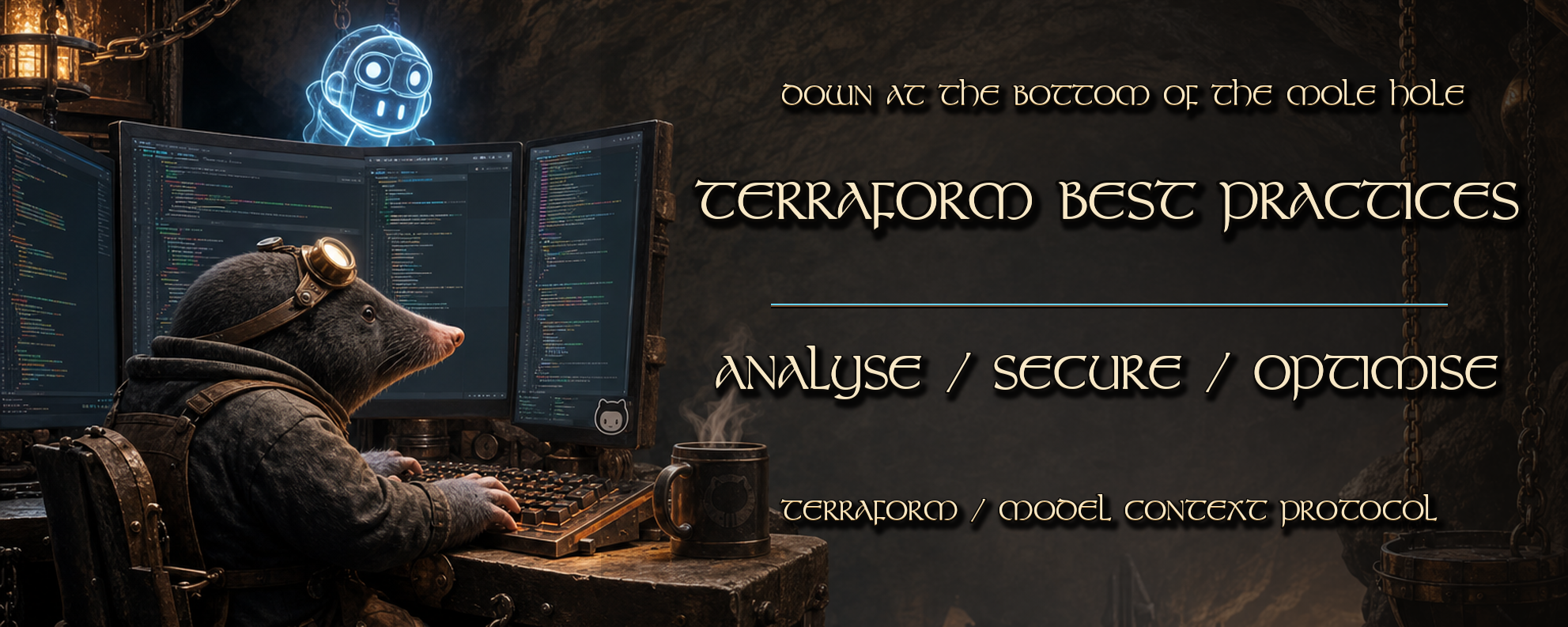



Note: This is a community-maintained MCP server. It is not an official Model Context Protocol server from HashiCorp or any cloud provider.
A Model Context Protocol (MCP) server for producing better Terraform through CLI analysis (tflint, checkov, trivy, kics, infracost), best-practice guidance from terraform-best-practices.com, cloud provider recommendations (Azure, AWS, GCP), and Terraform Registry resource and module guidance.
Overview
This server provides eighteen MCP tools across CLI analysis, best-practice retrieval, and interactive reporting workflows:
run_tflintto lint Terraform code.run_checkovto run security and compliance scanning.run_trivyto scan Terraform configuration for vulnerabilities.run_kicsto run IaC security and compliance scanning.run_infracostto estimate cloud costs.fetch_terraform_best_practicesto retrieve curated Terraform best practices.fetch_provider_best_practicesto retrieve cloud provider Terraform guidance.fetch_terraform_registry_guidanceto retrieve Terraform Registry resource and module guidance.analyze_terraform_codeto analyze code structure, modularity, and best practices.analyze_terraform_performanceto identify runtime and performance bottlenecks.analyze_state_managementto assess backend state strategy and collaboration safety.generate_cost_reportto generate cost analysis with optimization suggestions.generate_terraform_module_docsto produce module documentation from Terraform code.recommend_terraform_modulesto recommend reusable modules from detected patterns.suggest_terraform_architectureto suggest multi-environment and multi-region patterns.suggest_terraform_testing_strategyto recommend CI-driven testing by risk profile.suggest_security_hardeningto provide security hardening recommendations.generate_compliance_summaryto create compliance reports from scan outputs.
Platform Compatibility
This MCP server is platform-agnostic and works in local and CI environments:
- Local development
- GitHub Actions
- GitLab CI/CD
- Azure DevOps
- CircleCI, Jenkins, and Bitbucket Pipelines
- AI Agents and Copilot workflows
The primary requirements are Node.js and optionally the CLI tools on PATH. If a CLI is missing, the server returns installation guidance instead of failing silently.
Tool Matrix
| Tool | Category | Typical outcome |
|---|---|---|
run_tflint | CLI Analysis | Lint findings for Terraform code |
run_checkov | CLI Analysis | Security and compliance scan results |
run_trivy | CLI Analysis | Vulnerability scan results for IaC |
run_kics | CLI Analysis | IaC security findings |
run_infracost | CLI Analysis | Monthly cost baseline for current IaC |
fetch_terraform_best_practices | Guidance | Curated best-practice checklist from terraform-best-practices.com |
fetch_provider_best_practices | Guidance | Cloud provider (Azure/AWS/GCP) Terraform recommendations |
fetch_terraform_registry_guidance | Guidance | Registry guidance for providers, resources, and modules |
analyze_terraform_code | Analysis | Code structure and modularity assessment |
analyze_terraform_performance | Analysis | Performance bottleneck and optimization report |
analyze_state_management | Analysis | State backend strategy and collaboration safety review |
generate_cost_report | Reporting | Cost analysis with optimization suggestions |
generate_terraform_module_docs | Reporting | Generated module documentation markdown |
recommend_terraform_modules | Reporting | Reusable module recommendations from code patterns |
suggest_terraform_architecture | Architecture | Multi-environment and multi-region architecture patterns |
suggest_terraform_testing_strategy | Testing | CI-driven testing strategy by risk profile |
suggest_security_hardening | Security | Security hardening recommendations from scan output |
generate_compliance_summary | Compliance | Compliance report from scan outputs |
Tools
run_tflint
Run tflint against a Terraform project directory.
Inputs:
path(string, optional): Terraform project path to scan. Default:..extraArgs(string[], optional): Extra CLI arguments.timeoutMs(integer, optional): Command timeout in milliseconds.
run_checkov
Run checkov over a Terraform directory.
Inputs:
path(string, optional): Terraform project path to scan. Default:..extraArgs(string[], optional): Extra CLI arguments.timeoutMs(integer, optional): Command timeout in milliseconds.
run_trivy
Run trivy config scanning against Terraform code.
Inputs:
path(string, optional): Terraform project path to scan. Default:..extraArgs(string[], optional): Extra CLI arguments.timeoutMs(integer, optional): Command timeout in milliseconds.
run_kics
Run kics IaC scanning against Terraform code.
Inputs:
path(string, optional): Terraform project path to scan. Default:..extraArgs(string[], optional): Extra CLI arguments.timeoutMs(integer, optional): Command timeout in milliseconds.
run_infracost
Run infracost breakdown for a Terraform directory.
Inputs:
path(string, optional): Terraform project path to scan. Default:..extraArgs(string[], optional): Extra CLI arguments.timeoutMs(integer, optional): Command timeout in milliseconds.
fetch_terraform_best_practices
Fetch Terraform best-practice guidance from curated checks and optional live summaries from terraform-best-practices.com.
Inputs:
topic(string, optional): Topic filter such as state, modules, security, or naming.liveFetch(boolean, optional): When true, fetches and summarises live content. Default:true.
fetch_provider_best_practices
Fetch Terraform best-practice guidance for Azure, AWS, or GCP from curated checks and optional live provider docs summaries.
Inputs:
provider(string, required): Cloud provider (azure,aws, orgcp).topic(string, optional): Focus area such as state, IAM, modules, networking, or cost.liveFetch(boolean, optional): When true, fetches and summarises the linked provider guidance page. Default:true.
fetch_terraform_registry_guidance
Fetch Terraform Registry guidance for providers, resources, and modules.
Inputs:
provider(string, optional): Provider name (e.g.aws,azurerm,google).resource(string, optional): Resource type used with provider (e.g.s3_bucket,resource_group).module(string, optional): Module path in the formnamespace/name/provider.topic(string, optional): Topic filter for the summary output.liveFetch(boolean, optional): When true, fetches and summarises selected Registry pages. Default:true.
analyze_terraform_code
Analyze Terraform code structure, modularity, and best practices.
Inputs:
code(string, required): Terraform code snippet to analyze (max 50,000 chars).focusArea(string, optional): Analysis focus area (modularity,variables,outputs,locals,general). Default:general.
analyze_terraform_performance
Analyze Terraform runtime and performance bottlenecks and optimization opportunities.
Inputs:
terraformCode(string, required): Terraform code for performance-focused heuristics.stateSizeMb(number, optional): State size in MB for scale-aware recommendations.workspaceCount(integer, optional): Number of workspaces sharing the same root stack.providerRateLimitSensitive(boolean, optional): When true, emphasise provider API throttling protections. Default:true.
analyze_state_management
Assess backend state strategy and collaboration safety.
Inputs:
terraformCode(string, required): Terraform code including backend and state-related configuration.teamSize(integer, optional): Number of engineers applying Terraform changes. Default:6.environmentCount(integer, optional): Number of environments managed by the estate. Default:2.currentBackend(string, optional): State backend in use (auto,s3,azurerm,gcs,remote,local,unknown). Default:auto.useWorkspaces(boolean, optional): Whether multiple environments are managed through workspaces. Default:false.
generate_cost_report
Generate cost analysis with optimization suggestions from Infracost output.
Inputs:
infracostJson(string, required): JSON output from infracost breakdown or diff command.includeOptimizations(boolean, optional): When true, generates cost optimization suggestions. Default:true.
generate_terraform_module_docs
Generate module documentation markdown from Terraform code.
Inputs:
terraformCode(string, required): Terraform module code to document.moduleName(string, optional): Friendly name used in generated markdown docs. Default:terraform-module.includeUsageExample(boolean, optional): Include a usage example section. Default:true.includeInputsOutputsTables(boolean, optional): Render inputs and outputs as markdown tables. Default:true.
recommend_terraform_modules
Recommend reusable Terraform modules from detected code patterns.
Inputs:
terraformCode(string, required): Terraform code used to infer module recommendations.provider(string, optional): Preferred cloud provider (aws,azure,gcp,any). Default:any.deploymentIntent(string, optional): Primary deployment goal (networking,kubernetes,serverless,storage,database,observability,security,general). Default:general.maxRecommendations(integer, optional): Maximum recommendations to return (1--10). Default:5.
suggest_terraform_architecture
Suggest architecture patterns for multi-environment and multi-region estates.
Inputs:
workloadType(string, optional): Primary workload profile (web-api,data-platform,event-driven,platform-foundation,general). Default:general.environments(string[], optional): Target environments (dev,test,stage,prod,sandbox,dr). Default:["dev", "prod"].multiRegion(boolean, optional): Whether workloads run across multiple regions. Default:false.complianceProfile(string, optional): Compliance profile (none,cis,pci-dss,hipaa,sox). Default:none.teamSize(integer, optional): Number of engineers operating Terraform code. Default:6.currentPainPoints(string, optional): Pain points or constraints in the current architecture.includeReferenceLayout(boolean, optional): Include a suggested repository and folder layout. Default:true.
suggest_terraform_testing_strategy
Recommend CI-driven Terraform testing strategy by risk profile.
Inputs:
terraformCode(string, optional): Terraform code for complexity-aware recommendations.deploymentCriticality(string, optional): Business impact level (low,medium,high,mission-critical). Default:medium.changeFrequency(string, optional): How often infrastructure changes are introduced (low,medium,high). Default:medium.ciSystem(string, optional): Target CI system (github-actions,azure-devops,gitlab,circleci,jenkins,other). Default:github-actions.includeExamplePipeline(boolean, optional): Include an example pipeline sequence. Default:true.
suggest_security_hardening
Provide security hardening recommendations from scan output.
Inputs:
scanOutput(string, required): Output from a security scanning tool (checkov, trivy, or kics).scanTool(string, optional): Name of the scanning tool (checkov,trivy,kics). Default:checkov.
generate_compliance_summary
Create compliance reports from scan outputs.
Inputs:
checkovOutput(string, optional): Output from checkov scan.trivyOutput(string, optional): Output from trivy scan.kicsOutput(string, optional): Output from kics scan.complianceFramework(string, optional): Compliance framework to assess against (cis,pci-dss,hipaa,sox,general). Default:general.
Prompt Cookbook
Use these minimal prompts in Copilot Chat with @tf-best-practices. CLI tools default to the current workspace root when no path is provided. Adding #file or #folder context can improve chat understanding, but tool execution path is controlled by explicit tool inputs (for example, path).
Quick Start (Zero-Argument Prompts)
@tf-best-practices run run_tflint
@tf-best-practices run run_checkov
@tf-best-practices run run_trivy
@tf-best-practices run run_kics
@tf-best-practices run run_infracost
@tf-best-practices run fetch_terraform_best_practices
CLI Analysis
@tf-best-practices run run_tflint with path ./modules/network
@tf-best-practices run run_checkov with path ./environments/prod
@tf-best-practices run run_trivy with path .
@tf-best-practices run run_kics with path .
@tf-best-practices run run_infracost with path .
Best Practices and Guidance
@tf-best-practices run fetch_terraform_best_practices with topic modules
@tf-best-practices run fetch_provider_best_practices with provider azure
@tf-best-practices run fetch_terraform_registry_guidance with provider azurerm and resource resource_group
Code Analysis
@tf-best-practices run analyze_terraform_code with code <paste code> and focusArea modularity
@tf-best-practices run analyze_terraform_performance with terraformCode <paste code>
@tf-best-practices run analyze_state_management with terraformCode <paste code>
Reporting and Recommendations
@tf-best-practices run generate_cost_report with infracostJson <paste json>
@tf-best-practices run generate_terraform_module_docs with terraformCode <paste code>
@tf-best-practices run recommend_terraform_modules with terraformCode <paste code> and provider azure
@tf-best-practices run suggest_terraform_architecture with workloadType web-api and environments ["dev","stage","prod"]
@tf-best-practices run suggest_terraform_testing_strategy with ciSystem github-actions
@tf-best-practices run suggest_security_hardening with scanOutput <paste output> and scanTool checkov
@tf-best-practices run generate_compliance_summary with complianceFramework cis
Dependencies
System Dependencies
- Node.js
>=24.14.0 - npm (bundled with Node.js)
- Optional CLIs available on
PATHfor command tools:tflintcheckovtrivykicsinfracost
If a CLI is missing, the server returns installation guidance instead of failing silently.
npm Dependencies
Runtime:
@modelcontextprotocol/sdk(MCP server SDK)zod(input schema validation)
Development:
typescript(build/compile)tsx(development runner)vitest(unit test runner)@types/node(Node.js typings)
Environment Variables
INFRACOST_API_KEY: Infracost API key for cloud-backed cost estimates.
Installation
npm install
npm run build
Configuration
Usage with VS Code Copilot Chat
This workspace is preconfigured in .vscode/mcp.json:
{
  "servers": {
    "tf-best-practices": {
      "type": "stdio",
      "command": "npm",
      "args": ["run", "dev"]
    }
  }
}
Reload VS Code (Cmd+Shift+P -> Developer: Reload Window) after changing MCP configuration.
Then query the server from Copilot Chat with @tf-best-practices, for example:
@tf-best-practices run run_tflint
@tf-best-practices run fetch_terraform_best_practices with topic modules
Usage with Other MCP Clients
Use stdio transport with the built entrypoint:
{
  "name": "terraform-best-practices-mcp-server",
  "type": "stdio",
  "command": "node",
  "args": ["/absolute/path/to/terraform-best-practices-mcp/dist/index.js"]
}
Build first with npm run build, then start your MCP client.
Running
npm start
Development mode:
npm run dev
Debugging
Use .vscode/launch.json:
Debug MCP Server(runsnpm run dev)Debug MCP Server (Built)(runsdist/index.jsafter build)
Set breakpoints in src/index.ts, then press F5.
Testing
See docs/TESTING.md for Copilot Chat scenarios, manual JSON-RPC checks, and troubleshooting guidance.
Quick validation prompt in Copilot Chat:
@tf-best-practices run run_tflint
Interactive VS Code Workflows
1. Security Triage
- Run a scan:
@tf-best-practices run run_checkov
- Request hardening suggestions:
@tf-best-practices run suggest_security_hardening with scanOutput <paste checkov output> and scanTool checkov
- Generate a compliance summary:
@tf-best-practices run generate_compliance_summary with checkovOutput <paste output> and complianceFramework cis
2. Cost Impact Review
- Generate a cost baseline:
@tf-best-practices run run_infracost
- Produce a cost report:
@tf-best-practices run generate_cost_report with infracostJson <paste json>
3. Architecture Review
- Analyse code quality:
@tf-best-practices run analyze_terraform_code with code <paste code> and focusArea modularity
- Review state management:
@tf-best-practices run analyze_state_management with terraformCode <paste code>
- Get architecture recommendations:
@tf-best-practices run suggest_terraform_architecture with workloadType web-api and multiRegion true
Best Practices
- Start with CLI analysis tools to establish a baseline before using guidance tools.
- Use
fetch_terraform_best_practicesto align with community conventions. - Use
fetch_provider_best_practicesfor provider-specific patterns. - Keep
timeoutMshigh enough for large Terraform projects. - Run
suggest_terraform_testing_strategywhen onboarding new CI/CD pipelines. - Use
generate_compliance_summaryregularly for audit readiness.
Additional Use Cases
- Pre-merge security and compliance gates in pull requests.
- Automated cost impact reviews for infrastructure changes.
- Architecture pattern recommendations for greenfield projects.
- Module documentation generation for shared Terraform modules.
- CI-driven testing strategy definition by deployment risk profile.
- Compliance evidence generation for audit trails.
Related Projects
Terraform Resources
Model Context Protocol
Community and Contributing
Attribution and License
Maintained by Carl Dawson under the Down At The Bottom Of The Mole Hole organization.
Development
npm run lint
npm test
npm run build
License
Licensed under the MIT License.