Electronegativity
What's Electronegativity?
Electronegativity is a tool to identify misconfigurations and security anti-patterns in Electron-based applications.

It leverages AST and DOM parsing to look for security-relevant configurations, as described in the "Electron Security Checklist - A Guide for Developers and Auditors" whitepaper.
Software developers and security auditors can use this tool to detect and mitigate potential weaknesses and implementation bugs when developing applications using Electron. A good understanding of Electron (in)security is still required when using Electronegativity, as some of the potential issues detected by the tool require manual investigation.
If you're interested in Electron Security, have a look at our BlackHat 2017 research Electronegativity - A Study of Electron Security and keep an eye on the Doyensec's blog.

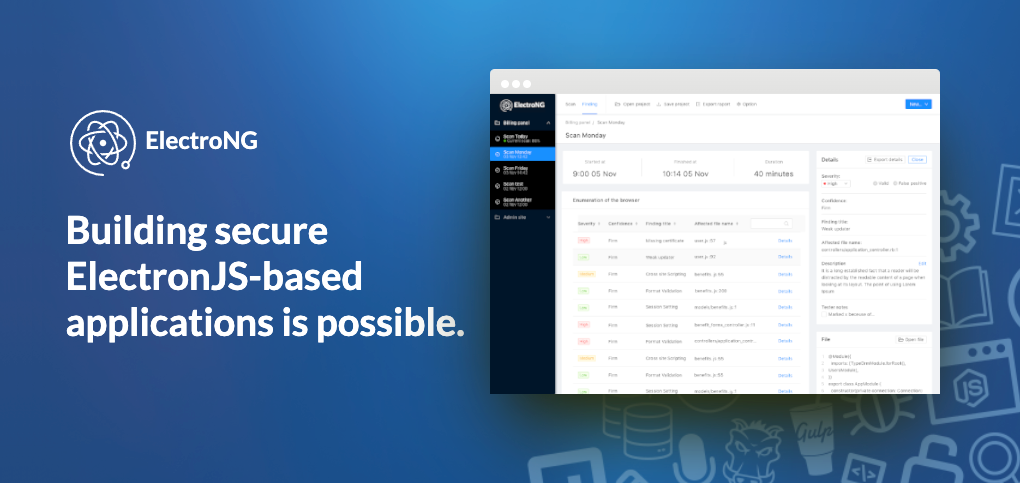
ElectroNG Improved Version
If you need something more powerful or updated, an improved SAST tool based on Electronegativity is available as the result of many years of applied R&D from Doyensec. At the end of 2020, we sat down to create a project roadmap and created a development team to work on what is now ElectroNG. You can read more some of the major improvements over the OSS version in a recent blog post.
Installation
Major releases are pushed to NPM and can be simply installed using:
$ npm install @doyensec/electronegativity -g
Usage
CLI
$ electronegativity -h
| Option | Description |
|---|---|
| -V | output the version number |
| -i, --input | input (directory, .js, .html, .asar) |
| -l, --checks | only run the specified checks, passed in csv format |
| -x, --exclude-checks | skip the specified checks list, passed in csv format |
| -s, --severity | only return findings with the specified level of severity or above |
| -c, --confidence | only return findings with the specified level of confidence or above |
| -o, --output <filename[.csv or .sarif]> | save the results to a file in csv or sarif format |
| -r, --relative | show relative path for files |
| -v, --verbose | show the description for the findings, defaults to true |
| -u, --upgrade | run Electron upgrade checks, eg -u 7..8 to check upgrade from Electron 7 to 8 |
| -e, --electron-version | assume the set Electron version, overriding the detected one, eg -e 7.0.0 to treat as using Electron 7 |
| -p, --parser-plugins | specify additional parser plugins to use separated by commas, e.g. -p optionalChaining |
| -h, --help | output usage information |
Using electronegativity to look for issues in a directory containing an Electron app:
$ electronegativity -i /path/to/electron/app
Using electronegativity to look for issues in an asar archive and saving the results in a csv file:
$ electronegativity -i /path/to/asar/archive -o result.csv
Using electronegativity when upgrading from one version of Electron to another to find breaking changes:
$ electronegativity -i /path/to/electron/app -v -u 7..8
Note: if you're running into the Fatal Error "JavaScript heap out of memory", you can run node using node --max-old-space-size=4096 electronegativity -i /path/to/asar/archive -o result.csv
Ignoring Lines or Files
Electronegativity lets you disable individual checks using eng-disable comments. For example, if you want a specific check to ignore a line of code, you can disable it as follows:
const res = eval(safeVariable); /* eng-disable DANGEROUS_FUNCTIONS_JS_CHECK */
<webview src="https://doyensec.com/" enableblinkfeatures="DangerousFeature"></webview> <!-- eng-disable BLINK_FEATURES_HTML_CHECK -->
Any eng-disable inline comment (// eng-disable, /* eng-disable */, <!-- eng-disable -->) will disable the specified check for just that line. It is also possible to provide multiple check names using both their snake case IDs (DANGEROUS_FUNCTIONS_JS_CHECK) or their construct names (dangerousFunctionsJSCheck):
shell.openExternal(eval(safeVar)); /* eng-disable OPEN_EXTERNAL_JS_CHECK DANGEROUS_FUNCTIONS_JS_CHECK */
If you put an eng-disable directive before any code at the top of a .js or .html file, that will disable the passed checks for the entire file.
Note on Global Checks and eng-disable annotations
Before v1.9.0 Global Checks couldn't be disabled using code annotations. If you are still using an old version, use -x CLI argument to manually disable a list of checks instead (e.g. -x LimitNavigationJsCheck,PermissionRequestHandlerJsCheck,CSPGlobalCheck).
Note that using annotations may not be applicable for some higher-level checks such as CSP_GLOBAL_CHECK or AVAILABLE_SECURITY_FIXES_GLOBAL_CHECK. For those cases, you might want to use the -x flag to exclude specific checks from your scan.
CI/CD
Electronegativity Action may run as part of your GitHub CI/CD pipeline to get "Code scanning alerts":

Programmatically
You can also use electronegativity programmatically, using similar options as for the CLI:
const run = require('@doyensec/electronegativity')
// or: import run from '@doyensec/electronegativity';

run({
  // input (directory, .js, .html, .asar)
  input: '/path/to/electron/app',
  // save the results to a file in csv or sarif format (optional)
  output: '/path/for/output/file',
  // true to save output as sarif, false to save as csv (optional)
  isSarif: false,
  // only run the specified checks (optional)
  customScan: ['dangerousfunctionsjscheck', 'remotemodulejscheck'],
  // only return findings with the specified level of severity or above (optional)
  severitySet: 'high',
  // only return findings with the specified level of confidence or above (optional)
  confidenceSet: 'certain',
  // show relative path for files (optional)
  isRelative: false,
  // run Electron upgrade checks, eg -u 7..8 to check upgrade from Electron 7 to 8 (optional)
  electronUpgrade: '7..8',
  // assume the set Electron version, overriding the detected one
  electronVersion: '5.0.0',
  // use additional parser plugins
  parserPlugins: ['optionalChaining']
})
    .then(result => console.log(result))
    .catch(err => console.error(err));
The result contains the number of global and atomic checks, any errors encountered while parsing and an array of the issues found, like this:
{
  globalChecks: 6,
  atomicChecks: 36,
  errors: [
    {
      file: 'ts/main/main.ts',
      sample: 'shell.openExternal(url);',
      location: { line: 328, column: 4 },
      id: 'OPEN_EXTERNAL_JS_CHECK',
      description: 'Review the use of openExternal',
      properties: undefined,
      severity: { value: 2, name: 'MEDIUM', format: [Function: format] },
      confidence: { value: 0, name: 'TENTATIVE', format: [Function: format] },
      manualReview: true,
      shortenedURL: 'https://git.io/JeuMC'
    },
    {
      file: 'ts/main/main.ts',
      sample: 'const popup = new BrowserWindow(options);',
      location: { line: 340, column: 18 },
      id: 'CONTEXT_ISOLATION_JS_CHECK',
      description: 'Review the use of the contextIsolation option',
      properties: undefined,
      severity: { value: 3, name: 'HIGH', format: [Function: format] },
      confidence: { value: 1, name: 'FIRM', format: [Function: format] },
      manualReview: false,
      shortenedURL: 'https://git.io/Jeu1p'
    }
  ]
}
Contributing
If you're thinking about contributing to this project, please take a look at our CONTRIBUTING.md.
Credits
Electronegativity was made possible thanks to the work of many contributors.
This project has been sponsored by Doyensec LLC.

Engage us to break your Electron.js application!