End of life Plugin
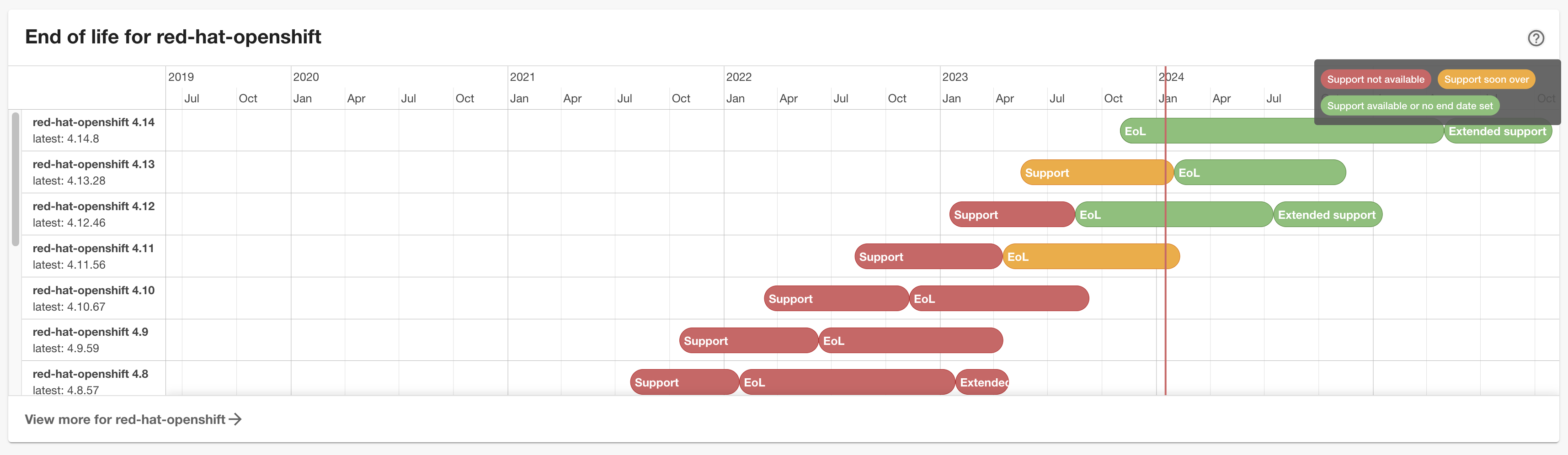
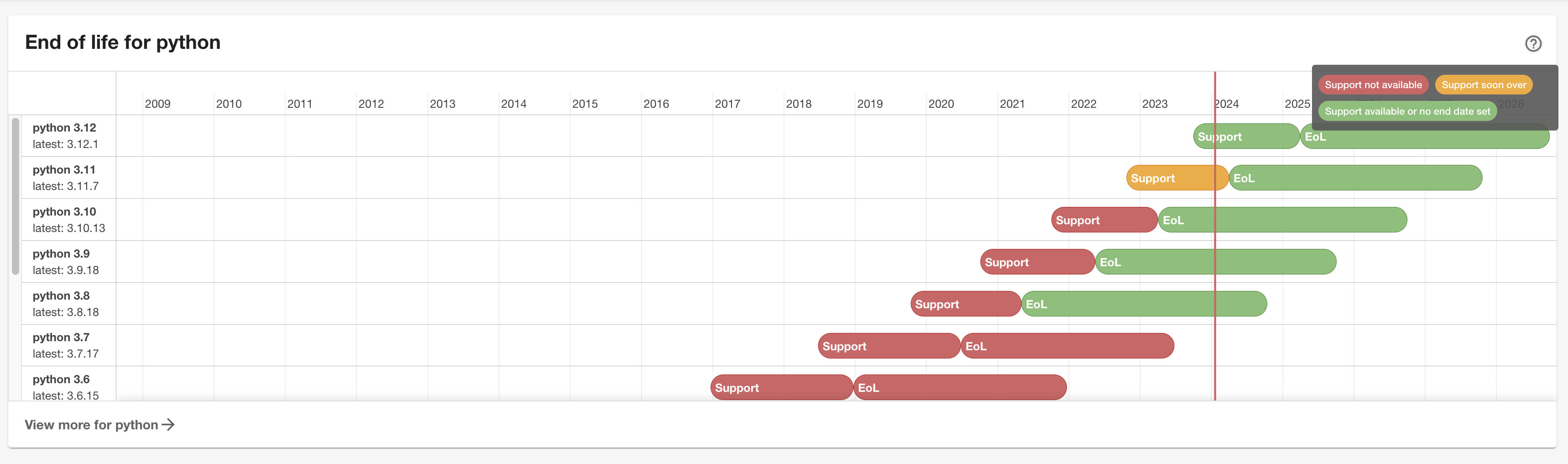
Welcome to the end of life plugin!
This plugin will show end of life data for entities from endoflife.date or your own data provided by a URL or integrations.
Setup
Install this plugin:
# From your Backstage root directory
yarn --cwd packages/app add @dweber019/backstage-plugin-endoflife
Annotations
You can use the annotation endoflife.date/products to define products at endoflife.date.
Use the product name in the url address (e.g. angular) for your annotation.
apiVersion: backstage.io/v1alpha1
kind: Resource
metadata:
  name: eol-angular
  annotations:
    endoflife.date/products: angular
You can even use multiple products with a comma separated list.
apiVersion: backstage.io/v1alpha1
kind: Component
metadata:
  name: eol-angular-nginx-app
  annotations:
    endoflife.date/products: angular,nginx
Additionally, you can specify the version by using the release column (in the API called cycle).
apiVersion: backstage.io/v1alpha1
kind: Component
metadata:
  name: eol-angular-nignx-version-app
  annotations:
    endoflife.date/products: angular@17,[email protected]
In addition to loading information from endoflife.date you can load information from URL's
or your repository by providing the annotations endoflife.date/url-location or endoflife.date/source-location and
using the type EndOfLifeCycle at plugins/endoflife/src/api/types.ts.
apiVersion: backstage.io/v1alpha1
kind: Component
metadata:
  name: angular-app
  annotations:
    endoflife.date/url-location: https://gist.githubusercontent.com/dweber019/.../raw/.../versions.json
apiVersion: backstage.io/v1alpha1
kind: Component
metadata:
  name: 'angular-app'
  annotations:
    endoflife.date/source-location: /versions.json
The
endoflife.date/source-locationhas to be relative to your source repository
To use the
endoflife.date/source-location, you need to install the backend plugin
The annotations can't be combined and the order is
endoflife.date/products,endoflife.date/url-location,endoflife.date/source-location
Entity Pages
Add the EntityEndOfLifeCard to the EntityPage.
You could use this directly on components like this
// packages/app/src/components/catalog/EntityPage.tsx

import {
  EntityEndOfLifeCard,
  isEndOfLifeAvailable,
} from '@dweber019/backstage-plugin-endoflife';

const overviewContent = (
  <Grid container spacing={3} alignItems="stretch">
    {entityWarningContent}
    ...
    <EntitySwitch>
      <EntitySwitch.Case if={isEndOfLifeAvailable}>
        <Grid item md={6}>
          <EntityEndOfLifeCard />
        </Grid>
      </EntitySwitch.Case>
    </EntitySwitch>
    ...
  </Grid>
);
or if you have resources representing technologies like databases or angular, you could use
// packages/app/src/components/catalog/EntityPage.tsx

import {
  EntityEndOfLifeCard,
  isEndOfLifeAvailable,
} from '@dweber019/backstage-plugin-endoflife';

const resourcePage = (
  <EntityLayoutWrapper>
    <EntityLayout.Route path="/" title="Overview">
      <Grid container spacing={3} alignItems="stretch">
        {entityWarningContent}
        ...
        <EntitySwitch>
          <EntitySwitch.Case if={isEndOfLifeAvailable}>
            <Grid item md={6}>
              <EntityEndOfLifeCard variant="gridItem" />
            </Grid>
          </EntitySwitch.Case>
        </EntitySwitch>
      </Grid>
    </EntityLayout.Route>
    ...
  </EntityLayoutWrapper>
);
or if you have API entities you could use the annotation endoflife.date/source-location
to make version lifecycles visible to consumers.
Help text
You can customize the help text in the right upper corner by using the following configuration in app-config.yaml
endOfLife:
  helpText: |
    # Custom help text

    You can use markdown if you like
Base Url
If you're hosting a local End of Life instance, configure the base url to your service in the app-config.yaml
endOfLife:
  baseUrl: https://endoflife.mycompany.com
Troubleshooting
Behavior 'endoflife.date/products': angular
Using this annotation will result in a call to Get all details.
Behavior 'endoflife.date/products': angular@17
Using this annotation will result in a call to Single cycle details.
Behavior 'endoflife.date/products': angular@17,nginx
Using this annotation will result in multiple calls to the respective behavior above, depending on if the version is defined.
Wrong or missing data
All data is comming from endoflife.date and can be wrong or missing.
Please correct this by contributing back to the community.
Local development
There is a local setup at plugins/endoflife/dev which can be started with yarn --cwd plugins/endoflife start from the root.