@egjs/ 轴





演示 编号 : 文档 编号 :  其他构成部分
您可以轻松创建一个响应用户动作的UI.

* 特性
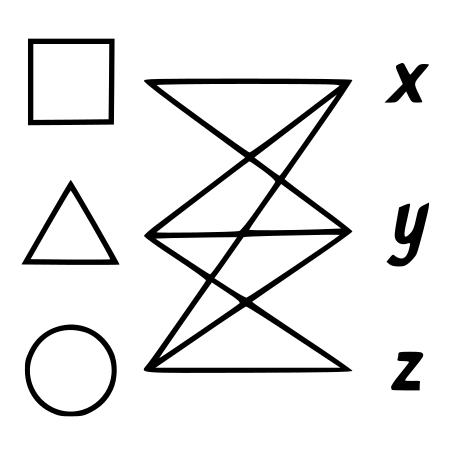
- Axes将各种输入设备输入的用户动作翻译为虚拟坐标系统.
- 您可以创建响应用户动作的用户界面 .
- 提供5个输入类型. 这些可以与用户界面相联.
- 提供由InputTypes生成的六种类型的事件.
- 此外,您还可以创建自定义的输入类型!
* 安装
无
$ npm install @egjs/axes
光盘N
- jsDelivr:https://cdn.jsdelivr.net/npm/@egjs/axes/dist/ (中文(简体) )
- https://unpkg.com/@egjs/axes@latest/dist/ 页面存档备份,存于互联网档案馆
- cdnjs: (中文(简体) ) https://cdnjs.com/librarys/egjs-axes (中文(简体) )
QQ 快速启动
1. 设置您的 HTML
<div id="area"></div>
2. 装入文件或导入库
ES5号机车
<script src="https://naver.github.io/egjs-axes/release/latest/axes.pkgd.js"></script>
var Axes = eg.Axes;
var PanInput = Axes.PanInput;
var PinchInput = Axes.PinchInput;
var WheelInput = Axes.WheelInput;
var MoveKeyInput = Axes.MoveKeyInput;
ES6 + 标准
import Axes, {PanInput, PinchInput, WheelInput, MoveKeyInput} from "@egjs/axes";
3. 初始化轴
// create eg.Axes with option
const axes = new Axes({
  something1: { range: [0, 100] },
  something2: { range: [0, 100] },
  somethingN: { range: [-200, 200] }
});
4. 附加事件处理器
axes.on({
 "change": evt => /* ... */
});
5. 初始化要使用的输入类型
const panInput = new PanInput("#area");
const wheelInput = new WheelInput("#wArea");
const pinchInput = new PinchInput("#pArea");
const movekeyInput = new MoveKeyInput("#mArea");
6. 连接例如轴和输入类型
axes.connect(["something2", "somethingN"], panInput);
axes.connect(["something1"], wheelInput);
axes.connect(["something2"], pinchInput);
axes.connect(["something1", "something2"], movekeyInput);
7. 请慢用!
您可以通过触摸屏幕,鼠标或其他方式来改变轴值.
QQ 支持的浏览器
 |  |  |  |  |  |
|---|---|---|---|---|---|
| 10岁以上 | 最新 | 最新 | 最新 | 7个+ | 2.3+(3.x除外) |
* 依赖性
egjs-axes对下列库有依赖性: 电子库:
| eg. 组件 | 举个例子 探员 |
|---|---|
| 3.0.1+ (单位:千美元) | 2.2.1+ (简体中文) |
德摩斯语
检查我们 演示文稿。 。 。 .
页:1
见 文档 页 次.
捐款
见 捐款额。 。 。 .
QQ 反馈和错误报告
请存档 问题。 。 。 .
许可证
@egjs/ axes 发布于 麻省理工学院许可证。 。 。 .
Copyright (c) 2015 NAVER Corp.
Permission is hereby granted, free of charge, to any person obtaining a copy
of this software and associated documentation files (the "Software"), to deal
in the Software without restriction, including without limitation the rights
to use, copy, modify, merge, publish, distribute, sublicense, and/or sell
copies of the Software, and to permit persons to whom the Software is
furnished to do so, subject to the following conditions:
The above copyright notice and this permission notice shall be included in
all copies or substantial portions of the Software.
THE SOFTWARE IS PROVIDED "AS IS", WITHOUT WARRANTY OF ANY KIND, EXPRESS OR
IMPLIED, INCLUDING BUT NOT LIMITED TO THE WARRANTIES OF MERCHANTABILITY,
FITNESS FOR A PARTICULAR PURPOSE AND NONINFRINGEMENT.  IN NO EVENT SHALL THE
AUTHORS OR COPYRIGHT HOLDERS BE LIABLE FOR ANY CLAIM, DAMAGES OR OTHER
LIABILITY, WHETHER IN AN ACTION OF CONTRACT, TORT OR OTHERWISE, ARISING FROM,
OUT OF OR IN CONNECTION WITH THE SOFTWARE OR THE USE OR OTHER DEALINGS IN
THE SOFTWARE.