
Grid


A component that can arrange items according to the type of grids.
Grids
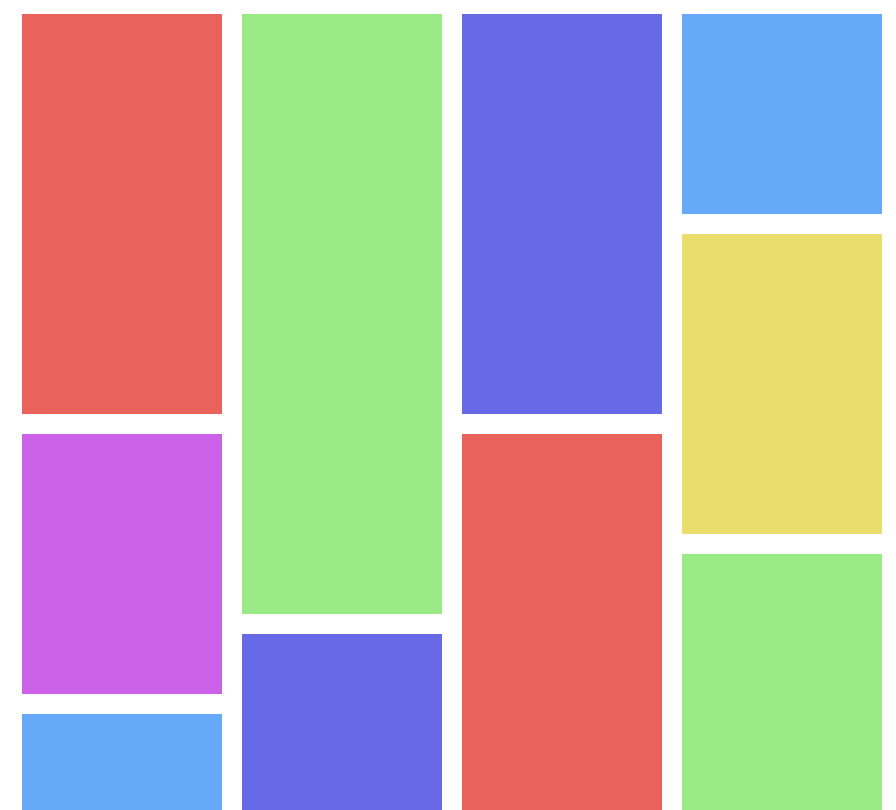 |  | 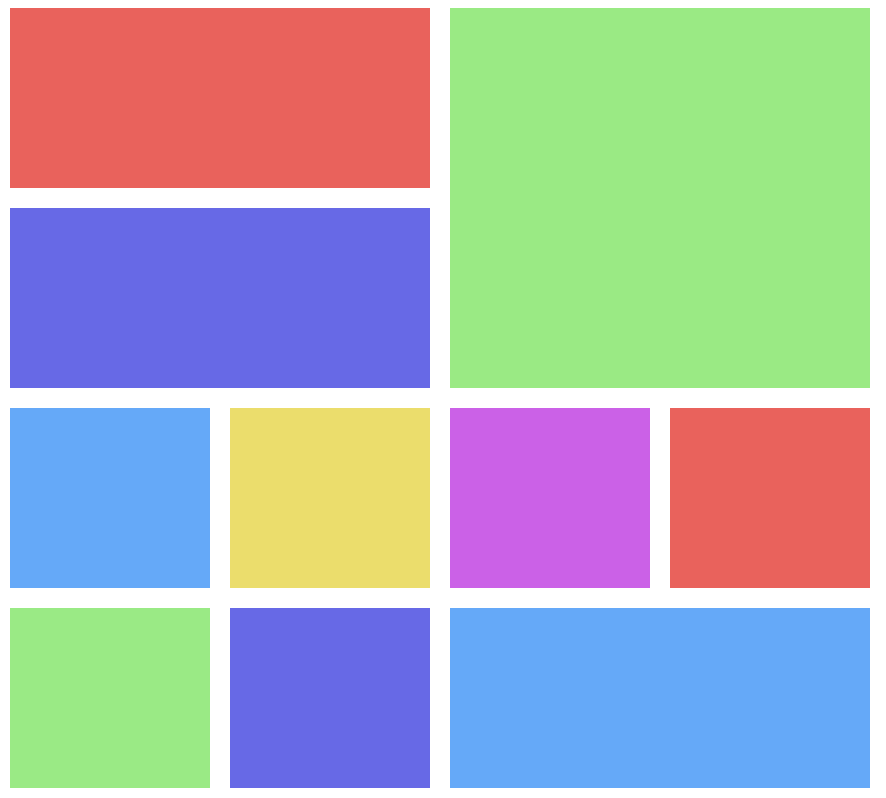 | 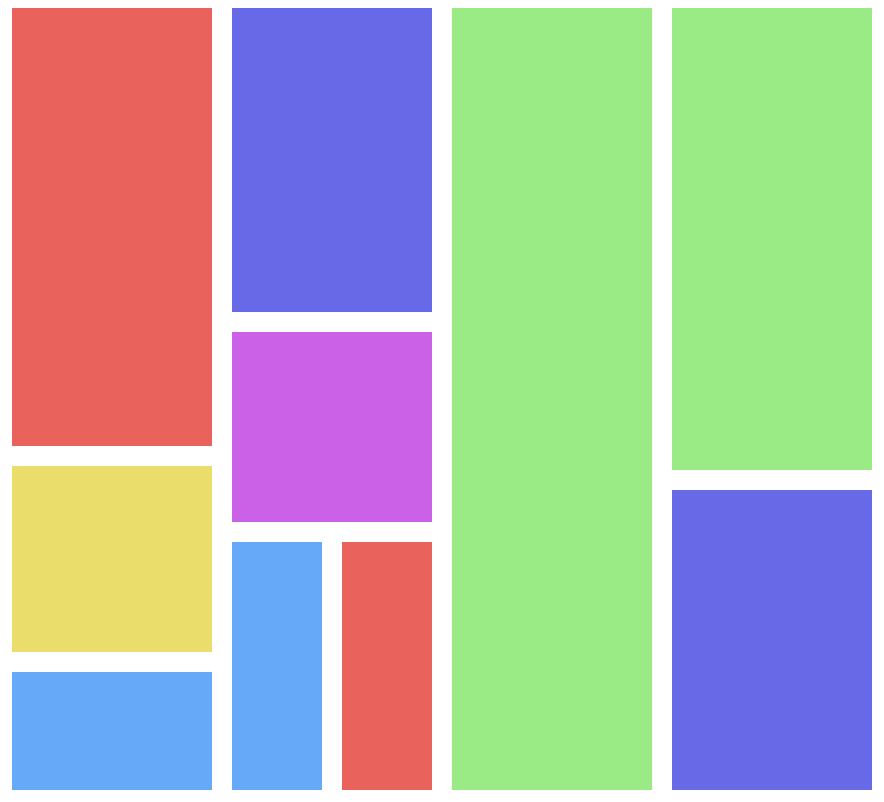 |
|---|---|---|---|
| MasonryGrid | JustifiedGrid | FrameGrid | PackingGrid |
- MasonryGrid: The MasonryGrid is a grid that stacks items with the same width as a stack of bricks. Adjust the width of all images to the same size, find the lowest height column, and insert a new item.
- JustifiedGrid: 'justified' is a printing term with the meaning that 'it fits in one row wide'. The JustifiedGrid is a grid that the item is filled up on the basis of a line given a size.
- FrameGrid: 'Frame' is a printing term with the meaning that 'it fits in one row wide'. The FrameGrid is a grid that the item is filled up on the basis of a line given a size.
- PackingGrid: The PackingGrid is a grid that shows the important items bigger without sacrificing the weight of the items. Rows and columns are separated so that items are dynamically placed within the horizontal and vertical space rather than arranged in an orderly fashion.
Documents
Download and Installation
Download dist files from repo directly or install it via npm.
$ npm install @egjs/grid
<script src="//naver.github.io/egjs-grid/release/latest/dist/grid.min.js"></script>
How to use
import { MasonryGrid, JustifiedGrid, FrameGrid, PackingGrid } from "@egjs/grid";


// Grid.MasonryGrid
const grid = new MasonryGrid(container, {
  gap: 5,
});

grid.renderItems();
Use Faster & Lazy Rendering
- When the
loading="lazy"ordata-grid-lazy="true"(external lazy loading) attribute is used, Rendering of the items occurs immediately. When items are loaded, they are rendered sequentially.
<img src="..." />
<img src="..." />
<img src="..." loading="lazy" />
<img data-grid-lazy="true" />
- If you use
data-grid-widthanddata-grid-heightattributes, the size of self, child image, and video elements is automatically adjusted until loading is complete.
<div data-grid-width="100" data-grid-height="100">
   <img src="..." />
   <img src="..." />
   <img src="..." />
</div>
- If you use
data-grid-skip="true"attribute, you can omit it even if there are images in itself and child image, and video elements.
<div data-grid-skip="true">
   <img src="..." />
   <img src="..." />
   <img src="..." />
</div>
Detect resize of Container & Children
Grid calculates the size of container and children by window resizing event. However, even if the size of the window does not change, the size of the event container and children can change. Most of the first rendering issues are also like this.
In this case, I recommend ResizeObserver for you.
Provides useResizeObserver option to detect size change of container and observeChildren option to detect size change of children.
import { MasonryGrid, JustifiedGrid, FrameGrid, PackingGrid } from "@egjs/grid";


// Grid.MasonryGrid
const grid = new MasonryGrid(container, {
  gap: 5,
  useResizeObserver: true,
  observeChildren: true,
});

grid.renderItems();
Pre-guess size for performance or invisible items.
What if all items were the same size?
If you use the isEqualSize option, all items are considered to be the same size.
Each resize only calculates the size of one item.
Add data-grid-not-equal-size="true" attribute if there is an exceptional item whose size needs to be calculated while using isEqualSize.
<div class="item item1"></div>
<div class="item item1"></div>
<div class="item item1"></div>
<!--item2 is a different size than item1.-->
<div class="item item2" data-grid-not-equal-size="true"></div>
What if a size group exists?
isEqualSize assumes all items are equal. But if there are more than two size-groups, use data-grid-size-group.
<!--item1 has the same size.-->
<div class="item item1" data-grid-size-group="1"></div>
<div class="item item1" data-grid-size-group="1"></div>
<!--item2 has the same size.-->
<div class="item item2" data-grid-size-group="2"></div>
<div class="item item2" data-grid-size-group="2"></div>
What if all items don't change size?
If all items do not have a constant size, use the isConstantSize option. Resizing doesn't calculate the item's size.
If you want to recalculate, use .updateItems(items, { useOrgResize: true }) method or .renderItems({ useOrgResize: true }) method.
Packages
| Package | Version | Description |
|---|---|---|
| @egjs/react-grid |  | React port of @egjs/grid |
| @egjs/ngx-grid |  | Angular port of @egjs/grid |
| @egjs/vue-grid |  | Vue.js port of @egjs/grid |
| @egjs/svelte-grid |  | Svelte port of @egjs/grid |
Supported Browsers
The following are the supported browsers.
| Internet Explorer | Chrome | Firefox | Safari | iOS | Android |
|---|---|---|---|---|---|
| 9+ | Latest | Latest | Latest | 7+ | 4+(polyfill 2.2+) |
How to start developing egjs-grid?
For anyone interested to develop egjs-grid, follow the instructions below.
Development Environment
1. Clone the repository
Clone the egjs-grid repository and install the dependency modules.
# Clone the repository.
$ git clone https://github.com/naver/egjs-grid.git
2. Install dependencies
# Install the dependency modules.
$ npm install
3. npm start
Run storybook for development.
Open http://localhost:6006 to view it in the browser.
The page will reload if you make edits.
You will also see any lint errors in the console.
3. npm build
Use npm script to build Grid
$ npm run build
Two folders will be created after complete build is completed.
- dist folder: Includes the grid.js and grid.min.js files.
- doc folder: Includes API documentation. The home page for the documentation is doc/index.html.
Linting
To keep the same code style, we adopted ESLint to maintain our code quality. The rules are modified version based on Airbnb JavaScript Style Guide. Setup your editor for check or run below command for linting.
$ npm run lint
Test
Once you created a branch and done with development, you must perform a test running with npm test command before your push the code to a remote repository.
$ npm run test
Running npm test command will start Mocha tests via Karma-runner.
Bug Report
If you find a bug, please report to us opening a new Issues on GitHub.
License
egjs-grid is released under the MIT license.
Copyright (c) 2021-present NAVER Corp.

Permission is hereby granted, free of charge, to any person obtaining a copy
of this software and associated documentation files (the "Software"), to deal
in the Software without restriction, including without limitation the rights
to use, copy, modify, merge, publish, distribute, sublicense, and/or sell
copies of the Software, and to permit persons to whom the Software is
furnished to do so, subject to the following conditions:

The above copyright notice and this permission notice shall be included in
all copies or substantial portions of the Software.

THE SOFTWARE IS PROVIDED "AS IS", WITHOUT WARRANTY OF ANY KIND, EXPRESS OR
IMPLIED, INCLUDING BUT NOT LIMITED TO THE WARRANTIES OF MERCHANTABILITY,
FITNESS FOR A PARTICULAR PURPOSE AND NONINFRINGEMENT.  IN NO EVENT SHALL THE
AUTHORS OR COPYRIGHT HOLDERS BE LIABLE FOR ANY CLAIM, DAMAGES OR OTHER
LIABILITY, WHETHER IN AN ACTION OF CONTRACT, TORT OR OTHERWISE, ARISING FROM,
OUT OF OR IN CONNECTION WITH THE SOFTWARE OR THE USE OR OTHER DEALINGS IN
THE SOFTWARE.