View3D


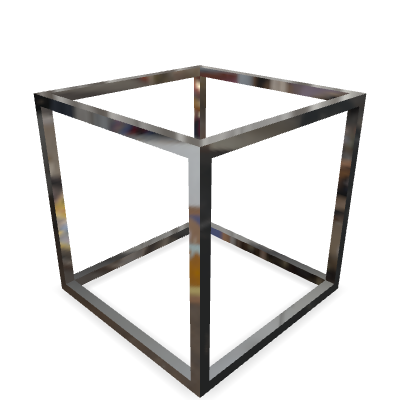
Fast & Customizable glTF 3D model viewer, packed with full of features!
👉 Demo / API Document / Tutorial
🔹 Features
- glTF Viewer based on the three.js
- View, rotate, translate and zoom your glTF 3D models in the web.
- Works on both 🖥️ Desktop & 📱 Mobile
- Customize your viewer with options like autoplay, skybox, and shadow
- Augmented Reality
- View3D supports Augmented Reality based on WebXR, Scene Viewer, and AR Quick Look
- You can see, rotate, move, and scale the 3D model on the floor & wall in our AR sessions.
- Supports compressed glTF 2.0 models
- View3D can display compressed glTF models with the following extensions.
- KHR_draco_mesh_compression
- EXT_meshopt_compression
- KHR_texture_basisu
- View3D can display compressed glTF models with the following extensions.
- Typescript-based
🔹 Installation
npm i @egjs/view3d
# OR
yarn add @egjs/view3d
🔹 Quick Start
@egjs/view3d requires one wrapper & one canvas element to be initialized.
<div id="view3d" class="view3d-wrapper">
  <canvas class="my-canvas"></canvas>
</div>
Then you can use it like
import View3D from "@egjs/view3d";
import "@egjs/view3d/css/view3d-bundle.min.css";

const canvasEl = document.querySelector("#view3d");
const view3d = new View3D(canvasEl, {
  src: "URL_TO_YOUR_3D_MODEL",
  envmap: "URL_TO_YOUR_HDR_IMAGE",
});

// or just

const view3d = new View3D("#view3d");
See detailed explanation on our Tutorial
🔹 Browser Support
View3D is available for the last two major versions of all evergreen desktop and mobile browsers.
🔹 Articles
🔹 License
Copyright (c) 2020-present NAVER Corp.

Permission is hereby granted, free of charge, to any person obtaining a copy
of this software and associated documentation files (the "Software"), to deal
in the Software without restriction, including without limitation the rights
to use, copy, modify, merge, publish, distribute, sublicense, and/or sell
copies of the Software, and to permit persons to whom the Software is
furnished to do so, subject to the following conditions:

The above copyright notice and this permission notice shall be included in
all copies or substantial portions of the Software.

THE SOFTWARE IS PROVIDED "AS IS", WITHOUT WARRANTY OF ANY KIND, EXPRESS OR
IMPLIED, INCLUDING BUT NOT LIMITED TO THE WARRANTIES OF MERCHANTABILITY,
FITNESS FOR A PARTICULAR PURPOSE AND NONINFRINGEMENT.  IN NO EVENT SHALL THE
AUTHORS OR COPYRIGHT HOLDERS BE LIABLE FOR ANY CLAIM, DAMAGES OR OTHER
LIABILITY, WHETHER IN AN ACTION OF CONTRACT, TORT OR OTHERWISE, ARISING FROM,
OUT OF OR IN CONNECTION WITH THE SOFTWARE OR THE USE OR OTHER DEALINGS IN
THE SOFTWARE.