@etchteam/storybook-addon-marker

中文文档
7.0.0发布于 2025/10/28MITES Module近 30 天下载 2053

Add a Marker.io feedback button to the storybook UI

原始使用文档
文档目录5 节
  1. Installation
  2. Configuring Storybook
  3. Configuring Marker
  4. Hiding the Marker widget button
  5. Screenshot rendering

Storybook Addon Marker

A Storybook Addon to add a Marker.io feedback button in Storybook.
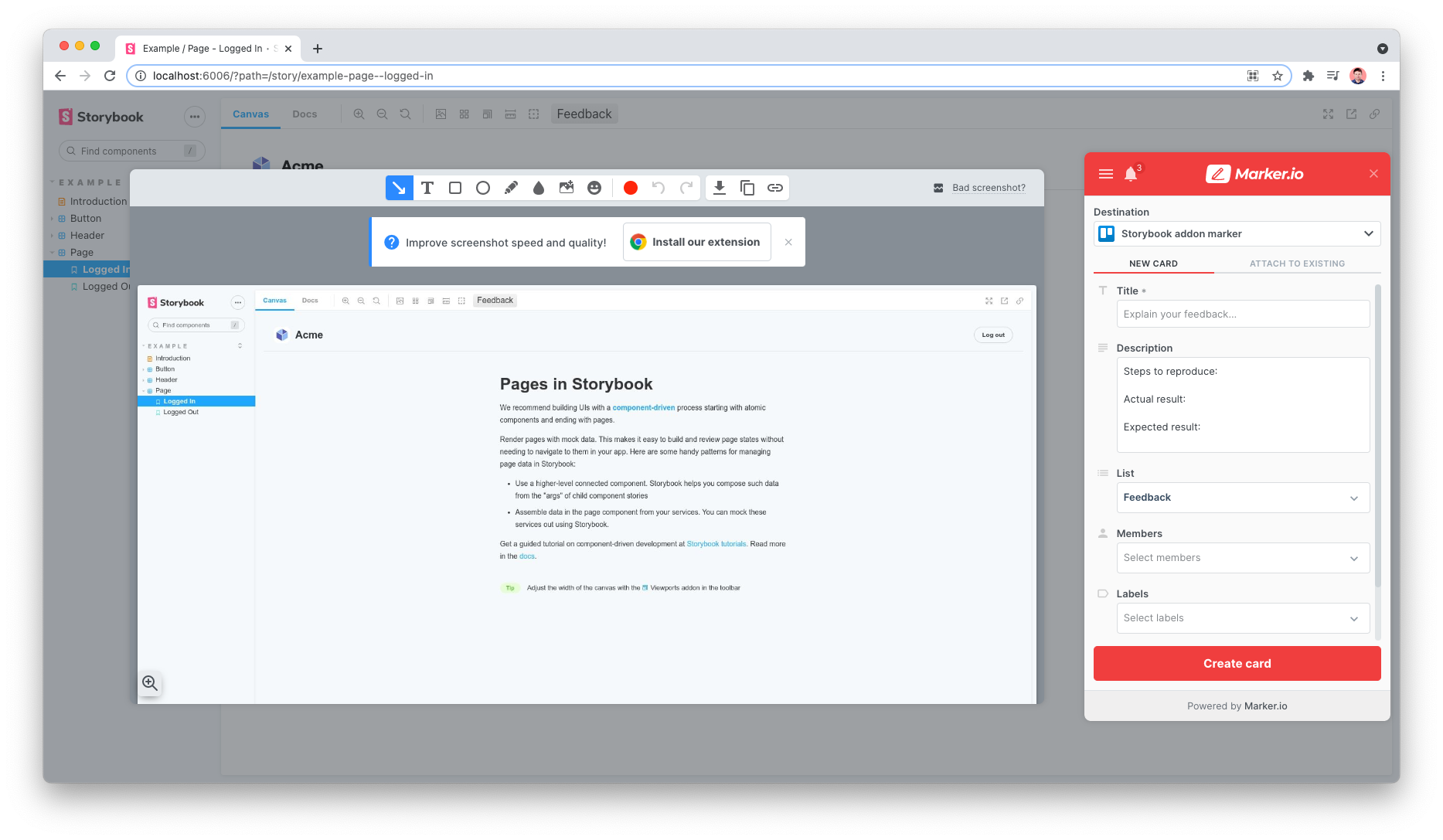
React Storybook Screenshot

Installation

npm install @etchteam/storybook-addon-marker --save-dev

Configuring Storybook

Create a file called main.js in your .storybook config folder.

Add the following content to it:

export default {
  addons: ['@etchteam/storybook-addon-marker']
}

Then create a file called preview.js in the same folder and add your Marker project ID in the initalGlobals.

export default {
  initialGlobals: {
    marker: {
      project: 'abcd1234567890', // Your unique project ID
    },
  },
}

Only project is required, the rest of the marker widget params are accepted and will be passed down to the loadWidget method.

Additionally, the mode option of the browser SDK capture method can be added to this config:

export default {
  initialGlobals: {
    marker: {
      project: 'abcd1234567890', // <- Your unique project ID
      mode: 'fullscreen', // fullscreen | advanced
    },
  },
}

Configuring Marker

Guidance on how to locate your Marker project and other Marker configuration options can be found on the Marker website.

Hiding the Marker widget button

This addon places a feedback button in the Storybook toolbar and automatically hides the default Marker button.

If you're finding the duplicate button still appears, there is a Marker setting under Widget > Button > Button visibility that can be set to "hidden".

Screenshot rendering

If screenshots aren’t rendering correctly check Markers tips and limitations.


Made with ☕ at Etch

版本与发布记录

@etchteam/storybook-addon-marker 共发布 15 个版本,首次发布于 2021/07/16;过去 12 个月发布了 0 个版本。

版本发布日期距今
7.0.0latest2025/10/281 年前
6.0.02025/07/011.4 年前
5.0.02025/01/161.8 年前
4.0.12024/10/152 年前
4.0.02024/05/282 年前
3.0.22024/02/092 年前

关于 @etchteam/storybook-addon-marker 的常见问题

@etchteam/storybook-addon-marker 是什么?

Add a Marker.io feedback button to the storybook UI

如何安装 @etchteam/storybook-addon-marker?

在项目目录运行 npm install @etchteam/storybook-addon-marker,或使用 pnpm add / yarn add / bun add。它还需要宿主项目提供 peer 依赖:storybook(^10.0.0)。npm 7 及以上与 pnpm 8 及以上默认会自动安装必需的 peer 依赖,Yarn 需要手动安装。

@etchteam/storybook-addon-marker 支持 TypeScript 吗?

该包的 package.json 没有声明类型入口。需要类型提示时,可以在 npm 上查找社区维护的 @types/etchteam__storybook-addon-marker 是否存在。

@etchteam/storybook-addon-marker 支持 ESM 还是 CommonJS?

以 ES Module 形式发布,推荐使用 import 引入。在 CommonJS 项目中,Node.js 20.19+ / 22.12+ 可以直接 require() 不含顶层 await 的 ES Module,更早的版本需要改用动态 import()。

@etchteam/storybook-addon-marker 可以商用吗?

@etchteam/storybook-addon-marker 使用 MIT 许可。宽松许可:允许商业使用、修改和再分发,通常只需在分发时保留原版权与许可声明。以上为概括,不构成法律意见,请以许可原文为准。

@etchteam/storybook-addon-marker 的下载量有多少?

根据 npm 官方下载统计,@etchteam/storybook-addon-marker 在 2026/10/14 – 2026/11/12 这 30 天内被下载 2,053 次,日均约 68 次。下载量会把 CI 构建、镜像同步和作为其他包依赖的安装一并计入,适合横向比较热度,不能直接等同于使用人数。

@etchteam/storybook-addon-marker 还在维护吗?

最新版本 7.0.0 发布于 2025/10/28(1 年前);至今共发布 15 个版本,其中过去 12 个月发布了 0 个;首次发布于 2021/07/16。发布频率只是参考信号:功能稳定的工具可能很少需要更新,建议结合源码仓库的 issue 和提交记录判断。