new.css
newcss.net / xz Discord / Twitter
A classless CSS framework to write modern websites using only HTML. It weighs ~4.5kb.
Take a look at the demo on newcss.net, or the quick-start guide on newcss.net/usage. It's on npm as @exampledev/new.css.
Vercel's impossibly fast CDN delivers the font Inter using xz/fonts, so there's virtually no bloat added to your pages.
And of course, there's a dark mode. It automatically applies a light/dark theme based on your browser's preference.
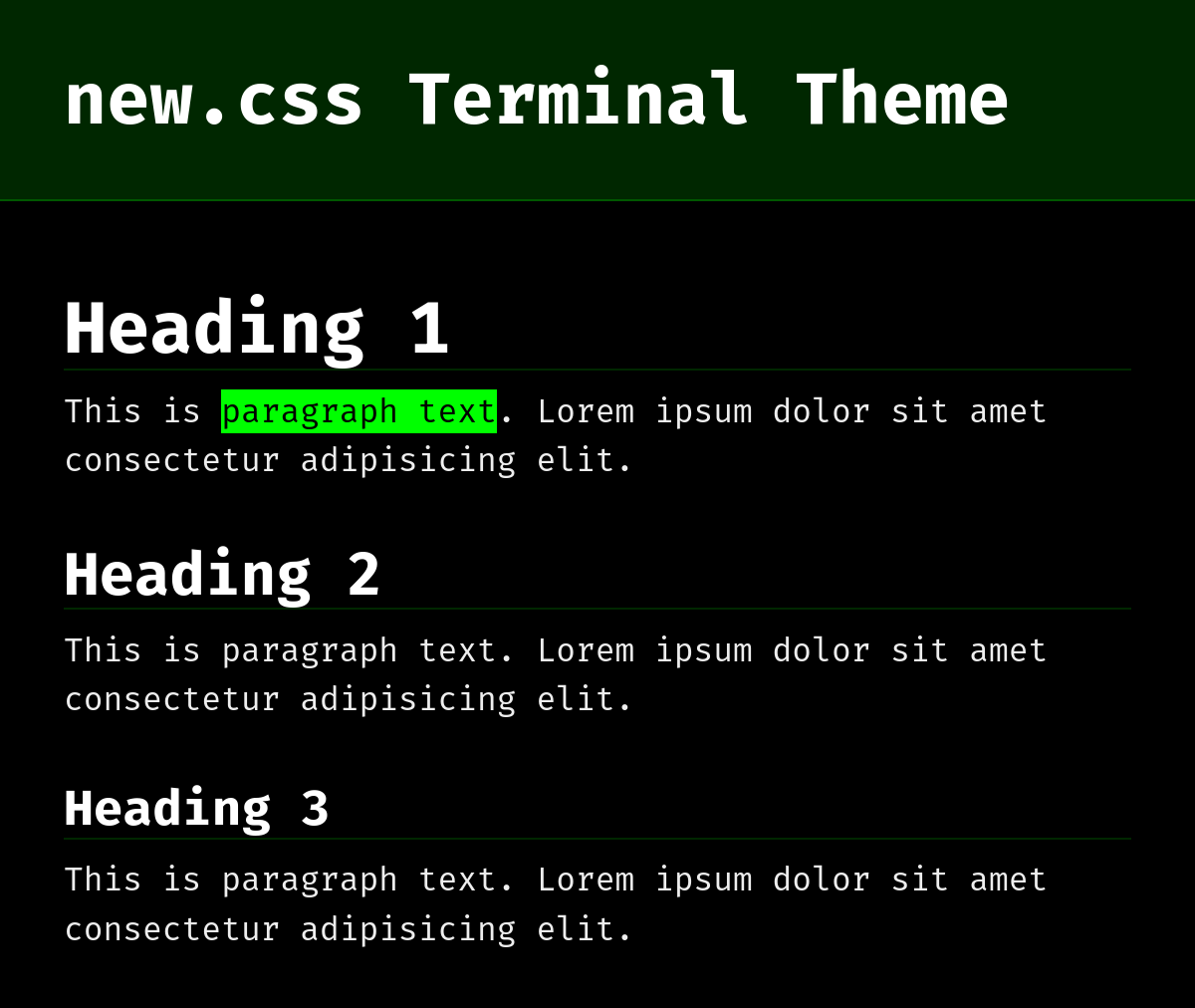
It supports custom color themes and fonts using CSS variables. For example, check out the terminal theme: newcss.net/theme/terminal/
new.css is a project from xz.
Table of Contents
Usage
Here's your configuration:
HTML
Add this code to the end of your <head>:
<link rel="stylesheet" href="https://fonts.xz.style/serve/inter.css">
<link rel="stylesheet" href="https://cdn.jsdelivr.net/npm/@exampledev/[email protected]/new.min.css">
💡 new.css is best with the font Inter, which the line above imports as well. Use this line instead if you prefer no added fonts:
<link rel="stylesheet" href="https://cdn.jsdelivr.net/npm/@exampledev/[email protected]/new.min.css">
npm
Or, if you prefer npm:
npm -i @exampledev/new.css
Use Cases
- A dead-simple blog
- Collecting your most used links
- Making a simple "about me" site
- Rendering markdown-generated HTML
Details
Element Guide
How to use some of new.css' semantic HTML features.
button- Wrap a button in an
<a>tag to make it a link.
- Wrap a button in an
- Code
- For inline code, use
<code>. - For code blocks, use
<pre>. - For keyboard input, use
<kbd>, - There's no reason to nest code tags inside each other, however,
<code>and<pre>will reset themselves to match if you nest them.
- For inline code, use
header- Only use a
<header>at the top of your<body>! - Creates a large and slightly darker header.
- Only use a
Here are the improvements new.css adds to your browser's basic HTML.
Full Changes
- Global
- Slightly increase all text sizes
- Use a less harsh color scheme
- Use the Inter font, and if not possible, the system font
- Redefine all margins to more sensible defaults
body- Set a reasonable max width
- Centered the body element, keeping left-alignment
abbr- Question mark cursor on hover
blockquote- Improved margins
- Added background color
button- Appears uniformly across browsers
- Looks like a real button
code- Added background color
- Added outline stroke
details- Looks more button-like with background color and link cursor on hover
h1–h6- Uniform margins and padding
- Tweaked font size
h1-h3- Added thin bottom border line
hr- Changed to single 1px line
kbd- Looks like a real keyboard key
mark- Added padding
- Color follows theme
nav- Added between-element margins
samp- Ambiguous element, merged with
code
- Ambiguous element, merged with
table- Basic styling to make cells more discernable
- Border stroke across all cells
- Alternating row background color
- Basic styling to make cells more discernable
Themes
new.css uses an 10-color palette and can be easily customized. These are declared as a CSS variable in the :root attribute.
Customizing
By loading a secondary style sheet after new.css in your HTML, you can override these variables. Here's the default theme:
Default theme
@import url('https://fonts.xz.style/serve/inter.css');

:root {
    --nc-font-sans: 'Inter', -apple-system, BlinkMacSystemFont, 'Segoe UI', Roboto, Oxygen, Ubuntu, Cantarell, 'Open Sans', 'Helvetica Neue', sans-serif, "Apple Color Emoji", "Segoe UI Emoji", "Segoe UI Symbol";
    --nc-font-mono: 'Courier New', Courier, 'Ubuntu Mono', 'Liberation Mono', monospace;
    --nc-tx-1: #000000;
    --nc-tx-2: #1A1A1A;
    --nc-bg-1: #FFFFFF;
    --nc-bg-2: #F6F8FA;
    --nc-bg-3: #E5E7EB;
    --nc-lk-1: #0070F3;
    --nc-lk-2: #0366D6;
    --nc-lk-tx: #FFFFFF;
    --nc-ac-1: #79FFE1;
    --nc-ac-tx: #0C4047;
}
Legend
--nc-font-sans: Font for all text besides code or preformatted--nc-font-mono: Font for<code>,<pre>,<kbd>,<samp>--nc-tx-1: Heading text color--nc-tx-2: Body text color--nc-bg-1: Base background color--nc-bg-2: Slightly darker background color--nc-bg-3: Even slightly darker background color--nc-lk-1: Action color for links and buttons--nc-lk-2: Link and buttons on mouse hover and active--nc-ac-1: Accent color for<mark>and text selection background
Usage
- Create a stylesheet including some or all of the above variables in the
:root. An example theme file is available here: boilerplate.css - If you'd like to import custom fonts, put the
@importtag before the:rootelement. Many open-source fonts are available on xz/fonts. - Reference your new stylesheet after new.css in your
<head>. Here's an example<head>:
<head>
    <meta charset="UTF-8">
    <meta name="viewport" content="width=device-width, initial-scale=1.0">
    <title>Document</title>
    <link rel="stylesheet" href="<link rel="stylesheet" href="https://cdn.jsdelivr.net/npm/@exampledev/[email protected]/new.min.css">">
    <link rel="stylesheet" href="https://example.com/MY-CUSTOM-THEME.css">
</head>
Pre-Made Themes
Here are two extra themes with CDN links. Feel free to use or edit them!
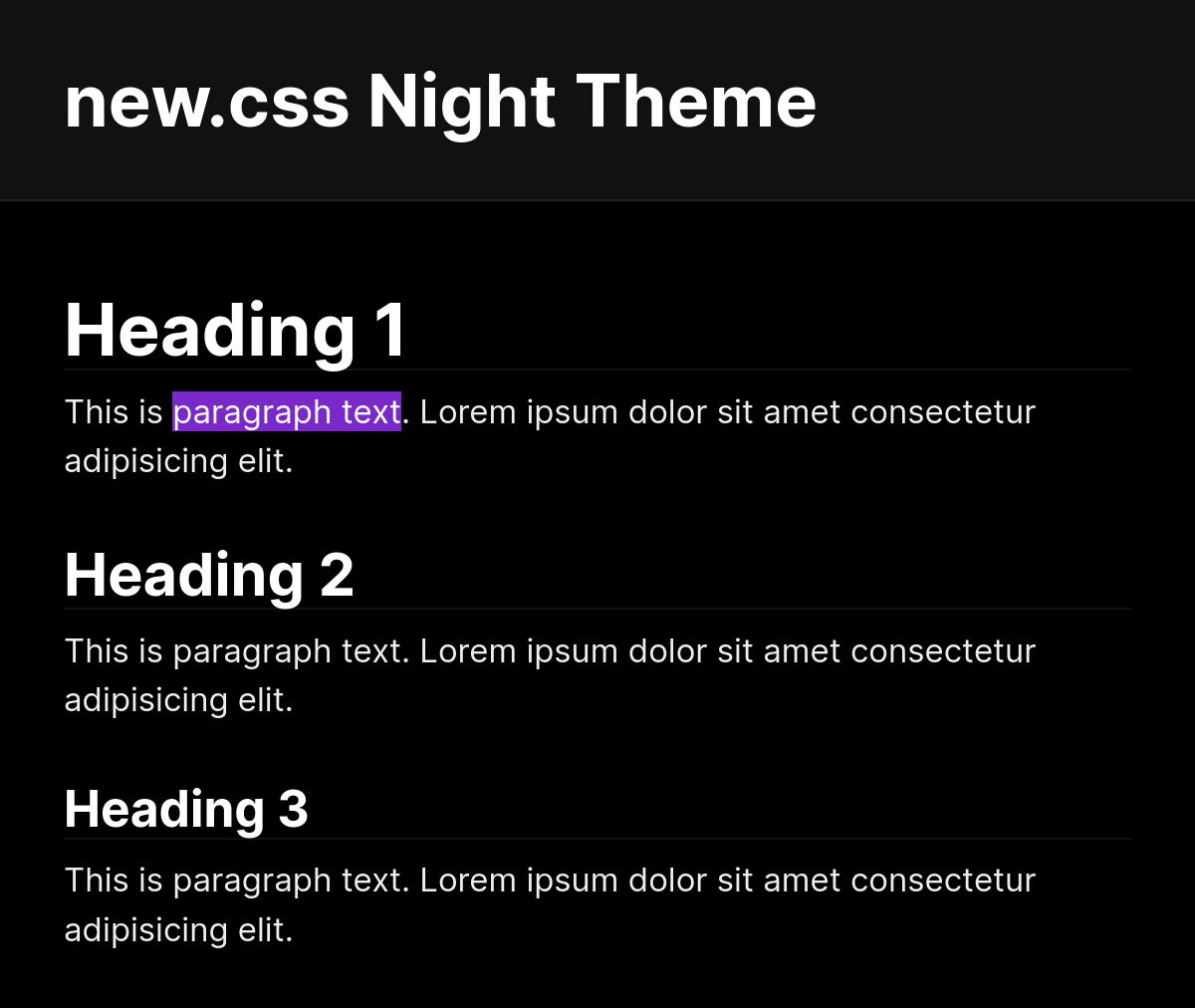
Night
<link rel="stylesheet" href="https://newcss.net/theme/night.css">
Preview at newcss.net/theme/night/
Terminal
<link rel="stylesheet" href="https://newcss.net/theme/terminal.css">
Preview at newcss.net/theme/terminal/
Sponsors
- Domaincord (also a domain name discussion group here!)
- Vercel
Special Thanks
- sakura by oxal for introducing me to classless CSS
- mydarkstar for priceless advice
- Vercel for sponsoring xz and for their amazing color palettes
