react-native-splash-screen


React Native启动屏,解决iOS,Android启动白屏问题,支持Android和iOS。
目录
演示
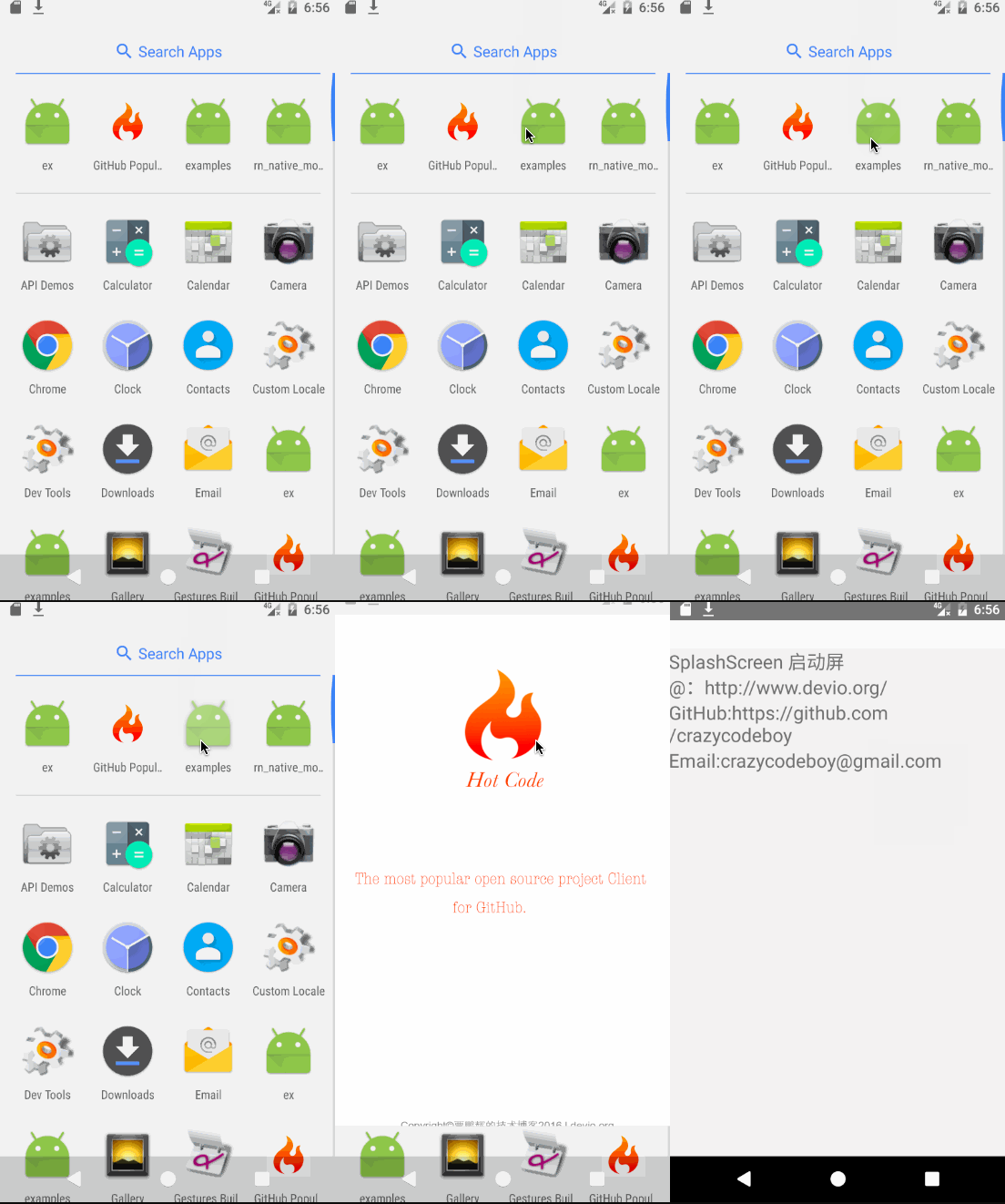
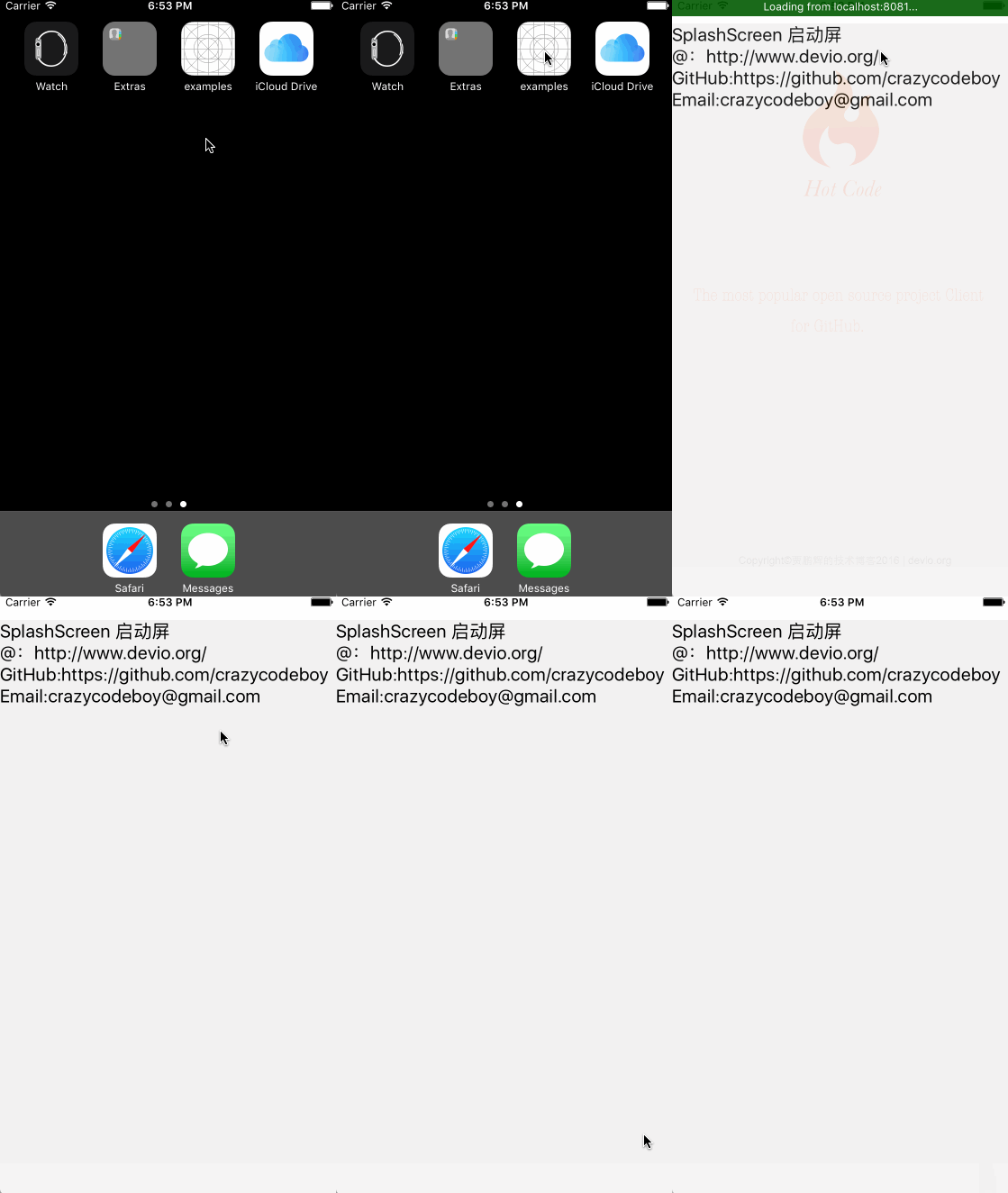
改变
如果你项目的React Native>=0.47.请使用v3.+, 如果<0.47.0请使用v2.1.0。
安装说明
第一步(下载):
在项目根目录打开终端运行 npm i react-native-splash-screen --save
第二步 (安装):
大家可以通过自动或手动两种方式来安装react-native-splash-screen。
自动安装
终端运行:
react-native link react-native-splash-screen 或 rnpm link react-native-splash-screen
手动安装
Android:
1.在你的 android/settings.gradle 文件中添加下列代码:
include ':react-native-splash-screen'
project(':react-native-splash-screen').projectDir = new File(rootProject.projectDir, '../node_modules/react-native-splash-screen/android')
2.在你的 android/app/build.gradle 文件中添加 :react-native-splash-screen:
代码如下:
...
dependencies {
    ...
    implementation project(':react-native-splash-screen')
}
3.更新你的MainApplication.java 文件,如下:
public class MainApplication extends Application implements ReactApplication {

    private final ReactNativeHost mReactNativeHost = new ReactNativeHost(this) {
        @Override
        protected boolean getUseDeveloperSupport() {
            return BuildConfig.DEBUG;
        }

        @Override
        protected List<ReactPackage> getPackages() {
            return Arrays.<ReactPackage>asList(
                    new MainReactPackage(),
            new SplashScreenReactPackage()  //添加这一句
            );
        }
    };

    @Override
    public ReactNativeHost getReactNativeHost() {
        return mReactNativeHost;
    }
}
iOS:
-
在 XCode的项目导航视图中单击
Libraries➜Add Files to [your project's name] -
将
SplashScreen.xcodeproj添加到你的项目中,node_modules➜react-native-splash-screen➜SplashScreen.xcodeproj -
在XCode中打开
Build Phases➜Link Binary With Libraries将libSplashScreen.a添加到你的项目中。 -
如果在使用过过程中出现
'SplashScreen.h' file not found问题,你可以下面的代码添加到Header Search Paths中,步骤如下:
选择你的项目,TARGET → Build Settings → Search Paths → Header Search Paths 添加:
`$(SRCROOT)/../node_modules/react-native-splash-screen/ios`
第三步(配置):
Android:
更新你的 MainActivity.java 文件如下:
public class MainActivity extends ReactActivity {
   @Override
    protected void onCreate(Bundle savedInstanceState) {
        SplashScreen.show(this);  // 添加这一句
        super.onCreate(savedInstanceState);
    }
    // ...other code
}
iOS:
更新你的AppDelegate.m 文件如下:
#import "AppDelegate.h"

#import <React/RCTBundleURLProvider.h>
#import <React/RCTRootView.h>
#import "RNSplashScreen.h"  // 添加这一句

@implementation AppDelegate

- (BOOL)application:(UIApplication *)application didFinishLaunchingWithOptions:(NSDictionary *)launchOptions
{
    // ...other code

    [RNSplashScreen show];  // 添加这一句,这一句一定要在最后
    return YES;
}

@end
使用说明
将 react-native-splash-screen 导入你的JS 文件。
import SplashScreen from 'react-native-splash-screen'
Android:
创建一个名为 launch_screen.xml 的布局文件来自定义你的启动屏幕。
<?xml version="1.0" encoding="utf-8"?>
<LinearLayout xmlns:android="http://schemas.android.com/apk/res/android"
    android:orientation="vertical" android:layout_width="match_parent"
    android:layout_height="match_parent"
    android:background="@drawable/launch_screen">
</LinearLayout>
另外:
你也可以启用app主题透明选项来解决在APP启动时因主题原因导致的短暂白屏的问题,具体步骤如下:
打开 android/app/src/main/res/values/styles.xml文件,添加 <item name="android:windowIsTranslucent">true</item>,如下 :
<resources>
    <!-- Base application theme. -->
    <style name="AppTheme" parent="Theme.AppCompat.Light.NoActionBar">
        <!-- Customize your theme here. -->
        <!--设置透明背景-->
        + <item name="android:windowIsTranslucent">true</item>
    </style>
</resources>
更详细的介绍,可以查看 examples
iOS
iOS可以通过LaunchImage或LaunchScreen.xib来自定义你的启动屏幕。
更详细的介绍,可以查看 examples
最后,你可以在适当的时候关闭启动屏幕(如:启动初始化完成后):
import SplashScreen from 'react-native-splash-screen'

export default class WelcomePage extends Component {

    componentDidMount() {
         // do anything while splash screen keeps, use await to wait for an async task.
        SplashScreen.hide();//关闭启动屏幕
    }
}
API
| 方法 | 类型 | 可选 | 描述 |
|---|---|---|---|
| show() | function | false | 打开启动屏幕(原生方法) |
| hide() | function | false | 关闭启动屏幕 |
贡献
欢迎大家提问题,如果能给问题加上一个截图,则是极好的。另外欢迎Pull requests贡献你的代码。
MIT Licensed