sudo-prompt
[!NOTE] This is a fork at
expo/sude-promptto resolve deprecated Node APIs. Upstreams:
@vscode/sudo-promptsudo-prompt(deprecated)
Run a non-graphical terminal command using sudo, prompting the user with a graphical OS dialog if necessary. Useful for background Node.js applications or native Electron apps that need sudo.
Cross-Platform
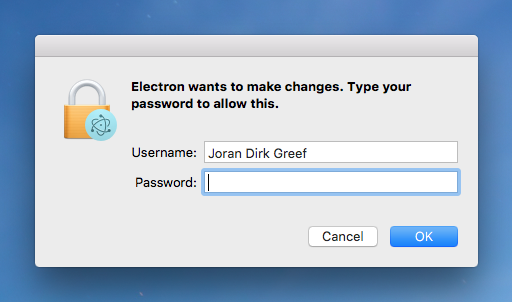
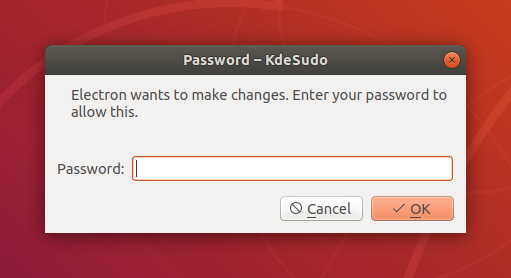
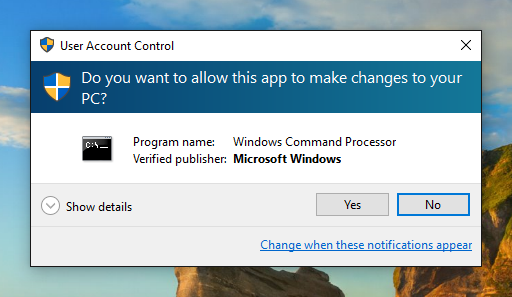
sudo-prompt provides a native OS dialog prompt on macOS, Linux and Windows.
Installation
sudo-prompt has no external dependencies and does not require any native bindings.
npm install sudo-prompt
Usage
Note: Your command should not start with the sudo prefix.
var sudo = require('sudo-prompt');
var options = {
  name: 'Electron',
  icns: '/Applications/Electron.app/Contents/Resources/Electron.icns', // (optional)
};
sudo.exec('echo hello', options,
  function(error, stdout, stderr) {
    if (error) throw error;
    console.log('stdout: ' + stdout);
  }
);
sudo-prompt will use process.title as options.name if options.name is not provided. options.name must be alphanumeric only (spaces are supported) and at most 70 characters.
sudo-prompt will preserve the current working directory on all platforms. Environment variables can be set explicitly using options.env.
sudo-prompt.exec() is different to child-process.exec() in that no child process is returned (due to platform and permissions constraints).
Behavior
On macOS, sudo-prompt should behave just like the sudo command in the shell. If your command does not work with the sudo command in the shell (perhaps because it uses > redirection to a restricted file), then it may not work with sudo-prompt. However, it is still possible to use sudo-prompt to get a privileged shell, see this closed issue for more information.
On Linux, sudo-prompt will use either pkexec or kdesudo to show the password prompt and run your command. Where possible, sudo-prompt will try and get these to mimic sudo. Depending on which binary is used, and due to the limitations of some binaries, the name of your program or the command itself may be displayed to your user. sudo-prompt will not use gksudo since gksudo does not support concurrent prompts. Passing options.icns is currently not supported by sudo-prompt on Linux. Patches are welcome to add support for icons based on polkit.
On Windows, sudo-prompt will elevate your command using User Account Control (UAC). Passing options.name or options.icns is currently not supported by sudo-prompt on Windows.
Non-graphical terminal commands only
Just as you should never use sudo to launch any graphical applications, you should never use sudo-prompt to launch any graphical applications. Doing so could cause files in your home directory to become owned by root. sudo-prompt is explicitly designed to launch non-graphical terminal commands. For more information, read this post.
Concurrency
On systems where the user has opted to have tty-tickets enabled (most systems), each call to exec() will result in a separate password prompt. Where tty-tickets are disabled, subsequent calls to exec() will still require a password prompt, even where the user's sudo timestamp file remains valid, due to edge cases with sudo itself, see this discussion for more information.
You should never rely on sudo-prompt to execute your calls in order. If you need to enforce ordering of calls, then you should explicitly order your calls in your application. Where your commands are short-lived, you should always queue your calls to exec() to make sure your user is not overloaded with password prompts.
Invalidating the timestamp
On macOS and Linux, you can invalidate the user's sudo timestamp file to force the prompt to appear by running the following command in your terminal:
$ sudo -k