
AgentCRM
The static CRM your AI agent can run.
Companies, people, deals, pipelines, tasks and reports in a browser admin.
Your contacts stay encrypted on storage you own. No server to run, ever.





Quick start · Features · Make it yours · How it works · CLI · MCP · Docs · Changelog
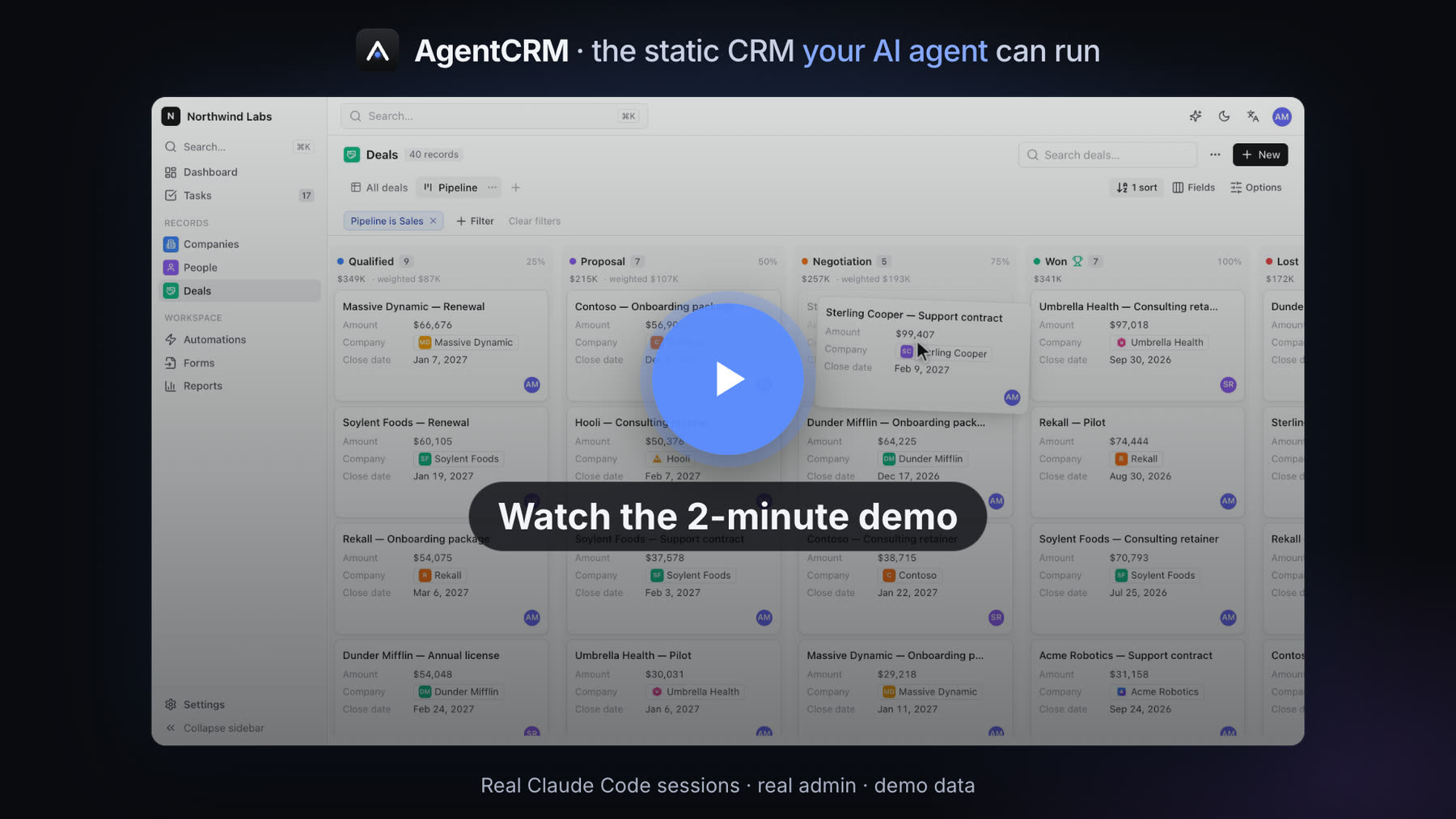
▶️ Watch the 2-minute demo: Claude Code installs the CRM, imports leads, moves a deal and plans the follow-ups, then a tour of the admin.
Why AgentCRM
🗂️ Nothing to runThe admin is a static web app: HTML and JavaScript you host anywhere, for free or nearly (GitHub, GitLab or Cloudflare Pages, an S3 bucket, a folder). There is no AgentCRM server, account or subscription, and nothing to patch. |
🔐 Your contacts, encrypted, where you chooseData lives in an encrypted journal (AES-256-GCM) on your S3-compatible bucket, private GitHub / GitLab repo or local folder, or in your own Firebase project. Several people can work at once without conflicts, and erasure is physical. |
🤖 Agent-nativeEvery action of the admin is also a CLI command with JSON output, an MCP tool and a tool of the in-admin assistant, with ready-made skills for Claude Code and Hermes. Ask "move Globex to negotiation and plan the follow-ups": your agent runs the same engine, with the same roles and checks. |
Quick start
With an AI agent
/plugin marketplace add fleox/agentcrm
/plugin install agentcrm@agentcrm
Then just ask:
Install AgentCRM for my company: data in my OVH bucket, admin on GitHub Pages.
Import the leads in ~/Downloads/leads.csv, skip duplicates, and create a follow-up task for each one.
Which deals have had no activity for two weeks? Draft a follow-up email for each.
The agent asks where the data lives and where the admin is hosted, then walks you through creating least-privilege keys. You type secrets in your own terminal, never in the chat.

A real Claude Code session. The agent's work is sped up ×8 (labelled); typing and the answer play in real time. It ends on the admin opening that same encrypted data.
Once it is installed, the CRM is a conversation:

Same CRM, a second request: import, pipeline move, follow-up tasks and a forecast. Sped up ×16 while the agent works.
And a third one: "Make the CRM match our brand…"

Appearance and modules changed by the agent through the same engine as Settings. Sped up ×8.
| Agent | Setup |
|---|---|
| Claude Code | the plugin above: skills agentcrm-install, agentcrm-manage, agentcrm-admin, agentcrm-sales, agentcrm-extensions |
| Claude Desktop, Cursor, any MCP client | the MCP server: agentcrm mcp --site <alias> |
| Hermes Agent / Python agents | generated skills with a Python wrapper, see hermes/ |
| Codex, Windsurf, any other agent | point it at AGENTS.md and the Markdown skills in plugin/skills/ |
Without an agent
npx -y @fleox-agent-crm/[email protected] serve
This starts the admin on your computer (Node.js 20+). Open the printed URL and follow the setup wizard: data → where → install. To look around first, pick This browser with demo data: nothing leaves your machine. The wizard can also put the admin on GitHub / GitLab / Cloudflare Pages or a bucket, so your team only needs a browser.
Scripted installs (install --plan plan.json), hosting options and Firebase are in docs/hosting.md and docs/cli.md.
Features
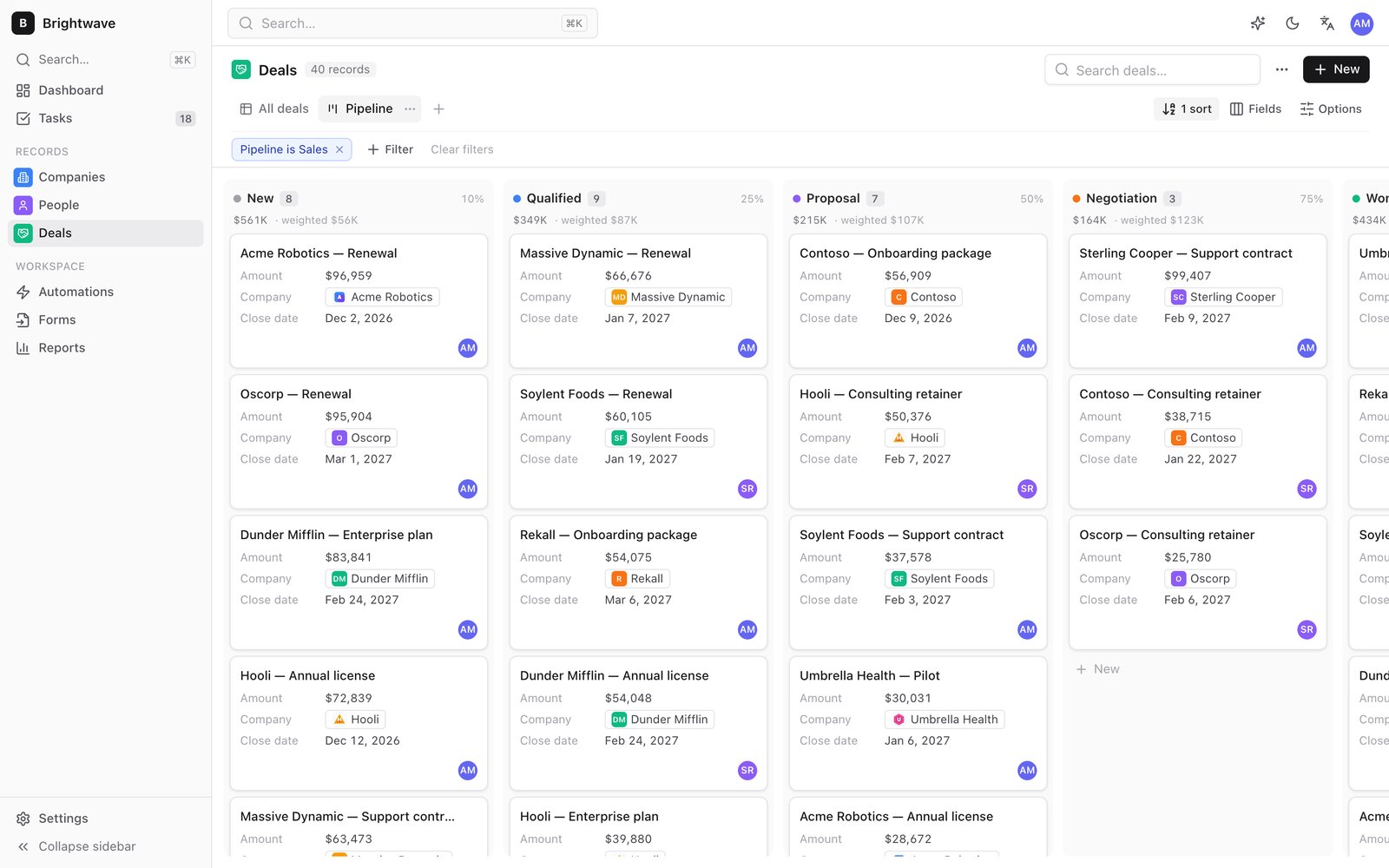
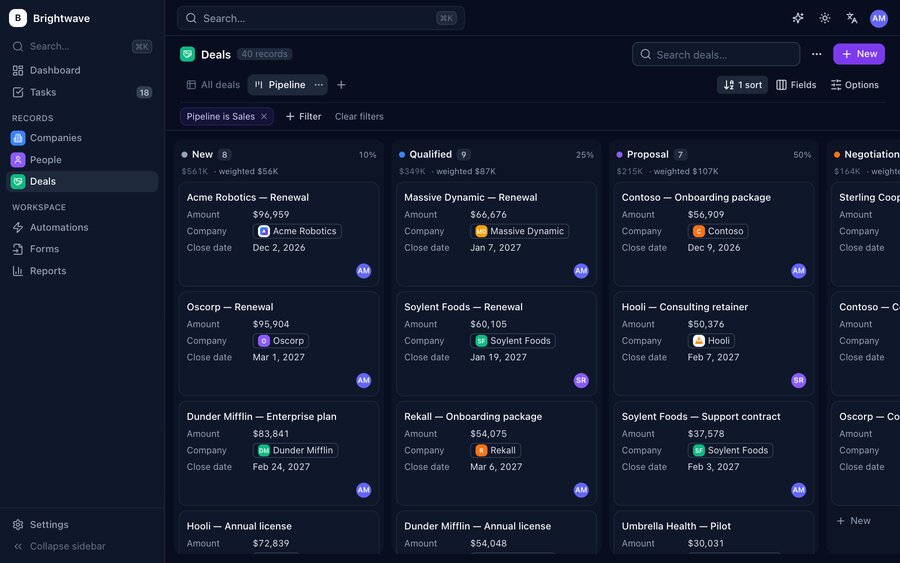
Pipelines: drag deals between stages, weighted forecast |
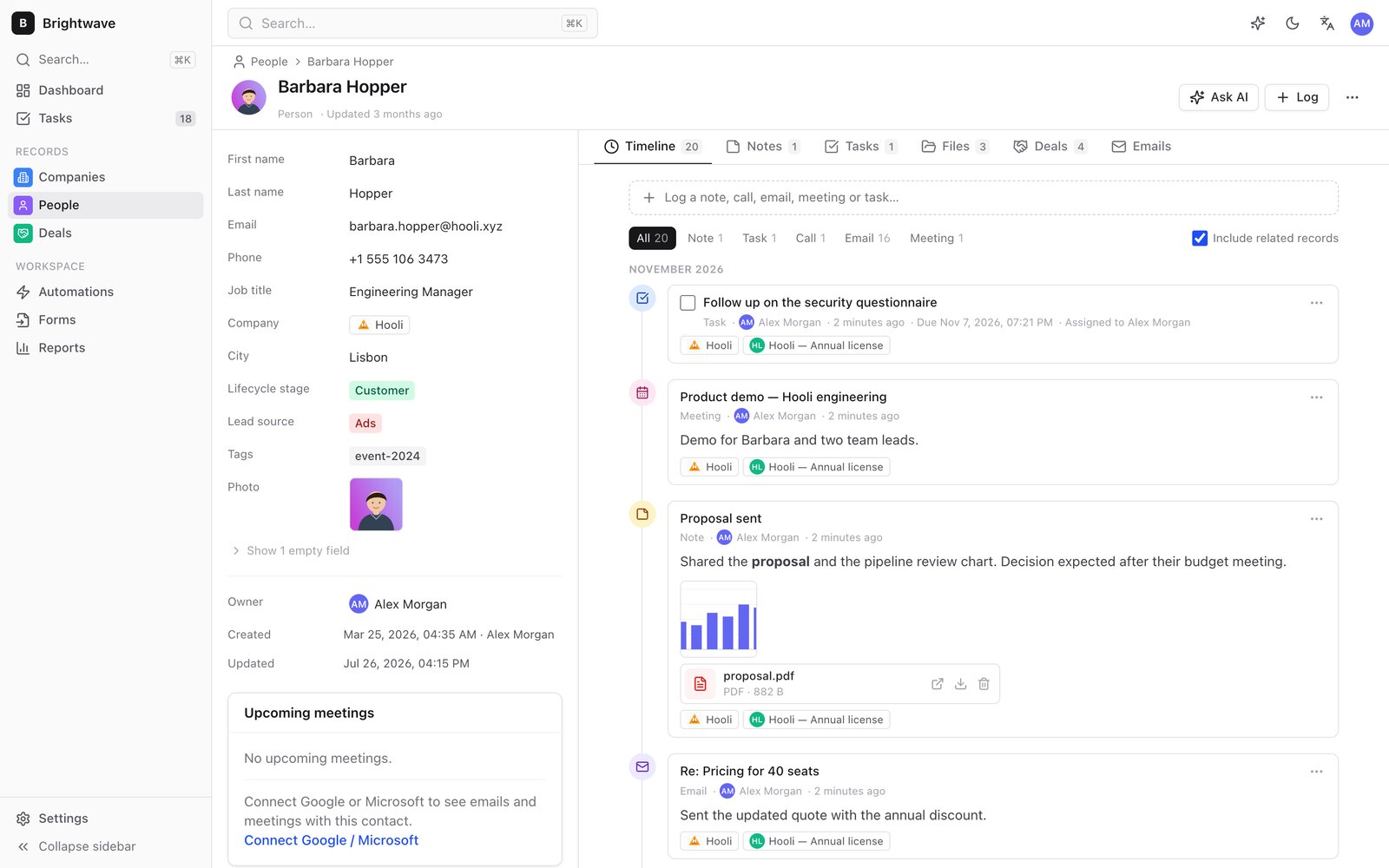
Record pages: fields, relations, timeline, files |
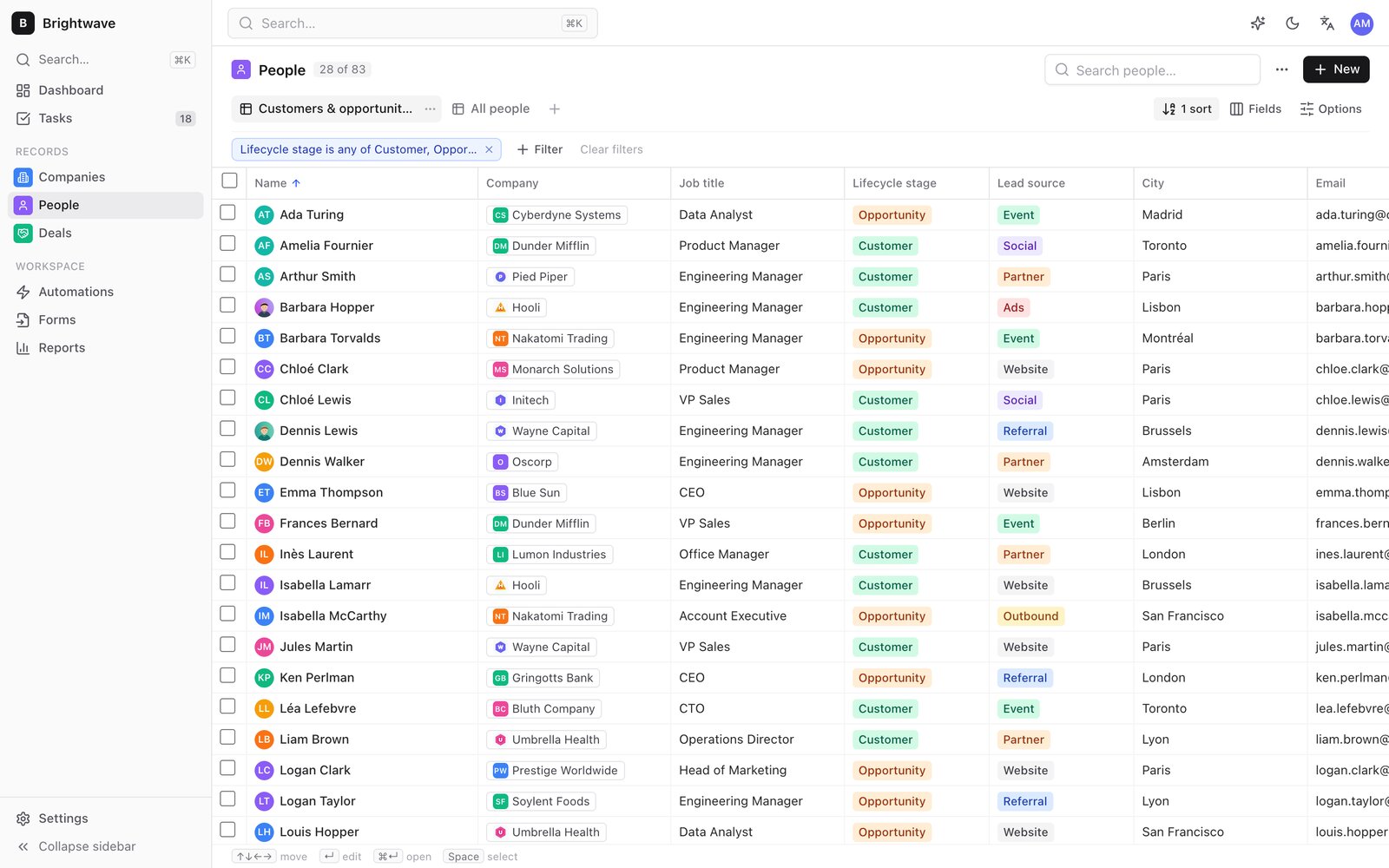
Tables: inline edit, filters, saved views, bulk actions |
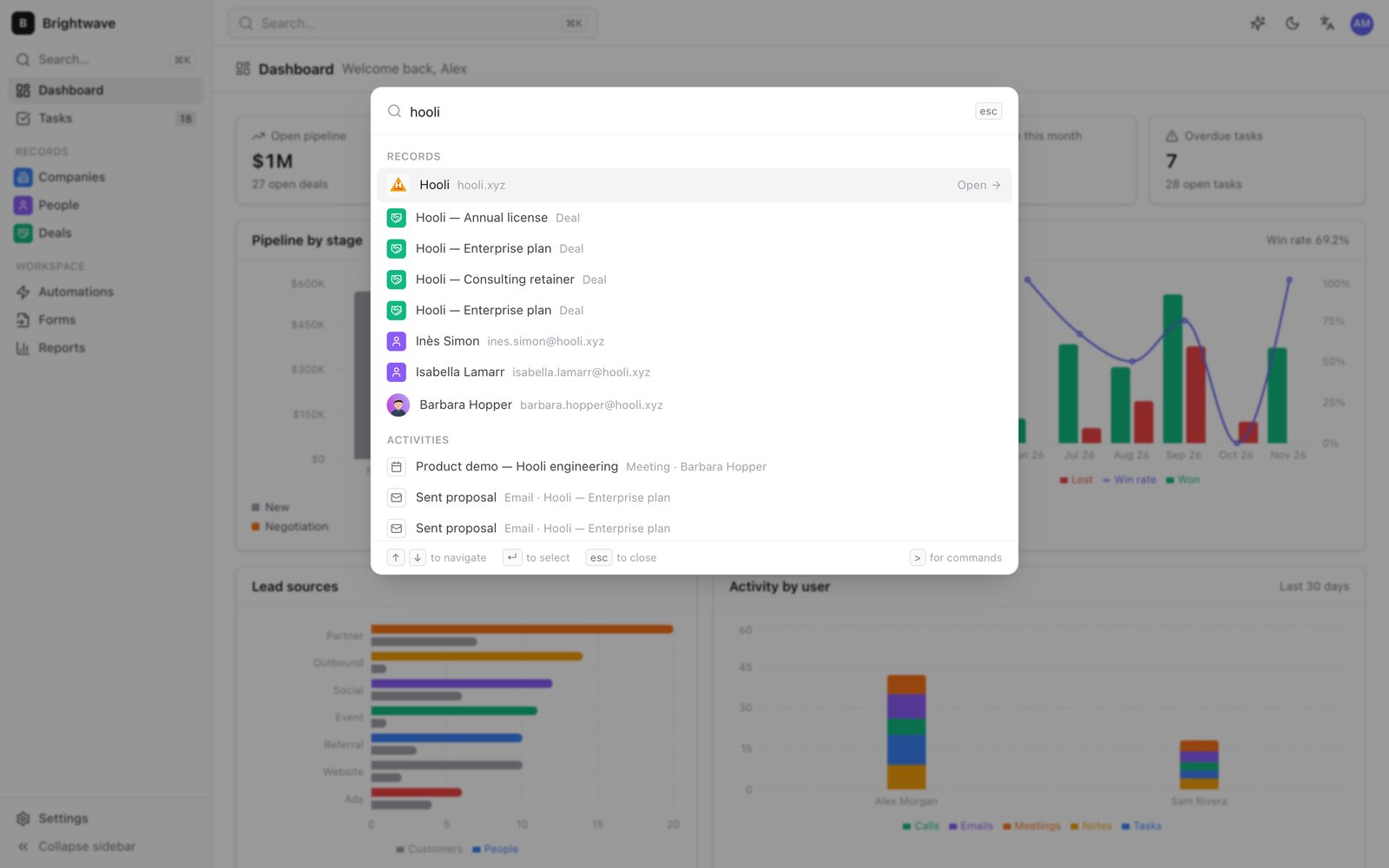
Cmd+K: search everything, jump anywhere |
Sell
- Companies, people, deals and custom objects with 20 field types (currency, relation one / many, select, user, rating, address, image, files…)
- Several pipelines with probabilities and open / won / lost stages, kanban by stage, weighted forecast
- Notes in Markdown, calls, emails, meetings and tasks with due dates and assignees; Gmail, Google Calendar and Outlook logging from the browser (OAuth, no server)
- Contact photos, company logos and attachments on records and activities, stored with your data and encrypted with it
Organise
- Table views with inline edit, filters, sorts, saved views and bulk actions; each user's layout follows them across devices
- Drilldown and rollup fields: a market's company count links to those companies, a company's status is recomputed for the markets you filtered on
- Duplicate detection and merge, CSV import with automatic mapping and a dry run, CSV / JSON export, full ZIP backup
- Who changed what: every record keeps who last wrote each field and when, from the admin, the CLI, imports and syncs
Automate and report
- Automations on create, update, field change, stage change, schedule or inactivity: create a task, update a field, add a note, assign an owner (round robin), call a webhook
- Lead forms: a static form page that posts to an inbox you own; submissions become deduplicated records
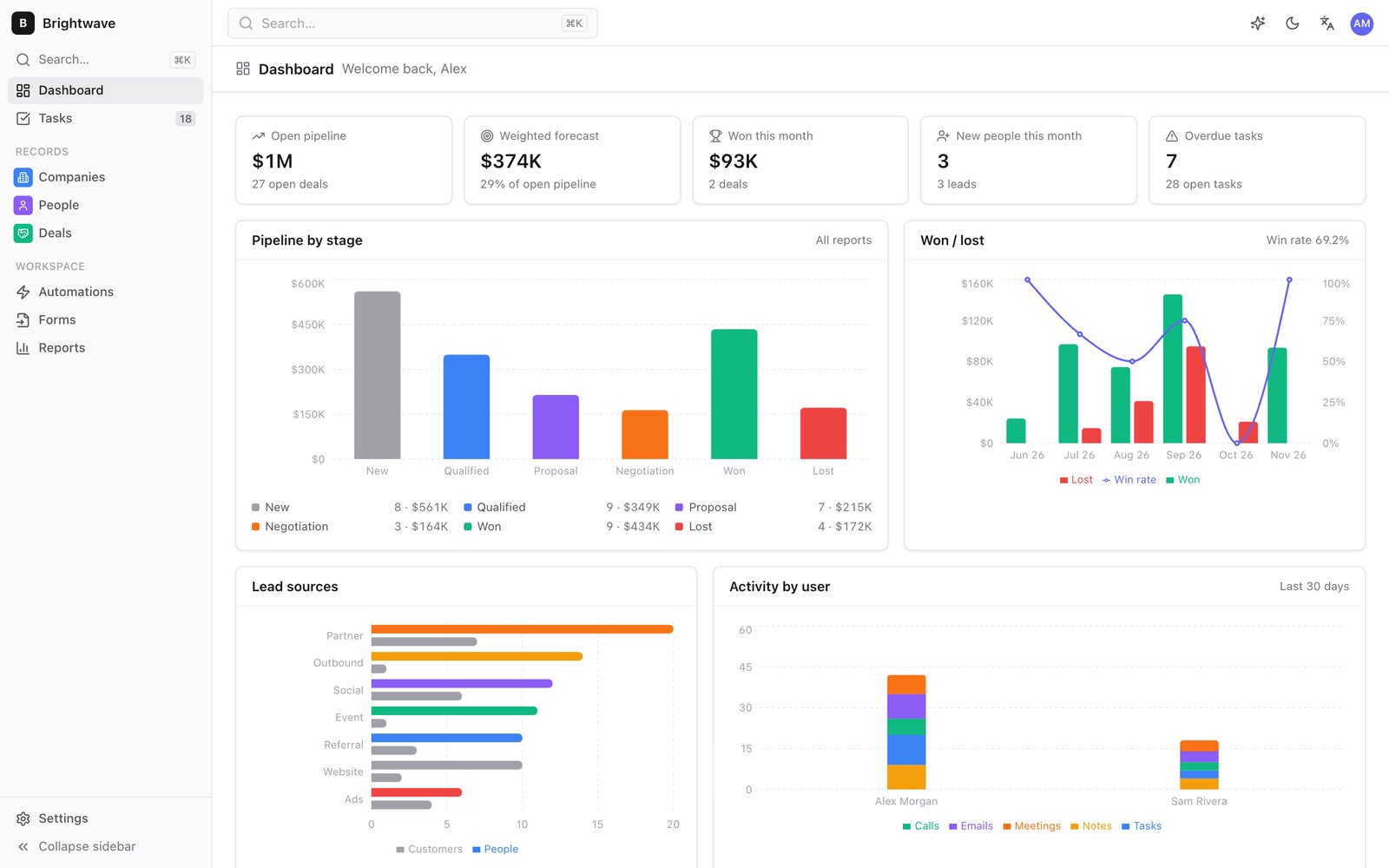
- Reports: pipeline by stage, forecast, won / lost, activity per user, lead sources, stale deals, conversion
- Scheduled work runs while the admin is open, or from a GitHub Actions cron in a private repo of yours
Run it as code
- Schema as code: objects, fields, pipelines and views in one JSON file, applied with a plan, idempotent, never destructive (guide)
- Mirror another system:
records synckeeps an object in step with an external source by key, archives what left, writes only the differences (guide)
Safe by design
- Encrypted by default: passphrase → PBKDF2-SHA256 (600 000 iterations) → AES-256-GCM
- Secrets (storage keys, git tokens, passphrases) stay in each user's browser or in the CLI's
0600credentials file, never inconfig.js, the data or git - Admin, member and viewer roles, enforced by the engine itself (and by generated Firestore rules in Firebase mode)
- GDPR: soft delete, then
compacterases deleted records and files physically; export everything at any time - The admin is available in English and French
Make it yours
Everything below is in Settings, and an agent can do all of it too (CLI, MCP tools, skills), with a plan before any change.
Appearance. One accent colour generates the whole palette. Pick the grays, radius, density, font, sidebar style, dark or light by default, your logo and favicon, custom CSS, or one of the presets and theme extensions. Appearance guide
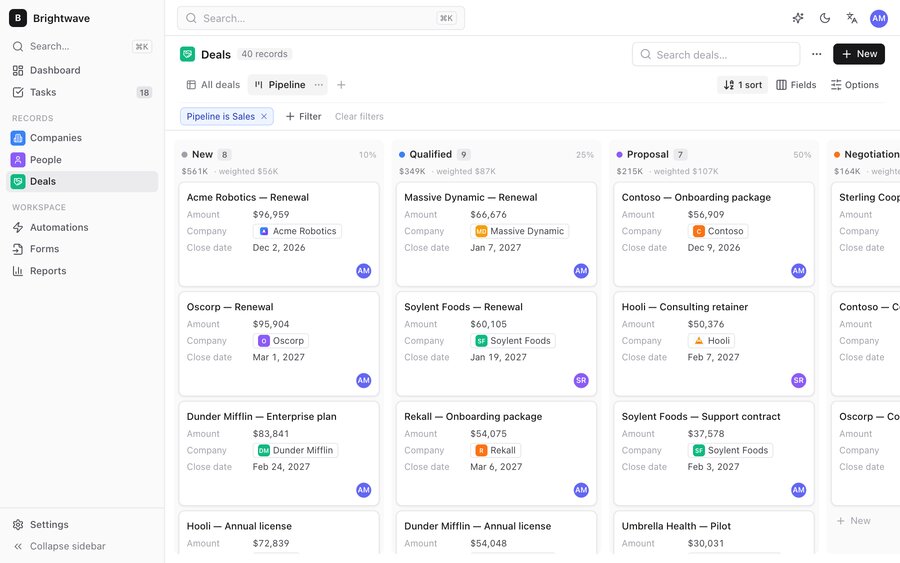 Default |
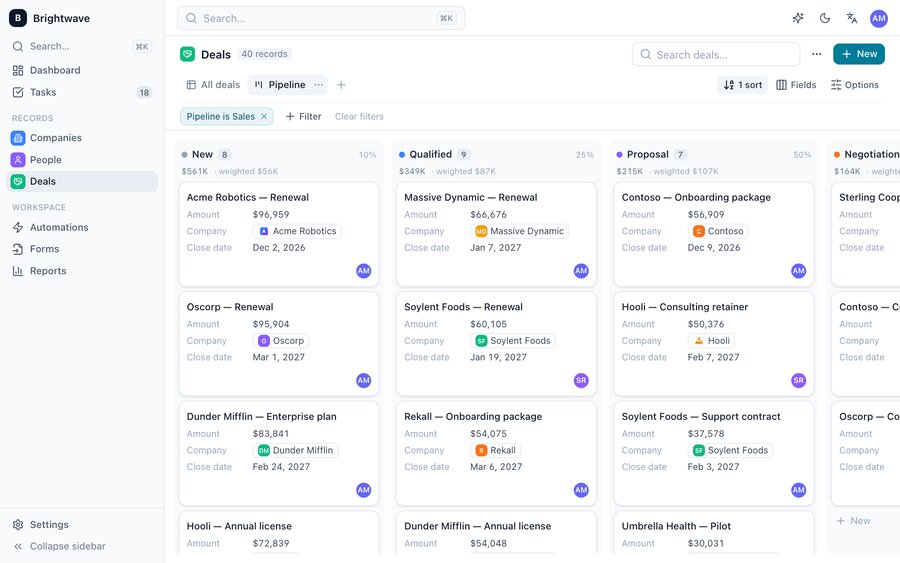 Ocean |
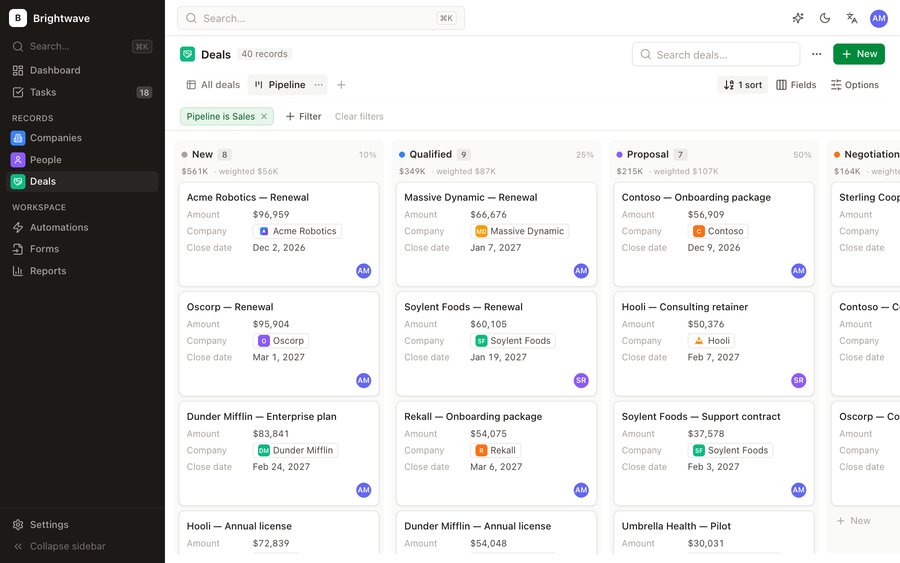 Forest |
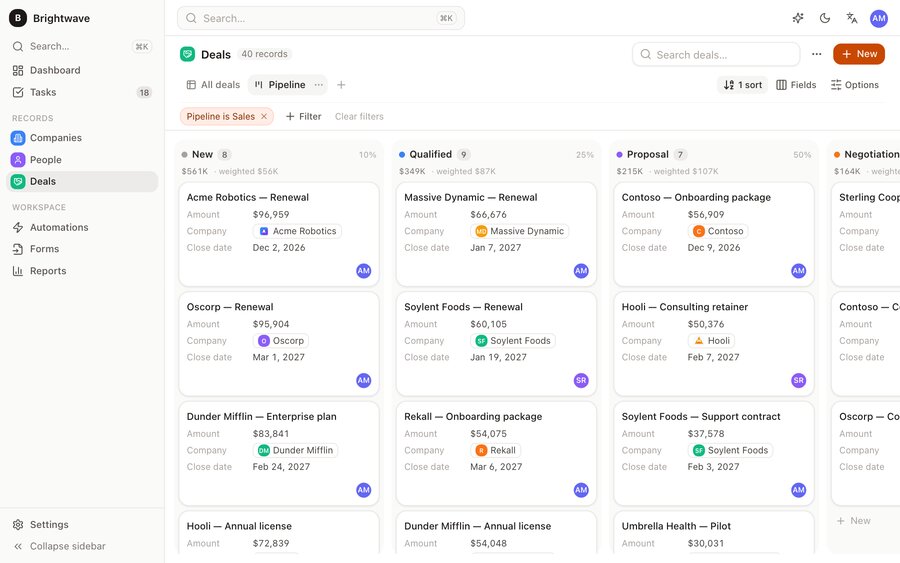 Sunset |
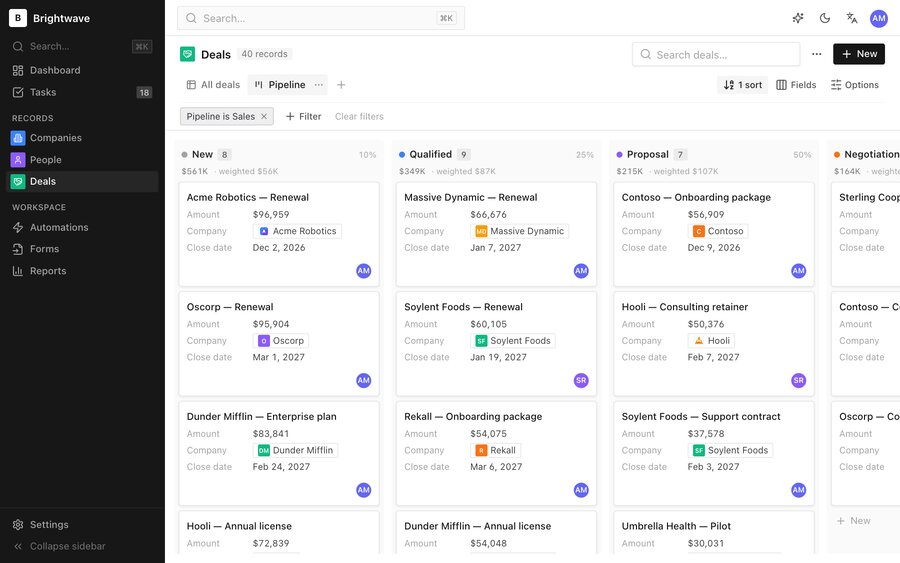 Graphite |
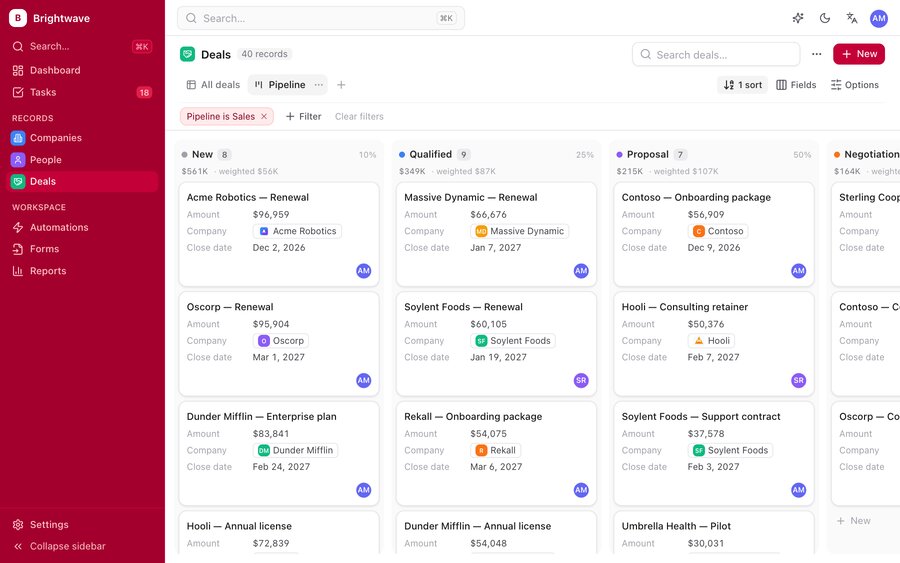 Rose |
 Midnight (theme extension) |
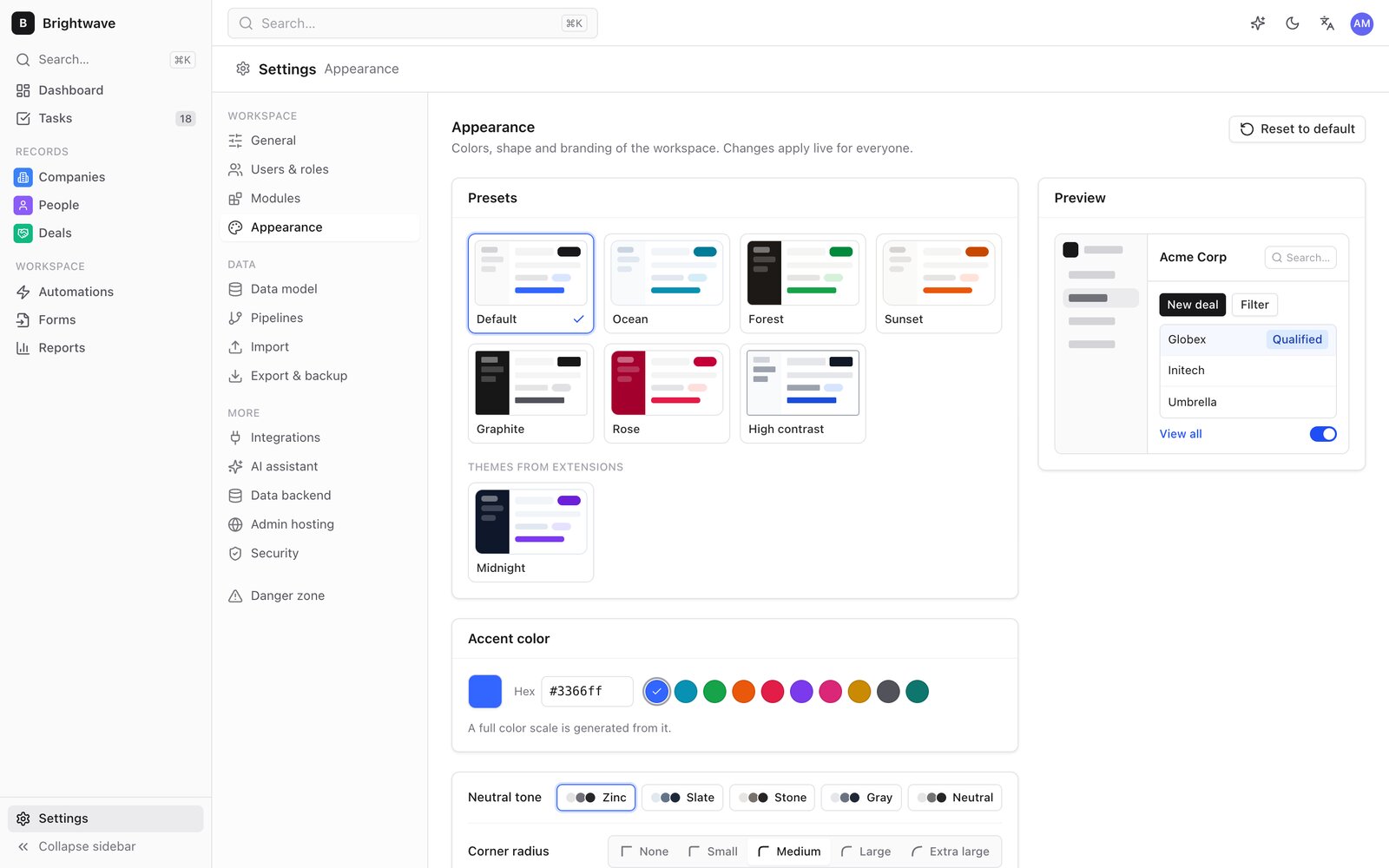 Settings → Appearance |
Modules. Switch off what you don't use (dashboard, deals and pipelines, reports, lead forms, tasks, automations, email and calendar, AI assistant). Pages, navigation and widgets disappear; no data is deleted. Modules guide
Extensions. Modules (pages, record tabs, dashboard widgets, settings pages, AI tools, automation actions, hooks) and themes are ZIP files installed at runtime, with no rebuild. They are stored in the CRM's own data, so every admin, the CLI and the MCP server load them. Installing shows who made it and what it adds, and safe mode starts without any. Extensions guide
npx -y @fleox-agent-crm/[email protected] ext new module deal-radar   # Vite project, typings, en / fr
cd deal-radar && npm install && npm run build
npx -y @fleox-agent-crm/[email protected] ext check .                 # validates it and loads it like the admin
npx -y @fleox-agent-crm/[email protected] ext install . --site acme   # plan; add --yes to install

The module's AI tool is live right away in the CLI, the MCP server and the in-admin assistant.
Guides: creating a module · creating a theme · runtime API · examples. With Claude Code, the agentcrm-extensions skill drives the whole loop.
How it works
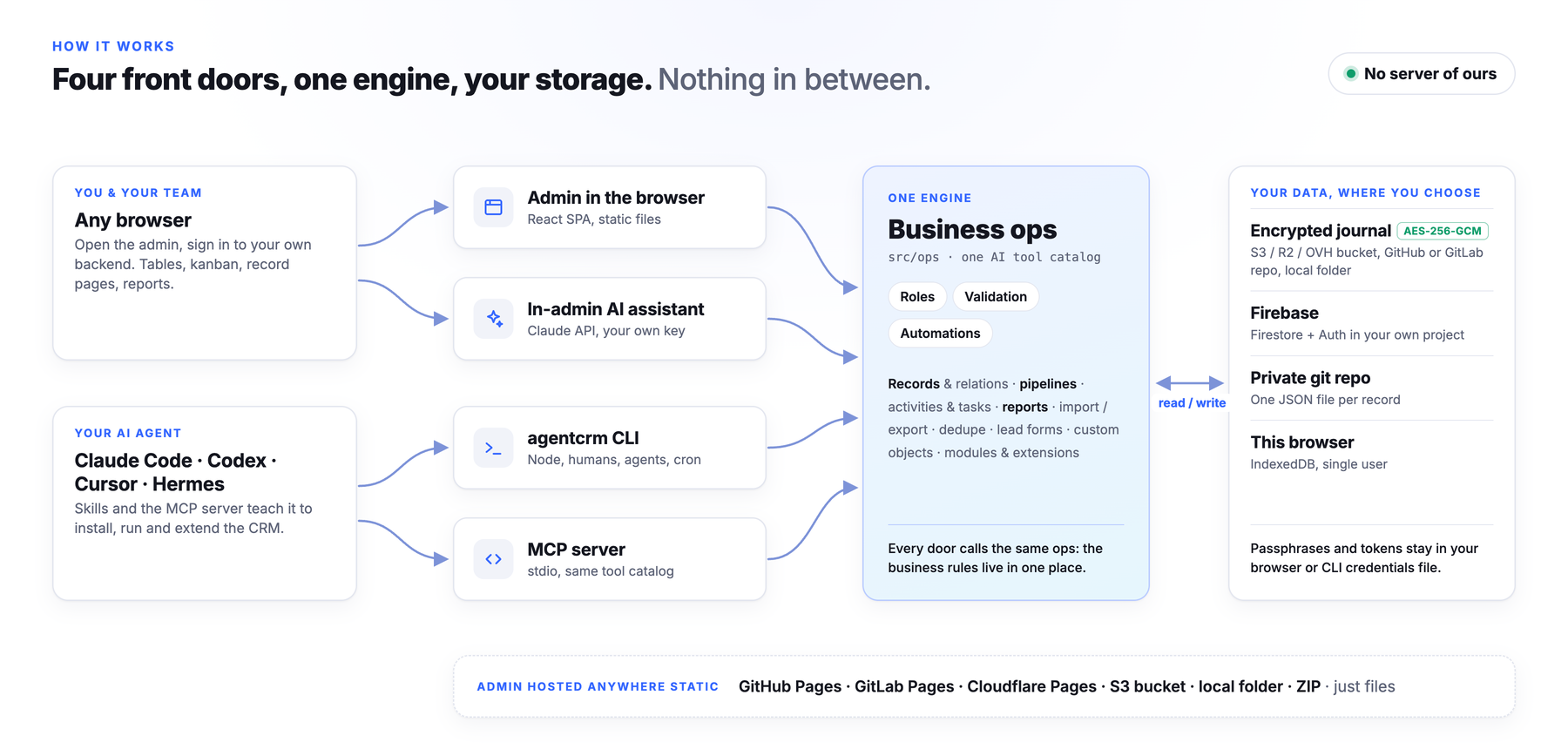
All business rules live in one engine. The admin, the CLI, the MCP server and the assistant are four front doors to it, so an agent can do exactly what a user can do: no more (roles apply), no less. The data backend (where the CRM lives) and the hosting (where the admin is served) are independent choices.
| Data backend | Where | Good for | Encrypted | Several users |
|---|---|---|---|---|
| Encrypted journal (default) | S3-compatible bucket (AWS, R2, OVH, Scaleway…), private GitHub / GitLab repo, local folder | Most teams: personal data under your control | Yes | Yes, conflict-free |
| Firebase | Firestore + Auth in your own project | Real-time teams with logins; incremental loading fits the free plan | At rest by Google | Yes, roles in generated rules |
| Private git repo (JSON) | One readable JSON file per record | Readable history, per-user tokens | No (history keeps old values) | Yes |
| This browser | IndexedDB | Trying it out | — | No |
The journal appends one encrypted segment per write, with no lock, and merges them field by field with hybrid logical clocks; compact folds them into a snapshot and erases what was deleted. The admin itself goes on GitHub Pages, GitLab Pages, Cloudflare Pages, an S3-compatible bucket, a local folder or a ZIP; its config.js never holds a secret. See architecture, hosting and Firebase.
How AgentCRM compares
| AgentCRM | Twenty | HubSpot | A spreadsheet | |
|---|---|---|---|---|
| Server or database to run | ❌ none | ✅ Postgres + Node (or their cloud) | their cloud | ❌ none |
| Where the data lives | your bucket / repo / Firebase, encrypted | your database or their cloud | their cloud | a file |
| Cost | your storage, often cents | hosting or seats | seats and tiers | free |
| Pipelines, automations, forms, reports | ✅ | ✅ | ✅ | manual |
| Fully drivable by an AI agent | ✅ CLI, MCP, skills, assistant | API | API, paid AI | ad hoc |
| Scale | small and medium teams (whole dataset in memory) | large | large | small |
The agentcrm CLI
The same engine the agents use, by hand: npx -y @fleox-agent-crm/[email protected] help. Every command accepts --json and prints exactly one { ok, data } or { ok: false, error } object, and commands that change the workspace print a plan until you add --yes.

Run the CRM from a terminal or a script, on the same data as the admin.
Describe the data model in a file and keep an object in step with another system:

schema apply and records sync: plan first, idempotent, nothing deleted.
All commands
| Area | Commands |
|---|---|
| Setup | status, options, credentials set|list|remove|copy|verify|types, install --plan, site list|show|add|use|rename|forget|credentials|runtime, doctor, serve, deploy-admin |
| Records | records list|get|create|update|delete|restore|search|duplicates|merge|image|sync, files list|upload|get|delete|usage |
| Schema | schema apply, objects list|get|create|update|delete, fields add|update|delete |
| Work | activities add|list|done, notes add, tasks list|add|done|reassign, pipelines list|move |
| Admin | views list|create|delete, users list|add|role|disable, settings get|set |
| Data | import csv|zip, export csv|json|zip, report <name>, stats, compact |
| Automation | automations list|enable|disable|run, forms list|publish|ingest |
| Customisation | modules list|get|enable|disable|config, appearance get|presets|set|preset|logo|favicon|css|reset, ext new|check|pack|install|list|enable|disable|uninstall|export |
| AI | tools list|call, mcp |
Full reference: docs/cli.md.
MCP server
claude mcp add agentcrm -- npx -y @fleox-agent-crm/[email protected] mcp --site acme

Tools are the shared AI catalog: search, list, get, create, update, delete and merge records, notes, activities, tasks, deal stages, reports, CSV import, automations, modules and appearance, plus the tools of the site's enabled extension modules. Resources are the schema, pipelines, modules and appearance. Prompts cover a pipeline review, a follow-up email and lead qualification. --read-only hides every tool that writes. Claude Desktop and Cursor setup: docs/mcp.md.
The admin also has an AI assistant panel that calls the Claude API from your browser with your own key, with the same tools; tools that write ask for confirmation.
Documentation
| Hosting | Data backends, storage options, hosting the admin, protecting it |
| Firebase | Console setup, generated rules, invitations, CLI sign-in, costs |
| Data model | Objects, fields, relations, drilldowns, rollups, pipelines |
| Schema as code · Sync | The data model in a file; mirroring another system |
| CLI · MCP | Every command; MCP clients |
| Automations · Import / export · Files | Triggers and scheduled runs; CSV, JSON, ZIP; images and attachments |
| Modules · Appearance · Extensions | Customising the workspace |
| Architecture | The engine, the journal, the code layout |
| AGENTS.md | Instructions for AI agents working on this repository |
Contributing
Bug reports and ideas are welcome: open an issue. Read CONTRIBUTING.md before opening a pull request. For security issues, follow SECURITY.md instead of opening a public issue.
npm install --legacy-peer-deps
npm run dev        # admin at http://localhost:5180
npm test           # Vitest
npm run build      # admin + CLI
License
Source-available under the PolyForm Noncommercial License 1.0.0. Personal, hobbyist, educational, research and other noncommercial use is free, and you can fork, modify and redistribute under the same terms.
Commercial use requires written authorization. This includes selling the software or hosting it as a paid service. For a commercial license, open an issue.