pilotfish MCP


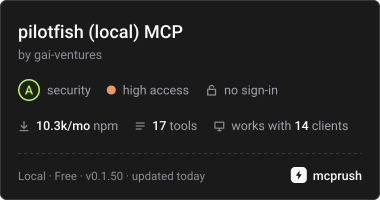
An MCP server that gives your AI agent a real Chrome browser on your own computer. Your agent's own model reads each page and picks each step; pilotfish carries the step out, checks it and tells the agent what changed.
For anyone using Claude Code, Codex CLI, Cursor, Claude Desktop, VS Code or another MCP client. Free and MIT licensed: no account, no API key, no pilotfish servers. It needs Node.js 22 or newer and Chrome, Edge or Chromium.
claude mcp add pilotfish -- npx -y @gaiventures/pilotfish-mcp
Setup for other clients is below. To have whole tasks done for you in pilotfish's cloud browser instead, signed in with your saved logins, see "Local or managed?" below.
Why pilotfish
- It clicks what it means to. Tools act on refs from the page (
browser_click {ref: "e12"}). If the element is covered, gone or off screen, the click is refused instead of landing on the wrong thing, and every action reports what changed. - It reads pages cheaply. The agent sees a compact outline of the visible screen. After the first look it
gets only the lines that changed, and
browser_querypulls out just the values it needs. - You stay in charge. Sign-ins, one-time codes and CAPTCHAs are handed to you in the browser window. Payments, orders, messages and deletions wait for your yes.
- Your passwords stay out of the model. Secrets you configure are typed as
{{name}}placeholders and masked in every result. - It runs locally. A fresh browser on your machine and your own internet connection, closed when your agent disconnects. Cookie banners are declined and ads and trackers blocked before the agent sees the page.
Local or managed?
This package is the local version. pilotfish managed
(@gaiventures/pilotfish-mcp-managed) is a
paid service: pilotfish runs the whole task in its cloud browser and hands your agent the result.
| Local (this package) | Managed | |
|---|---|---|
| Who does the work | Your agent's model, one step at a time | pilotfish runs the whole task and returns the result |
| Your agent's tokens | Every page it reads | A call or two per task |
| Browser | Chrome on your computer, your IP | pilotfish's cloud browser, on even when your computer is off |
| Sign-ins | You sign in each time; nothing is kept | Saved logins and sessions (several accounts a site), two-factor codes, phone sign-in by code |
| Tasks for your product's users | No | Identities: each user's logins, sessions, IP and device kept apart, and the cost per user |
| Sites that block bots | You clear each check yourself | Residential IPs, stealth browsing and CAPTCHA solving, with you as the last resort |
| Watching and history | The browser window | Live view, take control, replays, per-task cost |
| Price | Free | Pay as you go, from $5 of credit |
Use local when you are at your desk and want your agent to drive. Use managed when you want a task done, need to stay signed in to sites between runs, or keep running into bot checks. Managed needs a pilotfish account (sign up with Google); its package page has every client's setup, the tools and the prices.
Tasks that name no site. Your agent searches the web first (with its own search tool) to pick the site, or answers
from the search when that is enough. It opens a site with browser_navigate when the task needs one: a price for
your dates, a form, an account. With this package the search is your agent's, not pilotfish's.
Requirements
- Node.js 22 or newer
- Google Chrome, Microsoft Edge or Chromium. Set
PILOTFISH_CHROMEto choose one.
Setup
Claude Code
claude mcp add pilotfish -- npx -y @gaiventures/pilotfish-mcp
On native Windows (not WSL), use claude mcp add pilotfish -- cmd /c npx -y @gaiventures/pilotfish-mcp.
Settings go before the -- as -e NAME=value, for example -e PILOTFISH_HEADLESS=1.
Codex CLI
In ~/.codex/config.toml:
[mcp_servers.pilotfish]
command = "npx"
args = ["-y", "@gaiventures/pilotfish-mcp"]
# browser_resume waits up to 300 s for you; Codex stops a call after 60 s by default.
tool_timeout_sec = 330
# Optional:
# env = { PILOTFISH_HEADLESS = "1", PILOTFISH_ALLOWED_HOSTS = "example.com,*.example.com" }
Cursor, Claude Desktop, Windsurf and others
In Cursor's ~/.cursor/mcp.json (or .cursor/mcp.json in a project), Claude Desktop's
claude_desktop_config.json, or your client's equivalent:
{
  "mcpServers": {
    "pilotfish": {
      "command": "npx",
      "args": ["-y", "@gaiventures/pilotfish-mcp"]
    }
  }
}
Settings go in an env object next to args. npx -y runs the newest release; to stay on one, put its number
after the name (@gaiventures/pilotfish-mcp@<version>). npx -y @gaiventures/pilotfish-mcp --version prints the
version you have.
The browser opens in its own window, where you sign in or solve a CAPTCHA when a page needs a person.
PILOTFISH_HEADLESS=1 hides it; on a Linux machine without a display it is hidden already.
Over HTTP
One browser shared by every client that connects, on 127.0.0.1:
npx -y @gaiventures/pilotfish-mcp --http --port 8931
claude mcp add --transport http pilotfish http://127.0.0.1:8931/mcp
Clients that take a URL use "url": "http://127.0.0.1:8931/mcp". The server only answers requests addressed to
localhost. Set PILOTFISH_MCP_TOKEN to require Authorization: Bearer <token>; it is required to serve on any
other address.
Tools
| Tool | What it does |
|---|---|
browser_navigate {url, snapshot?} | Open an http(s) URL and return what happened plus the visible screen, with counts of what is above and below. snapshot: false returns only what happened and the counts, for a page you will read with browser_query and not act on. |
browser_snapshot {whole_page?} | The page as a compact outline with refs ([e12]<button>Search): about three screens around the viewport, or all of it with whole_page. Every word and ref is kept; repeated text, closing tags and generated ids are left out. A plain table row is one line, its cells between ` |
browser_click {ref} | Click an element. Refused if it is covered, stale or not visible. |
browser_type {ref, text, submit?} | Replace a field's text. {{name}} types a configured secret. |
browser_select {ref, values} | Pick <select> options by label or value. |
browser_press {key} | Press a key or shortcut (Enter, Escape, Control+a). |
browser_scroll {direction} | Scroll about one screen and return it. |
browser_actions {actions} | Up to 10 steps in one call, such as a form's fields and its submit button. Each step is {action, …}: click, type, select, press, scroll or wait, with the same fields as its own tool. A malformed step stops the batch before anything runs; otherwise it stops at the first step that fails or moves to another page. |
browser_query {expression} | Read values with a JavaScript expression that returns JSON (up to 4,000 characters): a list of results, prices, counts. It cannot click, type, submit or send data. The cheapest way to read a page. |
browser_find {query} | Find elements anywhere on the page by their words, best match first. Separate several targets with commas. |
browser_get_text {max_chars?, selector?} | The readable text of the page (PDFs too), or of one element (main, #results), with secrets masked. Up to max_chars (default 20,000). |
browser_screenshot {} | A JPEG of the viewport. Off when secrets are configured, since the image could show them. |
browser_wait {seconds, until?, gone?} | Wait up to 0.5 to 10 seconds, then return what changed. With until or gone it returns the moment that text appears on the page or goes (a result's label, the site's "Calculating…"). Actions already wait for the requests they start, for answers a page gets over its own WebSocket, and for a loading line or countdown the site shows. |
browser_resume {timeout_s?} | After a result said NEEDS A PERSON: wait (default 300 s) until you have dealt with the page, then return it. |
browser_tabs {switch_to?} | List open tabs, or switch with switch_to: "t2". |
browser_close {} | Close the browser; the next call opens a fresh one. Not needed at the end: it closes when the client disconnects. |
How it behaves
Each screen once. Your agent pays for every token it reads, and new tokens cost far more than ones it has
already seen. So when the agent acts on a page it saw in one of its last 8 results, it gets only the lines that
changed, each under its unchanged parent line marked ~ , with removed elements listed by ref. Refs stay the
same between snapshots, so lines it was not sent again still work. If more than half the screen changed it gets
the whole screen, and browser_snapshot always returns everything.
Pages that need a person. After each action the page is checked. A sign-in it has no credentials for, a
one-time code or two-factor prompt, a device approval, a sign-in link, a passkey, 3-D Secure or a CAPTCHA adds a
NEEDS A PERSON note to the result. You handle it in the browser window and the agent calls browser_resume.
pilotfish never tries to get past these pages itself: no guessed passwords or codes, no CAPTCHA solving. A client
that supports elicitation asks you directly. A bot check that clears on its own is waited out first, for up to
12 seconds. BLOCKED: means the site refused this browser, and STOP: marks a site that must not be automated.
Confirmations. Actions that look irreversible (pay, place an order, send, delete) need your yes. A client with elicitation asks you; any other client gets the action refused, with the reason.
Settings
All optional.
| Variable | Default | Meaning |
|---|---|---|
PILOTFISH_HEADLESS | 0 where a window can open, else 1 | 1 hides the browser window. You then cannot sign in or solve CAPTCHAs by hand. |
PILOTFISH_ALLOWED_HOSTS | any public site | Comma-separated hostnames the browser may visit, with * wildcards (example.com,*.example.com). |
PILOTFISH_ALLOW_PRIVATE | 0 | 1 allows localhost and private networks, for testing your own apps. |
PILOTFISH_SECRETS | JSON, either {"name": "value"} or {"name": {"value"?, "totp"?, "allowedHosts"?}}. Typed as {{name}}; a base32 totp seed types the current two-factor code. Values never reach the model, a result or an error. | |
PILOTFISH_INTERVENTION_TIMEOUT_MS | 180000 | How long a call waits for your answer to a question asked in the client. |
PILOTFISH_ALLOW_SCREENSHOTS | on unless secrets are set | 1 allows screenshots even with secrets configured. |
PILOTFISH_CHROME | found automatically | Path to the browser executable. |
PILOTFISH_MCP_TOKEN | HTTP mode: the bearer token clients must send. |
Example with a secret:
"env": {
  "PILOTFISH_SECRETS": "{\"shop_password\": {\"value\": \"...\", \"allowedHosts\": [\"shop.example.com\"]}}"
}
Privacy
pilotfish connects only to the sites your agent opens, plus the public ad-block lists (EasyList, EasyPrivacy and
uBlock Origin's filters), downloaded about once a week and cached in ~/.pilotfish/adblock. No telemetry, no
pilotfish servers, no model providers.
Troubleshooting
- "No Chromium executable found": install Google Chrome, or set
PILOTFISH_CHROMEto the path of Chrome, Edge or Chromium. - The server does not start on Windows: start
npxthroughcmd /c(see Claude Code above), and checknode --versionis 22 or newer. - A call times out while you sign in: raise your client's tool timeout above 300 seconds (Codex:
tool_timeout_sec), sincebrowser_resumewaits up to 300 s for you. - A site keeps blocking the browser: this package uses your own IP and a plain Chrome, and never solves CAPTCHAs. Clear the check in the browser window yourself, or use pilotfish managed.
More from pilotfish
- pilotfish managed: whole tasks in the cloud, signed in as you.
- The pilotfish app: run tasks from the web, save logins, watch live, see replays.
License
MIT