Mantine Clock Component


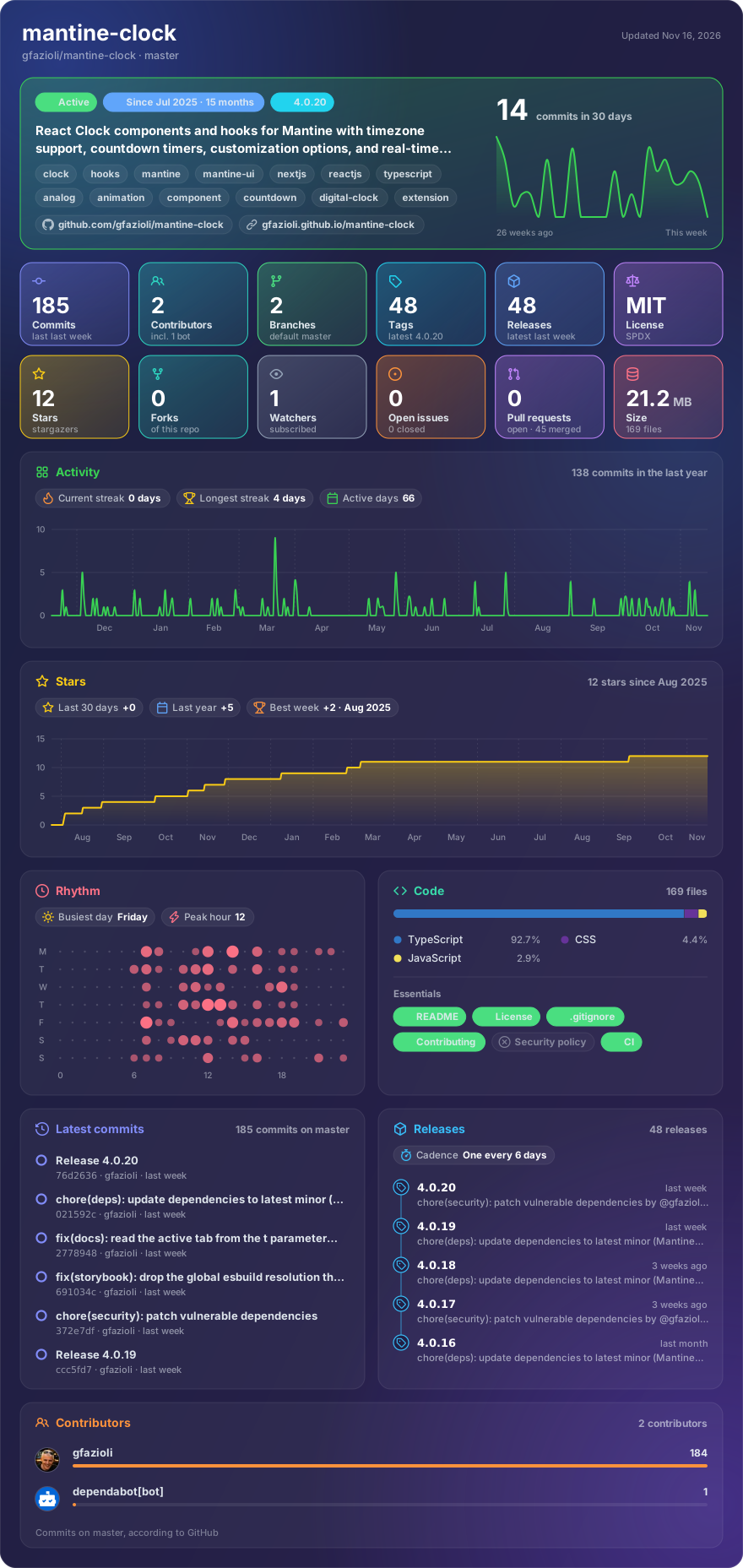
Made with glancecard · refreshed daily
Overview
This component is created on top of the Mantine library. It requires Mantine 9.x and React 19.
Mantine Clock delivers both an analog Clock component and time-management hooks tailored for React applications.
The Clock supports live ticking or static display via a value prop, multiple second-hand behaviors (smooth, tick, half‑tick), and rich styling through classNames and the Styles API—including control over ticks, numbers, hands, center dot, and themed appearances like a “Neon Cyber Clock.” It further enables visual sector arcs that dynamically align to current seconds, minutes, and hours hand positions, with precise start rules, direction, colors, and opacity.
[!note]
→ Demo and Documentation → Youtube Video → More Mantine Components
Installation
npm install @gfazioli/mantine-clock dayjs
or
yarn add @gfazioli/mantine-clock dayjs
dayjs is a peer dependency: the clocks read and convert the time with it (its utc and timezone plugins), so install it alongside if your app does not have it yet.
After installation import package styles at the root of your application:
import '@gfazioli/mantine-clock/styles.css';
Usage
The Mantine Clock library provides powerful components and hooks for time management and visualization in React applications using Mantine.
Clock Component
Create analog clocks with real-time updates or static time display:
import { Clock } from '@gfazioli/mantine-clock';

// Real-time clock
function LiveClock() {
  return <Clock />;
}

// Static clock showing specific time
function StaticClock() {
  return <Clock value={new Date('2023-12-25T15:30:00')} running={false} />;
}

// Customized clock with timezone
function WorldClock() {
  return (
    <Clock
      timezone="America/New_York"
      size={200}
      hourHandColor="blue"
      minuteHandColor="cyan"
      secondHandColor="red"
    />
  );
}
useClock Hook
Get real-time time data with flexible formatting:
import { useClock } from '@gfazioli/mantine-clock';

function DigitalClock() {
  const { hours, minutes, seconds, amPm, isRunning } = useClock({
    timezone: 'UTC',
    use24Hours: false,
    padHours: true,
    padMinutes: true,
    padSeconds: true
  });

  return (
    <div>
      {hours}:{minutes}:{seconds} {amPm}
    </div>
  );
}
useClockCountDown Hook
Create countdown timers with target dates or durations:
import { useClockCountDown } from '@gfazioli/mantine-clock';

// Countdown to specific date
function EventCountdown() {
  const { day, hours, minutes, seconds } = useClockCountDown({
    targetDate: new Date('2024-12-31T23:59:59'),
    onCountDownCompleted: () => alert('Happy New Year!')
  });

  return (
    <div>
      Time remaining: {day}d {hours}h {minutes}m {seconds}s
    </div>
  );
}

// Countdown from duration
function TimerCountdown() {
  const { minutes, seconds, isRunning } = useClockCountDown({
    minutes: 25, // 25-minute Pomodoro timer
    onCountDownCompleted: () => console.log('Break time!')
  });

  return (
    <div>
      Pomodoro: {minutes}:{seconds}
    </div>
  );
}
Styling and Theming
The library integrates seamlessly with Mantine's theming system:
import '@gfazioli/mantine-clock/styles.css';
// or with CSS layers
import '@gfazioli/mantine-clock/styles.layer.css';

// Custom styled clock with available CSS variables
function ThemedClock() {
  return (
    <Clock
      style={{
        '--clock-color': 'var(--mantine-color-blue-1)',
        '--clock-hour-ticks-color': 'var(--mantine-color-blue-6)',
        '--clock-minute-ticks-color': 'var(--mantine-color-blue-4)',
        '--clock-primary-numbers-color': 'var(--mantine-color-blue-9)',
        '--clock-secondary-numbers-color': 'var(--mantine-color-blue-7)',
        '--clock-hour-hand-color': 'var(--mantine-color-blue-8)',
        '--clock-minute-hand-color': 'var(--mantine-color-blue-6)',
        '--clock-second-hand-color': 'var(--mantine-color-red-6)'
      }}
      className="my-custom-clock"
    />
  );
}
Advanced Examples
// Multi-timezone dashboard
function WorldClockDashboard() {
  const timezones = [
    { name: 'New York', tz: 'America/New_York' },
    { name: 'London', tz: 'Europe/London' },
    { name: 'Tokyo', tz: 'Asia/Tokyo' }
  ];

  return (
    <div style={{ display: 'flex', gap: '2rem' }}>
      {timezones.map(({ name, tz }) => (
        <div key={tz}>
          <h3>{name}</h3>
          <Clock timezone={tz} size={150} />
        </div>
      ))}
    </div>
  );
}

// Clock with custom number visibility and styling
function CustomNumbersClock() {
  return (
    <Clock
      primaryNumbersOpacity={1}
      secondaryNumbersOpacity={0.5}
      primaryNumbersColor="blue"
      secondaryNumbersColor="gray"
      size={200}
    />
  );
}

// Countdown with controls
function ControllableCountdown() {
  const countdown = useClockCountDown({
    minutes: 10,
    enabled: false
  });

  return (
    <div>
      <div>{countdown.minutes}:{countdown.seconds}</div>
      <button onClick={countdown.start}>Start</button>
      <button onClick={countdown.pause}>Pause</button>
      <button onClick={countdown.resume}>Resume</button>
      <button onClick={countdown.reset}>Reset</button>
    </div>
  );
}
Features
- Real-time Updates: Automatic time synchronization with configurable frequency
- Timezone Support: Global timezone compatibility with IANA timezone database
- Clock.Digital: Compound component for digital clock display with AM/PM, date, and custom separators
- Responsive Size: Breakpoint-based responsive sizing (
{ base: "sm", md: "lg" }) using Mantine's native CSS media queries - Clock Shapes: Circle and rounded-rectangle (Apple Watch style) with configurable aspect ratio
- Sector Arcs: Visual arcs aligned to seconds, minutes, and hours hands
- Custom Hand Rendering: Full control via render props for hour, minute, and second hands
- Mount Animation: Entrance animation from 12:00 to current time
- Countdown Timer:
useClockCountDownhook with target dates, durations, and completion callbacks - Customizable Styling: Full control over appearance via Styles API and CSS variables
- TypeScript Support: Complete type definitions for better developer experience
- Accessibility: Built with WCAG compliance and screen reader support
Sponsor
Your support helps me:
- Keep the project actively maintained with timely bug fixes and security updates
- Add new features, improve performance, and refine the developer experience
- Expand test coverage and documentation for smoother adoption
- Ensure long‑term sustainability without relying on ad hoc free time
- Prioritize community requests and roadmap items that matter most
Open source thrives when those who benefit can give back—even a small monthly contribution makes a real difference. Sponsorships help cover maintenance time, infrastructure, and the countless invisible tasks that keep a project healthy.
Your help truly matters.
💚 Become a sponsor today and help me keep this project reliable, up‑to‑date, and growing for everyone.
https://github.com/user-attachments/assets/727a8634-28ee-4279-80b1-dcf2cb7f5961