Mantine ListViewTable Component


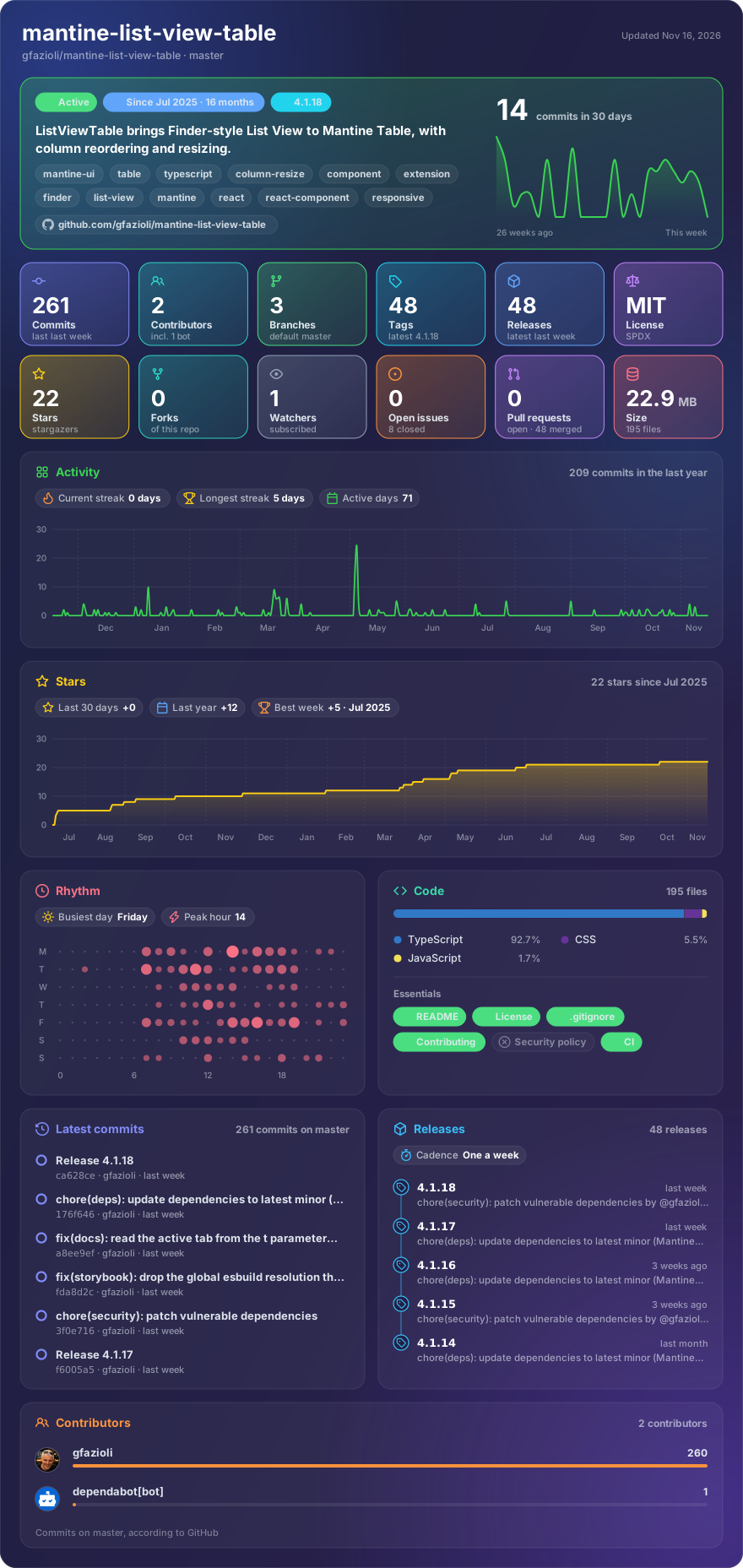
Made with glancecard · refreshed daily
Overview
This component is created on top of the Mantine library. It requires Mantine 9.x and React 19.
Mantine ListViewTable is a robust React component that enhances Mantine’s Table to deliver a modern, macOS Finder–style list view with advanced interactivity and layout control. Users can reorder and resize columns (with two resize modes: standard and Finder-style), double-click to auto-fit column widths, sort by clicking column headers, and select rows with single or multiple selection — including Cmd/Ctrl+Click, Shift+Click range select, and full keyboard navigation (Arrow keys, Enter, Space, Home/End, Cmd+A).
The component supports context menus via Mantine’s Menu component, column visibility toggling (programmatic and via built-in right-click menu with enableColumnVisibilityToggle), and controlled/uncontrolled modes for sorting, selection, column reordering, and column visibility. It also provides full mobile and touch support — column reordering, resizing, and context menus work seamlessly on iPad and other touch devices via pointer events and long-press gestures. All internal hooks (useSorting, useColumnResize, useRowSelection, useKeyboardNavigation, useColumnReorder, useColumnVisibility) are publicly exported for advanced use cases.
All dimension and typography props (height, width, spacing, font size/weight) support responsive breakpoint values via Mantine's StyleProp, resolved purely through CSS media queries with zero JavaScript re-renders.
It provides fine-grained typography control — via ellipsis and noWrap — and allows distinct header vs. cell presentation using cellStyle. It supports wide datasets through the built-in scrollProps API (or Table.ScrollContainer) for horizontal scrolling, with optional sticky identifier columns. Pinned columns and stickyHeader both ship with subtle drop-shadow indicators that fade in only while there is content scrolled past the edge — a clear visual cue inspired by spreadsheet-style data grids — and the component works seamlessly inside ScrollArea with adjustable sticky header offsets.
The outer wrapper also exposes withTableBorder, borderRadius, and borderWidth props: the border is rendered on the non-scrolling outer container so it stays fixed at the edges regardless of horizontal/vertical scroll, even with sticky columns and rounded corners.
For UX polish, it ships with configurable loading overlays (including custom loaders) and rich empty states ranging from simple messages to fully styled components with actions. These features make ListViewTable ideal for applications that need a clear, scalable, and highly interactive tabular list experience.
[!note]
→ Demo and Documentation → Youtube Video → More Mantine Components
Installation
npm install @gfazioli/mantine-list-view-table
or
yarn add @gfazioli/mantine-list-view-table
After installation import package styles at the root of your application:
import '@gfazioli/mantine-list-view-table/styles.css';
Usage
import { ListViewTable } from '@gfazioli/mantine-list-view-table';
import { Badge, Text } from '@mantine/core';

function Demo() {
  const data = [
    { id: 1, name: 'Documents', type: 'folder', size: '--', modified: '2024-06-01', kind: 'Folder' },
    { id: 2, name: 'README.md', type: 'file', size: '2.1 KB', modified: '2024-06-02', kind: 'Markdown' },
    { id: 3, name: 'package.json', type: 'file', size: '1.8 KB', modified: '2024-06-03', kind: 'JSON' },
    { id: 4, name: 'src', type: 'folder', size: '--', modified: '2024-06-04', kind: 'Folder' },
  ];

  const columns = [
    {
      key: 'name',
      title: 'Name',
      sortable: true,
      renderCell: (record) => (
        <Text fw={record.type === 'folder' ? 600 : 400}>{record.name}</Text>
      ),
    },
    {
      key: 'kind',
      title: 'Kind',
      sortable: true,
      width: 120,
      renderCell: (record) => (
        <Badge variant="light" color={record.type === 'folder' ? 'blue' : 'gray'} size="sm">
          {record.kind}
        </Badge>
      ),
    },
    {
      key: 'size',
      title: 'Size',
      sortable: true,
      textAlign: 'right',
      width: 180,
    },
    {
      key: 'modified',
      title: 'Date Modified',
      sortable: true,
      width: 120,
    },
  ];

  return (
    <ListViewTable
      columns={columns}
      data={data}
      rowKey="id"
      withTableBorder
      highlightOnHover
      onRowClick={(record) => {
        console.log('Clicked:', record.name);
      }}
    />
  );
}
Sponsor
Your support helps me:
- Keep the project actively maintained with timely bug fixes and security updates
- Add new features, improve performance, and refine the developer experience
- Expand test coverage and documentation for smoother adoption
- Ensure long‑term sustainability without relying on ad hoc free time
- Prioritize community requests and roadmap items that matter most
Open source thrives when those who benefit can give back—even a small monthly contribution makes a real difference. Sponsorships help cover maintenance time, infrastructure, and the countless invisible tasks that keep a project healthy.
Your help truly matters.
💚 Become a sponsor today and help me keep this project reliable, up‑to‑date, and growing for everyone.
https://github.com/user-attachments/assets/f4b7281c-eea0-41f9-b168-80d0f8374929
https://github.com/user-attachments/assets/a220d834-6787-429a-aab3-15e0c504f39c