Mantine Scene Component


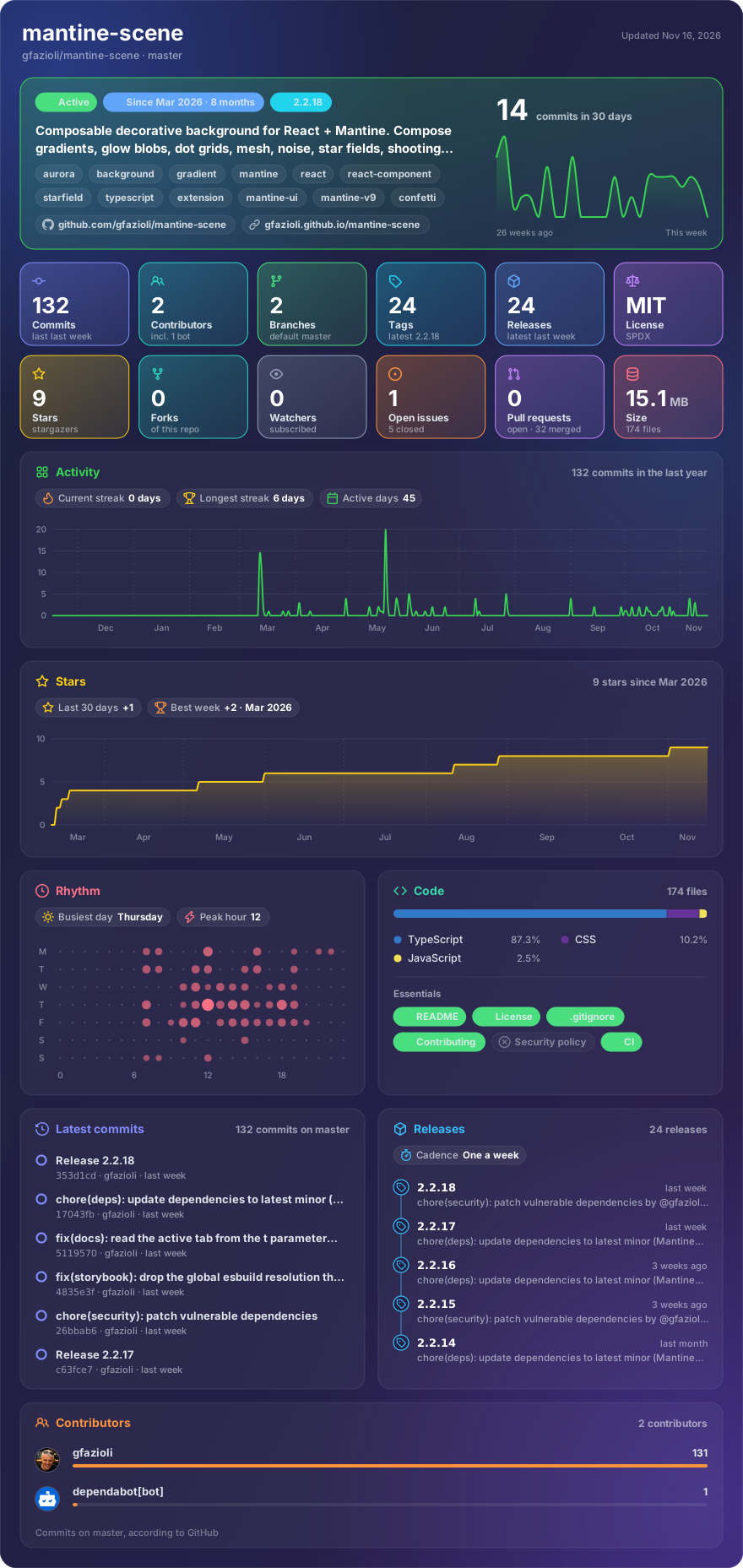
Made with glancecard · refreshed daily
Overview
This component is created on top of the Mantine library. It requires Mantine 9.x and React 19.
Mantine Scene is a decorative background container that composes multiple visual layers to create rich, atmospheric backgrounds for your React applications. Place it behind your content and combine sub-components to build anything from subtle gradients to full starfield environments.
Sub-components
| Component | Description |
|---|---|
Scene.Gradient | Radial, linear, or conic gradient with optional rotate/pulse animation |
Scene.Glow | Floating, animated glow blobs with float/pulse/breathe variants |
Scene.DotGrid | Repeating dot pattern with stagger, fade masks, and twinkle animation |
Scene.Mesh | Multi-stop radial gradient overlay simulating a mesh gradient |
Scene.Noise | SVG-based film grain texture with configurable seed, type, and color tint |
Scene.StarField | CSS-only star field with deterministic PRNG positioning and twinkle animation |
Scene.StarWarp | Hyperspace warp-speed effect with configurable focal point and direction |
Scene.ShootingStar | Animated shooting star trails at configurable angles and intervals |
Scene.Snow | Falling snowflakes with horizontal drift and wind control |
Scene.Rain | Angled rain streaks with optional bottom-edge splash effect |
Scene.Confetti | Multi-shape confetti (rectangles, circles, triangles) with continuous or burst (onComplete) modes and configurable origin (top/bottom) |
Scene.Waves | Parallax SVG wave layers with configurable direction, parallax intensity, and seamless horizontal panning |
Scene.Aurora | Shimmering aurora borealis bands with wave animation |
Scene.Radar | Concentric Wi-Fi / radar pulses with arc or circle shape and smart-default origin |
Scene.Beams | Sweeping light columns or rows with cycled colours and configurable corner radius |
Scene.Globe | Interactive 3D dotted globe (powered by cobe — optional peer dep) with markers, arcs (flight paths), drag, inertia, follow-cursor, focus |
Features
- 🎨 Theme Integration: All color props accept Mantine theme colors (
MantineColor) - 🧩 Composable: Freely combine any number of sub-components — layer order follows DOM order
- ✨ Rich Animations: GPU-accelerated CSS animations (transform/opacity) with per-component controls
- 🌍 3D Globe: Interactive WebGL globe with markers, arcs, drag, inertia, and follow-cursor —
cobeships as an optional peer dep so it never weighs on consumers who don't use it - 🖱️ Interactive Mode: Enable mouse tracking — Glow, Gradient, StarWarp and Globe react to cursor position with configurable LERP easing. Use
onMousePositionto pipe smoothed coordinates to external UI - 💤 Lazy Mode: Optional
lazyprop pauses every child animation and the internal rAF loop when the scene leaves the viewport (viaIntersectionObserver) — zero React re-renders - 📱 Responsive Props: Dimension props (
size,blur,spacing) use Mantine's nativeStyleProp<T>withInlineStyles+ media queries — zero re-renders on resize, same pattern asSimpleGrid - ♿ Accessibility:
aria-hidden="true"by default; respectsprefers-reduced-motionwith configurablereducedMotionprop - 🖥️ Fullscreen: Set
fullscreento cover the entire viewport withposition: fixed - 🎨 Styles API: Full Mantine Styles API support for all sub-components
- 📦 TypeScript: Complete type safety with exported prop interfaces and factory types
[!note]
Installation
npm install @gfazioli/mantine-scene
or
yarn add @gfazioli/mantine-scene
After installation import package styles at the root of your application:
import '@gfazioli/mantine-scene/styles.css';
Usage
import { Scene } from '@gfazioli/mantine-scene';
import { Box, Text } from '@mantine/core';

function Demo() {
  return (
    <Box pos="relative" h={400}>
      <Scene>
        <Scene.StarField count={{ base: 50, md: 100 }} twinkle />
        <Scene.Gradient from="violet" fromOpacity={0.15} />
        <Scene.Glow color="violet" size={400} blur={120} opacity={0.3} top="20%" left="30%" />
        <Scene.DotGrid color="gray" opacity={0.3} spacing={24} />
        <Scene.Noise opacity={0.025} />
      </Scene>
      <Box pos="relative" style={{ zIndex: 1 }} p="xl">
        <Text size="xl" fw={700} c="white">Your content here</Text>
      </Box>
    </Box>
  );
}
Sponsor
Your support helps me:
- Keep the project actively maintained with timely bug fixes and security updates
- Add new features, improve performance, and refine the developer experience
- Expand test coverage and documentation for smoother adoption
- Ensure long‑term sustainability without relying on ad hoc free time
- Prioritize community requests and roadmap items that matter most
Open source thrives when those who benefit can give back—even a small monthly contribution makes a real difference. Sponsorships help cover maintenance time, infrastructure, and the countless invisible tasks that keep a project healthy.
Your help truly matters.
💚 Become a sponsor today and help me keep this project reliable, up‑to‑date, and growing for everyone.