Lintr
A Listr2 runner optimized for running your linters
Why ❔
If you like to maintain a strict code style, there's a good chance you have more than one linter/formatter/validator on your projects. Lintr comes to provide a more clean and straightforward approach to set up and run all of these. It does this by running Listr2 behind the scenes and providing presets for the most common linters out there.
Optimized runs
By using Listr2, Lintr provides you the ability of running all the linters configured in parallel and collecting the potential errors all at once with a much better performance and output.
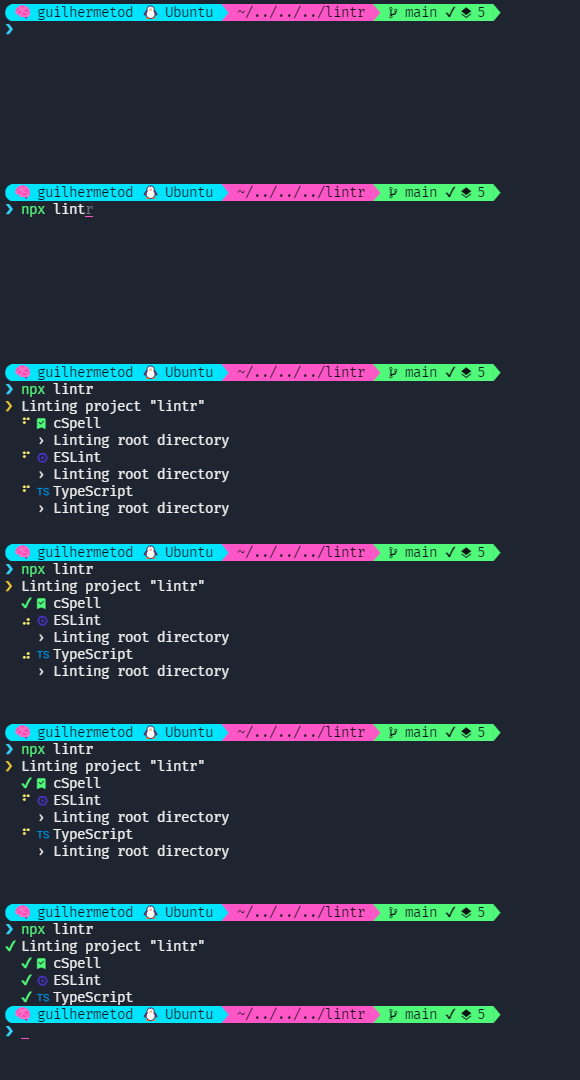
Clean out the clutter with presets
Is common to see projects with multiple linters that have scripts similar like the following:
Without Lintr
  "scripts": {
    "lint:all": "npm run lint:eslint && npm run lint:prettier && npm run lint:types",
    "lint:fix:all": "npm run lint:eslint:fix && npm run lint:prettier:fix && npm run lint:types",
    "lint:eslint": "eslint .",
    "lint:eslint:fix": "eslint . --fix",
    "lint:prettier": "prettier . --check",
    "lint:prettier:fix": "prettier . --write",
    "lint:types": "tsc --noEmit"
  },
  "lint-staged": {
    "*.ts": ["npm run lint:eslint:fix", "npm run lint:prettier:fix", "npm run lint:types"],
    "*.html": ["npm run lint:prettier"]
  }
With Lintr, all you need to do in order to setup setup multiple linters is have your configuration file with your defined presets. Lintr's presets automatically know how to include and ignore files, how to run against the current directory and also the linter's fix flag, so you don't have to write multiple commands for all of these scenarios. Given the mentioned scripts, the following configuration would be enough (checkout below for configuration file):
With Lintr
  "scripts": {
    "lint": "lintr",
    "lint:fix": "lintr --fix"
  },
  "lint-stages": {
    "*": "npm run lint:fix"
  }
How to use it
All you need to do in order to use Lintr is install it with npm install --save-dev lintr and set a very simple config file.
First, create a lintr.config.js file (or any file in the cosmiconfig's default searchPlaces)
Then, register your linters, preferably by finding a preset and you're ready to go. Given the example from the previous `` package.json, you'd have the following config:
const { presets } = require('@guilhermetod/lintr');

module.exports = {
  linters: [
    presets.eslint(),
    presets.prettier(),
    presets.typescript(),
  ],
};
You can also find the global settings available for usage withing the config file or via CLI by running npx lintr --help.
More features and detailed documentation to come soon.