@hlang-tech/editor-ui
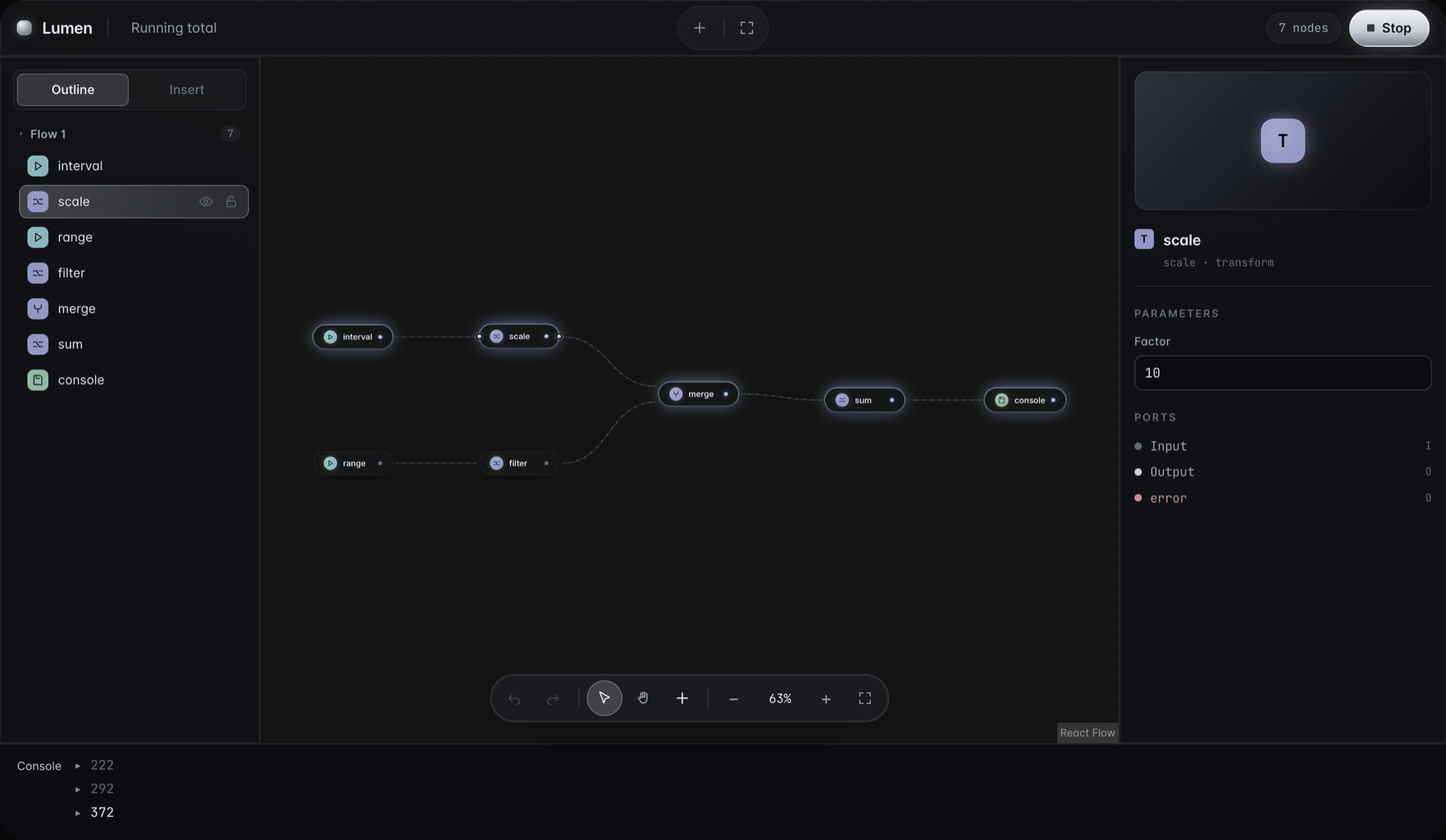
The Lumen design system for hlang: React components for a node editor built on React Flow and @hlang-tech/editor-react. Black and silver surfaces, image and intent nodes, live edges, and the panels around the canvas.


Status: 0.x, in active development. The API can change in any minor release.
Install
npm install @hlang-tech/editor-ui @hlang-tech/editor-react @hlang-tech/editor-core @xyflow/react react react-dom
The same build is published as @hlang-org/editor-ui. Import the stylesheet once:
import '@xyflow/react/dist/style.css';
import '@hlang-tech/editor-ui/styles.css';
Usage
import { ReactFlow, ReactFlowProvider } from '@xyflow/react';
import { useHlangFlow } from '@hlang-tech/editor-react';
import { createHlangFlowTypes } from '@hlang-tech/editor-ui';

const { nodeTypes, edgeTypes } = createHlangFlowTypes();

function Canvas({ core }) {
  const flow = useHlangFlow(core);
  return <ReactFlow {...flow} nodeTypes={nodeTypes} edgeTypes={edgeTypes} colorMode="dark" fitView />;
}
createHlangFlowTypes registers the node and edge components for the three node kinds. A node renders as a framed image when its imageUrl parameter is set, and as a pill otherwise. An edge shows the source node's role parameter as a label. The runtime contract does not change: every node is still a Readable, Transform, or Writable node with ports.
See the playground for a complete editor.
Components
| Area | Exports |
|---|---|
| Nodes and edges | HlangNode, AssetNodeChrome, PillNodeChrome, NodeChrome, PortRow, SignalBar, NodeBodySlot, FlowEdge, createHlangFlowTypes |
| Shell and toolbar | EditorShell, Toolbar, UndoRedo, RunButton, ToolbarStat, ToolbarGhostButton, ToolCluster |
| Canvas | CanvasChrome, CanvasDock, EmptyState |
| Panels | OutlineTree, RailTabs, AssetGrid, InspectorPanel, ParamForm, PositionPanel, PreviewPanel, DiagnosticBadge |
| Creating nodes | NodeSearch, useNodeSearch, useNodeSearchTriggers (double-click the canvas, or drop a connection on empty space) |
| Interaction | useEditorHotkeys, NodeContextMenu, useNodeContextMenu, NodeInteractionProvider, Cheatsheet, ToastProvider |
| Live execution | LiveSignalProvider, LiveSignalStore, useLiveSignals, useNodeLiveState, useEdgeFlowing |
| Theme | TOKEN_NAMES, tokenVar, createTheme, EditorUIThemeProvider |
Keyboard shortcuts
useEditorHotkeys(core) binds undo (⌘Z), redo (⇧⌘Z or ⌘Y), copy, cut, paste, duplicate (⌘D), select all (⌘A), and delete (Delete or Backspace). Ctrl replaces ⌘ on Windows and Linux. Shortcuts are ignored while a text field has focus.
Live execution
useLiveSignals(core, handle) feeds a run's activity and errors into a LiveSignalStore. Nodes and edges subscribe by id, so only the elements whose state changes re-render.
Theming
All colors, fonts, and radii are CSS custom properties (--hl-*). Override them with createTheme({ 'hl-silver': '#d8dce4' }) passed as a style, or with EditorUIThemeProvider.
Source and documentation: github.com/hlang-tech/hlang.
License
MIT