English | 简体中文
@zhangzhian/dsh-devtools-git
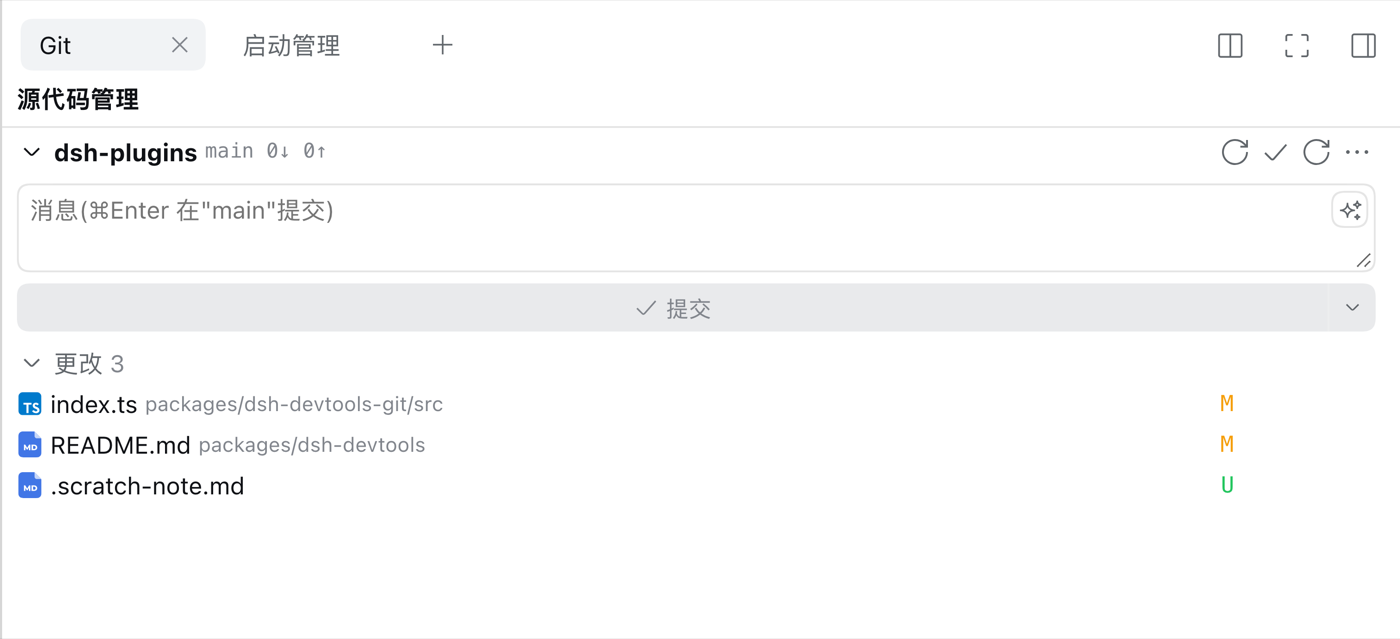
DSH 开发工具的 Git 组件:右栏的源代码管理面板,外加一套给 Agent 用的 git_* 工具。
安装
不要单独装它。装清单包 —— 它会作为依赖自动拉下来,并在插件页上给你一个可开关的组件行。
dsh plugin --profile web add @zhangzhian/dsh-devtools
提供什么
- 宿主半:Agent 工具
git_status、git_diff、git_stage、git_commit。 - 客户端半:面板 —— 状态分组(冲突 / 已暂存 / 未暂存 / 未跟踪)、按文件的 diff
(平台的
DiffBlock,开成以文件名命名、可关闭的页签)、 提交图,以及提交 / 推送 / 拉取 / 抓取 / 合并 / 变基 / 存储的弹窗。 - 提交默认带上全部改动:点「提交」会先
git add -A(修改 / 已暂存 / 未跟踪)再提交; 只想提交暂存区用菜单里的「只提交已暂存文件」。 - 推送被拒时自动整合再推:远端领先导致
non-fast-forward时自动fetch+pull(按pullMode,默认合并)+ 重推一次;有冲突就停下并把冲突文件交给你(配置pushAutoSync可关)。
要求
- dsh
>= 0.2.0-rc.2。 - 不需要额外装依赖:
@deepseek-ai/*由 dsh 安装本身提供(声明成 peer,不会重复安装)。
English
@zhangzhian/dsh-devtools-git
The Git component of DSH devtools: a source-control panel in the right sidebar,
plus a set of git_* tools for the agent.
Install
Do not install this package directly. Install the bundle package — it pulls this in as a dependency and gives you a switchable component row on the plugin page.
dsh plugin --profile web add @zhangzhian/dsh-devtools
What it provides
- Host half: the agent tools
git_status,git_diff,git_stage,git_commit. - Client half: the panel — status groups (conflict / staged / unstaged / untracked),
per-file diffs (the platform
DiffBlock, opened as a closable tab named after the file), a commit graph, and dialogs for commit / push / pull / fetch / merge / rebase / stash. - Commit takes every change by default: clicking Commit runs
git add -A(modified / staged / untracked) first; use "Commit staged files only" in the menu to commit just the index. - Push auto-integrates when rejected: on
non-fast-forward, it runsfetch+pull(perpullMode, merge by default) + retries the push once; conflicts stop at Pull and are handed back to you (pushAutoSynccan turn this off).
Requirements
- dsh
>= 0.2.0-rc.2. - No extra dependencies:
@deepseek-ai/*is provided by the dsh installation itself (declared as peer dependencies, so it is never installed a second time).