67 Router - 高性能AI路由器,Token Saver和代理技能枢纽
9路特的加固和加固分叉 ^ 永不停止编码. 以RTK + 自动倒回FREE & 廉价AI模式保存20-40%的令牌.
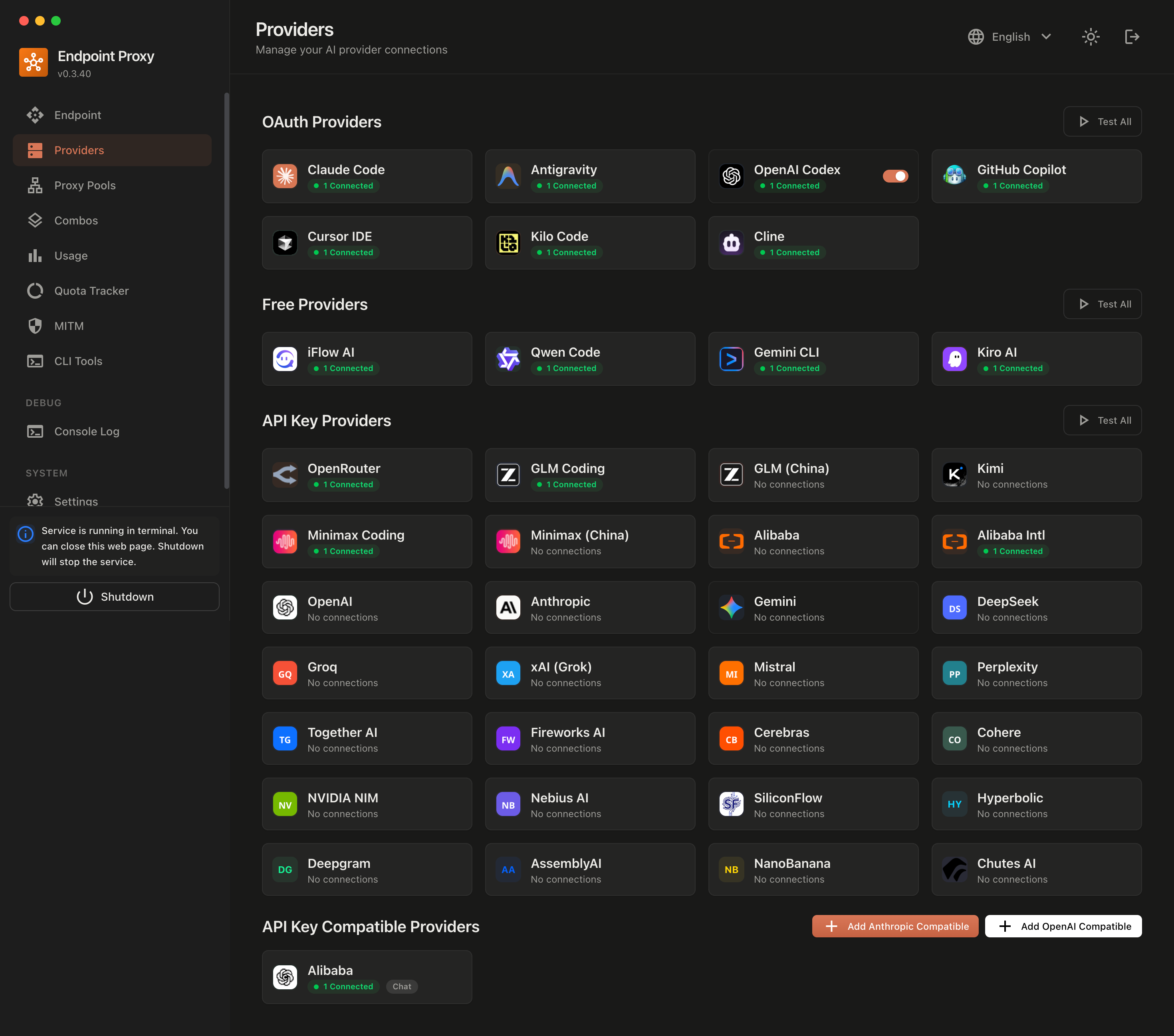
连接所有AI代码工具(Claude Code, Cursor, Antigravity, Copilot, Codex, 双子座, OpenCode, Cline, OpenClaw...)到40+AI提供商和100+模型.





QQ 快速启动
1. 安装和运行 CLI(推荐用于桌面)
# Install globally
npm install -g 67router

# Launch 67Router
67router

# Or run directly without permanent install
npx 67router
(说明: 9router 作为无缝后向兼容性的别名命令提供)
{\fn黑体\fs22\bord1\shad0\3aHBE\4aH00\fscx67\fscy66\2cHFFFFFF\3cH808080} http://localhost:20128/dashboard
2. 连接一个FREE提供者(不需要注册)
- 打开 盘子 → 供应商
- 点击 连接 Kiro AI (无限制克洛德)或 打开代码自由 (不需要认证) – 完成!
3. 在您的 AI 编码工具中使用
Claude Code / Codex / OpenClaw / Cursor / Cline / Antigravity Settings:
  Endpoint: http://localhost:20128/v1
  API Key:  [copy from dashboard]
  Model:    kr/claude-sonnet-4.5
就这样! 开始用FREE AI模型以零符号废物进行编码.
67卢特语中的关键亮点和升级
- 🛡️ 零脆弱性安全架构数字 :
彻底清除后遗症
node-forge脆弱性(GHSA-86w9-cpqp-85rv)。 现代建筑selfsigned和本地节点jscrypto.X509Certificate与同步的 SNI 队列承诺纪念.npm audit产量 0个脆弱性。 。 。 . - 🚀 RTK 托肯保护程序数字 :
压缩工具结果( E)
git diff, (中文(简体) ),grep,测试输出),每个请求自动将快速符号使用率降低20-40%. - 🤖 代理技能枢纽( A)
@antislop-code注释卫生数字 : 消除重复和低价值AI评论slop(装饰标题、阶梯叙述),同时保留重要的建筑原理和安全考虑. - 🔄 自动化 OpenCode 完整模型发现数字 : 一击取取所有模型,自动检测上下文窗口,最大输出限制,以及多模式视觉参数入为符合要求的策略.
- 💎 单石奢侈品设计系统数字 :
与 Momo Trust Sans 印刷、 香槟青铜口音和像素-完美相接的精炼高相通的黑暗主题
h-[69px]标题和侧边栏对齐. - 🪟 具有弹性的 Windows 系统托盘和背景回收数字 : 非屏蔽背景 IPC 零 UI 线程冻结,系统托盘模式下通用崩溃恢复.
QQ CLI 选项
67router                    # Start with default settings (port 20128)
67router --port 8080        # Custom port
67router --host 127.0.0.1   # Bind to local loopback only
67router --no-browser       # Don't open browser automatically
67router --log              # Show server logs in console
67router --tray             # Run directly in system tray mode
67router --skip-update      # Skip auto-update check
67router --help             # Show all options
* 连接到远程 67路透社
已经在另一台机器上运行了67路透(例如VPS或LAN服务器)? 在不启动本地服务器的情况下将机器的 CLI 工具指向它 :
npx 67router connect http://<server-host>:20128                       # interactive tool picker
npx 67router connect http://<server-host>:20128 --tools claude,codex  # specify tools directly
npx 67router connect --reset --tools claude,codex                     # revert configuration
支持的工具 : claude, (中文(简体) ), codex, (中文(简体) ), opencode, (中文(简体) ), droid, (中文(简体) ), crush, (中文(简体) ), kilo, (中文(简体) ), cline, (中文(简体) ), pi, (中文(简体) ), omp,或 all。 。 。 .
检查活动的 CLI 工具配置
npx 67router show                 # inspect all configured tools
npx 67router show claude          # inspect single tool
npx 67router show claude --json   # output JSON format
支持的 AI 编码工具
Claude-Code • OpenClaw • Codex • OpenCode • Cursor • Antigravity • Cline • 继续 机器人 • Roo • 副驾驶 • Kilo 代码 • 双子座 CLI • Quen 代码 • iFlow • Crusher • Aider
任何支持标准OpenAI或Anthropic Claude API端点的客户端都无缝地工作.
QQ 数据配置位置
- macOS / Linux 系统数字 :
~/.67router/db/data.sqlite(倒计时 :~/.9router/(中文(简体) ) - 窗口数字 :
%APPDATA%\67router\db\data.sqlite(倒计时 :%APPDATA%\9router\(中文(简体) )
资源与文档
- GitHub 仓库数字 : https://github.com/Badroel07/9router (英语)
- 上游仓库数字 : https://github.com/decolua/9router (英语)
- 执行数字 : CLIProxyAPI (英语)
许可证
麻省理工学院许可证——见 自由主义 详细情况.