 |
 |
 |
9Remote — Remote Everything, Vibecode Everywhere
Bring every dev tool to your phone. Your entire dev workstation in your pocket.
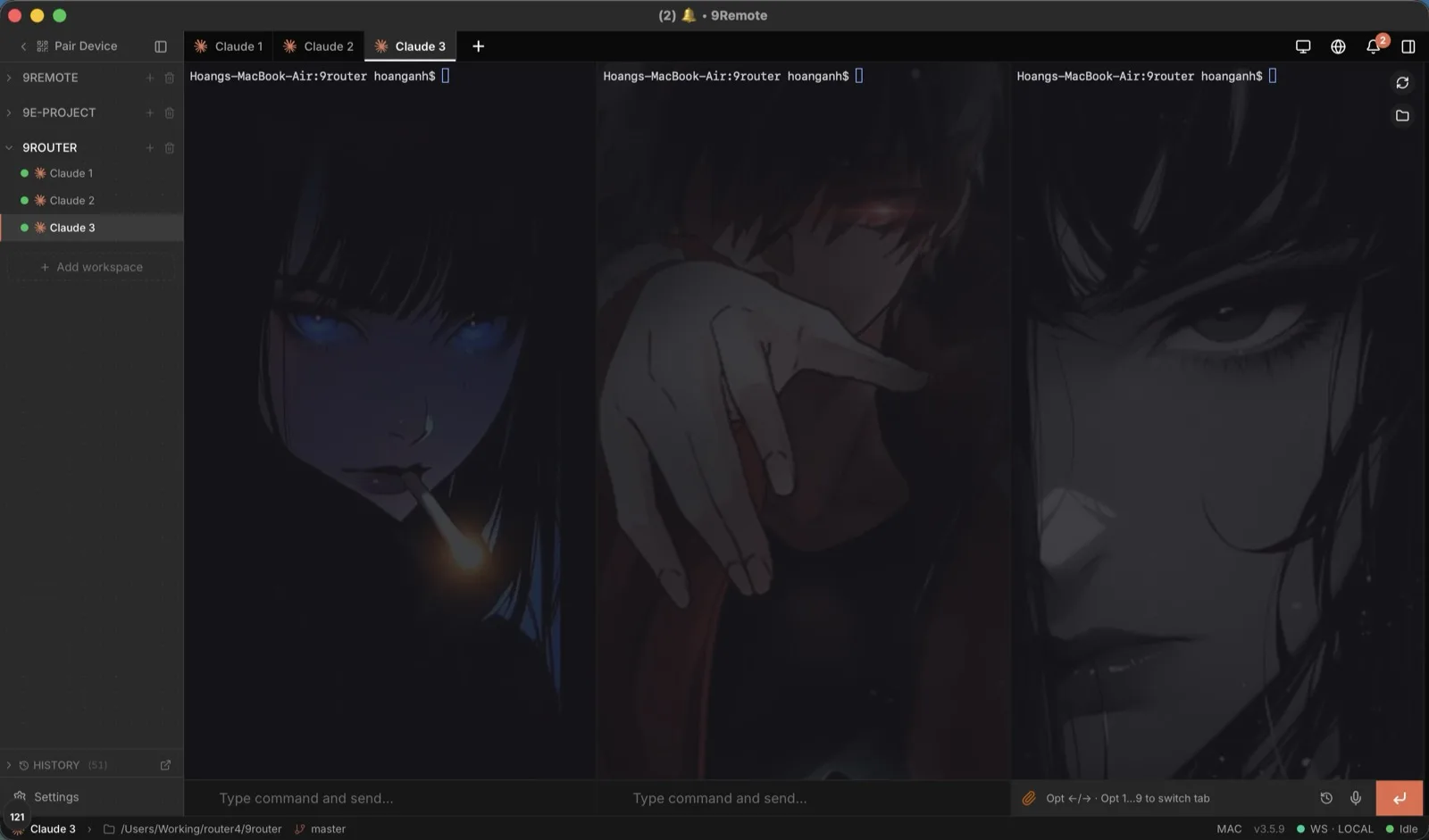
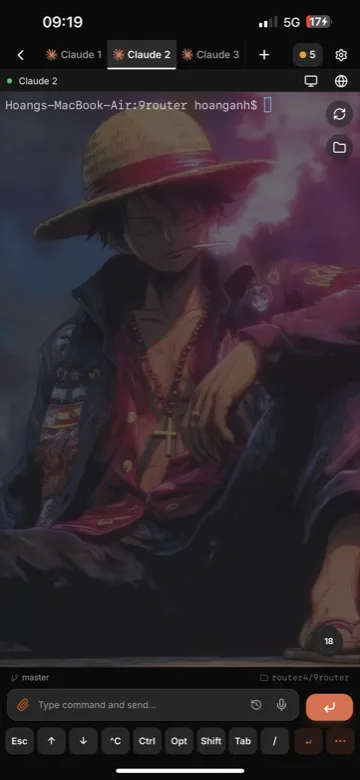
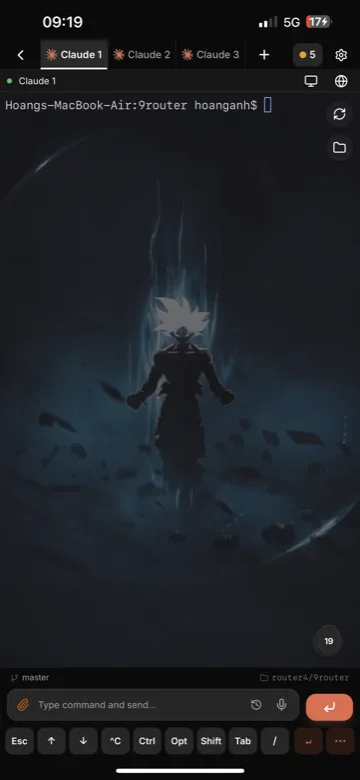
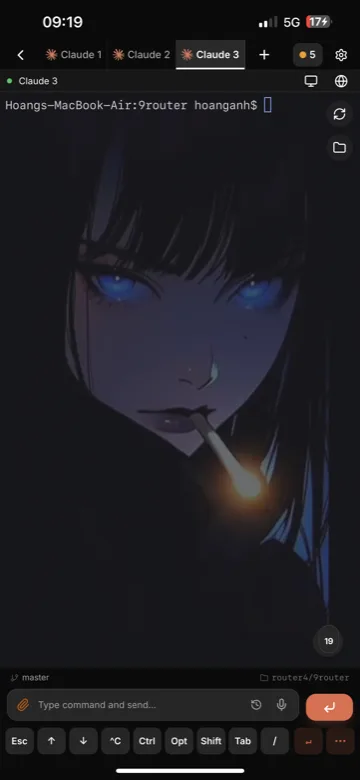
Your terminal, IDE, 60fps desktop, files, localhost previews, mobile emulators and every AI coding agent — Claude Code, Codex, Gemini CLI & 30+ more — streamed from your own machine to your phone, tablet or any browser over encrypted WebRTC P2P. No port forwarding, no accounts, no config: install on macOS, Windows or Linux, scan the QR code, and you're in. Sessions survive network switches and locked phones — builds keep running while you walk away.
Codex CLI looks like 1995? Claude Code's TUI hurts? Forget them. Same agents, one UI you'll actually love.


🚀 Quick Start • 📱 Platforms • ✨ 8 Superpowers • 🛡️ Security • 📊 Comparison • 🌐 Website • 📖 Docs
⚡ Quick Start
Start your remote workspace in 30 seconds:
npm install -g 9remote
9remote
🎉 Scan the QR code with your phone camera (or open the link on any browser) → click "Approve" on your host → you're in!
Works on macOS, Linux, and Windows. Requires Node.js 18+.
Zero configuration. No port forwarding. No account or signup required.
CLI Modes
| Command | Mode | Description |
|---|---|---|
9remote | TUI Mode | Interactive terminal menu with QR code |
9remote ui | Web UI Mode | Opens the host dashboard at localhost:2208 |
📱 Supported Platforms
| Platform | Host (Your Machine) | Client (Anywhere) | Download / Access |
|---|---|---|---|
| macOS | ✅ | ✅ | npm i -g 9remote or Download .dmg |
| Windows | ✅ | ✅ | npm i -g 9remote or Download .exe |
| Linux | ✅ | ✅ | npm i -g 9remote or Download .deb / .AppImage |
| Web Browser | — | ✅ | https://9remote.cc/login (Zero install, any browser) |
| iOS / iPadOS | — | ✅ | Web / PWA (Add to Home Screen) (Supports iPad keyboard & trackpad) |
| Android | — | ✅ | Web / PWA (Add to Home Screen) (Fullscreen dev mode) |
✨ 8 Remote Superpowers
🤖 1. Every Harness, One UI (AI-Ready)
- Every AI harness in one UI — run Claude Code, Codex, Gemini CLI, Cursor CLI, Aider & 30+ AI agents on the go.
- Built-in artifact inspector with live rendering for HTML, Markdown, and Mermaid diagrams.
- Dedicated AI shortcut triggers and multi-turn workflow tracking.
📱 2. Every Screen, Everywhere (Mobile Full Feature)
- Dedicated developer keyboard row (
Esc,Tab,Ctrl,Alt, navigation arrows). - Customizable shortcuts and fluid swipe navigation between sessions.
- Tactile haptic feedback on touch for responsive coding.
- Fully adaptive UI: Multi-column IDE on desktop/tablet, touch-first card view on mobile.
🖥️ 3. 60fps Remote Desktop (WebRTC P2P)
- Hardware-accelerated screen streaming with ultra-low latency (<20ms).
- Mouse, touch, keyboard controls, and multi-monitor switching.
- Vastly lighter on battery and bandwidth than VNC, AnyDesk, or TeamViewer.
💻 4. Full Remote IDE & Multi-pane Terminal
- Multi-pane terminal rows with smooth drag-to-resize splitters.
- Integrated code editor with syntax highlighting and file tree.
- Visual Git status, diff viewer, and multi-worktree switcher.
📱 5. Live Remote Emulator
- Interactive remote stream for Android Emulator and iOS Simulator.
- Tap, swipe, and test mobile UI directly from your phone browser without sitting at your desk.
🌐 6. Zero-Config Localhost Preview
- Built-in Service Worker bridge streams
localhost:3000orlocalhost:8080to your mobile browser. - Preview local web apps in real time with zero port forwarding, no ngrok tunnels, and zero public internet exposure.
📁 7. Visual File Explorer (Path-Jailed)
- Visual directory tree with instant fuzzy file search (⌘⇧P).
- Touch drag-and-drop file transfers (upload and download).
- Secured by strict path-jail boundaries keeping your host system safe.
🔄 8. Persistent PTY Daemon
- Background daemon keeps your shells and builds alive on the host.
- Switching networks (Wi-Fi to 4G), locking your phone, or closing tabs never kills your running tasks.
🛡️ Zero-Trust Security Architecture
9Remote uses 3 layers of zero-trust defense:
- Split-Key Pairing: The key is split into HEAD and TAIL. The relay server only brokers the handshake with HEAD and never knows your secret TAIL.
- Direct WebRTC P2P: Data flows directly device-to-device with X25519 + AES-256-GCM encryption.
- Physical Host Approval: New devices cannot connect until you physically click "Approve" on your computer screen.
sequenceDiagram
    autonumber
    participant Client as Mobile / Web Client
    participant Server as 9Remote Signaling Relay
    participant Host as Host Machine

    Host->>Server: 1. Register HEAD (TAIL stays private on Host)
    Client->>Server: 2. Request Host lookup with HEAD
    Server-->>Client: 3. Return Host Public Key (Relay steps aside)
    Note over Client,Host: Direct P2P Connection (WebRTC DataChannel)
    Client->>Host: 4. Send encrypted TAIL (X25519 + AES-GCM)
    Note over Host: Host verifies TAIL secret
    Host-->>Host: 5. Physical Security Prompt: "Approve Device?"
    Note over Host: You click Approve on host screen
    Host-->>Client: 6. Secure P2P Session Established (<20ms latency)
📊 How 9Remote Compares
| Feature | 9Remote | Claude Remote | TeamViewer | Chrome Remote | Termius |
|---|---|---|---|---|---|
| Zero Config | ✅ | ✅ | ✅ | ✅ | ❌ |
| Remote IDE | ✅ | ❌ | ❌ | ❌ | ❌ |
| Every Harness in One UI | ✅ | ❌ | ❌ | ❌ | ❌ |
| Terminal Access | ✅ | ✅ | ❌ | ❌ | ✅ |
| Persistent Daemon | ✅ | ✅ | ❌ | ❌ | ✅ |
| Remote Localhost Preview | ✅ | ❌ | ❌ | ❌ | ❌ |
| Touch File Explorer & Editor | ✅ | ❌ | ✅ | ❌ | ✅ |
| Remote Desktop (60fps) | ✅ | ❌ | ✅ | ✅ | ❌ |
| Remote Emulator | ✅ | ❌ | ❌ | ❌ | ❌ |
| AI Agent Artifacts | ✅ | ✅ | ❌ | ❌ | ❌ |
| Physical Host Approval | ✅ | ❌ | ✅ | ❌ | ❌ |
| Git Integration | ✅ | ❌ | ❌ | ❌ | ❌ |
| Mobile & iPad Optimized | ✅ | ✅ | ❌ | ❌ | ✅ |
| Browser-Based (Zero Install) | ✅ | ✅ | ❌ | ✅ | ❌ |
| QR Login | ✅ | ✅ | ❌ | ❌ | ❌ |
| Auto Tunnel | ✅ | ✅ | ✅ | ✅ | ❌ |
| No Port Forwarding | ✅ | ✅ | ✅ | ✅ | ❌ |
| No Account Required | ✅ | ❌ | ❌ | ❌ | ❌ |
| Free & Self-Hostable | ✅ | ❌ | ❌ | ✅ | ❌ |
| TOTAL | 19 / 19 | 9 / 19 | 6 / 19 | 5 / 19 | 5 / 19 |
🏆 9Remote: Complete 19/19 capabilities · 100% self-hosted & private.
🎯 Use Cases
- Code from bed — Fix a bug at 11 PM without getting out of bed. Open your phone, connect to your Mac, fix, commit, push, sleep.
- Fix bugs at a cafe — Server alert while having coffee? Connect from your phone or tablet, tail logs, edit configs, and restart services.
- Deploy on vacation — Urgent client hotfix while you're away? Phone → 9Remote →
git pull→ build → deploy. - Monitor AI Coding Agents — Run long Claude Code / Cursor tasks on your desktop, and review artifacts, diffs, and progress from your phone.
❓ FAQ
🔒 Is 9Remote secure?
Yes. 9Remote uses 3 layers of zero-trust defense:
- Outbound-only Cloudflare tunnel (no open ports or firewall changes needed).
- Direct WebRTC peer-to-peer data channels with end-to-end encryption.
- Physical host approval required before any device can access your machine.
- Your code and credentials never touch third-party cloud servers.
💰 Is it free?
Yes. 9Remote is free for personal, internal, and commercial use inside your organization.
🌐 Do I need to open router ports or setup DDNS?
No. 9Remote automatically sets up an outbound secure tunnel and negotiates WebRTC P2P connections through NATs and firewalls.
🤖 Which AI agents are supported?
Works with any CLI AI tool: Claude Code, Codex, Gemini CLI, Cursor CLI, Aider, OpenClaw, and more — every harness, one UI. 9Remote provides dedicated multi-pane terminals and live artifact rendering for HTML and diagrams.
📄 License
Apache License 2.0 — see LICENSE. Free to use, modify, and distribute, including commercially.