Kangentic
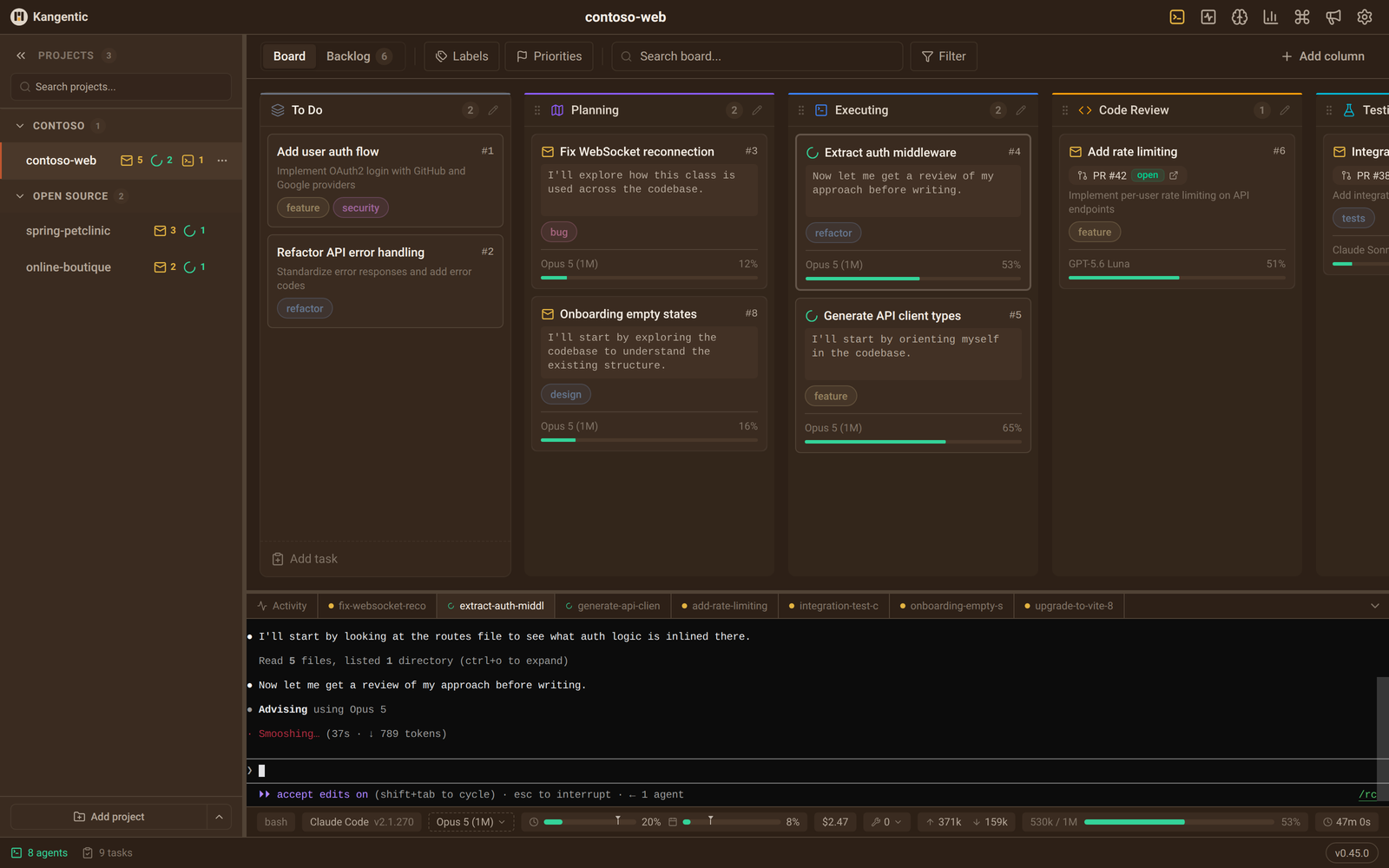
Drag a card. An agent starts.
An agentic development environment for AI coding agents. This package installs the desktop app and opens it.
Install and run
npx kangentic
The launcher downloads the release that matches its own version from GitHub Releases, installs it, and opens it:
- Windows. A per-user install to
%LOCALAPPDATA%\Programs\Kangentic. - macOS.
Kangentic.appin~/Applications. An x64 Node running under Rosetta on Apple Silicon still gets the Apple Silicon build. - Linux. The
.rpmpackage (dnf, zypper, or rpm) or the.debpackage (apt or dpkg). This asks for your password.
To open a project directly:
npx kangentic /path/to/your/project
To install a specific release, run npx kangentic@<version>. The launcher version matches the app version.
Updates
The app updates itself. On Windows and macOS a downloaded update installs when you quit. On Linux, click Restart to update and enter your password. If that fails, run npx kangentic@latest, then quit and reopen the app.
Requirements
- Windows x64, macOS 13 or later on Apple Silicon or Intel, or Linux x64 or arm64.
- Node.js 20 or later, and Git 2.26 or later.
- At least one supported agent CLI, such as Claude Code, Codex CLI, or Gemini CLI, installed and signed in.
Privacy
Release builds send anonymous usage events and error reports by default. Set KANGENTIC_TELEMETRY=0 to turn them off. See the privacy page.