@ aparte/ 插卡
丰富的牌 独立: 一个工具的取出结果作为卡片而不是一个 行——天气,出品地,出品地,出品地,出品地,出品地,出品地,出品地,出品地,出品地,出品地,出品地,出品地,出品地,出品地,出品地,出品地,出品地,出品地,出品地,出品地,出品地等. 每张卡都有自己的入口, 所以一个应用船只运送它进口的卡片.
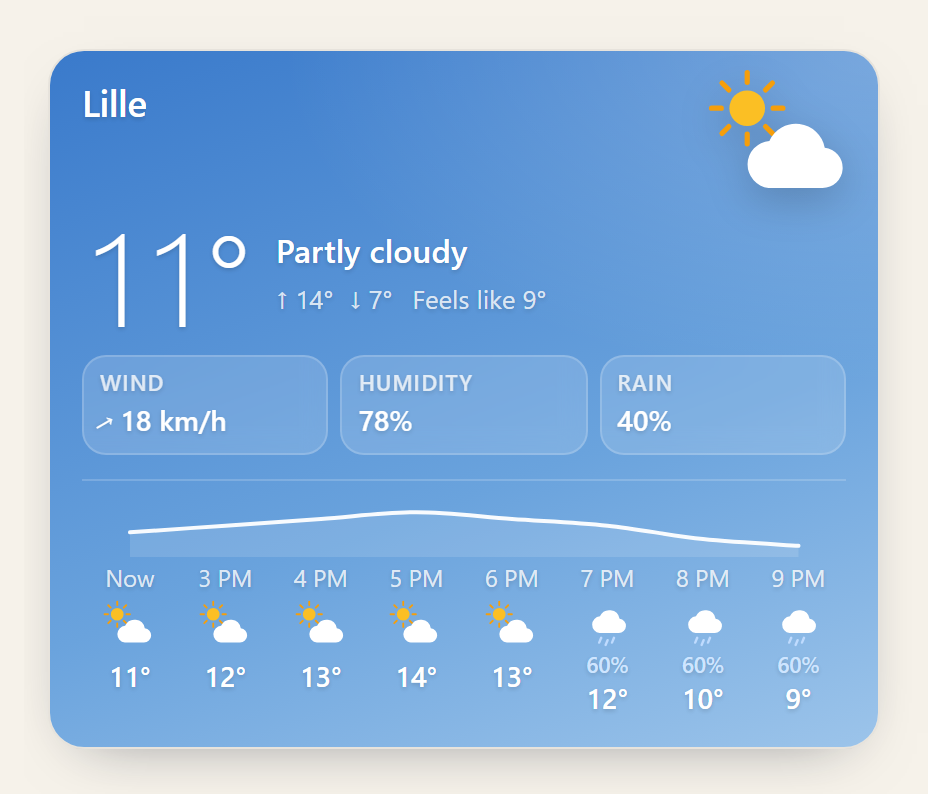
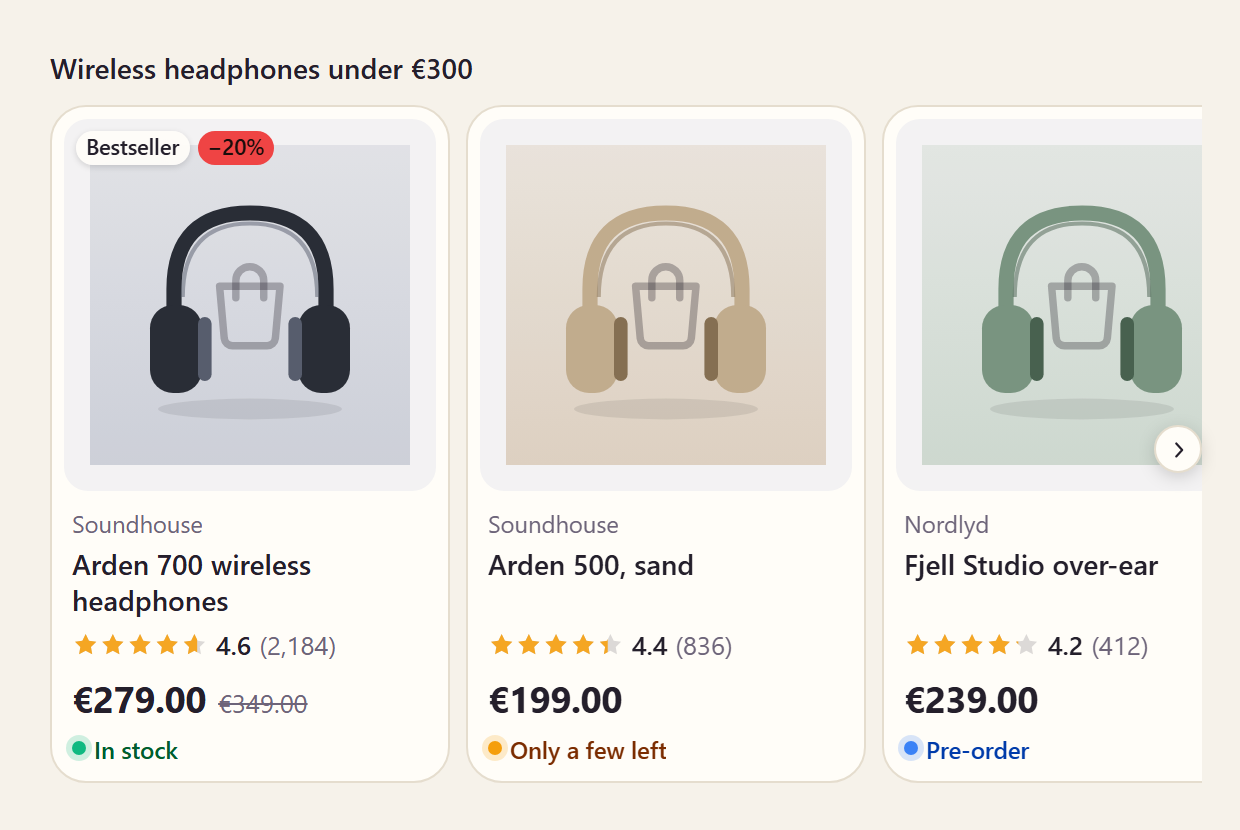
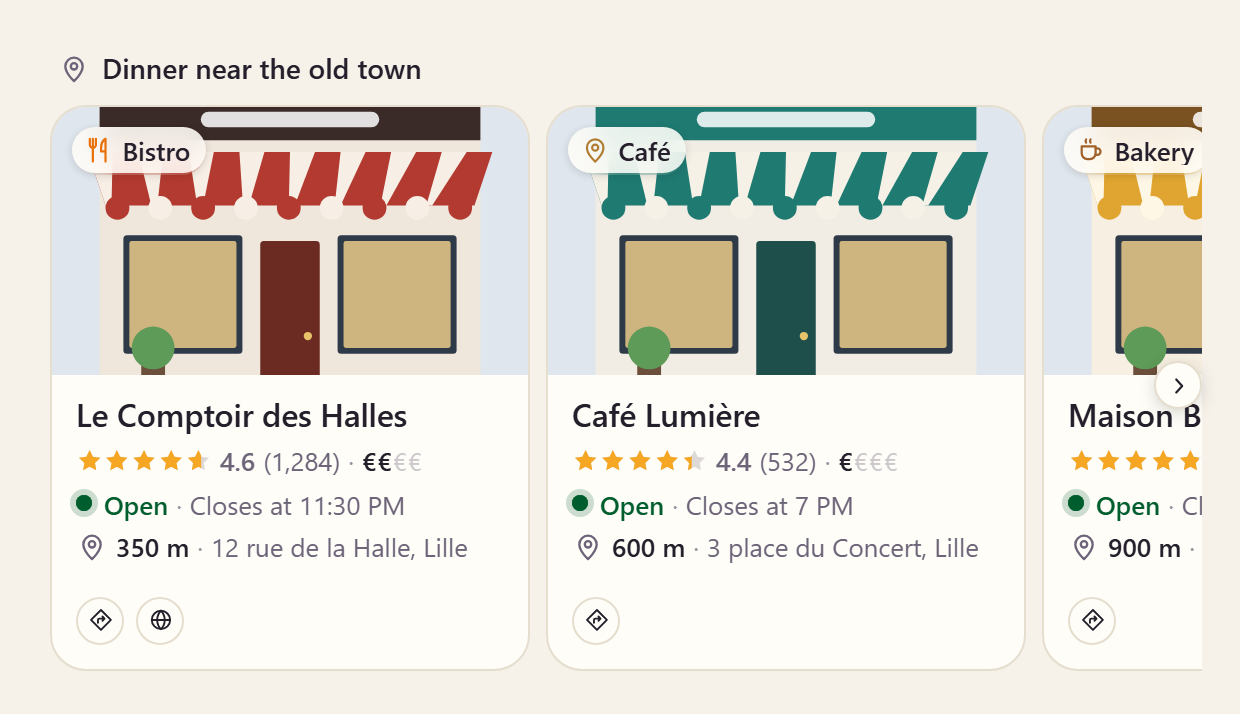
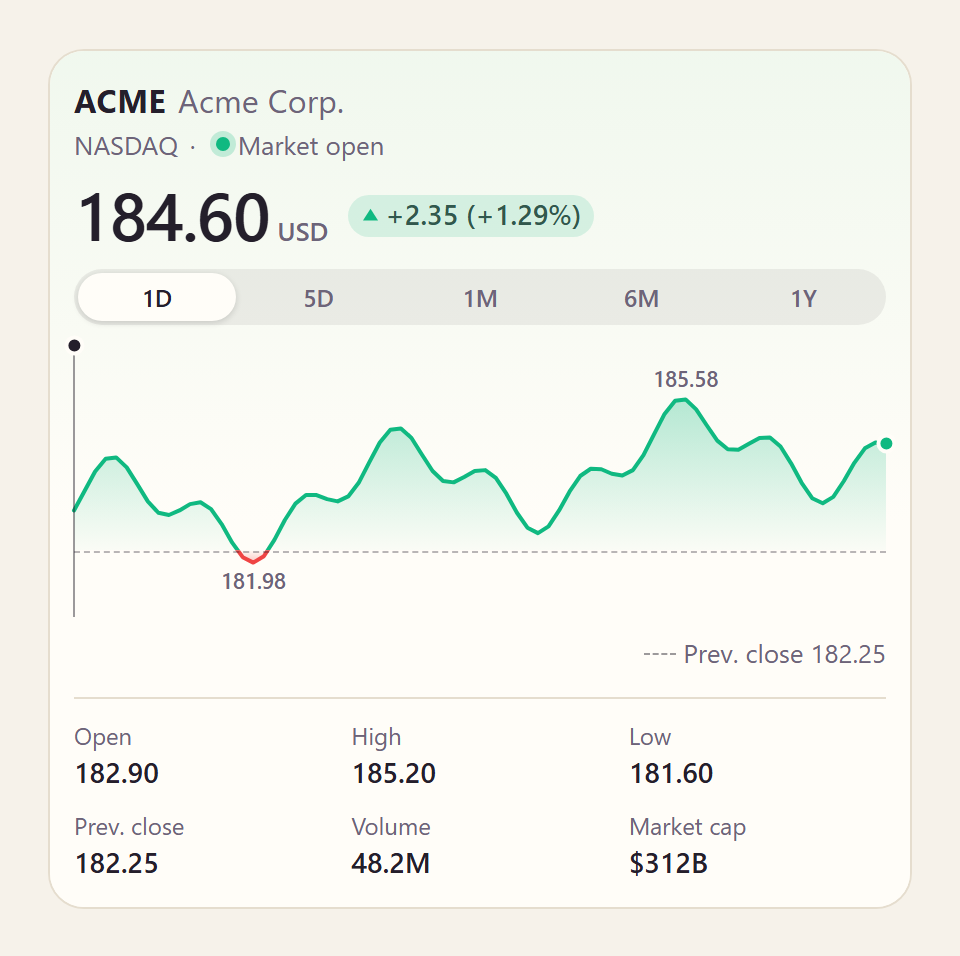
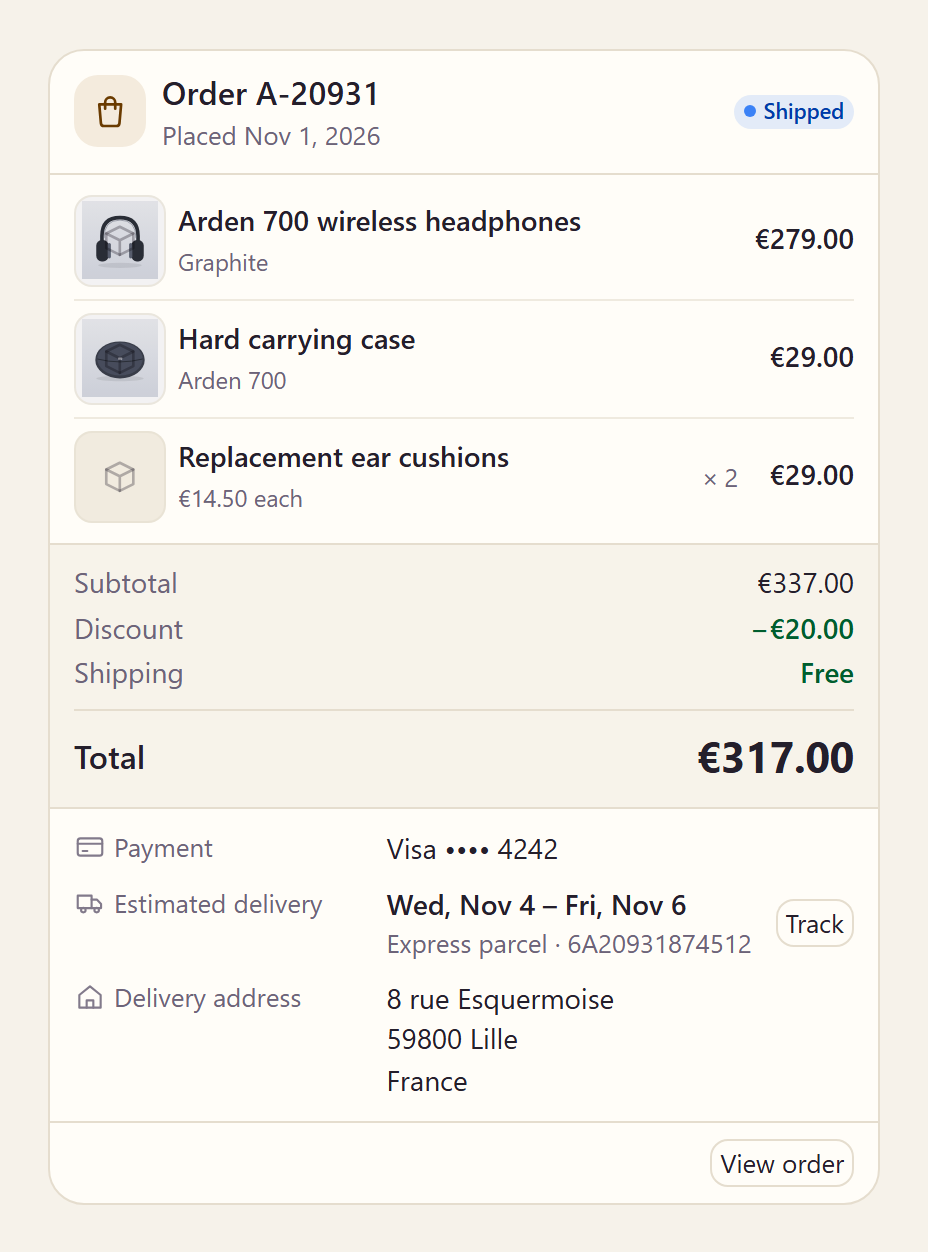
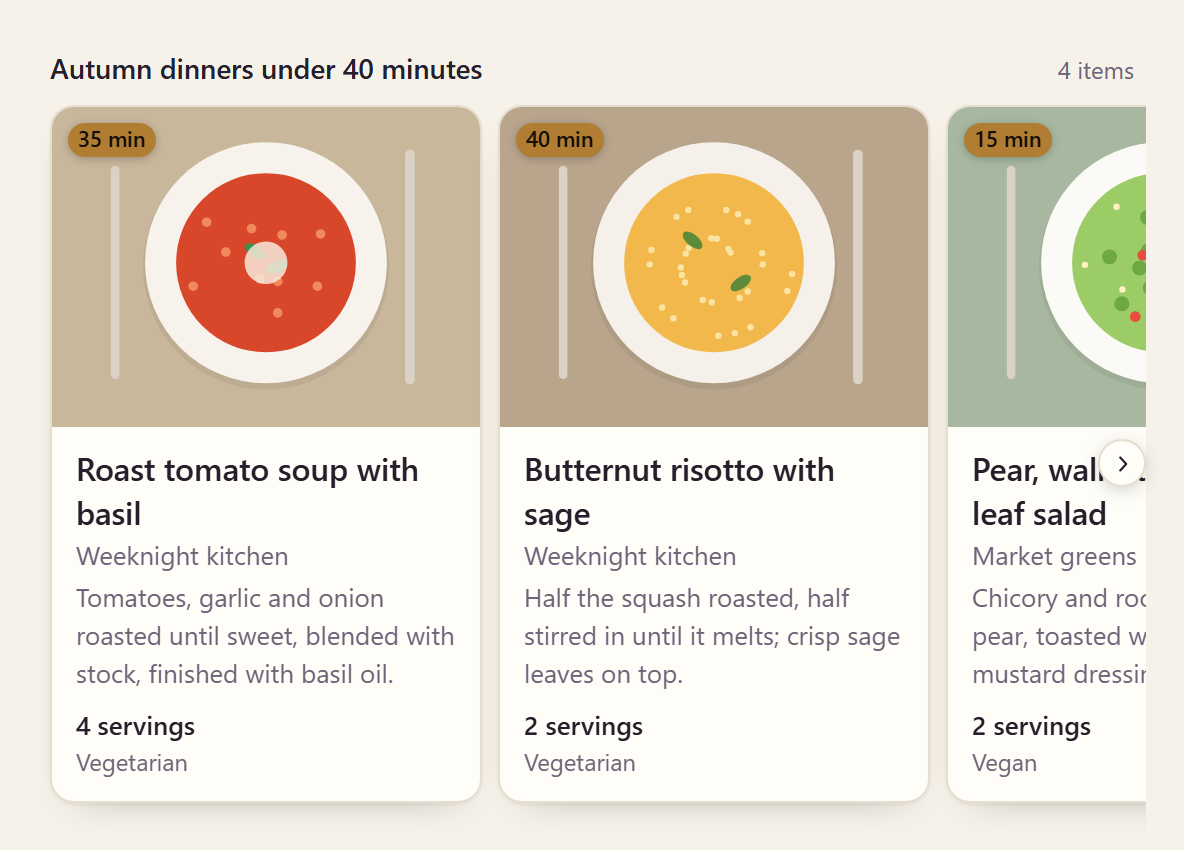
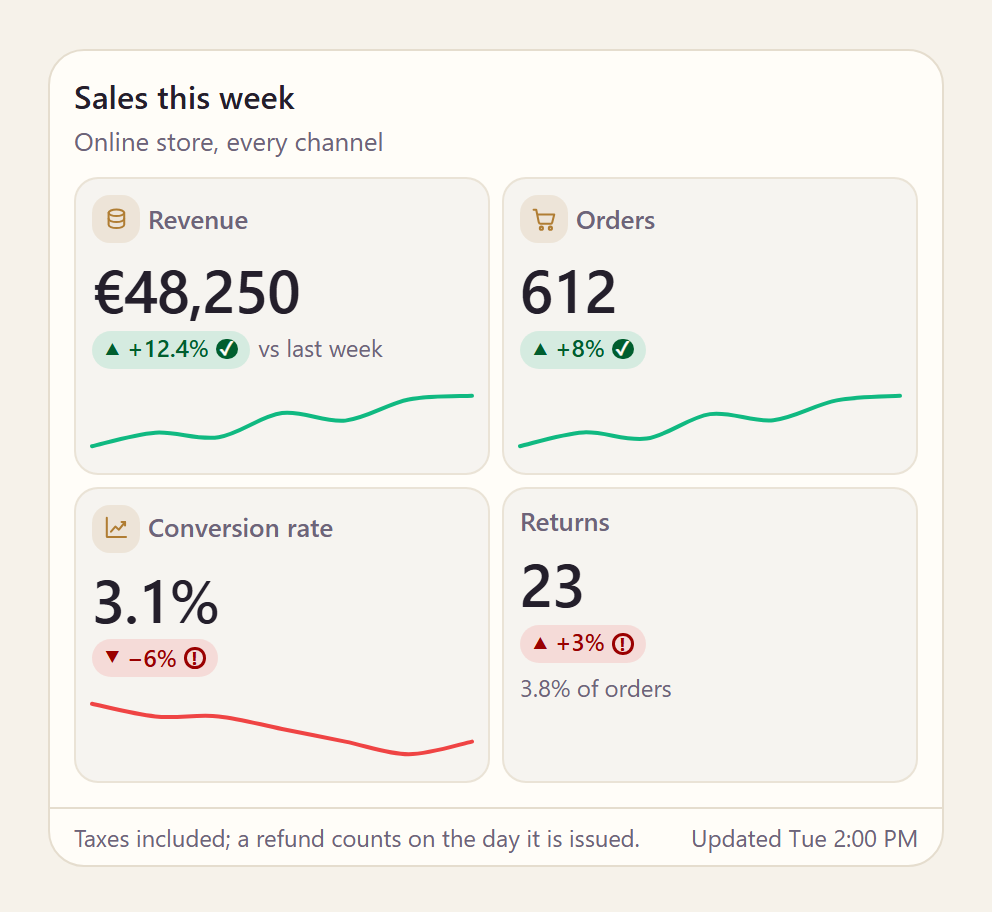
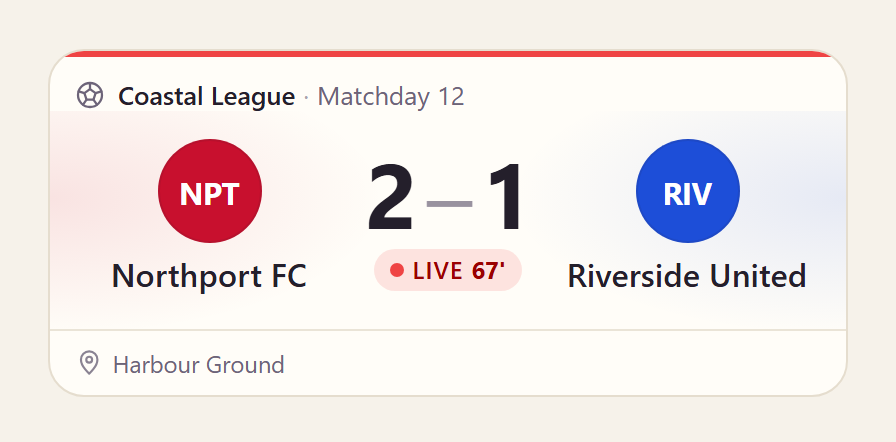
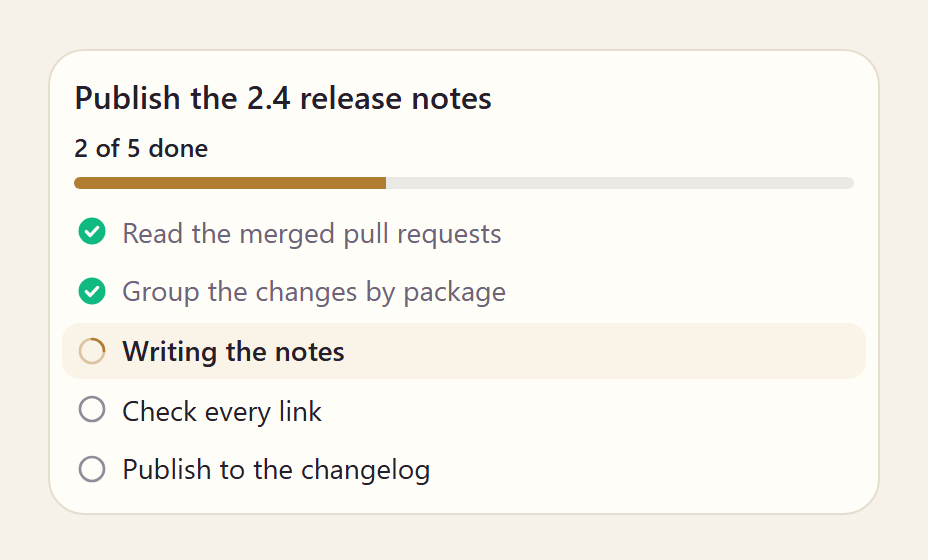

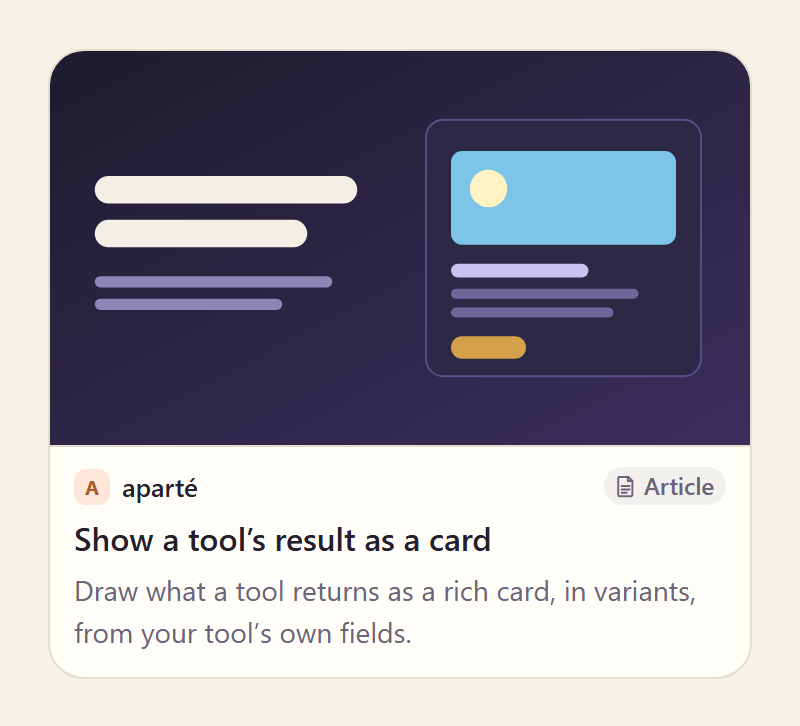
每张相片都会链接到其卡片的页面,在它运行的地方.
npm install @aparte/plugin-cards @aparte/core
import { setupWeatherCard } from '@aparte/plugin-cards/weather';

setupWeatherCard({
  tool: 'get_weather',
  map: (result) => ({ location: result.city, temperature: result.temp_c, condition: result.sky }),
  variant: 'hero', // or 'compact', 'forecast', or a function of the data
});
完整指南: dev/指向/卡。 。 。 .
图片
一张卡片的照片来自工具的数据,所以它们遵循了聊天的图像政策:一个图片来自一个 您的应用程序主机不允许在卡片上的“ 显示图像” 按钮后等待 。 允许自己 来源 :
import { aparteGlobalConfig } from '@aparte/core';

aparteGlobalConfig.setImagePolicy(['self', 'https://cdn.example.com']);
图片和图像策略 给整个规则.
气象卡 - @aparte/plugin-cards/weather
setupWeatherCard(options)将卡插入并返回解插的函数.options数字 :tool, (中文(简体) ),map, (中文(简体) ),mapInput, (中文(简体) ),variant, (中文(简体) ),actions, (中文(简体) ),onChange, (中文(简体) ),config。 。 。 .weatherCard是卡片本身:weatherCard.setup(options),以及weatherCard.segment(data)(单位:千美元)card带有倒数句的部分.readWeather(raw)是卡片读取它的字段;fromOpenMeteo(response, { location })读取 Open-Meteo 预测响应.conditionFromWmo, (中文(简体) ),conditionFromOpenWeather财务报告和审定财务报表conditionFromText打开通常的 API 代码 变成其中之一WEATHER_CONDITIONS。 。 。 .- 类型 :
WeatherInput, (中文(简体) ),WeatherData, (中文(简体) ),WeatherHour, (中文(简体) ),WeatherDay, (中文(简体) ),WeatherCondition, (中文(简体) ),WeatherVariant, (中文(简体) ),WindUnit。 。 。 .
通用名片—— @aparte/plugin-cards/items
文章,搜索结果,任何有标题和图片的东西: carousel (违约), list, (中文(简体) ), grid。 。 。 .
setupItemsCard(options), (中文(简体) ),itemsCard(单位:千美元).setup, (中文(简体) ),.segment, (中文(简体) ),readItems(raw), (中文(简体) ),ITEMS_MAX(10) 国家.- 类型 :
ItemsInput, (中文(简体) ),ItemInput, (中文(简体) ),ItemImage, (中文(简体) ),Item, (中文(简体) ),ItemsData, (中文(简体) ),ItemsVariant。 。 。 .
产品卡—— @aparte/plugin-cards/product
价格、折扣、评级、股票、商家、期权: card (违约), compact, (中文(简体) ), detail。它的读者需要
schema.org、Shophify、Google购物和假货店的形状.
setupProductCard(options), (中文(简体) ),productCard(单位:千美元).setup, (中文(简体) ),.segment, (中文(简体) ),readProducts(raw), (中文(简体) ),discountOf(product)。 。 。 .- 类型 :
ProductsInput, (中文(简体) ),ProductInput, (中文(简体) ),Product, (中文(简体) ),ProductData, (中文(简体) ),ProductAvailability, (中文(简体) ),ProductVariant。 。 。 .
地点卡.. @aparte/plugin-cards/place
评级,价格水平,现在开放(按小时计算,跨越午夜),距离和方向
调用/ 网站按钮 : card (违约), compact, (中文(简体) ), detail (以周为时. 读者
夺去Google Places和Yelp两代.
setupPlaceCard(options)(增加数)currencySymbol, (中文(简体) ),now财务报告和审定财务报表builtIns, (中文(简体) ),placeCard(单位:千美元).setup, (中文(简体) ),.segment, (中文(简体) ),readPlaces(raw), (中文(简体) ),readHours(raw), (中文(简体) ),readTime(raw), (中文(简体) ),placeStatus(hours, date), (中文(简体) ),isOpenAt(hours, date), (中文(简体) ),directionsUrl(place), (中文(简体) ),phoneUrl(phone)。 。 。 .- 类型 :
PlaceInput, (中文(简体) ),Place, (中文(简体) ),PlaceData, (中文(简体) ),PlaceHoursInput, (中文(简体) ),PlaceHoursRange, (中文(简体) ),PlacePrice, (中文(简体) ),PlaceStatus, (中文(简体) ),PlaceKind, (中文(简体) ),PlaceVariant, (中文(简体) ),PlaceCardOptions。 。 。 .
键形卡—— @aparte/plugin-cards/stats
KPI 及其变化和闪光线: tiles (违约), list, (中文(简体) ), hero。一个简单的记录
(单位:千美元){ Revenue: 12000 })读作标签 + 值对.
setupStatsCard(options), (中文(简体) ),statsCard(单位:千美元).setup, (中文(简体) ),.segment, (中文(简体) ),readStats(raw), (中文(简体) ),statValue(config, stat), (中文(简体) ),statChange(config, stat), (中文(简体) ),humanizeKey(key)。 。 。 .- 类型 :
StatsInput, (中文(简体) ),StatInput, (中文(简体) ),Stat, (中文(简体) ),StatsData, (中文(简体) ),StatFormat, (中文(简体) ),StatIcon, (中文(简体) ),StatsVariant。 。 。 .
订单卡.. @aparte/plugin-cards/order
订单或预订作为收据: receipt (违约), compact, (中文(简体) ), confirmation。其读者
接通Shofify、WooCommerce和花脸检查(minorUnits: true (单位:美分).
setupOrderCard(options), (中文(简体) ),orderCard(单位:千美元).setup, (中文(简体) ),.segment, (中文(简体) ),readOrder(raw), (中文(简体) ),readWhen(value), (中文(简体) ),nightsOf(from, to)。 。 。 .- 类型 :
OrderInput, (中文(简体) ),OrderLineInput, (中文(简体) ),OrderDateInput, (中文(简体) ),OrderData, (中文(简体) ),OrderLine, (中文(简体) ),OrderFact, (中文(简体) ),OrderWhen, (中文(简体) ),OrderKind, (中文(简体) ),OrderStatus, (中文(简体) ),OrderVariant。 。 。 .
股票卡 - @aparte/plugin-cards/stock
引用其图表: chart (违约), compact, (中文(简体) ), ticker, (中文(简体) ), candles区域按钮
引用列表时的图表 ranges 和卡有一个 onChange其读者取雅虎财经,
阿尔法·万塔奇,芬纽布,克能盖克和比南斯.
setupStockCard(options), (中文(简体) ),stockCard(单位:千美元).setup, (中文(简体) ),.segment, (中文(简体) ),readQuotes(raw), (中文(简体) ),directionOf(quote), (中文(简体) ),baselineOf(quote), (中文(简体) ),digitsOf(quote)。 。 。 .- 类型 :
QuotesInput, (中文(简体) ),QuoteInput, (中文(简体) ),Quote, (中文(简体) ),StockData, (中文(简体) ),ChartPoint, (中文(简体) ),Candle, (中文(简体) ),MarketState, (中文(简体) ),StockRange, (中文(简体) ),StockVariant。 。 。 .
计划卡.. @aparte/plugin-cards/plan
代理人的计划或任务清单,在工作时更新: checklist (违约), timeline, (中文(简体) ),
compact。其阅读器会获取 Markdown 核对表,待办事宜会列出已经撰写的代理 .
setupPlanCard(options), (中文(简体) ),planCard(单位:千美元).setup, (中文(简体) ),.segment, (中文(简体) ),readPlan(raw), (中文(简体) ),readStatus(value), (中文(简体) ),planProgress(data), (中文(简体) ),durationText(config, seconds), (中文(简体) ),PLAN_STEPS_SHOWN(50个).- 类型 :
PlanInput, (中文(简体) ),PlanStepInput, (中文(简体) ),PlanStep, (中文(简体) ),PlanData, (中文(简体) ),PlanProgress, (中文(简体) ),PlanStatus, (中文(简体) ),PlanVariant。 。 。 .
计分卡—— @aparte/plugin-cards/score
比赛或记分牌,任何运动: card (违约), compact, (中文(简体) ), detail。它的读者需要
API-Football, football-data.org, ESPN and TheSportsDB (英语).
setupScoreCard(options)(增加数)now, (中文(简体) ),scoreCard(单位:千美元).setup, (中文(简体) ),.segment, (中文(简体) ),readMatches(raw), (中文(简体) ),teamColor(value), (中文(简体) ),monogram(team), (中文(简体) ),inkOn(hex)。 。 。 .- 类型 :
ScoreInput, (中文(简体) ),MatchInput, (中文(简体) ),TeamInput, (中文(简体) ),MatchPeriodInput, (中文(简体) ),MatchEventInput, (中文(简体) ),ScoreData, (中文(简体) ),Match, (中文(简体) ),Team, (中文(简体) ),MatchPeriod, (中文(简体) ),MatchEvent, (中文(简体) ),MatchStatus, (中文(简体) ),MatchSide, (中文(简体) ),MatchEventType, (中文(简体) ),Sport, (中文(简体) ),ScoreVariant, (中文(简体) ),ScoreCardOptions。 。 。 .
媒体卡—— @aparte/plugin-cards/media
图片,视频和声音,有一个灯盒: single (违约), gallery, (中文(简体) ), strip土著
<video> 财务报告和审定财务报表 <audio>;一个YouTube或Vimeo页面是链接到它的海报.
setupMediaCard(options), (中文(简体) ),mediaCard(单位:千美元).setup, (中文(简体) ),.segment, (中文(简体) ),readMedia(raw), (中文(简体) ),readDuration(value), (中文(简体) ),formatDuration(config, seconds)。 。 。 .- 类型 :
MediumInput, (中文(简体) ),Medium, (中文(简体) ),MediaData, (中文(简体) ),MediaKind, (中文(简体) ),MediaVariant, (中文(简体) ),MediaCardOptions。 。 。 .
链接卡—— @aparte/plugin-cards/link
网页, 预览 : card (违约), compact, (中文(简体) ), quote。其读者使用 Open Graph, Twitter
密钥和通常的搜索 API; 该卡不会获取任何东西.
setupLinkCard(options), (中文(简体) ),linkCard(单位:千美元).setup, (中文(简体) ),.segment, (中文(简体) ),readLinks(raw)。 。 。 .- 类型 :
LinkInput, (中文(简体) ),Link, (中文(简体) ),LinkData, (中文(简体) ),LinkType, (中文(简体) ),LinkVariant, (中文(简体) ),LinkCardOptions。 。 。 .
套装.. @aparte/plugin-cards
每张牌都是用什么制成的, 对于你自己的牌,行为像我们的(三个来源, 状态、变体、语言开关、按钮:
setupCardFences(options)(单位:千美元)CardFenceOptions, (中文(简体) ),CARD_FENCE_PREFIX: 绘制```card-weather将 JSON 作为它的卡,用于只发送文本的后端;load获取每个 第一次一个块来命名它.defineCard(definition)财务报告和审定财务报表CARD_SEGMENT_TYPE; 类型CardDefinition, (中文(简体) ),CardSetupOptions, (中文(简体) ),CardContext, (中文(简体) ),CardAction, (中文(简体) ),CardActionEventDetail, (中文(简体) ),CardActionsContext, (中文(简体) ),CardOrigin, (中文(简体) ),CardChangeEventDetail, (中文(简体) ),AparteCardSegment。 。 。 .- 控件,仅在卡片有
onChange数字 :segmented(单位:千美元)SegmentedOptions, (中文(简体) ),toggle(单位:千美元)ToggleOptions, (中文(简体) ),slider(单位:千美元)SliderOptions) (中文(简体) ). 新闻火灾aparte-card-change,以及什么onChange返回被绘制到位置. - 绘图 :
el, (中文(简体) ),glyph, (中文(简体) ),carousel(单位:千美元)CarouselOptions, (中文(简体) ),rating(单位:千美元)RatingOptions, (中文(简体) ),sparkline财务报告和审定财务报表sparklinePath(单位:千美元)SparklineOptions) (中文(简体) ). - 读取 :
safeUrl, (中文(简体) ),webUrl, (中文(简体) ),num, (中文(简体) ),str, (中文(简体) ),toDate, (中文(简体) ),currencyCode。 。 。 . - 写入 :
formatNumber, (中文(简体) ),formatPercent, (中文(简体) ),formatPrice, (中文(简体) ),formatUnit, (中文(简体) ),formatDay, (中文(简体) ),formatHour, (中文(简体) ),formatWhen· ;word, (中文(简体) ),languageOf, (中文(简体) ),intlTag,与CardWord财务报告和审定财务报表CardLanguage。 。 。 .
一张卡片的词 用十种语言 @aparte/locales,由当地人选择 tag; 密钥
中,您所在地区获胜(aparteGlobalConfig.extendLocale({ cardsWeatherWind: 'Gusts' })) (中文(简体) ).
仅限无害环境管理。 离相单相. 麻省理工学院.