@docx-editor.dev/遥测
匿名诊断、计量和错误报告 @docx-editor.dev 编辑和协作服务器。 把他们送到OpenTeleometry,普罗米修斯,哨兵,或者你自己的日志机.
内置诊断包含代码,布尔克,桶大小和计数,以及计时. 它们不包括文件文本、文件名称、作者姓名、字体名称和房间名称。 您控制您添加的任何属性以及您所收集的SDK监控数据。 软件包只通过您配置的导出者发送数据 .
安装软件包
该套装版本为2.29.0及后.
npm install @docx-editor.dev/telemetry @docx-editor.dev/core
添加 @opentelemetry/api 或者说 @hocuspocus/server 只针对您使用的导出者和服务器集成。 哨兵出口商拿走了哨兵SDK 你的应用程序已经装入了.
编辑器
import { createTelemetry } from '@docx-editor.dev/telemetry';
import { otelExporter } from '@docx-editor.dev/telemetry/otel';
import { sentryExporter } from '@docx-editor.dev/telemetry/sentry';
import * as Sentry from '@sentry/react';

export const telemetry = createTelemetry({
  // Sentry for failures, OpenTelemetry for metrics such as typing delay.
  exporters: [sentryExporter(Sentry), otelExporter()],
  include: {
    documentOpen: true,
    documentSave: true,
    trackedChanges: true,
    editing: true,
    performance: true,
    sessions: true,
  },
  consent: () => consentManager.analytics === true, // your consent manager
});

// Outside your component, so the array is stable across renders:
export const MODULES = [telemetry.module];
// <DocxEditor document={bytes} modules={MODULES} />
使用 consoleExporter() 在开发过程中查看诊断。 例如,以下诊断解释了编辑API为何拒绝履带图片删除:
[docx-editor] edit refused: edit.tracked-operation-unsupported (automation, tracked)
  This editing API operation cannot be recorded as a tracked change, so nothing was applied. Use text edits such as range.insertText or range.delete, which tracking records. Never switch tracking off to make the edit succeed.
  https://docx-editor.dev/docs/2.x/guides/diagnostics#edit-tracked-operation-unsupported
这个 performance 区域测量键入延迟、引擎布局和油漆时间。 发送给记录度量衡的出口商,例如: otelExporter()。哨兵出口商只将性能记录为面包屑.
这个 sessions 区域计数编辑器会话,活动编辑时间,并按来源进行编辑,因此可以计算编辑失败率。 这个 documentSave 各报告 save() 与结果和期限一致。 查询和仪表板,见 测量会话、编辑和保存。 。 。 .
协作服务器
import { Server } from '@hocuspocus/server';
import { withCollaborationTelemetry } from '@docx-editor.dev/telemetry/hocuspocus';
import { metricsHandler, prometheusRegistry } from '@docx-editor.dev/telemetry/prometheus';

const metrics = prometheusRegistry();
const { config, rooms } = withCollaborationTelemetry(
  { port: 1234, onAuthenticate, onLoadDocument, onStoreDocument },
  { exporters: [metrics] }
);
new Server(config);

app.get('/metrics', metricsHandler(metrics));
app.get('/admin/rooms', requireAdmin, (_request, response) => response.json(rooms.list()));
用于其他 Yjs 服务器 roomTelemetry 从 @docx-editor.dev/telemetry/server。 。 。 .
盘子
Grafana仪表板显示编辑器输入延迟,引擎计时,文档打开,并拒绝编辑. 他们还展示合作室,人,记忆,以及拒绝.
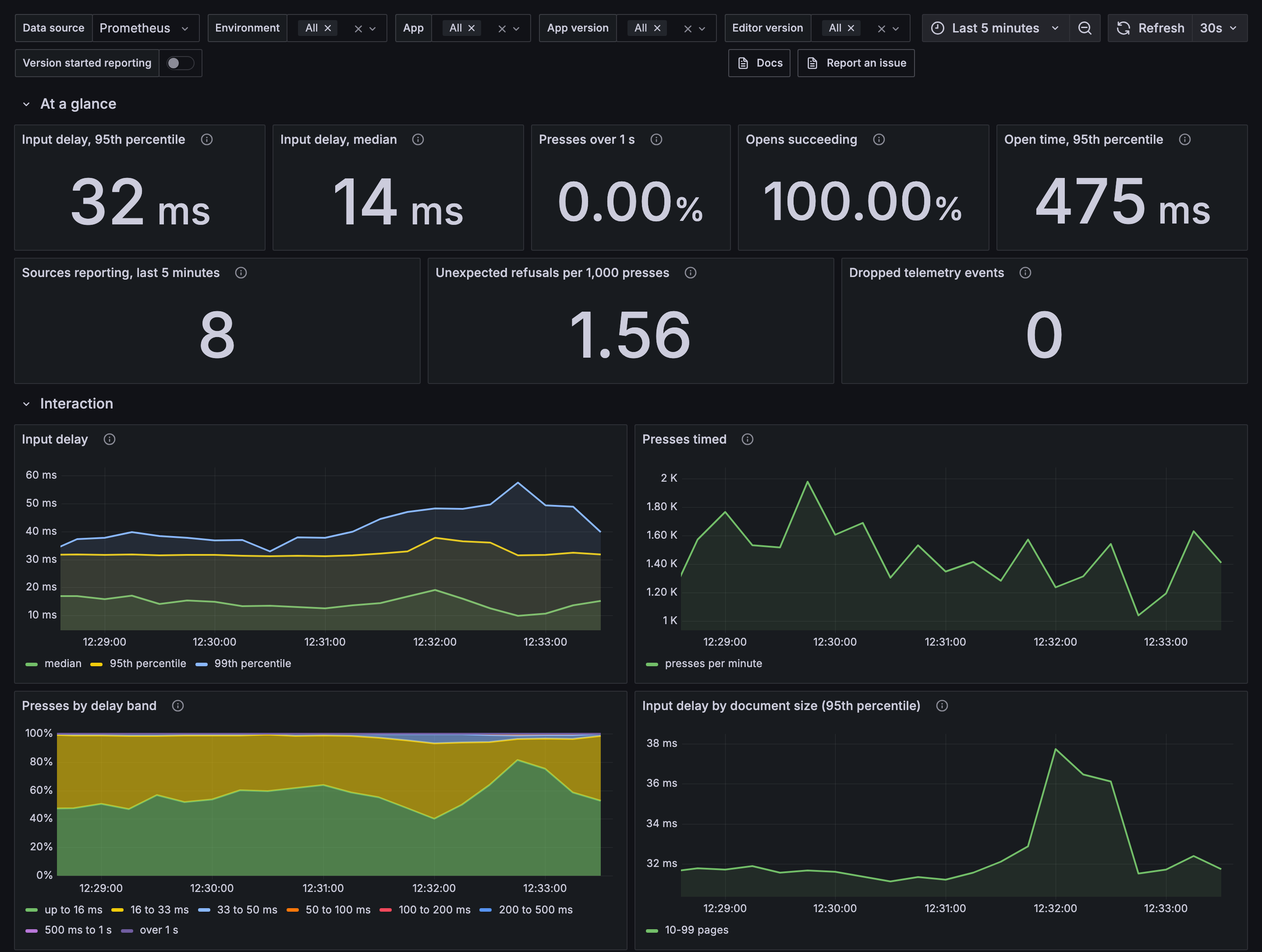
下载 editor-experience.json 财务报告和审定财务报表 collaboration.json,然后将它们导入Grafana。 关于每个人的设置,见 盘子。 。 。 .
入境点
| 条目 | 目录 |
|---|---|
@docx-editor.dev/telemetry | createTelemetry, (中文(简体) ), consoleExporter, (中文(简体) ), callbackExporter, (中文(简体) ), memoryExporter, (中文(简体) ), isFailure, (中文(简体) ), failureCount, (中文(简体) ), explainDiagnostic,参数目录 |
@docx-editor.dev/telemetry/otel | otelExporter,通过您的 OpenTeleometry SDK |
@docx-editor.dev/telemetry/sentry | sentryExporter, (中文(简体) ), dropEditorBreadcrumbs, (中文(简体) ), EDITOR_SELECTORS |
@docx-editor.dev/telemetry/prometheus | prometheusRegistry, (中文(简体) ), metricsHandler, (中文(简体) ), fetchMetricsHandler,用于服务器进程。 浏览器参数通过 otelExporter() 和一个开放的远程采集器. |
@docx-editor.dev/telemetry/server | roomTelemetry, (中文(简体) ), hmacRoomLabel |
@docx-editor.dev/telemetry/hocuspocus | withCollaborationTelemetry, (中文(简体) ), serveMetrics, (中文(简体) ), requireBearerToken, (中文(简体) ), hmacRoomLabel |
关于完整的指南,见: 遥测。 。 。 .
许可证
EigenPal Pro 许可证。 见 利比里亚。 。 。 .