@ edgetools/ codemirror- lang- 美人鱼
此软件包为 CodeMirror 代码编辑器执行美人鱼语言支持. 获得美人鱼图的语法亮度!
开始
安装软件包 :
npm install @edgetools/codemirror-lang-mermaid
示例用法:
import { basicSetup, EditorView } from 'codemirror';
import { mermaid, mindmapTags } from '@edgetools/codemirror-lang-mermaid';
import { HighlightStyle, syntaxHighlighting } from '@codemirror/language';

const myHighlightStyle = HighlightStyle.define([
  { tag: mindmapTags.diagramName, color: '#9650c8' },
  { tag: mindmapTags.lineText1, color: '#ce9178' },
  { tag: mindmapTags.lineText2, color: 'green' },
  { tag: mindmapTags.lineText3, color: 'red' },
  { tag: mindmapTags.lineText4, color: 'magenta' },
  { tag: mindmapTags.lineText5, color: '#569cd6' },
]);

new EditorView({
  doc: `mindmap
  root((mindmap))
    Origins
      Long history
      ::icon(fa fa-book)
      Popularisation
        British popular psychology author Tony Buzan
    Research
      On effectiveness<br/>and features
      On Automatic creation
        Uses
            Creative techniques
            Strategic planning
            Argument mapping
    Tools
      Pen and paper
      Mermaid
`,
  extensions: [basicSetup, mermaid(), syntaxHighlighting(myHighlightStyle)],
  parent: document.body,
});
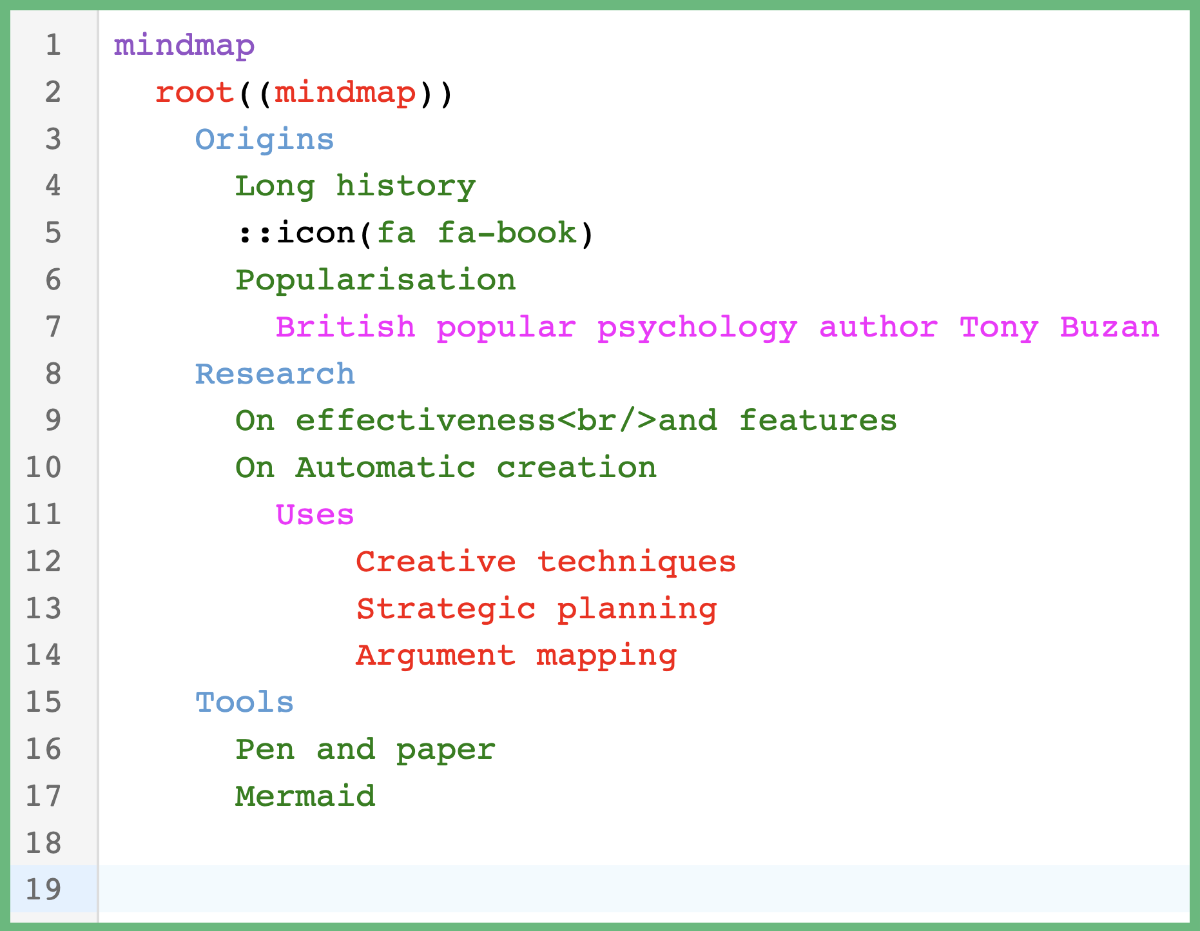
如果您在浏览器中运行此代码, 您应该获得语法突出显示 !
支持的图表
美人鱼 包含许多不同类型的图表。 每个图都有自己的 勒泽 语法文件. 支持以下图表:
每个图类型也作为单项导出——作为 LanguageSupport 扩展(例如). mindmap(), (中文(简体) ), flowchart(), (中文(简体) ), classDiagram()页:1 LRLanguage (例如:. mindmapLanguage页:1 LanguageDescription (例如:. mindmapLanguageDescription),并有一套自定义突出标记(例如. mindmapTags) (中文(简体) ). 包罗万象 mermaid() 扩展自动从第一行检测出图表类型并应用相匹配的语法.
支持的标记
CodeMiror 支持长列表 标记 用于处理以多种语言突出的语法。 一些常见标记包括: name, (中文(简体) ), variableName, (中文(简体) ), lineComment, (中文(简体) ), string,以及 number。 。 。 .
CodeMirror 也支持创建能力 自定义标签。自定义标记对于从代码Mirror提供的语法中可能没有适合的标记的发型符号是有用的.
您可以根据我定义的自定义标签或相应的父标签(如果它有一个)来选择语法加亮的样式 。 请看 标签文件 用于列出我定义的所有自定义标签及其相应的父标签.
使用自定义标记的语法加亮
下面是使用自定义标记在饼图美人鱼图中突出指代的例子.
import { basicSetup, EditorView } from 'codemirror';
import { mermaid, pieTags } from '@edgetools/codemirror-lang-mermaid';
import { HighlightStyle, syntaxHighlighting } from '@codemirror/language';

const myHighlightStyle = HighlightStyle.define([
  { tag: pieTags.diagramName, color: '#9650c8' },
  { tag: pieTags.lineComment, color: '#ce9178' },
  { tag: pieTags.number, color: 'green' },
  { tag: pieTags.showData, color: 'blue' },
  { tag: pieTags.string, color: 'magenta' },
  { tag: pieTags.title, color: '#569cd6' },
  { tag: pieTags.titleText, color: 'red' },
]);

new EditorView({
  doc: `pie showData
    title Preferred Pizza Toppings
    "Cheese" : 300
    "Pepperoni" : 290
    "Mushroom" : 100
    "Pineapple" : 10`,
  extensions: [basicSetup, mermaid(), syntaxHighlighting(myHighlightStyle)],
  parent: document.body,
});
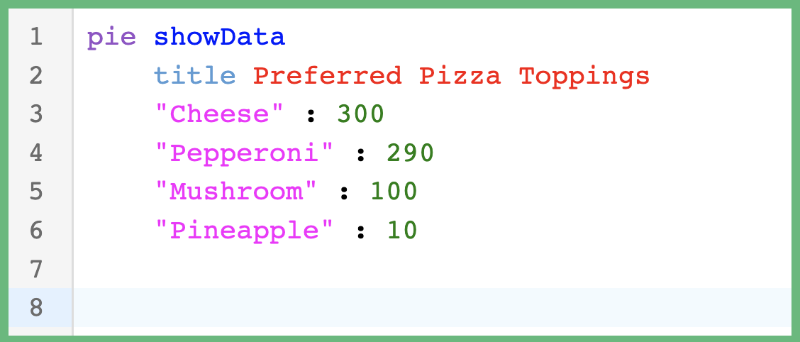
在浏览器中运行此代码应导致以下语法加亮.
用父标记加亮语法
下面是使用母标记(由CodeMirror定义)在饼图"美人鱼"图中突出指代而不用自定义标记(由我定义)的例子.
import { basicSetup, EditorView } from 'codemirror';
import { mermaid } from '@edgetools/codemirror-lang-mermaid';
import { HighlightStyle, syntaxHighlighting } from '@codemirror/language';
import { tags as t } from '@lezer/highlight';

const myHighlightStyle = HighlightStyle.define([
  { tag: t.typeName, color: '#9650c8' }, // parent tag of pieTags.diagramName
  { tag: t.lineComment, color: '#ce9178' }, // parent tag of pieTags.lineComment
  { tag: t.number, color: 'green' }, // parent tag of pieTags.number
  { tag: t.keyword, color: '#569cd6' }, // parent tag of pieTags.showData and pieTags.title
  { tag: t.string, color: 'magenta' }, // parent tag of pieTags.string and pieTags.titleText
]);

new EditorView({
  doc: `pie showData
    title Preferred Pizza Toppings
    "Cheese" : 300
    "Pepperoni" : 290
    "Mushroom" : 100
    "Pineapple" : 10`,
  extensions: [basicSetup, mermaid(), syntaxHighlighting(myHighlightStyle)],
  parent: document.body,
});
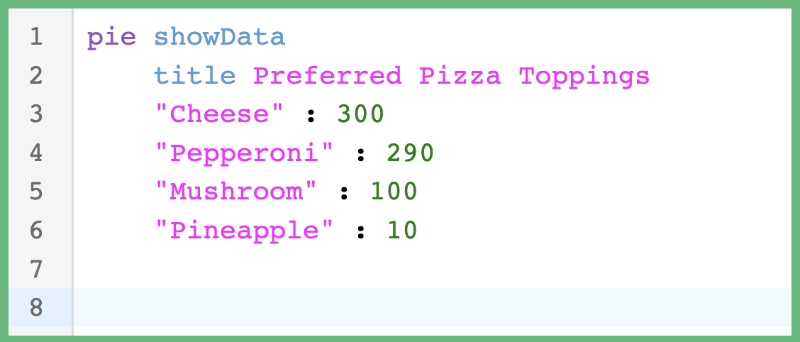
在浏览器中运行此代码应导致以下语法加亮.
何时使用自定义标记对父标记
这取决于你的偏好! 不过,我个人更喜欢习惯标签。 如前所述,每张美人鱼图都需要自己的勒泽语法文件,这实质上意味着每张图都使用自己的"语言". 美人鱼图中使用的语言与典型的编程语言大相径庭,因此在"CodeMirror"的列表中会出现没有相应匹配的符号 标记。 。 。 .
区域中的自定义标签 @edgetools/codemirror-lang-mermaid 软件包提供了对什么符号得到语法加亮的多一点控制. 注意上面的馅饼图例, t.string 双亲都是 pieTags.string 财务报告和审定财务报表 pieTags.titleText。我创建了两个自定义标签来塑造 TitleText 符号与 String 标志 然而,如果您的应用程序已经拥有了色彩主题,而您不希望自定义标签的间接费用,那么继续使用母标签.
请注意,并非所有自定义标记都有父标记(即大部分的心智图标记),这意味着你仍然需要使用自定义标记来做这些标记. 心灵图有特殊的语法强调,变化取决于每行有多少个缩进.
扩展
这个 @edgetools/codemirror-lang-mermaid 软件包为以下扩展提供支持:
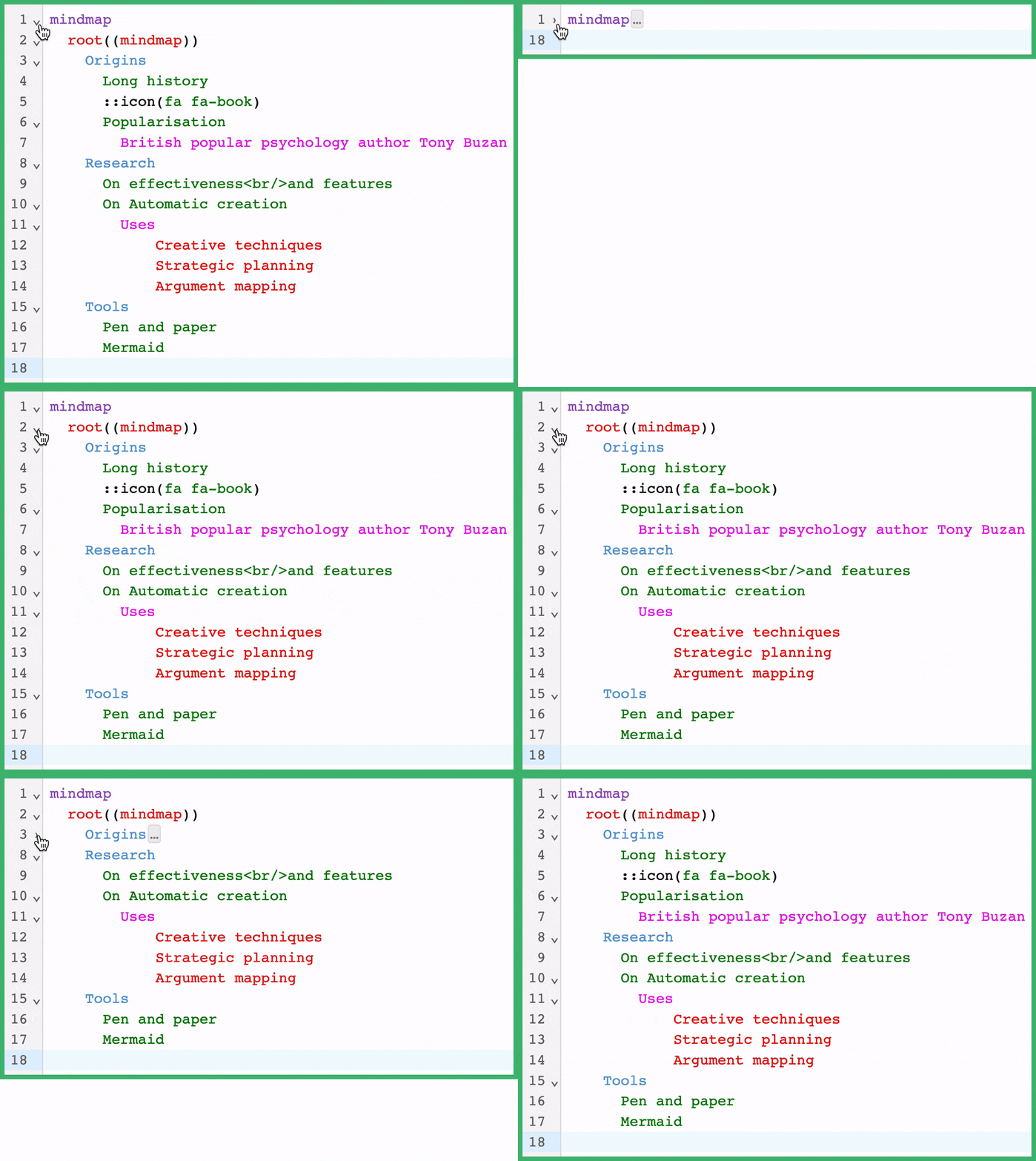
通过使 foldByIndent 扩展名,CodeMirror编辑器将在所有美人鱼图上添加代码折叠支持. 代码折叠 是文本编辑器和IDE中允许您隐藏文档部分的常见功能。 这有助于使文档更容易阅读或管理.
示例用法:
import { basicSetup, EditorView } from 'codemirror';
import { mermaid, mindmapTags } from '@edgetools/codemirror-lang-mermaid';
import { HighlightStyle, syntaxHighlighting } from '@codemirror/language';

const myHighlightStyle = HighlightStyle.define([
  { tag: mindmapTags.diagramName, color: '#9650c8' },
  { tag: mindmapTags.lineText1, color: '#ce9178' },
  { tag: mindmapTags.lineText2, color: 'green' },
  { tag: mindmapTags.lineText3, color: 'red' },
  { tag: mindmapTags.lineText4, color: 'magenta' },
  { tag: mindmapTags.lineText5, color: '#569cd6' },
]);

new EditorView({
  doc: `mindmap
  root((mindmap))
    Origins
      Long history
      ::icon(fa fa-book)
      Popularisation
        British popular psychology author Tony Buzan
    Research
      On effectiveness<br/>and features
      On Automatic creation
        Uses
            Creative techniques
            Strategic planning
            Argument mapping
    Tools
      Pen and paper
      Mermaid
`,
  extensions: [basicSetup, mermaid(), syntaxHighlighting(myHighlightStyle), foldByIndent()],
  parent: document.body,
});
通过添加 foldByIndent 中,将启用缩进的代码折叠。 记住这个例子正在使用 basicSetup 扩展名,由 CodeMirror 提供,它在所有提供代码折叠支持的行上会添加箭头. 这个 foldByIndent 扩展会根据当前行的缩进数和以下行的缩进数来折叠代码.