English | 简体中文
Introduction
A handwritten signature plugin suitable for Angular ecology, suppprt V15.
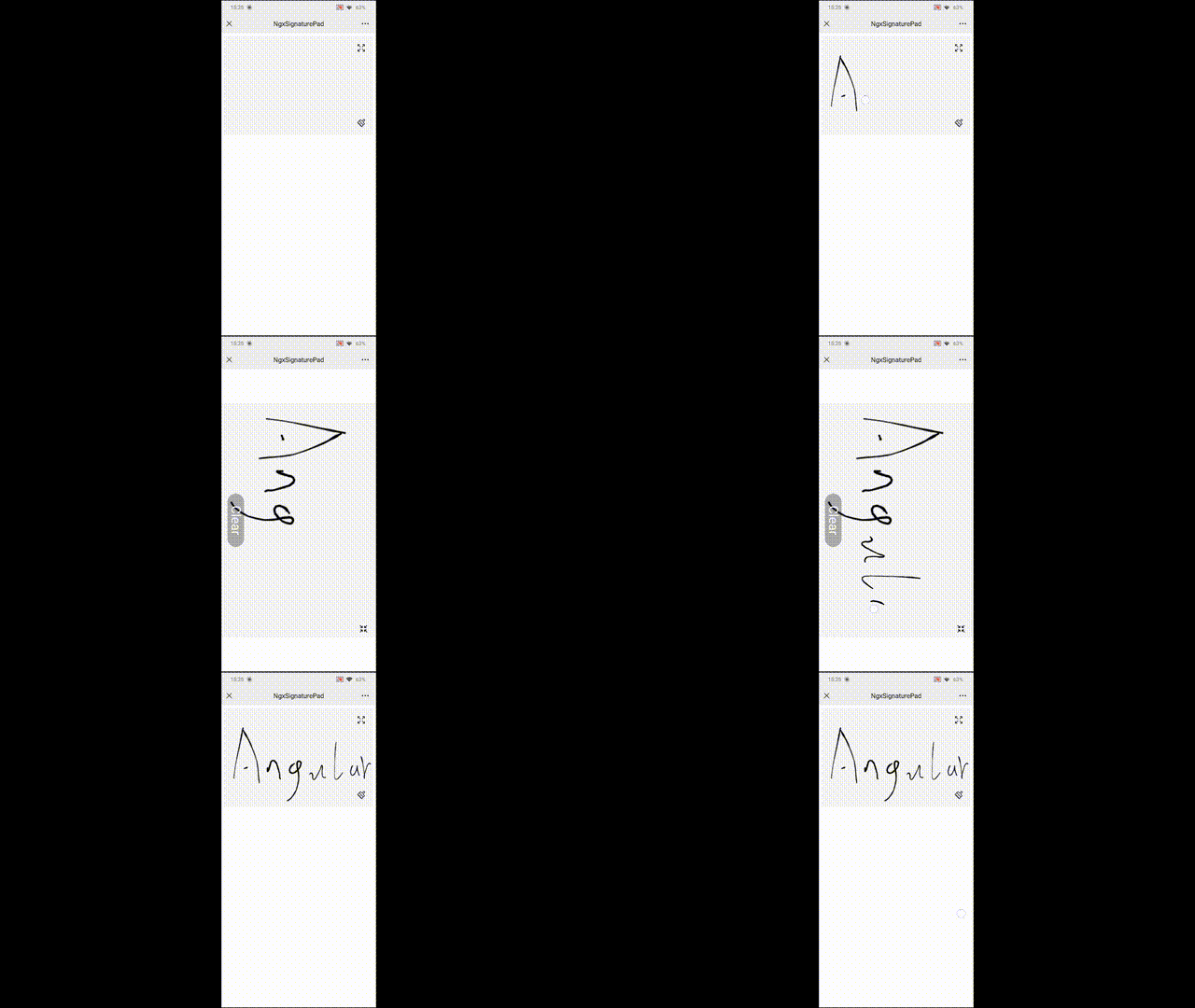
Demo
You can see all detail directions of API and demo in here. There are diffent contents in the mode of PC and Mobile. PC emphasis on document, Mobile emphasis on example.
Direction
This project is based on canvas plugin signature_pad, and the canvas plugin only has basic functions, like signature canvas. I have encapsulated it with Angular which has the following features:
- Provide API more suitable style for Angular.
- Provide features not available in native plugins, like
modify state of signature manually、revert painting、fullScreen to signand so on. - You can change the config in run time, such as width/height.
Install
Via NPM
npm install --save @eve-sama/ngx-signature-pad
Via yarn
yarn add --save @eve-sama/ngx-signature-pad
Usage
AppModule
import { BrowserModule } from '@angular/platform-browser';
import { NgModule } from '@angular/core';
import { AppComponent } from './app.component';

import { NgxSignaturePadModule } from '@eve-sama/ngx-signature-pad';

@NgModule({
  declarations: [
    AppComponent
  ],
  imports: [
    BrowserModule,
    // You need to import module of ngx-signature-pad
    NgxSignaturePadModule
  ],
  bootstrap: [AppComponent]
})
export class AppModule { }
AppComponent
<ngx-signature-pad
  #signature
  [options]="options"
  (beginSign)="onBeginSign()"
  (endSign)="onEndSign()">
</ngx-signature-pad>
import { Component, ViewChild } from '@angular/core';
import { NgxSignaturePadComponent, NgxSignatureOptions } from '@eve-sama/ngx-signature-pad';

@Component({
  selector: 'app-root',
  templateUrl: './app.component.html'
})
export class AppComponent {
  /** Catch object, call functions via instance object */
  @ViewChild('signature') signature: NgxSignaturePadComponent;

  /** You can see more introduction in the below about NgxSignatureOptions */
  public options: NgxSignatureOptions = {
    backgroundColor: '#F4F5F5',
    width: 570,
    height: 300,
    css: {
      'border-radius': '16px'
    }
  };

  /** The begin event of sign */
  onBeginSign(): void { }

  /** The end event of sign */
  onEndSign(): void { }
}
NgxSignatureOptions
| Params | Direction | Type | Default |
|---|---|---|---|
dotSize | Radius of a single dot. | number | (() => number) | - |
minWidth | Minimum width of a line. | number | 0.5 |
maxWidth | Maximum width of a line. | number | 2.5 |
throttle | Draw the next point at most once per every x milliseconds. Set it to 0 to turn off throttling. | number | 16 |
minDistance | Add the next point only if the previous one is farther than x pixels. | number | 0.5 |
backgroundColor | Color used to clear the background. Can be any color format accepted by context.fillStyle. Use a non-transparent color e.g. "rgb(255,255,255)" (opaque white) if you'd like to save signatures as JPEG images. | string | 'rgba(0,0,0,0)' |
penColor | Color used to draw the lines. Can be any color format accepted by context.fillStyle. | string | 'black' |
velocityFilterWeight | Weight used to modify new velocity based on the previous velocity. | number | 0.7 |
width | The width of canvas. | number | 300px |
height | The height of canvas. | number | 150px |
css | Custom css of canvs, you can see code of demo to get detail info. Notice that we use Renderer2 to render css, not sure whether it support all css | { [key: string]: string } | - |
Instance Method
| Fcuntion | Direction |
|---|---|
toDataURL() | Get data URL of it as PNG. |
toDataURL("image/jpeg") | Get data URL of it as JPEG. |
toDataURL("image/svg+xml") | Get data URL of it as SVG. |
fromDataURL(dataUrl: string) | Draws signature image from data URL, you need to pass it with base64. |
toData() | Returns signature image as IPointGroup[]. |
fromData(pointGroups: IPointGroup[]) | Draws signature image from IPointGroup[]. |
clear() | Clears the canvas. |
isEmpty() | Returns true if canvas is empty, otherwise returns false. |
setDirty() | Set pad's state as dirty, then isEmpty() return false. |
setEmpty() | Set pad's state as empty, then isEmpty() return true. |
revert() | Undo the last action. Notice that if you have the change of fullScreen() and miniScreen(), the revert() can not work after you change the mode. Under this situation, I do not recommend use it. |
fullScreen() | You can change the mode to fullScreen, the aspect ratio of the fullScreen signature is the same as that of the miniScreen signature. |
miniScreen() | You can change the mode to miniScreen. The inicial mode is miniScreen when you init the component. |
getContext() | Get canvas's Context, this is about canvas, after get Context, you can do anything you want, for example you can use drawImage to draw something in canvas pad, see demo in PC of dragImage. |
Modify config during run time
This plugin allow you modify config during run time, just modify the options that you want to pass. Notice that you can not only change the attribute of options. Because OnChanges does not trigger under this circumstance. You need to reassign the options. For example, the initial options as below:
const options: NgxSignatureOptions = {
  penColor: 'rgb(0, 0, 0)', // Black
  width: 300,
  height: 150
};
After run code, if you wan to change the color of pen, if you write code as below, it does not work.
options.penColor = 'rgb(255, 0, 0)'; // Does not work, because can not trigger OnChanges
You need to reassign as below.
const options: NgxSignatureOptions = {
  penColor: 'rgb(255, 0, 0)' // Change the black to red
  width: 300,
  height: 150
};